


WD_BLACK CAPACITY SHOWDOWN
WD_BLACK 8TB vs 10TB Price
A direct price and capacity-value comparison between the two commercial-center WD_BLACK HDD sizes.
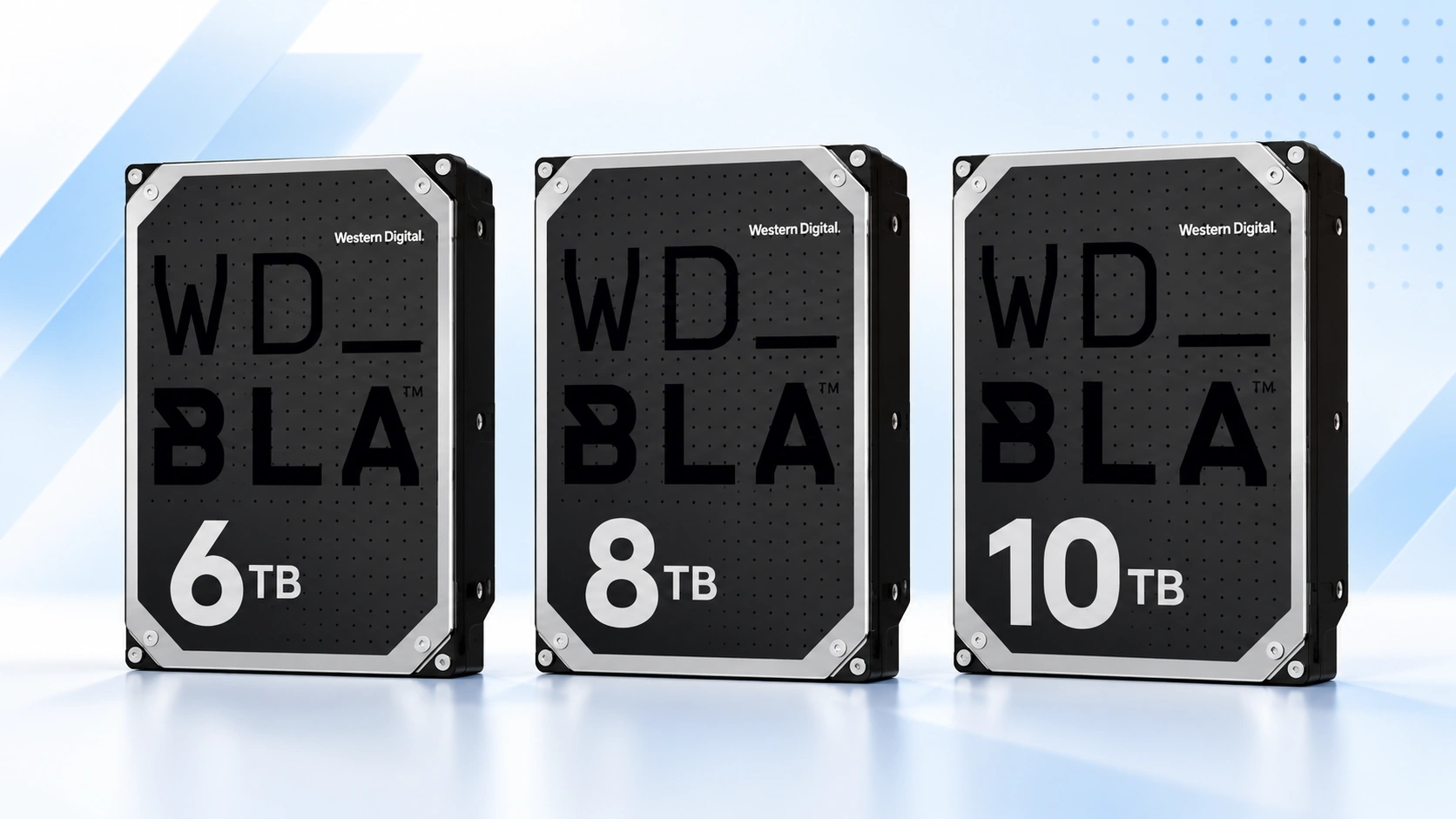
The break-even point is 25%. If WD_BLACK 10TB costs less than 25% more than 8TB, 10TB has equal or better raw price per TB. If the premium is higher, 8TB is cheaper per TB.
Price Trend
90-Day Price History
WD_BLACK Deal Score
Live value by model or family
| Family / model | Capacity | $/TB | 30-Day | Historical position | Deal Score | Signal |
|---|---|---|---|---|---|---|
| WD_BLACK 8TB | — | — | — | History in progress | —Early history | WATCH |
| WD_BLACK 10TBWD5003AZEX | 10TB | $5.93 | — | 0th percentile | 98Medium history | BUY |
Historical position compares today’s price per TB with recent tracked prices for new drives. Renewed, recertified, refurbished and used offers are kept separate.
Is this a good price?
WD_BLACK Price Check Calculator
Amazon Live
Current WD_BLACK 8TB vs 10TB offers
| Drive | Model | Capacity | Amazon price | $/TB | Checked | |
|---|---|---|---|---|---|---|
 WD_BLACKNew · Giz-Promo | WD102FZBX | 10TB | $469.99 | $47.00 | Last verified 27d ago | Buy on Amazon |
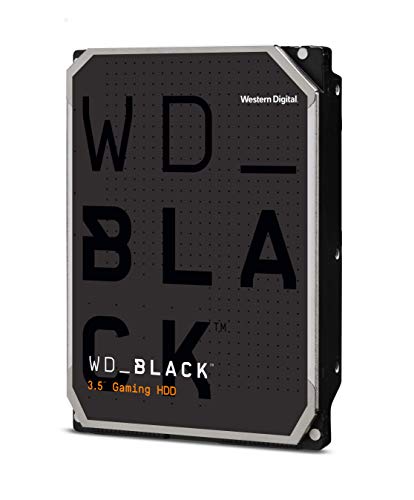 WD_BLACKNew · Rippid (S/N Recorded) | WD101FZBX | 10TB | $476.99 | $47.70 | Last verified 27d ago | Buy on Amazon |
 WD_BLACKNew · Dealforless | WD101FZBX | 10TB | $479.99 | $48.00 | Last verified 27d ago | Buy on Amazon |
As an Amazon Associate, Cloudzat may earn from qualifying purchases. Prices, seller, selected variation and availability can change after the last check. Confirm the exact model, capacity and New condition before checkout.
Capacity Economics
8TB vs 10TB purchase cost
| Capacity | 8TB | 10TB |
|---|---|---|
| Current drive price | — | $59.34 |
| Best current $/TB | — | $5.93 |
| Two-drive cost | — | $118.68 |
| Current model | — | WD5003AZEX |
Drive purchase cost only. Add tax, shipping, backup storage and any SSD tier separately.
Smart Alternatives
Better-value WD_BLACK capacities to check

Decision table
What to compare before buying
| Decision | WD_BLACK 8TB | WD_BLACK 10TB | How to decide |
|---|---|---|---|
| Model | WD8002FZBX | WD102FZBX | Check the exact model at checkout when prices are close |
| Nominal capacity | 8TB | 10TB | 10TB adds 25% capacity in the same 3.5-inch bay |
| Best for | Large game / project library | Maximum WD_BLACK HDD density | Estimate growth over the planned service life |
| Value test | Lower total spend | Potentially lower marginal $/TB | Divide the price premium by the extra 2TB |
The 8TB versus 10TB decision is really a price on two extra terabytes
The jump from WD_BLACK 8TB to 10TB adds two terabytes, or 25 percent more nominal capacity, without consuming another 3.5-inch bay. That makes the comparison unusually clean. Subtract the current 8TB price from the 10TB price and divide the difference by two. The result is the marginal cost per added terabyte. When that number is low, 10TB can be the more efficient long-term purchase even though the checkout total is higher.
When the marginal cost is high, 8TB can win decisively. The buyer keeps more cash available for an NVMe SSD, backup drive, GPU or other component while still getting a very large local library. This is why the page compares both live sticker price and capacity economics. A generic claim that 10TB is better because it is larger, or 8TB is better because it is cheaper, misses the only number that actually resolves the trade-off.
8TB is the value anchor for a large gaming library
Eight terabytes is already enough capacity to change how a gaming PC is managed. Instead of constantly uninstalling large titles, moving captures to external storage or splitting libraries across several small HDDs, a single WD8002FZBX-class drive can hold a substantial archive beside the system SSD. That makes 8TB a natural commercial center rather than merely a stepping stone to 10TB.
Its strength becomes greater when 8TB receives a deeper discount than 10TB. Because both capacities belong to the same general performance-desktop family, a temporary 8TB sale can make its price per TB and total cash requirement attractive at the same time. Buyers who expect moderate growth can lock in the lower total cost without paying for space they may never fill.
10TB is a density purchase, not just a bigger number
Ten terabytes is the maximum current WD_BLACK HDD capacity on Western Digital’s product page. For a buyer who wants one high-capacity mechanical disk beside an SSD, that maximum density can postpone adding another drive or reorganizing the library. The value is highest when the PC has limited 3.5-inch bays or when the owner prefers fewer storage devices and cables.
The 10TB premium still needs discipline. Paying a large extra amount for two additional terabytes can be poor value if the machine will be replaced before the capacity is used. Compare the premium with your annual library growth. If you routinely add terabytes of games, video or project assets, 10TB can buy useful time. If growth is slow, 8TB may cover the service life comfortably.
Current model versus older revision can affect the apparent winner
The current 8TB reference is WD8002FZBX and the current 10TB reference is WD102FZBX, but older official WD_BLACK revisions can remain in marketplace inventory. A heavily discounted older 8TB or 10TB drive may be a perfectly legitimate option, yet its price should not be copied into the history of the current model. Otherwise a clearance event can distort the Deal Score for months.
When you compare 8TB with 10TB, look at the exact models shown in Amazon Live. If an older revision is creating the cheaper capacity tier, decide whether its model, warranty and seller are acceptable rather than assuming every drive in that capacity has moved to the same price.
Price per TB can favor 10TB while total cost still favors 8TB
This is a common source of confusion. Suppose 10TB has the lower $/TB, but the total purchase is still one hundred dollars more. The lower ratio proves only that each nominal terabyte is cheaper. It does not prove those final two terabytes are worth the extra one hundred dollars to you. Total cost and marginal cost answer different questions.
Use all three numbers together: total checkout price, price per TB and the premium for the extra 2TB. A buyer with a rapidly growing video archive may value the capacity enough that 10TB is obvious. A gamer whose library has stabilized around 5TB can rationally choose 8TB even if 10TB wins the ratio. Good price intelligence makes the trade-off explicit rather than hiding behind one metric.
The SSD pairing changes which HDD capacity is rational
If the same budget must also buy a fast NVMe SSD, the 8TB-versus-10TB choice can change. Spending less on the HDD may fund a larger or faster SSD for the games and applications where latency matters most. The WD_BLACK HDD then becomes the capacity tier for the broader library. In that design, 8TB can be better even when 10TB is a stronger mechanical-drive bargain in isolation.
The opposite can also happen. If the SSD is already large enough and the next storage constraint will clearly be bulk capacity, paying the 10TB premium can reduce future upgrades. Compare the full storage plan rather than one component. The aim is not to maximize every individual specification; it is to build a PC whose fast tier and capacity tier are balanced for the workload.
When a 10TB premium becomes easy to justify
The 10TB step becomes compelling when the extra 2TB costs little relative to the 8TB price and you expect to use the capacity. A useful rule is to compare the marginal $/TB with the 8TB drive’s own current $/TB. If the added terabytes are being sold at a similar or lower effective rate, the density upgrade is economically efficient. The stronger the 10TB historical position, the better the case.
A second factor is the cost of a future change. Adding another drive later may require a new bay, cables, data migration or replacing the existing drive entirely. Those frictions have value even though they do not appear in the Amazon price. A modest 10TB premium can therefore be reasonable when it buys enough headroom to avoid another storage project during the life of the PC.
When 8TB is the disciplined choice
Eight terabytes wins when it already meets the storage forecast and the 10TB premium is large. It can also win when a sale puts WD8002FZBX near a strong historical low while 10TB remains near the expensive end of its range. In that situation the buyer gets both a lower invoice and stronger timing without sacrificing a capacity requirement that is already satisfied.
Do not confuse restraint with under-buying. The disciplined choice includes a growth buffer. Estimate your current library, annual additions and how much free space you prefer to keep. If that forecast still fits comfortably inside 8TB after realistic overhead, the saved money can be more productive elsewhere in the machine or in an independent backup copy.
BUY, WATCH and WAIT should be read capacity by capacity
The 8TB and 10TB signals can legitimately disagree. One capacity may be on promotion while the other is temporarily scarce. A BUY on 8TB and WATCH on 10TB suggests the market currently rewards the smaller tier. A strong 10TB signal with ordinary 8TB pricing can reverse the decision. The family name does not mean both capacities move together.
History confidence matters. Early observations should not be treated as a precise valuation model. As the page builds daily price records, the median, low and percentile provide stronger context. Until then, current $/TB and marginal step-up cost should carry more weight. The signal is a timing tool after you know which capacities are acceptable, not a substitute for deciding how much space the PC needs.
Final 8TB versus 10TB checkout test
Open both exact Amazon offers and record the final New-condition price, selected model and seller. Divide each by its capacity, then calculate the 10TB premium and the cost per added terabyte. If the result fits your storage-growth plan, the decision becomes straightforward. This final check is worth doing because marketplace prices and selected variations can change between visits.
If neither price is compelling, waiting is a valid option for a planned upgrade. If one capacity is clearly discounted, act only after verifying the model and condition. A close-to-checkout comparison should end with a number you can explain: how much you paid for the extra capacity, or how much you saved by deciding the smaller tier was enough.
Use a break-even horizon instead of guessing how much headroom is enough
Estimate how quickly the stored library is growing in terabytes per year. Then calculate how long the extra 2TB in the 10TB drive would postpone the next storage change. If the premium buys only a few months of headroom, 8TB may be more efficient. If it buys years, the 10TB premium can be easier to justify. This turns capacity planning into a time-based decision rather than a vague preference for more space.
The break-even horizon is particularly useful for creative users because project growth can be measured from existing archive folders. Gamers can approximate growth from the last year of purchases and capture files. The calculation does not need perfect forecasting. It only needs to be good enough to show whether the extra capacity is likely to matter before the PC itself is replaced.
Questions people ask
WD_BLACK 8TB vs 10TB FAQs
Is WD_BLACK 10TB always better value than 8TB?
No. 10TB may have a lower price per TB while still carrying a large total premium. Compare the extra 2TB with the actual step-up price and your expected growth.
How much more capacity does 10TB provide than 8TB?
Nominally, 10TB provides 2TB more, which is 25% additional capacity compared with 8TB.
Which 8TB and 10TB models should I look for?
Look for WD8002FZBX at 8TB and WD102FZBX at 10TB. Older official revisions may still be available, so verify the exact model on the retailer page.
Which capacity is better for a large Steam library?
Both are large enough for substantial libraries. Choose 10TB if the two extra terabytes are priced reasonably and you expect to use them; choose 8TB if its discount is stronger and your growth forecast fits comfortably.
Should I compare renewed drives?
Yes, but treat them as a separate condition choice. Renewed pricing can be much lower, while warranty and service-life expectations may differ from New stock.
What is the fastest way to decide?
Compare the two checkout totals, calculate $/TB, then divide the 10TB premium by the extra 2TB. That marginal cost is the clearest capacity decision number.
Price methodology & sources
How Cloudzat compares WD_BLACK prices
Cloudzat matches WD_BLACK HDD offers by capacity and exact model number before including them. Price per TB is the current new-drive price divided by capacity. Price history uses the prices Cloudzat has tracked over time, while renewed, recertified, refurbished and used drives are kept separate from new-drive comparisons.
The Deal Score combines current price per TB with the available price history. When history is limited, the signal stays conservative. The score is a purchase-timing aid, not a reliability rating or compatibility guarantee.
- Western Digital WD_BLACK 3.5-Inch Gaming Hard Drive
- Western Digital WD_BLACK 3.5-Inch Gaming HDD data sheet
If a newer Amazon check does not return a replacement price, Cloudzat can keep the last successfully verified price visible with its age for reference. Always confirm the live checkout price, selected model, capacity, seller and condition before ordering.