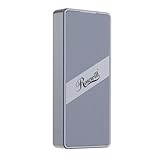
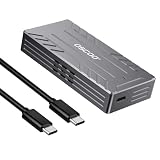
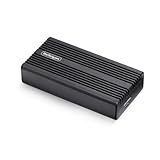
Compare premium USB4 NVMe enclosures built for high-speed external storage. The table focuses on 40Gbps-class products and shows cooling, supported M.2 sizes, controller details and included cables where Amazon provides them.
20fresh offers
$22.95lowest price
40Gbpsfastest listed link
Prices checked: October 23, 2026 5:35 pm. Amazon prices and availability can change after this time. Price details
Reset a filter or choose another interface, protocol, brand or feature.
When a USB4 NVMe enclosure is worth it
Use it with a capable host
USB4-class pricing makes sense when the computer and cable support the required high-speed mode. A normal 10Gbps port will make the enclosure operate at a lower rate.
Look beyond burst benchmarks
Video editing, disk imaging and long transfers benefit from sustained performance. Cooling surface area and controller behavior matter after the first few seconds.
Check fallback compatibility
A useful enclosure should clearly state how it behaves with Thunderbolt and earlier USB ports, especially when it will be used across several computers.
How Cloudzat compares enclosure prices
Compare current Amazon listings relevant to this guide. Product availability and prices can change.
Cloudzat rejects preinstalled-drive bundles, carrying cases, replacement cables and unrelated accessories. Technical fields are extracted from the Amazon title and product information and can be incomplete, so confirm the selected Amazon variant and manufacturer specification before ordering.
Frequently asked questions
Can USB4 NVMe enclosures work on USB 3 ports?
Many are backward compatible, but they run at the slower port speed. Confirm the exact listing because compatibility varies.
Do all USB-C ports support 40Gbps?
No. USB-C describes the connector. The computer port must separately support USB4 or a compatible high-speed Thunderbolt mode.
Is active cooling necessary?
Not always, but a fan can help with sustained workloads. Passive finned aluminum designs can also perform well without fan noise.
What SSD should I install in a USB4 enclosure?
Use an NVMe drive supported by the enclosure length and capacity limits. A faster drive gives more headroom, but thermals and the host connection still affect results.


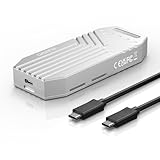
![ineo M.2 NVMe 20G USB 3.2 Gen 2x2 Type-C to NVMe PCIe M-Key SSD Enclosure with Built-in Cooling Fan [C2598-NVMe, 20Gbps]](https://m.media-amazon.com/images/I/51gkb3UGuRL._SL160_.jpg)