


United Kingdom · GBP
Best Radeon 8060S Mini PCs UK: Gaming, Models and Prices
Choose a 64GB GMKtec EVO-X2 for a compact gaming and creative desktop with Radeon 8060S. Choose the 128GB version if large local AI models share the machine. Choose the MINISFORUM MS-S1 MAX for graphics work that also needs fast networking or PCIe expansion.
Which model to choose
GMKtec EVO-X2, 64GB
Best starting point for a graphics-focused desktop. Put the budget into the complete machine and display before paying for unused memory.
Alternative with the same processor: GMKtec EVO-X2 AI Mini PC AMD Ryzen Al Max+ 395 (up to 5.1GHz) Mini Gaming Computers, 128G… · 128 GB RAM
 £3,483.32Price checked 02.11.2026 14:06 UTCView alternative on Amazon ↗Specifications and model details ↗
GMKtec EVO-X2, 128GB
Best combined graphics and local AI choice when model memory exceeds the smaller configuration.
£3,483.32Price checked 02.11.2026 14:06 UTCBuy on Amazon ↗Specifications and model details ↗MINISFORUM MS-S1 MAX, 64GB or 128GB
Best for a studio or lab needing dual 10GbE and expansion alongside the same Radeon 8060S GPU family.
 £3,639.00Price checked 02.11.2026 11:58 UTCBuy on Amazon ↗Specifications and model details ↗
Amazon prices and configurations
Ryzen AI Max+ 395 / Radeon 8060S
GMKtec EVO-X2 AI Mini PC AMD Ryzen Al Max+ 395 (up to 5.1GHz) Mini Gaming Computers, 128GB LPDDR5X 8000MHz (8GB*8) 2TB PCIe …
128 GB RAM · 2000 GB SSD
£3,483.32Price checked 02 Nov 2026 14:06 UTCBuy on Amazon ↗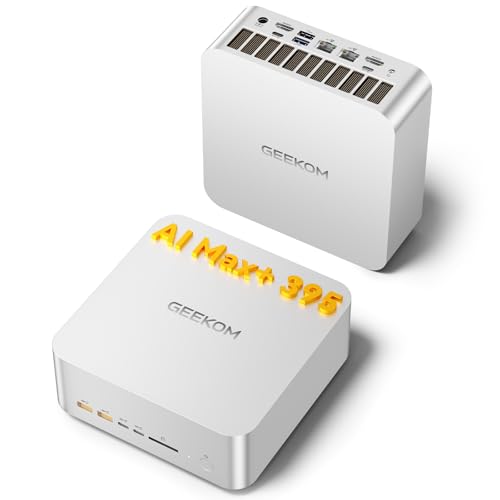
Ryzen AI Max+ 395 / Radeon 8060S
GEEKOM A9 Mega Mini PC, AMD Ryzen AI MAX 395,128GB LPDDR5X RAM+2TB SSD | Local AI Super PC, Radeon 8060S Graphics, 4K@120Hz …
128 GB RAM · 2000 GB SSD
£3,399.00Price checked 02 Nov 2026 11:58 UTCBuy on Amazon ↗Ryzen AI Max+ 395 / Radeon 8060S
MINISFORUM MS-S1 MAX Mini AI Workstation PC 128GB LPDDR5x RAM 2TB SSD | MINI PC AMD Ryzen AI Max+395 (16C/32T),RDNA3.5 GPU,D…
128 GB RAM · 2000 GB SSD
£3,639.00Price checked 02 Nov 2026 11:58 UTCBuy on Amazon ↗
Ryzen AI Max+ 395 / Radeon 8060S
MINISFORUM MS-S1 MAX Mini AI Workstation PC 128GB LPDDR5x RAM 4TB SSD | MINI PC AMD Ryzen AI Max+395 (16C/32T),RDNA3.5 GPU,D…
128 GB RAM · 4000 GB SSD
£3,879.00Price checked 02 Nov 2026 11:58 UTCBuy on Amazon ↗Buying guide
Which Radeon 8060S Mini PC should you buy?
The GMKtec EVO-X2 with 64GB is our starting recommendation for a buyer focused on games, photo work and a compact creative desktop. The 128GB version makes more sense when the same computer will run large local models. The MINISFORUM MS-S1 MAX is the alternative for a studio or lab that can use its networking and expansion. These are choices by practical role rather than a claim that one chassis has won an identical-settings gaming test.
Radeon 8060S is integrated into the processor platform rather than supplied as a removable desktop graphics card. In the shortlisted machines it accompanies Ryzen AI Max+ 395. That gives the system a powerful integrated design, but the complete purchase still includes memory, cooling, storage and software support. Choose the enclosure that fits your desk and workflow after deciding the memory tier you actually need.
8060S versus 890M and other integrated graphics
AMD lists 40 graphics compute units for Radeon 8060S in the Ryzen AI Max+ 395 platform. The Radeon 890M found in HX 370 systems belongs to a different performance and memory tier. More graphics resources make the 8060S a stronger candidate for someone who wants demanding integrated-graphics work, but they do not provide a universal percentage advantage across games, creative applications and AI software.
Use results from the exact application, settings and power mode if you need a performance comparison. A high desktop resolution, complex ray tracing or a heavy effects project can change which system is appropriate. For office applications and occasional light gaming, a less expensive 890M system may already meet your needs. Spending more on graphics that remain idle does not improve ordinary document work or the speed of your internet connection.
How much memory does a gaming configuration need?
A 64GB configuration is a sensible starting point in this particular platform for gaming and mixed creative use. The integrated GPU shares memory with the CPU and operating system. Increasing an allocation in firmware does not create additional physical RAM, and allocating too much can leave less for the game and other applications. Use the settings recommended by the system maker and adjust only when a particular application needs it.
Buy 128GB because an application or local model requires capacity, not because doubling RAM automatically doubles game performance. Memory bandwidth, cooling, driver behaviour and the game itself remain important. Keep enough SSD space free for updates and temporary files. A 2TB system is convenient for a larger game library, while a 1TB system can work for a smaller rotating collection and an external backup drive.
Resolution, frame rate and honest expectations
Start by choosing the monitor resolution and frame rate that matter to you. Competitive games, visually demanding single-player titles and older games place different demands on a computer. Test native resolution first, then reduce a costly quality setting or use a supported upscaling option if necessary. Upscaling and generated frames should be identified separately from native rendering when comparing performance figures.
This guide does not attach an invented frame rate to the GPU name. Even two Radeon 8060S systems can differ in sustained power, acoustics and firmware. If one game is the reason you are buying, find an independent test showing that game on the exact hardware class and check the settings. If high-quality ray tracing or consistently high frame rates in the most demanding titles are essential, compare a desktop with a dedicated GPU before purchasing.
Creative work, displays and local AI
For creative applications, confirm both feature support and acceleration. A program may run on the CPU while a particular effect, renderer or AI plugin expects a different GPU backend. A large shared-memory pool is useful only when the application can use it productively. Work through a representative project before moving a deadline-critical workflow onto a different graphics platform.
For multiple displays, check the computer’s physical connectors, supported refresh rates and the capabilities of the cable or dock in the path. Processor-level display capabilities do not guarantee that every enclosure exposes every possible output. If you also run local language models, size memory for weights, context, runtime buffers and the operating system. The 128GB version is the more useful starting point when high-memory AI is a central requirement rather than an occasional experiment.
Cooling, alternatives and the total setup
Leave space for cooling and avoid placing an active exhaust directly against a wall or inside a closed cabinet. Long gaming sessions and renders are sustained loads. A quieter profile may be preferable to a small performance gain if the system sits beside your microphone. Noise tolerance is personal, so compare published measurements from the same test conditions rather than interpreting a cooling slogan as proof of silent operation.
If an EVO-X2 memory configuration is unavailable, compare an MS-S1 MAX with the same capacity and the same Radeon 8060S platform. Its larger design and extra connections may justify a higher price, but they do not automatically improve every game. An HX 370/890M computer is a lower graphics tier and should be presented as a cheaper compromise. A dedicated GPU desktop is the alternative when replaceable graphics or a particular software ecosystem matters more than a very small enclosure.
Plan the complete working setup
Include the screen, keyboard, storage backup and any required dock in the budget. A powerful small computer cannot fix an unsuitable monitor connection or recover files that were never backed up. If you are replacing a working system, keep the old machine available while installing the applications that matter. Move one representative project first, check its output and confirm that sleep, networking and external devices behave as expected before moving the rest of your work.
For a purchase intended to last several years, consider how you will obtain firmware, drivers and replacement parts. A clear support route and a return window that allows a realistic trial can be more valuable than a small difference in headline specifications. Test the workload that motivated the purchase during that period: a long build, your actual game, a video export or the local model you plan to use. Keep the result, configuration and settings together so future upgrades address a measured limitation.
Buying in United Kingdom
Amazon UK prices are shown in pounds. Prefer a UK plug, a clear VAT-inclusive total and a seller offering a practical UK return route. An overseas import can change the cost and the way a warranty claim is handled.
Questions buyers ask
Which Radeon 8060S model should I start with?
Our recommendation is the GMKtec EVO-X2 with 64GB for gaming and creative work, or 128GB when large local models also matter. Choose the MS-S1 MAX for networking and expansion.
Will 128GB improve game frame rates over 64GB?
Extra capacity helps only when memory capacity is a constraint. It does not automatically increase frame rates; graphics settings, cooling, drivers and memory bandwidth also matter.
Can I replace the Radeon 8060S later?
The 8060S is integrated into the processor platform. It is not a removable desktop graphics card. Choose another system design if replaceable internal graphics are essential.
Manufacturer specifications
AMD Ryzen AI Max+ 395 / Radeon 8060S ↗GMKtec EVO-X2 ↗MINISFORUM MS-S1 MAX ↗Related Mini PC guides
Best Ryzen AI Max+ 395 Mini PCs UK: Models, RAM and PricesBest Ryzen AI 9 HX 370 Mini PCs UK: Models and PricesBest Core Ultra 9 285H Mini PCs UK: Models and PricesBest AI Mini Workstations UK: Local Models and Buying GuideAs an Amazon Associate, Cloudzat earns from qualifying purchases. Prices and availability can change.