


United Kingdom · GBP
Best AI Mini Workstations UK: Local Models and Buying Guide
Choose the GMKtec EVO-X2 128GB for a compact large-model workstation. Choose the MINISFORUM MS-S1 MAX 128GB for a networked AI lab. Choose the AI X1 Pro-370 64GB for smaller models and general development, or EVO-T1 for an Intel-focused workflow. Use a dedicated GPU desktop when your software requires CUDA.
Which model to choose
GMKtec EVO-X2, 128GB
Best starting point for high-memory local inference in a compact desktop.
 £3,483.32Price checked 02.11.2026 14:06 UTCBuy on Amazon ↗Specifications and model details ↗
MINISFORUM MS-S1 MAX, 128GB
Best for a lab that needs dual 10GbE and a PCIe expansion card.
 £3,639.00Price checked 02.11.2026 11:58 UTCBuy on Amazon ↗Specifications and model details ↗
MINISFORUM AI X1 Pro-370, 64GB
Best more modest development choice for smaller models, containers and normal desktop work.
 £1,407.00Price checked 02.11.2026 12:28 UTCBuy on Amazon ↗Specifications and model details ↗
GMKtec EVO-T1, 32GB or more
Best alternative for a known Intel/OpenVINO workflow and several internal NVMe drives.
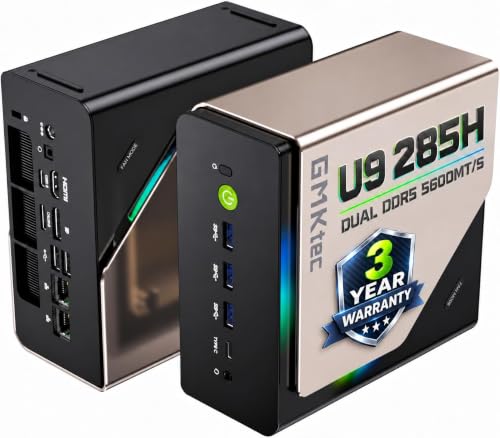 £1,139.96Price checked 02.11.2026 13:51 UTCBuy on Amazon ↗Specifications and model details ↗
Amazon prices and configurations
Ryzen AI Max+ 395 / Radeon 8060S
GMKtec EVO-X2 AI Mini PC AMD Ryzen Al Max+ 395 (up to 5.1GHz) Mini Gaming Computers, 128GB LPDDR5X 8000MHz (8GB*8) 2TB PCIe …
128 GB RAM · 2000 GB SSD
£3,483.32Price checked 02 Nov 2026 14:06 UTCBuy on Amazon ↗Core Ultra 9 285H
GMKtec EVO-T1 Mini PC AI Ultra 9 285H (up to 5.4GHz) 64GB DDR5 (32GB*2) 1TB PCIe 4.0 SSD Gaming Mini Computer, 3X M.2 Expans…
64 GB RAM · 1000 GB SSD
£1,139.96Price checked 02 Nov 2026 13:51 UTCBuy on Amazon ↗
Core Ultra 9 285H
Beelink Mini PC GTi15, Intel Core Ultra 9 285H(16C/16T, up to 5.4GHz), 64GB DDR5 1TB PCIe4.0 SSD AI Mini Computer Windows11 …
64 GB RAM · 1000 GB SSD
£1,339.00Price checked 02 Nov 2026 13:51 UTCBuy on Amazon ↗Ryzen AI 9 HX 370
MINISFORUM AI X1 Pro-370 Mini PC 64GB DDR5 1TB PCIe 4.0 SSD | AMD Ryzen AI 9 HX370 Up to 5.1GHz 12C/24T, Mini Desktop Comput…
64 GB RAM · 1000 GB SSD
£1,407.00Price checked 02 Nov 2026 12:28 UTCBuy on Amazon ↗
Ryzen AI 9 HX 370
MINISFORUM Mini PC AI X1 Pro AMD Ryzen AI 9 HX370(12 Cores/24 Threads, up to 5.1GHz)&AMD Radeon 890M Mini Gaming Computer,32…
32 GB RAM · 1000 GB SSD
£1,089.00Price checked 02 Nov 2026 12:13 UTCBuy on Amazon ↗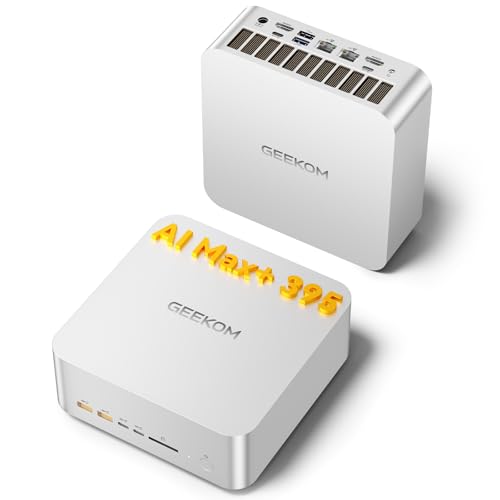
Ryzen AI Max+ 395 / Radeon 8060S
GEEKOM A9 Mega Mini PC, AMD Ryzen AI MAX 395,128GB LPDDR5X RAM+2TB SSD | Local AI Super PC, Radeon 8060S Graphics, 4K@120Hz …
128 GB RAM · 2000 GB SSD
£3,399.00Price checked 02 Nov 2026 11:58 UTCBuy on Amazon ↗Ryzen AI Max+ 395 / Radeon 8060S
MINISFORUM MS-S1 MAX Mini AI Workstation PC 128GB LPDDR5x RAM 2TB SSD | MINI PC AMD Ryzen AI Max+395 (16C/32T),RDNA3.5 GPU,D…
128 GB RAM · 2000 GB SSD
£3,639.00Price checked 02 Nov 2026 11:58 UTCBuy on Amazon ↗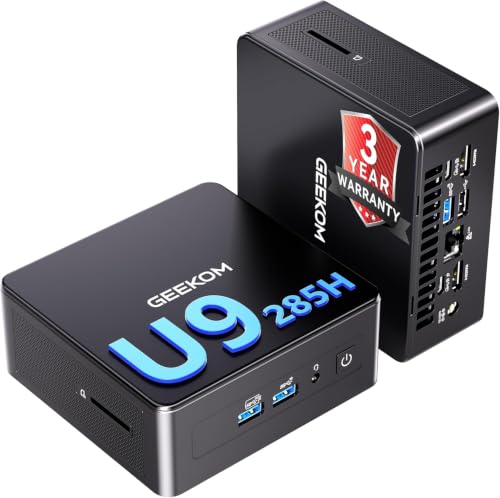
Core Ultra 9 285H
GEEKOM IT15 Mini PC, Intel Ultra 9-285H,DDR5 32GB RAM (Up to 128GB)&1TB SSD | 2026 High Performance Enterprise-level , 4K@12…
32 GB RAM · 1000 GB SSD
£1,149.00Price checked 02 Nov 2026 05:51 UTCBuy on Amazon ↗Buying guide
The right AI workstation for your job
For a new purchase centred on larger local language models, our first compact choice is the GMKtec EVO-X2 with 128GB. Choose the MINISFORUM MS-S1 MAX with the same memory when fast shared storage and expansion are part of the plan. For smaller models and normal software development, the MINISFORUM AI X1 Pro-370 with 64GB is the more proportionate machine. Choose GMKtec EVO-T1 when a tested Intel software path is the requirement.
These recommendations separate memory-heavy inference from general desktop AI features. Training a large model, using a CUDA-only plugin and running a small private assistant are different purchases. Write down the application, model size, context length and expected number of simultaneous users first. If your essential program only supports NVIDIA acceleration, a dedicated GPU desktop belongs at the top of the shortlist even if a Mini PC has more total system memory.
Memory capacity comes before the AI badge
Model weights are only part of memory use. Quantization overhead, context memory, runtime buffers and the operating system also need room. As a rough illustration, 32 billion parameters at four bits represent about 16GB of raw weights before those additions. A configuration that can merely load a model may still leave too little headroom for a useful context window, a browser and a development environment.
For a compact large-model system, 128GB is the starting tier we would compare. For smaller models and mixed development, 64GB is often the more balanced purchase. Capacity alone does not establish speed: memory bandwidth, the application backend and how much work stays on the GPU matter. Do not add system RAM and a dedicated GPU’s memory together and assume that software will treat them as one equally fast pool.
Inference, training and software compatibility
Running a quantized model for inference is not the same workload as training or fine-tuning it. Training introduces additional state and may need much more memory, different kernels and a software stack built around dedicated GPUs. Buy a compact shared-memory workstation for the tasks it can run reliably today. Do not base a work purchase on a future acceleration promise or an unsupported workaround that you have never tried.
Check the application’s current support for your operating system and exact GPU or NPU. Where possible, run a small example on the same hardware class before ordering several machines. A successful test should show the intended acceleration backend, reasonable memory use and stable operation over a useful session. TOPS are meaningful within the conditions used to measure them; they do not rank every device for token generation, image generation and training with one comparable number.
Storage and networking for a useful AI desk
Start with a 2TB SSD when you expect several large model downloads, datasets and project environments. Model files can be downloaded again, but your prompts, fine-tuning data, application settings and original work need a separate backup. A second internal SSD can organize the workspace and reduce competition for free space. It does not protect against loss of the whole computer. Keep a recovery method that works even if the main operating system will not boot.
Choose dual 10GbE in the MS-S1 MAX when the rest of your lab can use it: a suitable switch, cabling and fast NAS storage are part of that decision. For a single user whose models stay on the local SSD, 2.5GbE may already be enough. Networking does not combine several computers into one transparent GPU memory pool. Distributed inference needs software designed for it and can introduce communication overhead.
Quiet operation and sustained work
An AI desktop often spends longer at sustained load than an ordinary office computer. Cooling and a sensible placement therefore matter. Keep the air intake and exhaust clear, and consider the microphone on the same desk before choosing the highest performance mode. A balanced profile can be a better working setup if the alternative is a fan that dominates calls. Compare power and noise using measured whole-system figures under a stated workload.
The power adapter rating is a capacity rating, not the computer’s constant wall consumption. Processor power settings are also not a direct electricity bill. For budgeting, measure the complete system across idle and active hours, including external storage and network equipment that would otherwise be off. Use your local electricity tariff and your own working schedule rather than assuming the computer runs at maximum load every hour of the year.
What to choose when your first option is unavailable
For a 128GB Ryzen AI Max+ 395 recommendation, the EVO-X2 and MS-S1 MAX are the first alternatives to each other. Keep the required memory tier, then decide whether storage size or networking can change. A 64GB machine is not an equal replacement if your model genuinely needs more than that. For smaller workloads, compare the AI X1 Pro-370 and EVO-X1 with similar installed memory, keeping their different upgrade options in mind.
An Intel EVO-T1 is a practical alternative for a known compatible workflow, rather than a universal substitute for every AMD GPU application. A dedicated GPU desktop is the better direction for CUDA requirements, replaceable graphics or training that exceeds a compact machine’s capabilities. The successful purchase is the smallest setup that runs your actual work with enough headroom, useful support and a recovery plan. Paying for unused headline specifications does not make the workflow more reliable.
Plan the complete working setup
Include the screen, keyboard, storage backup and any required dock in the budget. A powerful small computer cannot fix an unsuitable monitor connection or recover files that were never backed up. If you are replacing a working system, keep the old machine available while installing the applications that matter. Move one representative project first, check its output and confirm that sleep, networking and external devices behave as expected before moving the rest of your work.
For a purchase intended to last several years, consider how you will obtain firmware, drivers and replacement parts. A clear support route and a return window that allows a realistic trial can be more valuable than a small difference in headline specifications. Test the workload that motivated the purchase during that period: a long build, your actual game, a video export or the local model you plan to use. Keep the result, configuration and settings together so future upgrades address a measured limitation.
Buying in United Kingdom
Amazon UK prices are shown in pounds. Prefer a UK plug, a clear VAT-inclusive total and a seller offering a practical UK return route. An overseas import can change the cost and the way a warranty claim is handled.
Questions buyers ask
Which AI Mini workstation should most large-model buyers start with?
Our first compact recommendation is the GMKtec EVO-X2 with 128GB. Choose the MINISFORUM MS-S1 MAX with 128GB when dual 10GbE or PCIe expansion is useful.
Is an AI Mini PC suitable for CUDA software?
An AMD or Intel integrated GPU does not provide NVIDIA CUDA. Choose a compatible NVIDIA GPU system when CUDA is required by your application.
Does an NPU TOPS score predict language-model speed?
No. Model format, backend, memory use and the processing block actually used determine the result. Check support in the application you intend to run.
Manufacturer specifications
AMD Ryzen AI Max+ 395 / Radeon 8060S ↗AMD Ryzen AI 9 HX 370 ↗Intel Core Ultra 9 285H ↗GMKtec EVO-X2 ↗MINISFORUM MS-S1 MAX ↗MINISFORUM AI X1 Pro-370 ↗GMKtec EVO-T1 ↗Related Mini PC guides
Best Ryzen AI Max+ 395 Mini PCs UK: Models, RAM and PricesBest Ryzen AI 9 HX 370 Mini PCs UK: Models and PricesBest Core Ultra 9 285H Mini PCs UK: Models and PricesBest Radeon 8060S Mini PCs UK: Gaming, Models and PricesAs an Amazon Associate, Cloudzat earns from qualifying purchases. Prices and availability can change.