


Mini PC decisions · United Kingdom · GBP
Mini PC Power Cost Calculator UK: Watts to Pounds
Estimate the electricity cost of a Mini PC in the UK from your own wall-power measurement, daily schedule and tariff. The example rate is illustrative; enter the marginal rate on your bill.
Annual kWh equals measured wall watts × hours a day × 365 ÷ 1,000. Multiply by your own £/kWh rate to estimate cost. CPU TDP is not the complete Mini PC draw at the socket.
Calculate Mini PC electricity cost in pounds
Measure the complete system at the wall. The 25 p/kWh starting rate is an illustration, not a UK average. Enter your own unit rate from the bill.
kWh/year = average watts × hours/day × 365 ÷ 1,000. GBP/year = kWh/year × pence/kWh ÷ 100. The five-year figure repeats unchanged inputs and excludes standing charges.
Amazon UK prices · GBP
Compare complete Mini PC listings
Each card shows when its price was checked. Confirm the selected RAM, SSD and total on Amazon.
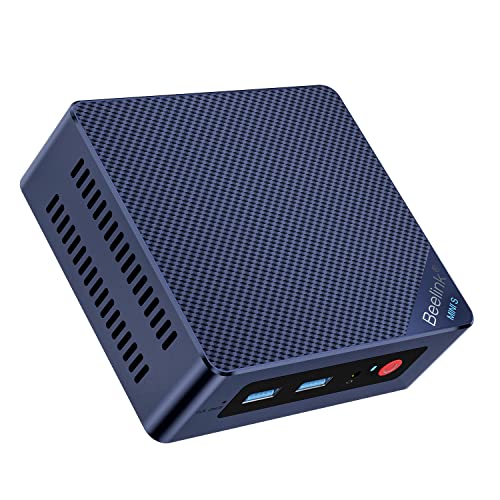
Beelink
Beelink Mini PC MINI S12 Pro, Intel 12th Processor N100 (4C/4T, up to 3.4Ghz), 12G LPDDR5 500G SSD Mini Computer Windows 11 H…
12 GB RAM · 500 GB SSD
£279.00Last verified 30 Oct 2026 14:51 GMTBuy on Amazon ↗
Beelink
Beelink MINI S12 Pro Mini PC, Intel Alder Lake N100(4C/4T, up to 3.4GHz) 25W TDP, Mini Computer Windows11 Home, 12GB LPDDR5 5…
12 GB RAM · 500 GB SSD
£289.00Last verified 30 Oct 2026 14:51 GMTBuy on Amazon ↗
Beelink
Beelink Mini PC N100(4C/4T,up to 3.4GHz),12th Alder Lake,Mini Desktop 12G LPDDR5 RAM 512G M.2 SATA SSD,Mini Computer 4K Dual…
12 GB RAM · 512 GB SSD
£289.00Last verified 30 Oct 2026 14:51 GMTBuy on Amazon ↗
Beelink
Beelink Mini PC 13th Gen Intel Alder Lake-N150 (up to 3.6GHz) MINI S13 Mini PC Windows 11 Home, 12GB LPDDR5 500GB SSD Busines…
12 GB RAM · 500 GB SSD
£299.00Last verified 30 Oct 2026 07:04 GMTBuy on Amazon ↗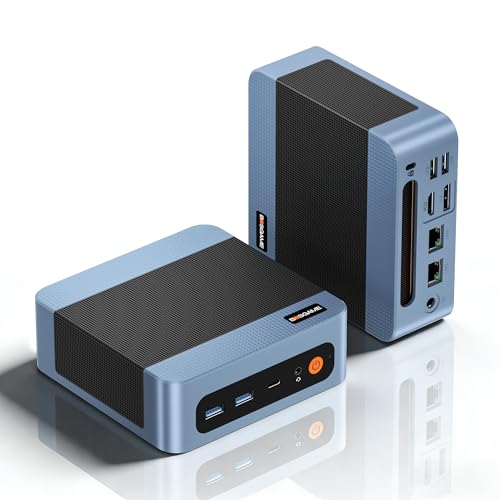
BOSGAME
BOSGAME E5 Mini PC Windows 11 Pro, Ryzen 5300U (Beats 4300U, Up to 3.8GHz), 16GB DDR4 RAM 512GB SSD Mini Desktop PC, Triple 4…
16 GB RAM · 512 GB SSD
£299.00Last verified 30 Oct 2026 07:04 GMTBuy on Amazon ↗
Beelink
Beelink Mini PC S12 Pro, Intel Twin Lake-N100 (up to 3.4GHz), 25W TDP | 16GB DDR4 500GB SSD Windows 11 Home, 2.5G LAN, 4K Dua…
16 GB RAM · 500 GB SSD
£299.00Last verified 30 Oct 2026 14:51 GMTBuy on Amazon ↗Beelink
Beelink MINI S12 Pro Mini PC, Intel Alder Lake-N100(up to 3.60GHz) Mini Computer, 16GB DDR4 500GB SSD Office Mini Desktop PC…
16 GB RAM · 500 GB SSD
£299.00Last verified 30 Oct 2026 14:51 GMTBuy on Amazon ↗Beelink
Beelink MINI S12 Pro Mini PC, Intel Alder Lake N100(4C/4T, up to 3.4GHz) 25W TDP, Mini Computer Windows11 Home, 16GB DDR4 500…
16 GB RAM · 500 GB SSD
£299.00Last verified 30 Oct 2026 14:51 GMTBuy on Amazon ↗Buying guide
Measure the complete system
A processor power rating is not the same as electricity drawn by a complete Mini PC at the wall. The mainboard, memory, SSD, fan, network interfaces and power adapter all contribute. Different workloads also change the draw. A system that idles at one level may consume much more during media conversion, virtualization or a game. For a useful estimate, plug the entire machine into a suitable wall power meter and record several representative periods.
Measure after the machine has finished startup and updates. Note idle with the services running, a typical active period and any heavy job you actually expect to repeat. If a USB drive is powered by the PC, include it in the measured total or account for it separately. For an always-on server, a time-weighted average is more useful than an occasional peak. Keep the meter reading and date with your calculation.
Read the formula and units
Electrical energy is power multiplied by time. Divide watt-hours by one thousand to obtain kilowatt-hours: kWh per year equals average wall watts multiplied by hours per day and by 365, divided by 1,000. Annual cost equals that energy multiplied by your rate per kWh. The calculator displays the formula beside your result so the number can be checked with a spreadsheet or by hand.
For a clearly labelled example, 10 W used around the clock consumes 10 × 24 × 365 ÷ 1,000 = 87.6 kWh per year. At an illustrative £0.25 per kWh, that is £21.90 per year before taxes, fixed charges or tariff tiers. Neither the wattage nor the rate is a national average or a measurement of a particular model. Replace both with values that fit your home.
Estimate a mixed schedule
A desktop Mini PC may be active for eight hours and off or asleep for the rest of the day. Do not enter 24 hours at its busy power if it spends most of that time sleeping. Measure or estimate each state, then add their daily watt-hours: active watts × active hours, plus idle watts × idle hours, plus sleep watts × sleep hours. Divide the sum by 1,000 for daily kWh and multiply by 365 and the tariff for an annual estimate.
The simple form uses one average wattage and one daily duration. You can first calculate a weighted average from your schedule and enter it, or run separate scenarios and add the results. Keep the states mutually exclusive so you do not count the same hour twice. If usage varies by weekday and weekend, calculate a representative week and scale it to a year.
Compare two machines fairly
A comparison only means something when both computers are measured under comparable workloads. An efficient N-series server idling with one service should not be compared with a more capable machine performing simultaneous media conversion. Record the same software load, connected devices and network state. The calculator includes an optional second wattage to show how a power difference translates into annual and five-year electricity cost at your entered schedule and rate.
Suppose one system averages 15 W and another averages 30 W for a 24-hour daily workload. Their difference is 15 × 24 × 365 ÷ 1,000 = 131.4 kWh annually. At the illustrative £0.25 rate, that is £32.85 per year. This may or may not outweigh a purchase price gap, added performance or the cost of replacing hardware sooner. Judge the total for your expected use.
Choose the right tariff input
Your bill may separate energy charges, taxes, delivery, standing charges or time-of-use prices. Use the marginal per-kWh rate that applies to additional computer use when you want to estimate the change to a bill. A fixed charge you pay regardless of the Mini PC should not automatically be attributed to it. If rates differ by time of day, calculate scenarios for the hours in each band rather than pretending a single number captures every period.
The form begins with a clearly marked illustrative rate so that it can demonstrate the calculation immediately. Replace it with a rate from your own bill and note the date. Rates change, and a result from last year may no longer predict this year. For a country-specific guide, use the local currency and the applicable tariff; do not convert a Amazon.co.uk price into a local electricity rate.
Read a UK electricity bill accurately
UK tariffs commonly quote a unit rate in pence per kWh and a separate daily standing charge. Convert pence to pounds by dividing by 100 before entering a £/kWh value: 25 p/kWh becomes £0.25/kWh. If your bill shows a unit rate inclusive of VAT, use that figure for a household estimate. Do not add the full standing charge to a Mini PC if you would pay it anyway.
On a time-of-use tariff, the computer may run across several priced periods. Measure or estimate the kWh in each period and multiply each by its applicable rate, then add the results. If the computer is used mostly in the evening, a single average tariff can hide the relevant cost. Record the rate and date so you can rerun the comparison when a contract or tariff changes.
Understand what the five-year total means
The five-year number simply repeats the entered annual electricity cost five times. It assumes identical usage, wattage and rate over that period. It is a planning scenario, not a forecast of future electricity prices, equipment failures, inflation or changing service needs. Treat it as one line in an ownership comparison beside the purchase cost, replacement parts, backup storage and any software subscriptions.
If a more efficient Mini PC costs considerably more, divide the purchase price difference by the annual power saving to estimate a simple payback period. Do this only after confirming both systems meet the workload. A lower energy bill cannot compensate for missing network ports, inadequate memory or software incompatibility. Conversely, unnecessary high-end hardware can cost more upfront without improving a modest always-on service.
Account for attached equipment
A small server often needs a switch, external disk, UPS, router or display. Decide whether the calculator covers just the Mini PC or the complete setup and label the result. A hard drive enclosure with its own power supply should be measured separately if it runs all day. Displays used for a few hours should not be assigned 24-hour operation. The same rule applies to a UPS, whose conversion losses depend on its load.
Some devices draw power while the PC is sleeping or turned off. Smart plugs, docks and adapters can add a small continuous load. Measure what matters to the decision instead of chasing false precision from a processor specification. If you are comparing configurations with different external devices, include those differences explicitly so the result is fair.
Use the estimate when buying
Start with a workload guide or the Mini PC selector to make sure the system can do the job. Compare exact offers and total purchase cost on the price page. Then use this calculator to test whether measured power materially changes the decision. A low-wattage machine that cannot run your applications is not a useful bargain. A high-end machine bought solely to save a few pounds of electricity is unlikely to make sense.
Keep the assumptions beside your shortlist: model, configuration, measured wall watts, daily schedule, tariff, observation date and components included. Re-run the estimate after installation with your real workload. The result can inform sleep settings or a replacement decision later, while the original purchase comparison remains transparent.
Questions before you buy
How do I calculate Mini PC power cost?
Multiply measured whole-system watts by daily hours and 365, divide by 1,000 for annual kWh, then multiply by your own cost per kWh.
Is a 6 W processor a 6 W Mini PC?
No. Processor base power is a component specification and does not measure the whole computer at the wall.
What electricity rate should I enter in the UK?
The starting £0.25/kWh is illustrative. Convert your own unit rate from pence to pounds, such as 25 p to £0.25, and use the marginal rate from your bill.
What does the five-year total include?
It repeats the estimated annual electricity cost five times at the same usage and rate. It excludes hardware, repairs and future tariff changes.
Can I compare two Mini PCs?
Yes. Enter comparable average wall-power measurements under the same workload, schedule and rate to see the electricity-cost difference.
Continue your comparison
Buying hubBest Mini PCsUK pricesSelectorPower costAs an Amazon Associate, Cloudzat earns from qualifying purchases. Prices can change. Confirm the chosen RAM, SSD, seller, availability and delivered total on Amazon.