


UK BUYING GUIDE
For most UK home NAS buyers, the right drive is a NAS-rated CMR model rather than the fastest-looking disk on the box. The current mainstream families that fit that brief are Toshiba N300, Seagate IronWolf and WD Red Plus, all positioned by their makers as NAS drives for continuous use, multi-bay enclosures and RAID workloads.
Capacity should follow the storage job. A light backup box can live with 4TB, but a two-bay home NAS used for photos, laptop backups, shared files and media is usually better served by 6TB or 8TB drives because that gives room for mirroring and growth without forcing an early replacement. The safest default is to avoid SMR for a NAS unless you have a very narrow reason to choose it, because the NAS use-case depends on steadier sustained writes and rebuild behaviour. Toshiba explicitly states that N300 is CMR in its product information, and Seagate states that IronWolf uses CMR technology.
If you are buying for Synology, the NAS model now matters more than it did before. Synology says DSM 7.3 gives 2025 model-year DiskStation Plus, Value and J series systems more flexibility for third-party HDDs when creating storage pools, while other newer series remain more restricted and some M.2 storage pool or cache use still requires drives on the compatibility list. In other words, the right answer is not just “pick a NAS drive”; it is “pick the right NAS drive for your exact NAS family.”
Our recommendation
The best default buy for a typical UK home NAS is the Toshiba N300 8TB retail drive, part number HDWG480EZSTA. Toshiba’s current EMEA product page lists the N300 as a 3.5-inch SATA NAS drive with 7,200rpm, 24/7 operation, RV sensing, support for 1-to-8 bay NAS systems and a three-year warranty. The page also lists 8TB among the current retail capacities, which makes it a sensible middle-ground choice for mirrored home storage, photos and media.
If you want the safest mainstream alternative, WD Red Plus is the straightforward replacement family. WD’s own warranty table still lists WD Red Plus 3.5-inch as a three-year product family, which confirms that it remains positioned as WD’s NAS line rather than a general desktop line. For buyers who already have Red Plus drives in the array, keeping the same family is usually the cleanest way to avoid unnecessary mix-and-match choices.
If you want the most obvious Seagate option, IronWolf is the comparable NAS family. Seagate says IronWolf is designed for 24×7 reliability and multi-bay NAS systems, lists capacities from 2TB up to 16TB on the current product page, and gives the line a three-year limited warranty plus Rescue Data Recovery Services on the main UK page.
NAS hard drives
Choose the exact model and configuration recommended below. These listings are from Amazon UK; bundles and capacities are identified on each card.
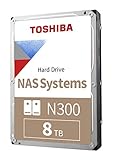
TOSHIBA N300 8TB NAS 3.5-Inch Internal Hard Drive - CMR SATA 6 GB/s 7200 RPM 512 MB Cache - HDWG780XZSTA
£377.00
Last verified 2026-11-28 19:19:39 UTC

Toshiba N300 8TB NAS 3.5-Inch Internal Hard Drive - CMR SATA 6 GB/s 7200 RPM 256 MB Cache - HDWG480XZSTA, Silver
£388.00
Last verified 2026-11-28 19:11:26 UTC
Toshiba N300 8TB NAS 3.5-Inch Internal Hard Drive - CMR SATA 6 GB/s 7200 RPM 256 MB Cache - HDWG180XZSTA
£500.00
Last verified 2026-11-28 19:11:26 UTC

Western Digital WD Red Plus Internal Hard Drive 8TB CMR 3.5 inch SATA 5640 rpm 256MB NAS WD80EFPX-AJP Eco Package
£388.00
Last verified 2026-11-29 03:44:04 UTC
As an Amazon Associate, Cloudzat earns from qualifying purchases. Price and availability may change; Amazon checkout controls the purchase price.
What to buy for your needs
Start with the NAS model, not the marketing label
The first decision is the enclosure you already own. A two-bay NAS has very different buying logic from a four- or six-bay box, because a mirrored pair means the usable space is limited by the smallest drive and capacity planning matters more than raw throughput. For a home archive, 6TB or 8TB per drive is usually the least awkward starting point if you do not want to upgrade again too soon. Toshiba’s N300 page explicitly supports NAS use and lists 4TB, 6TB, 8TB and higher retail capacities.
Do not assume that a drive family is automatically suitable just because it carries a familiar brand. A NAS drive is sold for continuous operation, RAID rebuilds and multi-client access, whereas a desktop drive is not positioned that way by the manufacturer. Seagate’s IronWolf page and Toshiba’s N300 page make that NAS focus explicit.
Prefer CMR as the default recording method
For a home NAS, CMR is the practical default because it is the recording method manufacturers associate with steadier sustained writes under RAID and rebuild conditions. Toshiba’s current N300 page says the drive is suitable for NAS and continuous use, and Seagate explicitly says IronWolf is built with CMR technology. That is the level of confirmation buyers should look for before spending.
Do not overcomplicate this with mixed messaging from general-purpose desktop ranges. If you want a NAS drive, buy a NAS drive; if you want the least risky default, buy one that the maker clearly describes as CMR and NAS-rated.
Match the family to the way you use the box
If the NAS mostly holds documents, laptop backups and photos, Toshiba N300, WD Red Plus and Seagate IronWolf are all credible choices. The useful differences are not slogans but product positioning: Toshiba highlights 24/7 operation, RV sensors and 1-to-8 bay support; Seagate highlights 24×7 reliability and up to 16TB on the current page; WD positions Red Plus as its NAS family and ties it to a three-year warranty.
If the box sees heavier writes, more frequent rebuilds or more users, the same three families still make sense, but you should lean toward the capacity and warranty tier that best fits the workload rather than chasing a desktop-style model number that looks larger on paper. The NAS benefit comes from the product class, not from brand prestige.
Treat Synology compatibility as a model-specific rule
Synology’s DSM 7.3 policy is the key change buyers need to know. Synology says 2025 model-year DiskStation Plus, Value and J series systems running DSM 7.3 support the installation and storage-pool creation of non-validated third-party drives, but other model families are still more constrained, and some M.2 storage pool or cache use still requires compatible drives from the HCL.
That means a drive that is perfectly sensible in one Synology box may still be the wrong purchase in another. If your NAS is one of the newer 2025 Plus, Value or J models, third-party NAS drives are more straightforward than before. If it is not, compatibility remains part of the buying decision, not an afterthought.
Buy for the next two years, not just the first installation
Under-sizing a NAS drive is the most common mistake in home setups. A 4TB drive can be sensible for a modest archive, but it is easy to outgrow once phone backups, photos and video collections accumulate. For most households with a two-bay NAS, 6TB is the minimum comfortable starting point and 8TB is the stronger long-term choice. Toshiba’s current N300 range shows 4TB, 6TB, 8TB and larger retail capacities, which reflects that practical spread.
For larger homes or heavier media use, 10TB and above start to make more sense, but only if you are filling the space or planning a multi-bay rebuild strategy. The right size is the smallest capacity that will still feel sensible after a couple of years, not the largest number on the shelf.
Capacity, compatibility and ownership
Current UK-grade NAS families worth considering
The three families that matter most here are Toshiba N300, Seagate IronWolf and WD Red Plus. Toshiba’s current product page lists the N300 as a 3.5-inch SATA NAS drive with 7,200rpm, 24/7 operation, RV sensors, 1-to-8 bay support and a three-year warranty. Seagate’s UK IronWolf page says the line is designed for 24×7 reliability and multi-bay NAS systems, with capacities shown from 2TB to 16TB and a three-year limited warranty. WD’s support table still lists WD Red Plus 3.5-inch with a three-year warranty.
That makes the shortlist pleasantly simple. If you want a clear home NAS drive, any of the three is a valid starting point. The deciding factors are the exact capacity you need, the enclosure you own, and whether your NAS vendor has any compatibility policy that narrows the choice.
Warranty is useful, but it should not dominate the decision
The mainstream NAS drive market is broadly aligned on warranty length. Toshiba N300 carries a three-year warranty, Seagate’s IronWolf line carries a three-year limited warranty, and WD Red Plus is listed as three-year on WD’s own warranty page. That means warranty is a useful tie-breaker, not the main reason to buy one family over another.
A longer warranty does not automatically mean a better drive, and a shorter warranty does not automatically mean a worse one. What matters more is that the drive is intended for continuous NAS use and that the exact model is still current rather than a leftover or discontinued SKU.
What the Synology rule change really means in practice
Synology’s DSM 7.3 announcement and compatibility FAQ are important because they reduce one common source of friction: some 2025 DiskStation Plus, Value and J series systems now allow non-validated third-party HDDs for storage-pool creation. That is a real improvement, but it is not universal across the whole Synology range.
For a buyer, the practical rule is simple. If your Synology is in the newly flexible 2025 group, a standard NAS drive from Toshiba, Seagate or WD is easier to justify. If it is an older or different series, the compatibility list still matters enough that you should check the exact model before buying.
A note on QNAP TS-464 and transcoding
Drive choice does not decide video transcoding. QNAP’s TS-464 hardware specification lists hardware-accelerated transcoding as a system feature, and that comes from the NAS hardware platform rather than the hard disks you install. If you are choosing drives for a TS-464, treat transcoding as a separate NAS-level question and pick the disk on capacity, reliability and NAS suitability.
That is useful because it stops buyers from mixing up storage performance with media-processor capability. A NAS drive can support the box, but it does not create or improve hardware transcoding by itself.
Which option should you choose?
Default choice: Toshiba N300 8TB retail (HDWG480EZSTA)
This is the best all-round pick for most UK home NAS buyers who want one clear answer. Toshiba’s product page lists the 8TB retail model, the drive is explicitly NAS-rated, it uses 7,200rpm, and it is covered by a three-year warranty. The 8TB point is a sensible compromise between starting capacity and avoiding an early upgrade.
Choose this if your NAS is a two-bay or four-bay home box for backups, photos, media and shared files. It is the cleanest no-drama recommendation when you want a conventional NAS drive rather than a specialist enterprise model.
Budget choice: Toshiba N300 4TB retail (HDWG440EZSTA)
If your storage needs are modest and you are mainly backing up a laptop or keeping a small media library online, the 4TB N300 is the lowest retail capacity Toshiba lists on the current page. It still sits in the NAS family, so you are not dropping down to a desktop disk simply to save money.
This is the better budget choice only when you are sure the lower capacity will not force a second purchase later. If there is any chance the NAS will grow into family photos, multiple device backups or 4K video, start higher.
Specialist choice: Seagate IronWolf or WD Red Plus
Pick Seagate IronWolf if you want a clear NAS brand with 24×7 positioning, multi-bay support and a current UK page that shows capacities from 2TB to 16TB plus a three-year limited warranty. Pick WD Red Plus if you want WD’s established NAS family and the matching three-year warranty on WD’s own support page. Neither is a wrong answer; they are the cleaner choices when you already prefer one ecosystem or are replacing an existing matching drive.
I would reach for these instead of Toshiba only when the rest of the setup makes the choice cleaner: for example, if you are replacing an existing IronWolf or Red Plus drive and want the array to stay consistent. In a home NAS, consistency is usually more valuable than brand loyalty.
NAS options on Amazon
Compare the NAS model, drive bays, included disks and supported applications before buying. Keep using your existing NAS if it already meets the guide’s requirements.
Checking current Amazon listings…
As an Amazon Associate, we earn from qualifying purchases. Prices and availability can change; Amazon’s checkout price applies.
Questions answered
Is a NAS drive really different from a normal desktop hard drive?
Yes. The current NAS families are positioned for 24/7 operation, multi-bay use, vibration resistance and RAID workloads, while desktop drives are not marketed for that role by the manufacturers. Toshiba’s N300 and Seagate’s IronWolf pages make that difference explicit.
Should I choose CMR or SMR for a home NAS?
Choose CMR unless you have a very specific reason not to. It is the safer default for sustained writes and rebuild behaviour, and both Toshiba and Seagate make CMR part of the NAS positioning for their current lines.
What capacity should I buy for a two-bay home NAS?
For most homes, 6TB to 8TB per drive is the sensible range. 4TB can work for a light backup box, but 6TB is the minimum comfortable starting point for a growing photo-and-media library, and 8TB is the more future-proof choice if you do not want to replace the array too soon.
Are third-party drives still allowed in Synology NAS units?
Sometimes yes, sometimes no, and the model matters. Synology says 2025 DiskStation Plus, Value and J series models running DSM 7.3 support third-party HDDs for new storage-pool creation, but other series remain more restricted and some M.2 storage pool or cache use still needs drives on the HCL.
Does a NAS drive affect video transcoding?
No. Transcoding is a NAS hardware and software feature, not a hard-drive feature. QNAP’s TS-464 specification lists hardware-accelerated transcoding on the NAS itself, so drive choice should be based on storage needs rather than media-processor capability.
Sources and further detail
- Toshiba N300 product page — Current N300 family, 24/7 operation, 7,200rpm, 3-year warranty, capacities and NAS positioning.
- WD Product Warranty Periods — WD Red Plus 3.5-inch warranty tier and product-family naming.
- Seagate IronWolf UK product page — Current UK IronWolf NAS positioning, capacities, CMR, RV sensors, and warranty messaging.
- Synology DSM 7.3 announcement — DSM 7.3 storage-flexibility announcement for 2025 DiskStation Plus, Value and J series.
- Synology drive compatibility policies FAQ — Detailed compatibility policy rules and which 2025 series allow third-party drives.
- QNAP TS-464 hardware specifications — TS-464 hardware-accelerated transcoding is a NAS hardware feature, not a drive feature.