


Enterprise HDD versus NAS HDD
Exos and IronWolf Pro can share capacities and even similar core hardware, but they are sold for different operating contexts. This page compares exact 16TB, 20TB and 24TB models instead of treating each family as one drive.
Quick answer
Choose Exos when enterprise pricing, interface choice and dense-server use matter most. Choose IronWolf Pro when NAS-focused positioning, IronWolf Health Management support and included Rescue Data Recovery Services are worth the premium. For either family, verify the exact model and warranty route.
Exact model data
Exact Exos and IronWolf Pro comparison models
| Capacity | Model | Generation | Interface | Sector format | Security | Recording | Cache | Max sustained | Status |
|---|---|---|---|---|---|---|---|---|---|
| 16TB | ST16000NM002H | Exos X24 | SATA | 512e/4Kn FastFormat | ISE | CMR | 512MB | 285MB/s | Enterprise |
| 16TB | ST16000NT001 | IronWolf Pro | SATA | 512e | Standard | CMR | 256MB | 270MB/s | NAS-focused |
| 20TB | ST20000NM002H | Exos X24 | SATA | 512e/4Kn FastFormat | ISE | CMR | 512MB | 285MB/s | Enterprise |
| 20TB | ST20000NT001 | IronWolf Pro | SATA | 512e | Standard | CMR | 256MB | 285MB/s | NAS-focused |
| 24TB | ST24000NM002H | Exos X24 | SATA | 512e/4Kn FastFormat | ISE | CMR | 512MB | 285MB/s | Enterprise |
| 24TB | ST24000NT002 | IronWolf Pro | SATA | 512e | Standard | CMR | 512MB | 285MB/s | NAS-focused |
Warranty services and management features are family-specific. Confirm regional Rescue eligibility and NAS Health Management support before assigning value to them.
Interactive decision tool
Choose Exos or IronWolf Pro
Tell the tool where the drive will run and which services matter most.
Amazon prices and models
Current Exos and IronWolf Pro exact-model offers
Compare exact-model Exos listings by model number, generation, interface, capacity and price per terabyte. Amazon price and availability can change, so confirm the final offer before purchase.

Seagate IronWolf Pro, 16 TB, Enterprise NAS Internal HDD –CMR 3.5 Inch, SATA 6 Gb/s, 7,200 RPM, 256 MB Cache for RAID Network Attached Storage (ST16000NT001)
ST16000NT001 · 16TB · IronWolf Pro · SATA · New

Seagate 20TB Exos Enterprise Hard Drive | SATA (ST20000NM002H)
ST20000NM002H · 20TB · Exos X24 · SATA · New

Seagate Exos X24 24TB SAS 512e/4Kn
ST24000NM007H · 24TB · Exos X24 · SAS · New

Seagate IronWolf Pro, 20 TB, Enterprise NAS Internal HDD –CMR 3.5 Inch, SATA 6 Gb/s, 7,200 RPM, 256 MB Cache for RAID Network Attached Storage (ST20000NT001)
ST20000NT001 · 20TB · IronWolf Pro · SATA · New

Seagate IronWolf Pro 24TB Enterprise NAS Internal HDD Hard Drive – CMR 3.5 Inch SATA 6Gb/s 7200 RPM 512MB Cache for RAID Network Attached Storage, Rescue Services (ST24000NT002)
ST24000NT002 · 24TB · IronWolf Pro · SATA · New
Seagate Technology ST16000NM007H 16TB Exos X24 HDD 3.5 SAS 7200 ISE Bare Hard Drive
ST16000NM007H · 16TB · Exos X24 · SAS · New

Seagate Exos X18 Enterprise Class, 16TB, Enterprise Internal Hard Drive, SATA, 3,5" 6Gbit/s, 128MB Cache (ST16000NM000J)
ST16000NM000J · 16TB · Exos X18 · SATA · New
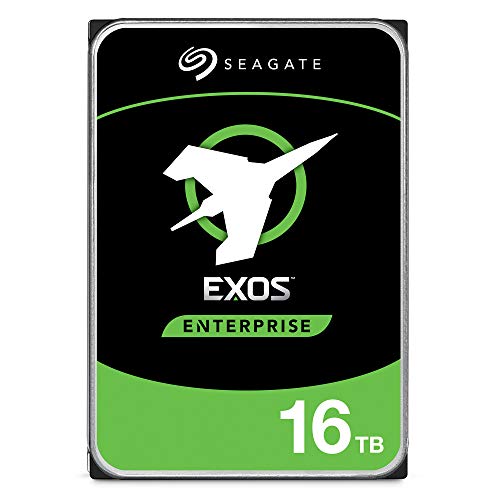
Seagate Exos X16 3.5" 16000 GB SAS
ST16000NM002G · 16TB · Exos X16 · SAS · New

Seagate Exos X20 ST20000NM007D 20TB 7.2K RPM SATA 6Gb/s 3.5in Hard Drive
ST20000NM007D · 20TB · Exos X20 · SATA · New

Seagate Exos X18 3.5" 16000 GB SAS
ST16000NM004J · 16TB · Exos X18 · SAS · New

Seagate Exos X20 ST20000NM002D 512E/4KN SAS 12Gb/s 20TB 7200RPM 256MB Enterprise Hard Drive,Mechanical Hard Disk
ST20000NM002D · 20TB · Exos X20 · SAS · New

Seagate Exos X24 24TB Enterprise Internal Hard Drive HDD - 6GB/s SATA 7200RPM 2.5M MTBF (ST24000NM002H)
ST24000NM002H · 24TB · Exos X24 · SATA · New
12 exact products shown. Prices and availability can change; confirm the final Amazon offer before purchase.
Detailed buying guide
Seagate Exos buying guide: models, interfaces and deployment choices
Both families target heavy workloads
Current Exos and IronWolf Pro models can share a 550TB-per-year workload class and five-year warranty. The difference is not simply “enterprise is stronger.”IronWolf Pro adds NAS-oriented services
IronWolf Pro is marketed for NAS environments and commonly includes three years of Rescue Data Recovery Services. Compatible NAS platforms may expose IronWolf Health Management.Exos offers enterprise variants
Exos provides SATA, SAS and security options across the enterprise family. That flexibility is useful in servers but also increases the risk of buying an incompatible variation.Noise and power need exact-model comparison
Do not assume every Exos is louder or every IronWolf Pro is quieter. Compare published figures and chassis behaviour at the exact capacity and model.Warranty source can reverse the value decision
A low-priced Exos listing may be OEM or recertified with seller coverage, while a qualifying new IronWolf Pro may have a full manufacturer warranty and Rescue. Verify before comparing price.NAS compatibility is more than SATA
Even when a drive fits electrically, the NAS may have a validated-drive list, firmware warnings or maximum-capacity limit. Check the exact appliance model.Price per TB should include services
When IronWolf Pro costs more, calculate the premium against Rescue coverage, NAS management and the cost of downtime. When Exos costs less, verify that no service or warranty downgrade is hidden.Best practical rule
Use Exos for enterprise-style arrays and value-led builds with verified compatibility. Use IronWolf Pro when the NAS-specific support package materially reduces operational risk.How Cloudzat evaluates Exos drives
Cloudzat attaches generation, interface, sector format, security class, recording technology, cache, transfer rate and warranty only to an exact model. Exos X16, X18, X20, X22, X24 and Exos M remain separate, as do IronWolf Pro and WD Gold comparison products. This prevents a SATA listing from inheriting SAS specifications or an Exos M drive from inheriting X24 data.
Live offers are screened for new single internal 3.5-inch drives and matched to an exact model. SATA and SAS are kept separate. SSDs, external drives, accessories, enclosures, servers, multipacks, MACH.2, Exos Xz host-managed SMR, other drive families and non-new listings are rejected. Warranty source and delivered-label verification remain essential.
Frequently asked questions
Exos versus IronWolf Pro questions
Can Exos run in a Synology or QNAP NAS?
Is IronWolf Pro more reliable than Exos?
Why can Exos be cheaper?
Does Exos include IronWolf Health Management?
Does Exos include Rescue Data Recovery?
Can I mix Exos and IronWolf Pro?
Primary sources
Cloudzat may earn a commission from qualifying purchases. Product availability, pricing and specifications can change. Confirm the exact Exos model, generation, interface, sector format, security variant, seller, condition and regional warranty route before buying.