


Canada · CAD · Deal Watch
Kingston FURY Beast: Black Friday 2026 deals in Canada
Put the right FURY Beast reference on your Canadian Black Friday list and compare its full delivered cost with equivalent compatible kits.
The Black Friday buying test: Compare the exact Beast reference against equivalent kits with the same capacity and supported profile.
Start by checking Kingston FURY Beast KF432C16BBK2/32, Kingston FURY Beast KF560C36BBE2K2-32. Match the full part number, module type and supported capacity to your exact system. These are documented buying routes, not a claim of hands-on testing or a confirmed reduction on every model.
Which Kingston FURY Beast option should you choose?
Start here
Kingston FURY Beast KF432C16BBK2/32
Choose it for 32GB (2×16GB), DDR4-3200 CL16; compatible desktop platform.
Find this configurationChoose this alternative
Kingston FURY Beast KF560C36BBE2K2-32
Choose it for 32GB matched DDR5 desktop kit; verify exact board qualification.
Buy on AmazonCurrent Kingston FURY Beast Listings on Amazon
Black Friday sale dates and offer timing
Dates for 2026: Black Friday — November 27; Amazon.ca — November 19–30. Individual offer periods and eligibility vary.

Kingston Fury Beast 16GB (2x16GB) 6000MT/s DDR5 CL36 Desktop Memory | AMD Expo | Plug N Play | Kit of 2| KF560C36BBE2K2-32
Last verified 2026-11-14 13:45:33 UTC
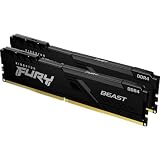
Kingston FURY Beast 32GB (2x16GB) 3200MHz DDR4 CL16 Desktop Memory Kit of 2 KF432C16BB1K2/32 RGB
Last verified 2026-11-14 13:58:11 UTC

Kingston Fury Beast 32GB (2x16GB) 5600MHz DDR5 CL40 DIMM (Kit of 2) Desktop Memory KF556C40BBK2-32
Last verified 2026-11-14 13:58:11 UTC
Kingston Fury Beast Black 64GB 6000MT/s DDR5 CL30 DIMM (Kit of 2) Desktop Gaming Memory - KF560C30BBEK2-64
Last verified 2026-11-14 13:55:47 UTC
Kingston Fury Beast Black 16GB 6000MT/s DDR5 CL30 DIMM (Kit of 2) Desktop Gaming Memory - KF560C30BBEK2-16
Last verified 2026-11-14 13:55:47 UTC

Kingston FURY Beast 16GB 3200MHz DDR4 CL16 Desktop Memory Single Stick KF432C16BB/16
Last verified 2026-11-14 13:55:47 UTC

Kingston 8GB 3200MHz DDR4 CL16 DIMM Fury Beast Black
Last verified 2026-11-14 13:55:47 UTC

Kingston Fury Beast 16GB 5200MHz DDR5 CL40 Desktop Memory Single Module KF552C40BB-16
Last verified 2026-11-14 13:55:47 UTC
As an Amazon Associate, Cloudzat earns from qualifying purchases. Prices and availability can change; Amazon shows the final price for your chosen item.
Kingston FURY Beast buying guide
| Module or kit to compare | Configuration and buying check |
|---|---|
| Kingston FURY Beast KF432C16BBK2/32 | 32GB (2×16GB), DDR4-3200 CL16; compatible desktop platform |
| Kingston FURY Beast KF560C36BBE2K2-32 | 32GB matched DDR5 desktop kit; verify exact board qualification |
Separate Beast DDR4, DDR5 and RGB variants
The DDR4 32GB kit and DDR5 32GB kit listed here serve different platforms. They are comparison routes, not interchangeable choices. Read the DDR generation first, then capacity, module count, profile and heatspreader clearance.
Similar-looking Beast listings can change timings, profile support and lighting. Decide whether you need RGB before comparing prices; a reduction on a decorative version may still leave it more expensive than a suitable plain kit.
Judge the Black Friday saving against the exact kit
A useful RAM deal starts with the configuration you will install. Compare the full part number, total capacity, module count, generation, form factor and memory profile before comparing prices. A listing for one 32GB module is a different purchase from a 32GB kit containing two 16GB modules. The cheaper option may leave an unsuitable slot arrangement or require another purchase. Save the selected variant and seller details so a change in the product selector does not silently change the comparison.
Look at the exact kit’s recent selling price where a reliable history is available, then compare the delivered total with other reputable sellers. A large percentage against a reference price does not establish good value. We do not describe a price as an all-time low without supporting history. Equally, a newer model or a more expensive RGB version is not automatically a better upgrade. Judge the capacity and stable configuration you need before paying for appearance or a headline transfer rate.
Early Black Friday and main-event badges identify promotions, not a promise that every shortlisted module is reduced. A regular current listing can still be useful for comparing alternatives. Check coupon conditions, membership requirements, quantity, delivery date and return terms on the selected offer. If the desired configuration meets your budget now, waiting is a choice about price uncertainty; there is no guarantee that the main event will improve it.
Buying RAM in Canada
Use Canadian-dollar totals and allow for the taxes and delivery charges shown for your province at checkout. Check Canadian availability, the actual seller and the return destination before choosing a cross-border offer. A US promotion converted into CAD is not proof of the Canadian price. Compare the same complete kit on Amazon.ca and any alternative retailer.
Write down the system limits before ordering
Find the exact computer, motherboard or NAS model and its installed processor. Use the manufacturer’s manual and memory compatibility list to establish the supported generation, module format, total capacity, capacity per slot and permitted module types. A matching connector shape or a familiar brand name is insufficient. Record whether the existing memory is removable, how many slots are accessible and whether some capacity is soldered to the board.
For desktop performance kits, distinguish the default SPD settings from an advertised XMP or EXPO profile. The profile may require supported firmware settings and is not a guarantee for every CPU, motherboard or number of installed modules. Check the full kit code and tested configuration in the compatibility list. Two separately purchased kits with the same headline specifications are not the same validated set as one matched kit.
Compare the upgrade that solves your actual workload
Check memory use during the tasks that feel slow: the normal browser session, the actual game with other applications open, an editing project or your usual virtual machines. Sustained memory pressure and repeated swapping are more useful reasons to add capacity than a generic promise of faster computing. If the workload already fits comfortably, extra capacity may make little noticeable difference. More RAM also does not repair a slow network, an overloaded processor or a storage bottleneck.
Use the calculator with the complete local purchase cost and the usable capacity before and after the upgrade. For a replacement, subtract the removed memory when calculating the gain. Moving from 16GB to a new 32GB kit adds 16GB, not 32GB. Cost per added gigabyte helps compare two compatible routes; it does not measure application performance, establish motherboard support or decide whether the workload needs the larger option.
Check the delivery and test the finished configuration
Compare the labels on the delivered modules with the order, including the part number, capacity and number of pieces. Keep the packaging and invoice. If a kit arrives as unmatched loose modules, a different revision or a different capacity, resolve that with the seller before relying on it. Check the seller’s stated return period and arrange time to test while that period remains open.
Follow the device manufacturer’s installation instructions, disconnect power and observe the specified handling precautions. Install the modules in the documented slots. Allow the normal memory-training process to finish, then confirm the detected capacity and settings in firmware and the operating system. Run the manufacturer-recommended memory diagnostic and your real workload. If errors or repeated crashes appear, return to a documented supported configuration and investigate before trusting important work to the upgrade.
Read the current listings and shortlist together
The shortlist explains buying routes using manufacturer documentation; it does not claim our own hands-on testing. Current product cards are separate observations of local offers. Read the complete product title and selected variant because capacities and profiles can share a family name. Where an exact priced offer is unavailable, the guide keeps its compatibility advice and provides a local search rather than treating an accessory or a different module type as a replacement.
Before checkout, make one final comparison: supported part, correct quantity, useful capacity gain, delivered cost and a workable return route. If any of those remains unclear, the apparent discount is not yet a complete buying decision. Keep the old working memory until the new configuration has passed testing; it provides a practical fallback and makes troubleshooting a failed upgrade much easier.
RAM upgrade cost per added gigabyte
Enter the complete local purchase cost and the usable capacity before and after the upgrade. A replacement 32GB kit replacing 16GB adds 16GB. This comparison does not confirm compatibility or predict performance.
Questions buyers ask
Separate Beast DDR4, DDR5 and RGB variants
Should I buy an early offer or wait for the main event?
Buy when the exact compatible kit meets your delivered-price target and the seller terms suit you. Compare recent price history where available. Early and main Black Friday badges identify promotions; neither guarantees a historic low or a better price later.
Does adding more RAM guarantee a faster computer?
No. More capacity helps when memory pressure limits the workload. It does not automatically improve a workload that already fits, nor fix CPU, storage or network limits. Choose capacity from measured use and keep the supported configuration stable.