


Canada · CAD · Deal Watch
Desktop RAM Black Friday Deals 2026: What to Buy in Canada
Canadian Black Friday desktop RAM offers reward careful model matching. A sensibly priced kit can help a busy workstation, home server or gaming PC, but only when the motherboard supports its format and capacity. Compare Canadian delivered prices for the same kit rather than treating every 32GB listing as equivalent.
A good RAM deal lowers the price of a compatible complete kit at the required capacity. Compare the same module count, DDR generation, timings and profile support. Two 16GB modules and one 32GB module are different purchases. Check the motherboard’s supported configuration before paying extra for an advertised speed that the system may not run.
For a compatible DDR5 desktop, compare Kingston FURY Beast KF560C36BBE2K2-32, a 32GB two-module kit with a 6000MT/s profile. For a DDR4 system, compare Kingston FURY Beast KF432C16BBK2/32, a separate 32GB two-module 3200MT/s kit. They are alternatives for different motherboards, not interchangeable upgrades. Check the exact part number against the board’s support information and CPU configuration. A motherboard accepting one DDR generation does not accept the other simply because both kits use full-size modules.
Which Desktop RAM option should you choose?
Start here
Kingston FURY Beast KF560C36BBE2K2-32
Choose it for a compatible DDR5 desktop needing a 32GB two-module kit.
Buy on AmazonChoose this alternative
Kingston FURY Beast KF432C16BBK2/32
Choose it for a compatible DDR4 desktop needing a separate 32GB two-module kit.
Find this configurationCurrent Desktop RAM Listings on Amazon
Black Friday sale dates and offer timing
Dates for 2026: Black Friday — November 27; Amazon.ca — November 19–30. Individual offer periods and eligibility vary.

Kingston Fury Beast 16GB (2x16GB) 6000MT/s DDR5 CL36 Desktop Memory | AMD Expo | Plug N Play | Kit of 2| KF560C36BBE2K2-32
Last verified 2026-11-13 09:27:11 UTC
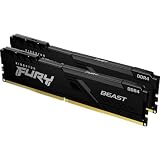
Kingston FURY Beast 32GB (2x16GB) 3200MHz DDR4 CL16 Desktop Memory Kit of 2 KF432C16BB1K2/32 RGB
Last verified 2026-11-13 09:28:36 UTC
Kingston FURY Beast 64GB (2x32GB) 3200MHz DDR4 CL16 Desktop Memory Kit of 2 KF432C16BBK2/64 Black
Last verified 2026-11-13 09:28:36 UTC
Kingston Fury Beast Black 64GB 6000MT/s DDR5 CL30 DIMM (Kit of 2) Desktop Gaming Memory - KF560C30BBEK2-64
Last verified 2026-11-13 03:47:32 UTC

Kingston Fury Beast White 64GB 6000MT/s DDR5 CL30 DIMM (Kit of 2) Desktop Gaming Memory - KF560C30BWEK2-64
Last verified 2026-11-12 08:54:19 UTC
As an Amazon Associate, Cloudzat earns from qualifying purchases. Prices and availability can change; Amazon shows the final price for your chosen item.
Desktop RAM buying guide
| Model | Best for |
|---|---|
| Kingston FURY Beast KF560C36BBE2K2-32 | a compatible DDR5 desktop needing a 32GB two-module kit |
| Kingston FURY Beast KF432C16BBK2/32 | a compatible DDR4 desktop needing a separate 32GB two-module kit |
Which desktop memory kits are useful starting points?
Capacity usually comes before a small timing improvement
When applications exhaust physical memory and use storage heavily, more usable capacity can matter more than a modest profile-speed difference. Check memory use during the work you want to improve rather than buying on an idle desktop reading. Virtual machines, large photo libraries and local models may justify a larger kit, while an already comfortable system may gain little. Keep room for the operating system and background applications. A faster kit does not increase GPU memory and cannot replace dedicated VRAM required by a particular workload.
A matched kit simplifies the comparison
Buying two separate kits with the same headline speed does not guarantee that all modules will behave like one validated set. The motherboard may support a lower speed with more slots populated, and a BIOS update may affect compatibility. Follow the documented slot order and begin with supported default settings before enabling an optional profile. Keep the old memory until the new configuration has passed a meaningful stability check. If the system becomes unreliable, return to supported settings and diagnose the configuration rather than assuming a higher voltage is the answer.
Confirm generation, format and the exact part number
Desktop DIMMs, compact SO-DIMMs and registered server memory are different products. DDR4 and DDR5 are also different generations and are not interchangeable. Start with the exact computer or motherboard documentation, including the processor and board revision, then check supported module type and capacity. A shared capacity number or a similar photograph does not establish compatibility.
For an upgrade, find out how many slots are fitted and occupied, and whether any memory is soldered. A two-module kit may replace the existing pair rather than add to it. Check the full part number, because a single character can identify a different kit, profile or module arrangement. The label on the package should agree with the seller listing and invoice. Keep a record of the original configuration so a failed upgrade can be diagnosed or reversed without guessing.
Separate advertised profiles from supported defaults
Memory may advertise a profile speed that requires a compatible BIOS setting, such as XMP or EXPO. The system can initially run at a lower standard setting, and some compact computers do not expose the advertised profile at all. The CPU, motherboard, firmware and number of populated slots all influence the supported configuration. A faster kit is not a promise that every computer will run at that speed.
Compare the manufacturer’s default and profile specifications, then follow the system’s supported setup instructions. Avoid paying a premium for a profile the machine cannot use. Stability matters more than a small nominal timing advantage, especially for a home server or work computer. If a profile causes problems, return to documented supported settings and investigate the exact combination. Do not improvise voltage changes or assume that settings copied from another motherboard are suitable for yours.
Buy capacity for the work that fills memory
Check memory use while the demanding applications are actually running. A browser-heavy office, virtual machines, large creative projects and local inference place different demands on the system. Leave room for the operating system and background work rather than allocating the entire installed amount to one application. More RAM helps when capacity is the constraint; it does not automatically improve a task limited by CPU, storage or dedicated graphics memory.
Compare complete kit prices at the required capacity. A single large module and a matched pair can affect channel use and future expansion differently. Consult the system’s supported layout before choosing. If both slots are already filled, include the cost of replacing the existing memory, and do not add the old capacity to the new kit total. A well-matched moderate kit is better value than an oversized unsupported purchase that must be returned.
Plan a reversible installation
Read the computer’s service instructions before opening it. Shut down, disconnect power and follow the manufacturer’s electrostatic and battery precautions. Work on a suitable surface and keep screws and removed parts organised. Do not force a module into a slot with the wrong keying; physical resistance can indicate the wrong format or orientation. For a laptop or compact PC, check whether opening the case involves cables or parts that require particular care.
Use the documented slot order for the intended module count. Refit any required covers or thermal material and confirm that ventilation remains clear. Keep the original modules and packaging until the new configuration has been checked. If the machine does not start, follow the manufacturer’s troubleshooting procedure and return to the original supported arrangement where appropriate. A successful upgrade should be repeatable and documented, not dependent on an improvised combination of parts.
Verify recognised capacity and stability
After installation, check that firmware and the operating system recognise the expected capacity and speed. Some systems take longer on the first boot while memory training completes; use the manufacturer’s guidance before interrupting that process. Run an appropriate memory diagnostic and then the real workload the upgrade was intended to improve. A desktop that opens successfully is not by itself proof of a stable memory configuration.
Watch for crashes, application errors and unexpected restarts, and keep a note of the installed part numbers and settings. If problems appear, test supported defaults and the original memory arrangement before concluding that another component has failed. Keep the return window in mind and contact the supplier with a clear description of the exact system. Do not continue important storage or compute work on a configuration that is producing unexplained memory errors.
Compare the Canadian total in Canadian dollars
Use Canadian-dollar prices and the exact Canadian offer, including delivery, any required accessories and applicable checkout charges. A US price converted into Canadian dollars is not a verified Canadian listing. Check the seller’s local support, the supplied power equipment and the selected model or capacity. An attractive starting price may describe an incomplete package. The recommendations identify products to compare, while the dated local cards provide separately checked price observations. Reconfirm the final variant and promotion conditions before ordering; a recommendation alone is not evidence of stock or an event discount.
Electricity cost calculator
Replace the example values with your own measurements, capacity or prices.
Questions buyers ask
Can DDR4 and DDR5 desktop RAM be mixed?
No. They require the appropriate motherboard support and are not interchangeable modules. Buy the DDR generation and form factor specified for the exact system. An adapter or a matching capacity number does not make the two standards compatible.
Does a recommended model always have a Black Friday discount?
No. The model shortlist describes useful configurations. A current priced listing is a separate observation, and an event section requires fresh public Black Friday evidence. Check the exact variant, seller and final checkout terms before treating it as an event offer.
What if the recommended local configuration is unavailable?
Use the named alternative only for the different use case explained in the guide. Compare the full specifications and package again. Do not substitute a lower capacity, wrong regional voltage or incomplete unit merely to obtain a cheaper listing.