


Canada · CAD · BLACK FRIDAY 2026
JMGO Projector Canada Black Friday 2026 Deals
Updated · 2026-11-25 17:01 UTC
Black Friday Deals

Black Friday Deal
JMGO PicoPlay 1080P Smart Portable Projector, Google TV, 400ISO Lumens, 8W Dolby Digital, 3D-Active, HDR10, Mini Projector with WiFi & Bluetooth for Home Party, Outdoor, Including Optical Filter
−33% · Amazon reference price: CA$414.34
Verified 2026-11-26 15:17:54 UTC
Prices and savings reflect the last successful Amazon check shown on each card. A Black Friday badge appears only when supplied by Amazon. As an Amazon Associate, Cloudzat earns from qualifying purchases.
If you want a JMGO projector for a living room or media room, the current N1S lineup is the one to focus on first. The N1S Ultra is the main home-cinema pick because JMGO lists it as a 4K RGB laser projector with 2,800 ISO lumens, while the N1S 4K drops to 1,700 ISO lumens and still keeps Google TV with native Netflix and HDMI 2.1. That split makes the line easy to shop: one model for brighter mainstream use, one for lower cost, and one for a premium step-up.
For Canadian buyers, the practical questions matter as much as the headline resolution. JMGO’s current models are mains-powered home projectors, not battery portables, so you need to think about room depth, throw ratio, and where the projector will sit. Brightness helps, but it does not erase ambient light. A proper screen or controlled room still matters, especially if you want the image to hold up outside a dark theatre setup.
If you are comparing JMGO with other brands, the model class matters more than the logo. BenQ’s TK710 is the better gaming-oriented standard-throw choice, Hisense PX3-PRO is the UST answer, XGIMI’s HORIZON 20 Pro and 20 Max are the broader home-cinema rivals, and portable options like Nebula are a different category altogether. JMGO makes sense when you want a current RGB-laser home projector with a clear hierarchy between value, main pick, and upgrade.
Our recommendation
Buy the JMGO N1S Ultra if you want the strongest all-round JMGO choice for a typical home setup: it is the current mainstream N1S model, it uses RGB laser, and its 2,800 ISO lumens give it more headroom than the lower-cost N1S 4K. Buy the N1S 4K if price matters more than extra brightness, because it still brings 4K, RGB laser, Google TV, native Netflix, and HDMI 2.1. Step up to the N1S Ultimate only if you want the highest N1S-series spec and are happy to pay for 3,300 ISO lumens and the fuller Google TV package. Skip any JMGO setup if you actually need ultra-short-throw placement, built-in battery operation, or a gaming-first projector with a separate short-throw design.
Current Amazon listings
Black Friday Deal
JMGO PicoPlay 1080P Smart Portable Projector, Google TV, 400ISO Lumens, 8W Dolby Digital, 3D-Active, HDR10, Mini Projector with WiFi & Bluetooth for Home Party, Outdoor, Including Optical Filter
−33% · Amazon reference price: CA$414.34
Verified 2026-11-26 15:17:54 UTC
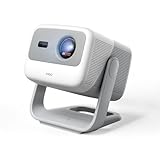
JMGO N1S 4K Upgrade Triple Laser Projector, 1700 ISO Lumens, Google TV | Gimbal Auto Focus, Google TV & Netflix, 110% BT.2020, HDR10, Wi-Fi 6, Dolby Audio, 3D Support, 200" Big Screen
−16% · Amazon reference price: CA$1,586.42
Verified 2026-11-26 15:17:54 UTC

JMGO N1S Ultimate Triple Laser 4K Projector, 3500 ANSI Lumens Projector, Google TV Netflix, Real-Time Auto Screen Fit, HDR10, 180", Blu-ray 3D, Home Theater Projector with 20W Dolby Digital+
Verified 2026-11-26 15:17:54 UTC
Suitable alternative projectors
Different projector models, shown separately from the exact model or budget options above.

Black Friday Deal
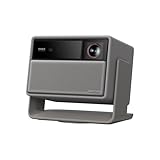
XGIMI Horizon Ultra 4K Projector, Dolby Vision, 2300 ISO Lumens, 2 x 12W Harman Kardon Speakers, Home Theater Projector with WiFi and Bluetooth, Dual Light, Active 3D, 200"
−40% · Amazon reference price: CA$2,499.00
Verified 2026-11-26 16:45:44 UTC
Black Friday Deal
XGIMI Horizon 20 Pro 4K RGB Triple Laser Home Projector, 4100 ISO Lumens | Google TV with Licensed Netflix, Optical Zoom & Lens Shift, IMAX Enhanced, Dolby Vision, 20,000:1 Contrast, 1ms Input Lag
−30% · Amazon reference price: CA$3,999.00
Verified 2026-11-26 16:45:44 UTC

Black Friday Deal
XGIMI Elfin Flip 4K Portable Projector with WiFi and Bluetooth, Google TV | RGB Triple Laser, 1600 ISO Lumens, 0.98-1.3:1 Optical Zoom, Harman Kardon Sound, 1ms Gaming, Home Theater & Outdoor Camping
−27% · Amazon reference price: CA$1,499.00
Verified 2026-11-26 17:28:30 UTC
Choose by your setup
| Situation | Better pick | Why it fits | What to watch |
|---|---|---|---|
| Most buyers in a living room | JMGO N1S Ultra | Brighter current mainstream N1S option with RGB laser | Still needs proper throw distance and a usable screen |
| Lowest-cost JMGO entry | JMGO N1S 4K | Cheaper way into the current N1S line with Google TV and native Netflix | Lower brightness than the Ultra |
| Premium JMGO step-up | JMGO N1S Ultimate | Highest N1S-series brightness and the most complete current JMGO home choice | Conventional throw only; not UST |
| Small room with fixed UST cabinet | Hisense PX3-PRO | Ultra-short-throw placement and screen pairing are the real advantage | Not a JMGO model; needs UST setup |
| Gaming-first standard throw room | BenQ TK710 | Low-lag, laser, and a standard-throw gaming orientation | Needs more room depth than a short-throw option |
| Portable travel or backyard use | Nebula Capsule 3 Laser or XGIMI MoGo 4 Laser | Built-in battery and portable design | Not a home-theatre substitute |
| Want a brighter all-round alternative | XGIMI HORIZON 20 Pro/Max | Current laser home-cinema rivals with higher brightness tiers | Not battery powered; not UST |
What makes this a worthwhile Black Friday purchase?
The best Black Friday value is not automatically the cheapest model. For JMGO, value depends on whether the discount moves you from the N1S 4K into the N1S Ultra. That is a meaningful jump because the Ultra has higher brightness and sits closer to the centre of the current lineup.
If the N1S Ultra is only slightly more expensive than the N1S 4K, the Ultra is the cleaner buy for most rooms. The extra brightness helps more than a small spec-name difference, especially once you add the real-world limits of wall colour, seating distance, and ambient light. The 4K input label is not the same as native panel architecture, so you should value brightness and placement flexibility as much as the resolution line on the box.
Which JMGO model should you buy?
JMGO’s current official N1S family gives you a simple hierarchy. The N1S Ultra is the main pick because it combines 4K resolution with 2,800 ISO lumens and RGB laser. That makes it the safest all-round choice for a normal home theatre or media room where you want stronger image punch without moving to a different brand or a UST design. The N1S 4K is the budget-friendly entry, and it is still a real home projector rather than a stripped-down model. The N1S Ultimate is the upgrade for buyers who want the highest N1S-series performance and can justify the added cost.
Resolution and image class
Do not buy JMGO by resolution alone. The N1S 4K and N1S Ultra are both 4K projectors, but their brightness and overall class are different enough to change the buying decision. JMGO’s official wording shows current N1S models are positioned around RGB/tri-color laser and Google TV on the higher end. For a buyer, that means the practical question is whether you want the lower-cost 4K entry or the brighter, more comfortable home-cinema image. If you plan to watch in a room with any light spill, the extra lumens matter more than a small pricing gap.
Room depth and placement
These JMGO projectors are not UST models, so room depth still matters. Their throw ratios are conventional enough that you need to measure the distance between the projector and the screen before buying. That matters even more in apartments, condos, or smaller family rooms, where a model that looks like a good deal can become awkward if you cannot place it correctly. A bigger issue than many shoppers expect is that brightness does not replace proper placement. If the room is too shallow or the screen too large for the throw distance, the image will suffer no matter how good the spec sheet looks.
Power, portability, and what not to assume
Do not assume a JMGO projector is battery powered unless the product page explicitly says so. The N1S models are not portable battery projectors, so they belong in a mains-powered setup. That is useful if you want a fixed living room system, but it is a deal-breaker if you were hoping for backyard portability. If you need true portable battery use, look at models like XGIMI MoGo 4 Laser or Nebula Capsule 3 Laser instead. The JMGO N1S line is about home use, not throw-it-in-a-bag convenience.
Streaming and apps
The N1S 4K support page specifically lists Google TV, native Netflix, and HDMI 2.1, which is important because buyers often want a projector that can stream without extra boxes. That makes the N1S 4K easier to live with than a bare-bones projector that needs an external streamer. Still, software is only one piece of the setup. If you already own a console, Apple TV, or streaming stick, you may value the input side more than the built-in platform. If you do not want extra cabling, native Netflix support is a real convenience feature, not just a marketing line.
Gaming use and HDMI
If gaming matters, pay attention to model class and HDMI features rather than just resolution. JMGO’s supplied facts show HDMI 2.1 on the N1S 4K and two HDMI 2.1 ports on the N1S Ultimate, with eARC on the latter. That is useful if you want cleaner device switching or audio return to a sound system. Even so, the JMGO lineup is not the same kind of gaming-first story as BenQ’s TK710 or TK710STi. BenQ publishes explicit low-lag gaming figures and, in the STi version, a short-throw design for tighter setups. JMGO is better framed as a home-cinema line with enough connectivity to handle gaming.
How JMGO compares with alternatives
The closest rival depends on the room. XGIMI’s HORIZON 20 Pro and 20 Max are broader home-cinema competitors with their own high-brightness laser positioning and lens-shift flexibility. Hisense PX3-PRO is the UST alternative when the cabinet-and-screen layout is fixed and you want ultra-short-throw placement. BenQ TK710 is the better standard-throw gaming choice, while TK710STi is the short-throw sibling for tighter rooms. For portable use, Nebula and XGIMI’s battery models make more sense than JMGO. That comparison points back to the same conclusion: JMGO is strongest when you want a mainstream living-room projector, not a specialty form factor.
What to skip
Skip the N1S line if your room really needs ultra-short-throw placement, because that is a different class of projector and screen pairing. Skip it as well if you were assuming battery operation, because these are not portable battery models. And if your main priority is competitive gaming or a projector that sits very close to the wall, the JMGO models are not the most direct fit. The wrong choice is usually not the worst projector; it is the wrong throw type or power type. That is where a lot of buyers waste money.
Named buy and skip verdicts
Buy: JMGO N1S Ultra for the best balance of brightness and current N1S-series positioning. Lower-cost buy: JMGO N1S 4K if you want the cleaner entry price and still want 4K, RGB laser, Google TV, and HDMI 2.1. Upgrade buy: JMGO N1S Ultimate if you want the top N1S-series spec and 3,300 ISO lumens. Skip: any JMGO model if you actually need UST placement or battery portability, because those are not the same use case and the wrong form factor will matter more than the brand.
Questions answered
Is the JMGO N1S Ultra better than the N1S 4K for most buyers?
Yes, if your room can support it and you want the more comfortable image. The N1S Ultra’s 2,800 ISO lumens give it more headroom than the N1S 4K’s 1,700 ISO lumens, while both stay in the current N1S family. The N1S 4K remains a good lower-cost choice, but the Ultra is the cleaner mainstream buy when the price gap is reasonable.
Is JMGO good for a small room?
It can be, but only if the throw distance matches the room depth. These are not ultra-short-throw projectors, so you should not treat them like a cabinet-top UST model. In a tight room, the wrong throw ratio will be more frustrating than any benefit from a stronger spec sheet. Measure the placement distance before you buy.
Does the N1S 4K have streaming built in?
Yes. JMGO’s support page lists Google TV with native Netflix for the N1S 4K, along with HDMI 2.1. That makes it practical if you want a projector that can stream without a separate stick or box. It still remains a mains-powered home projector, not a portable battery model.
Should I choose JMGO over a portable projector?
Only if you want a fixed home setup. If you need a projector that you can carry around or use on battery, portable models from XGIMI or Nebula fit that job better. JMGO’s N1S lineup is about home cinema placement, not casual travel or outdoor use.
Related projector guides
Sources
- JMGO N1S Ultra
- JMGO N1S 4K support page
- JMGO product comparison
- JMGO N1S Ultimate
- JMGO N1S Ultimate support center
- XGIMI HORIZON 20 Pro
- XGIMI HORIZON 20 Max
- XGIMI AURA 2
- Nebula Capsule 3 Laser
- Nebula Cosmos 4K SE
- Nebula Mars 3 Air
- Hisense M2 Pro
- Hisense PX3-PRO
- BenQ TK710
- BenQ TK710STi
- Samsung The Freestyle 2nd Gen