


Canada · CAD · BLACK FRIDAY 2026
Gaming and PS5 Projector Canada Black Friday 2026 Deals
Updated · 2026-11-25 16:15 UTC
Black Friday Deals
Black Friday Deal
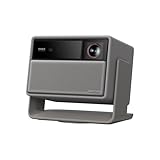
XGIMI Horizon 20 Pro 4K RGB Triple Laser Home Projector, 4100 ISO Lumens | Google TV with Licensed Netflix, Optical Zoom & Lens Shift, IMAX Enhanced, Dolby Vision, 20,000:1 Contrast, 1ms Input Lag
−30% · Amazon reference price: CA$3,999.00
Verified 2026-11-26 15:02:32 UTC
Prices and savings reflect the last successful Amazon check shown on each card. A Black Friday badge appears only when supplied by Amazon. As an Amazon Associate, Cloudzat earns from qualifying purchases.
If you want a projector for PS5 or console gaming, start with the room before the spec sheet. A gaming projector only feels good when the throw distance, screen size, and seating position match the model’s lens style. Short-throw units such as the BenQ TH690ST or TK710STi can fit tighter rooms, while standard-throw models like the BenQ X3100i or Epson LS11000 need more distance but usually give you more flexibility with screen size and placement. Indoor dim-light viewing is still the right assumption for best results; brightness helps, but it does not erase ambient light.
The most important gaming numbers are refresh mode and latency, not just “4K” on the box. For PS5, 4K/60Hz responsiveness is not the same as 1080p/120Hz, and 240Hz support matters on PC more than on console. BenQ’s X3100i is the clearest low-lag flagship here because it lists 4.2 ms at 1080p/240Hz and 8.3 ms at 1080p/120Hz, while the TH690ST is cheaper but drops to 33.4 ms with a 4K/60Hz input downscaled to its 1080p display. Epson’s LS11000 is a more cinematic choice that still supports 4K/120Hz input.
If you want alternatives beyond BenQ, the comparison is straightforward. XGIMI’s HORIZON 20 Pro is a brighter all-round 4K home projector with RGB triple laser and lens shift; it suits buyers who want a mixed gaming-and-movie setup. Nebula’s Cosmos 4K SE is easier to live with if streaming and portability matter more than ultra-low input lag. For ultra-short-throw rooms, Hisense PX3-PRO and AURA 2 are the right style of product, but they need the furniture and ALR screen to match. The wrong choice is a portable battery projector when you really wanted serious couch gaming. The direct verdict is simple: buy the BenQ X3100i if gaming latency is your top priority; buy the BenQ TH690ST only if you accept its 4K/60 tradeoff in exchange for lower cost and short-throw convenience; skip any model whose throw style, streaming setup, or refresh mode does not fit your room and console use. If you want a more movie-first upgrade, the Epson LS11000 is the more balanced long-term pick.
Our recommendation
Buy the BenQ X3100i if you want the safest PS5-first projector: it combines 4K support with 4.2 ms at 1080p/240Hz and 8.3 ms at 1080p/120Hz. Buy the BenQ TH690ST only if you specifically need a short-throw model and are comfortable that its 4K/60Hz lag is much higher than its 1080p/120Hz mode. Upgrade to the Epson LS11000 if you want a more cinematic projector that still supports 4K/120Hz input. Skip portable battery models for main console gaming unless portability is the real priority.
Current Amazon listings
Black Friday Deal
XGIMI Horizon 20 Pro 4K RGB Triple Laser Home Projector, 4100 ISO Lumens | Google TV with Licensed Netflix, Optical Zoom & Lens Shift, IMAX Enhanced, Dolby Vision, 20,000:1 Contrast, 1ms Input Lag
−30% · Amazon reference price: CA$3,999.00
Verified 2026-11-26 15:02:32 UTC

BenQ TK700 4K HDR Home Entertainment Gaming & Movie Projector 4.2ms Latency | 3200 Lumens, 16ms Input Lag, HDMI 2.0, Enhanced Black Detail, Dolby Atmos Speaker, PS5 & Xbox Ready, 3 yr warranty
Verified 2026-11-26 15:02:35 UTC

BenQ X500i True 4K HDR Short Throw Gaming Projector 2200 Lumens | 2200 Lumens, 4ms Response, Auto Game Mode, PS5/Xbox/Switch Ready, eARC, FPS Crosshair, 10W Audio, 3 yr warranty
Verified 2026-11-26 15:12:52 UTC

BenQ TK710 4K HDR Laser 3200 LMS Home Entertainment Movie& Gaming Projector | 3200 Lms, 4ms Input Lag, 240Hz Refresh Rate, HDR10, eARC Support, Lens Shift, 1.3x Zoom, 240HZ Refresh Rate, 3 year warranty
Verified 2026-11-26 15:02:35 UTC

BenQ X3100i True 4K 4LED Gaming Projector 4.2ms Response time ANSI 3300 LMS | 3300 ANSI Lumens, 240Hz Refresh Rate, 100% DCI-P3, Android TV, TreVolo Speakers, eARC, FPS RPG SPG Gaming Mode, 3 yr warranty
Verified 2026-11-26 15:12:52 UTC
Choose by your setup
| Situation | Better pick | Why it fits |
|---|---|---|
| PS5-first gaming in a normal room | BenQ X3100i | Lowest documented latency here, with 1080p/120Hz and 1080p/240Hz modes that matter for console responsiveness |
| Short-throw gaming room | BenQ TH690ST | Short-throw convenience, but only if you accept the 4K/60 lag tradeoff versus its faster 1080p/120Hz mode |
| Movie-first upgrade with gaming support | Epson Home Cinema LS11000 | More cinematic positioning, 4K/120Hz input support, and under-20 ms input lag |
| Bright mixed-use living room | XGIMI HORIZON 20 Pro | Higher brightness, 4K resolution, optical zoom, and lens shift for more flexible placement |
| Portable streaming and travel | XGIMI MoGo 4 Laser | Built-in battery, Google TV, and licensed Netflix make it easier to move between rooms or outdoors |
| UST living-room install | Hisense PX3-PRO or XGIMI AURA 2 | Designed for close-to-wall placement with the screen and cabinet geometry to match |
What makes this a worthwhile Black Friday purchase?
Black Friday value is best when the discount lines up with the use case, not just the biggest percent off. For PS5 gaming, the models worth watching are the BenQ X3100i, TH690ST, TK710STi, Epson LS11000, and, for a brighter mixed-use room, XGIMI HORIZON 20 Pro. The real value is lower lag, usable throw distance, and the right HDMI refresh mode. Do not let a sale on a portable projector distract you if you need a true living-room gaming machine.
A good deal is also one that avoids extra accessories you do not need. For UST models such as Hisense PX3-PRO or XGIMI AURA 2, the screen matters almost as much as the projector, so the bundle only helps if it includes the right ALR pairing. For portable models like Nebula Capsule 3 Laser or XGIMI MoGo 4 Laser, a strong deal should include the battery and Netflix certification you actually want. Never compare a sale price for one region against a different region’s bundle or coupon mechanics.
Choose the right gaming class
For console gaming, the first split is between true gaming projectors and general home-cinema models with good gaming modes. BenQ leads the dedicated side because the X3100i and TH690ST publish clear latency numbers that matter for PS5 response. The X3100i is the better buy if you want the lowest latency and are fine with a standard-throw setup. The TH690ST is the cheaper short-throw alternative, but the tradeoff is explicit: 1080p/120Hz is quick, while 4K/60Hz is much slower. Epson’s LS11000 is not a gaming-first projector in the same sense, but it is the better upgrade if you want movie performance without giving up 4K/120Hz input.
Understand 4K input, 4K display, and refresh
Do not treat every “4K” label as the same thing. Some projectors advertise 4K input support or 4K display technology, while others list 3840 x 2160 as standard resolution. BenQ’s X3100i is designed around gaming responsiveness and gives you very low lag at 1080p refresh modes, while the Epson LS11000 supports native 4K input up to 120Hz with input lag below 20 ms. XGIMI’s HORIZON 20 Pro lists 3840 x 2160 resolution and 4100 ISO lumens, so it is a strong 4K home projector, but its value depends on whether you want a brighter all-rounder or a console-specialist. Keep the refresh mode you actually plan to use in mind before buying.
Match the room to throw distance
Throw style matters more than many buyers expect. Standard-throw models like the BenQ X3100i, Epson LS11000, and XGIMI HORIZON 20 Pro need more room depth, but they usually reward you with easier sizing for a proper screen. Short-throw models such as BenQ TH690ST and TK710STi are better when the room is shallower or when you want to keep the projector farther from traffic. Ultra-short-throw models such as Hisense PX3-PRO or XGIMI AURA 2 sit very close to the wall and demand the right cabinet depth and screen geometry. If your setup does not support the throw style, the projector is the wrong buy no matter how good the specs look.
Think about brightness in the real room
Brightness helps, but it does not magically defeat ambient light. The Epson LS11000 is the more cinematic upgrade, but a dark room is still the right assumption for best black levels. If you have a brighter living room, the Epson Home Cinema 3800, Home Cinema 2350, or XGIMI HORIZON 20 Pro make more practical sense because they are brighter, but even then an ALR screen can be the difference between acceptable and frustrating. A plain matte-white wall is a compromise, not the ideal. If you want the easiest daylight-friendly experience with the least fuss, a TV may still be the better purchase.
Choose the right streaming and audio setup
Streaming support is not interchangeable across models. XGIMI’s portable and home models often include Google TV, and some, such as MoGo 4 Laser and MoGo 4, are explicitly listed with licensed Netflix. Nebula’s Cosmos 4K SE and Capsule 3 Laser also include official Netflix support on their product pages. BenQ gaming projectors are often best paired with an external streaming stick or console because their focus is on image and latency, not an all-in-one smart platform. If you plan to watch games, sports, and apps directly from the projector, prioritize certified streaming. For sound, built-in speakers can be fine for casual use, but they do not replace a soundbar or AVR in a serious gaming room.
Portable is not the same as battery-powered
Portable projectors are a separate category from mains-powered home-cinema models. XGIMI MoGo 4 Laser includes a built-in battery with up to 2.5 hours of video playtime in Eco mode, and Nebula Capsule 3 Laser also has a built-in battery with about 2.5-hour movie playback. Samsung’s Freestyle 2nd Gen can use a separate battery base or portable battery accessory, but that is not the same as built-in battery operation. XGIMI’s Elfin Flip 4K, by contrast, is a mains-powered projector with DC input rather than an integrated battery. If you need couch gaming, a portable model may be convenient for moving rooms, but it is not a substitute for a dedicated gaming projector.
When UST makes sense for gaming and movies
Ultra-short-throw projectors are for buyers who want a near-wall setup and are willing to design the furniture around it. Hisense PX3-PRO is the clearest gaming-friendly UST here because it is Designed for Xbox certified and includes two HDMI 2.1 ports with eARC. XGIMI AURA 2 is also a strong UST choice, with 0.177:1 throw and support for 90-150 inch images, but it is still a placement-sensitive system. UST works best with a proper ALR screen, not a random flexible screen. If you want a clean living-room install and can commit to the cabinet and screen, UST is elegant. If not, standard throw is simpler and usually cheaper to live with.
Value picks by use case
The best value depends on what you are actually trying to solve. For the ordinary buyer, the BenQ X3100i is the most defensible PS5-first purchase because it gives you the lowest-lag documented gaming modes. For a lower-cost option, the BenQ TH690ST makes sense if the room is shallow and you accept that 4K/60 is not its best mode. For a worthwhile upgrade, the Epson LS11000 is the pick if you care about movies and still want strong gaming support. If you want a portable streaming projector instead of a serious gaming machine, Nebula Capsule 3 Laser or XGIMI MoGo 4 Laser are the better fit. The wrong choice is any projector bought mainly for a sale sticker rather than the room and latency it actually offers.
Questions answered
Is 4K/60 good enough for PS5 gaming?
It can be fine for many games, but it is not the same as a lower-lag 1080p/120Hz mode. On the BenQ TH690ST, 4K/60 is much slower than 1080p/120Hz; on the X3100i, 4K/60 is also slower than its faster refresh modes. If you care about responsiveness in shooters, sports, or rhythm games, prioritize the lower-latency mode and make sure the game supports it.
Should I buy a short-throw projector for a small room?
Only if the room layout really needs it. Short-throw models such as the TH690ST or TK710STi help when you do not have much depth, but they still need correct screen size and placement. If the room is extremely shallow, an ultra-short-throw model may be the better fit, but then you must plan for a cabinet and often an ALR screen. Buy the throw style that matches the room, not just the spec sheet.
Do I need a special screen for gaming projectors?
Not always, but it helps a lot. A good screen becomes more important as room light increases, and it is essential for UST projectors if you want the best contrast and geometry. Portable outdoor screens such as the Elite Screens Yard Master 2 are useful for flexible setups, while fixed-frame or ALR screens are better for permanent rooms. A bare wall works only as a compromise.
Are battery projectors good for PS5?
Usually not as a primary choice. Battery projectors like the XGIMI MoGo 4 Laser or Nebula Capsule 3 Laser are great for portability, Netflix, and casual viewing, but they are not the right class for serious console gaming in a living room. They are lower-brightness, convenience-first products. If your main goal is PS5 response, buy a mains-powered gaming projector instead.