


BLACK FRIDAY 2026
Black Friday offers and current Amazon prices
Amazon prices, discounts and promotion labels below reflect the last successful check shown on each card. The price and availability at Amazon checkout apply. As an Amazon Associate, Cloudzat earns from qualifying purchases.

XGIMI Horizon Ultra 4K Projector, Dolby Vision, 2300 ISO Lumens, 2 x 12W Harman Kardon Speakers, Home Theater Projector with WiFi and Bluetooth, Dual Light, Active 3D, 200"
CA$1,499.99
−40% · CA$2,499.00
Amazon reference price
Buy on AmazonChecked: 2026-11-25 14:48:20 UTC
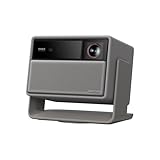
XGIMI Horizon 20 Pro 4K RGB Triple Laser Home Projector, 4100 ISO Lumens | Google TV with Licensed Netflix, Optical Zoom & Lens Shift, IMAX Enhanced, Dolby Vision, 20,000:1 Contrast, 1ms Input Lag
CA$2,799.99
−30% · CA$3,999.00
Amazon reference price
Buy on AmazonChecked: 2026-11-25 14:48:20 UTC

XGIMI Elfin Flip 4K Portable Projector with WiFi and Bluetooth, Google TV | RGB Triple Laser, 1600 ISO Lumens, 0.98-1.3:1 Optical Zoom, Harman Kardon Sound, 1ms Gaming, Home Theater & Outdoor Camping
CA$1,099.99
−27% · CA$1,499.00
Amazon reference price
Buy on AmazonChecked: 2026-11-25 14:48:20 UTC

Anker Nebula Cosmos 4K SE Dolby Vision Projector, 1,800 ANSI Lumens | Google TV and Netflix-Licensed, 200-Inch Screen, Laser + LED, Enhanced Image Quality, Portable Design, Built-In Handle
CA$1,199.99
−25% · CA$1,599.99
Amazon reference price
Buy on AmazonChecked: 2026-11-25 15:31:04 UTC

BenQ TK700 4K HDR Home Entertainment Gaming & Movie Projector 4.2ms Latency | 3200 Lumens, 16ms Input Lag, HDMI 2.0, Enhanced Black Detail, Dolby Atmos Speaker, PS5 & Xbox Ready, 3 yr warranty
CA$1,397.98
Buy on AmazonChecked: 2026-11-25 15:42:15 UTC

BenQ TK710 4K HDR Laser 3200 LMS Home Entertainment Movie& Gaming Projector | 3200 Lms, 4ms Input Lag, 240Hz Refresh Rate, HDR10, eARC Support, Lens Shift, 1.3x Zoom, 240HZ Refresh Rate, 3 year warranty
CA$2,098.00
Buy on AmazonChecked: 2026-11-25 15:42:15 UTC
Which projector should you buy?
If you want a true 4K projector, start by matching the projector to the room, not the sale banner. A bright living room, a dark basement, a bedroom ceiling setup, and a gaming den all point to different machines. Resolution alone does not decide the right buy; placement depth, throw type, and whether you need a screen matter just as much.
Power and streaming compatibility are the next filter. Some models are mains-only home-cinema units, some are portable with built-in batteries, and some rely on external devices for apps or HDMI sources. If you want Netflix built in, look for a model that explicitly says so. If you want a console, check refresh support and input lag separately from 4K marketing.
For a straightforward home-cinema purchase, the XGIMI HORIZON 20 Pro is the cleanest general pick here. If you need a compact cheaper option, the XGIMI Elfin Flip 4K is the value alternative. If your room is built around a dedicated theater, the Epson Home Cinema LS11000 is the more serious room-oriented upgrade, while UST buyers should look at XGIMI AURA 2 or Hisense PX3-PRO where placement allows.
Our recommendation
Buy the XGIMI HORIZON 20 Pro if you want one 4K projector that covers the widest normal-use case with room-friendly optics, strong brightness, optical zoom, lens shift, and built-in Google TV. It is the most balanced pick for buyers who want a true 3840 × 2160 projector without moving into specialist territory.
Buy the XGIMI Elfin Flip 4K if you want a smaller and cheaper 4K projector for lighter-duty viewing, a second room, or a less demanding setup. It gives you 3840 × 2160 resolution and Google TV in a compact format, but its 1600 ISO lumens and mains-powered design mean it is not a substitute for a brighter flagship.
Skip the Epson Home Cinema LS11000 if you are shopping for a pure portable or casual living-room projector, but buy it if you are building a dedicated theater and want roomier home-cinema hardware with Epson’s 4K Display Technology, a laser array light source, 120Hz support, and better fit for a fixed installation. For ultra-short-throw use, look instead at XGIMI AURA 2 or Hisense PX3-PRO. For gaming-first setups, BenQ’s TK710STi or X3100i deserve a separate look.
Choose by your setup
| Situation | Better choice | Why it fits | What to avoid |
|---|---|---|---|
| One projector for most normal rooms | XGIMI HORIZON 20 Pro | True 4K spec, 4100 ISO lumens, lens shift, optical zoom, Google TV | Avoid UST unless your cabinet/wall geometry is fixed |
| Cheaper compact 4K option | XGIMI Elfin Flip 4K | Smaller footprint, 3840 × 2160, Google TV | Do not expect flagship brightness |
| Dedicated theater room | Epson Home Cinema LS11000 | Laser array light source, 4K Display Technology, fixed-install focus | Do not treat it as a portable or near-wall model |
| Wall-close TV-like setup | XGIMI AURA 2 or Hisense PX3-PRO | UST placement, screen pairing, large image from close distance | Do not use a standard screen if you want best contrast |
| Gaming-first room | BenQ X3100i | Very low lag at 1080p/240Hz and 1080p/120Hz | Do not assume 4K/60 gives the same feel as 120Hz |
| Portable travel or bedroom use | XGIMI MoGo 4 Laser or Nebula Capsule 3 Laser | Built-in battery, Google TV, licensed Netflix | Do not buy a mains-only projector for outdoor trips |
| Outdoor movie nights | XGIMI MoGo 4 Laser plus portable screen | Battery-powered convenience and better image on a screen | Do not rely on a rough wall |
| Short-throw gaming or simulator | BenQ TK710STi | Short throw and 4K laser positioning | Do not confuse short throw with UST |
What makes this a worthwhile Black Friday purchase?
Treat the biggest discount as secondary to fit. A projector that needs the wrong throw distance, lacks lens shift for your room, or needs a screen you do not have is not a value buy just because it is on sale.
The most useful Black Friday value moves are usually in three places: a flagship home-cinema model, a compact portable model with real streaming support, or a screen bundle for UST and outdoor use. In this category, the biggest practical savings often come from buying the projector and screen together only when the geometry matches your room or patio setup.
Main pick: XGIMI HORIZON 20 Pro
The HORIZON 20 Pro is the simplest all-round 4K purchase in this group because it combines 3840 × 2160 resolution, 4100 ISO lumens, RGB triple laser, Google TV, optical zoom, lens shift, and a 1.2–1.5:1 throw ratio. Those are practical features, not just spec-sheet decoration. Optical zoom and lens shift make it easier to place in a real room than a projector that needs a single fixed position. It is mains-powered, so it belongs in a home setup rather than travel use. For most buyers who want one projector for movies, sports, and occasional gaming, this is the least fussy choice.
Budget and smaller-room option: XGIMI Elfin Flip 4K
The Elfin Flip 4K is the lower-cost 4K choice here because it still lists standard resolution of 3840 × 2160 and includes Google TV, but it is built for a smaller, simpler setup. Its 1600 ISO lumens tell you not to expect flagship living-room punch, especially if ambient light is present. It is mains-powered through DC input and is not a built-in battery model. That matters if you were hoping for a travel projector. This is the right buy when size, convenience, and a more approachable price matter more than maximum screen impact.
Real theater upgrade: Epson Home Cinema LS11000
The LS11000 is the roomier upgrade because Epson positions it with 4K Display Technology, 8.29 million pixels on screen, and a laser array light source rather than describing it as a native-panel 4K projector. That distinction matters. It is a serious theater projector for buyers who care about installation, screen choice, and consistent movie viewing. Epson also lists 2,500 lumens white brightness, 1,200,000:1 dynamic contrast, native 4K input up to 120Hz, and input lag below 20 ms. It is not a near-wall or portable choice, but for a fixed cinema room, it is a more ambitious build than the casual 4K portables.
UST choice when the room is close to the wall: XGIMI AURA 2 and Hisense PX3-PRO
Ultra-short-throw projectors are a different purchase entirely. The XGIMI AURA 2 uses a 0.177:1 throw ratio and can make a 100-inch image from 17.8 cm away, while Hisense PX3-PRO is a UST TriChroma Laser Projector designed for up to 150 inches and sold with ALR screen options. That close placement is the point, but it also means cabinet depth, cable routing, and screen choice matter a lot. These are not portable units and they are not standard-throw substitutes. If you want a TV-like setup with projector scale, this category makes sense; if you want flexibility, it does not.
Gaming decisions: BenQ first, then everything else
If your main question is gaming responsiveness, BenQ is the brand to compare first. The X3100i lists 4.2 ms at 1080p/240Hz, 8.3 ms at 1080p/120Hz, and 16.7 ms at 4K/60Hz. The TK710 and TK710STi are also current laser 4K options, but they solve different room layouts: TK710 is standard throw, while TK710STi is short throw. That matters because a short-throw projector can fit where a standard-throw one cannot. PS5 buyers should not confuse 4K/60 with 1080p/120Hz gaming performance; the refresh mode you actually use changes the result.
Portable and battery-powered choices: XGIMI and Nebula
Portable does not always mean battery-powered. XGIMI MoGo 4 Laser is portable and has a built-in battery with up to 2.5 hours of video playback in Eco mode, plus Google TV and licensed Netflix. The smaller XGIMI MoGo 4 is 1080p, LED, and also has a built-in battery, while Nebula Capsule 3 Laser is a 1080p ultra-portable with a built-in battery and officially licensed Netflix. These are travel or bedroom picks, not home-theater replacements. If you want real portability, look for the battery explicitly. If you want a mains-powered small projector, do not pay extra for battery hardware you will never use.
Streaming, apps, and audio: what matters before you buy
Google TV is helpful, but it does not automatically mean Netflix certification. The models that clearly state licensed Netflix or official Netflix support include XGIMI MoGo 4 Laser, Nebula Cosmos 4K SE, Nebula Capsule 3 Laser, and several XGIMI portable models. That matters if you want the projector itself to be the streaming box. HDMI 2.1 also matters more for some buyers than others: Hisense PX3-PRO and M2 Pro list HDMI 2.1, while BenQ gaming models focus on response and refresh. Built-in speakers can be enough for casual use, but serious movie setups still benefit from external audio or a proper soundbar.
Screens, placement, and accessories: where the value really shows
A projector only performs as well as the room lets it. UST models want a UST-compatible ALR screen, not a random matte-white drop-down, and XGIMI and Hisense both point buyers toward ALR pairing for their UST models. Portable outdoor use is different again: Elite Screens Yard Master 2 is a portable folding-frame screen with front- and rear-projection material options, and it is useful when you want a better image than a wall can provide. For fixed theater setups, screen size, wall color, and mount position shape the result. Brightness helps, but it does not erase ambient light or bad placement.
Questions answered
Is a 4K logo enough to make a projector a true 4K buy?
No. You should look for the exact resolution or the exact display technology wording. The HORIZON 20 Pro and Elfin Flip 4K list 3840 × 2160 resolution, which is the clearest 4K-style spec. Epson’s LS11000 uses 4K Display Technology and 8.29 million pixels on screen, which is not the same wording as a native-panel 4K claim. Also watch for older 1080p projectors that only accept 4K input; that is not the same thing as true 4K projection.
Should I buy a UST projector if I want a cleaner living-room look?
Only if your room geometry supports it. UST can look very clean because the projector sits close to the wall, but it needs the right cabinet depth and usually a proper ALR screen. XGIMI AURA 2 and Hisense PX3-PRO are strong examples, yet both depend on placement and screen compatibility. If you want more flexibility in a normal room, a standard-throw model like the HORIZON 20 Pro is easier to live with.
Do portable projectors need batteries to be called portable?
No. Portable and battery-powered are not the same. The XGIMI Elfin Flip 4K is compact but mains powered through DC input. The MoGo 4 Laser, MoGo 4, Samsung The Freestyle 2nd Gen with Battery Base, and Nebula Capsule 3 Laser all make battery use explicit. If you need true cordless use, only buy the models that actually state a built-in battery or a supported battery accessory.
What matters more for gaming: 4K or refresh rate?
Both matter, but they are not interchangeable. BenQ’s X3100i shows 4.2 ms at 1080p/240Hz, 8.3 ms at 1080p/120Hz, and 16.7 ms at 4K/60Hz, which shows how responsiveness changes with mode. If you care about fast play, look at the refresh and lag numbers you will actually use. For a console like PS5, do not assume 4K/60 feels the same as 1080p/120Hz.