


Canada · CAD · BLACK FRIDAY 2026
Hisense M2 Pro Canada Black Friday 2026 Deals
Updated · 2026-11-25 17:47 UTC
Black Friday: current Amazon offers

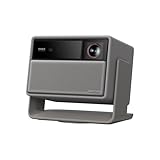
Hisense M2 Pro-4K UHD Smart VIDAA Projector with 65"-200" Projection Size, Triple Colour Laser, Optical Zoom, AI 4K Upscaler, 1300 ANSI Lumens, Optical Zoom and DTS Virtual:X
Verified 2026-11-25 20:09:24 UTC
Prices and savings reflect the last successful Amazon check shown on each card. A Black Friday badge appears only when supplied by Amazon. As an Amazon Associate, Cloudzat earns from qualifying purchases.
If you want a compact laser projector for movies, casual gaming, and easy setup, the Hisense M2 Pro is a strong Black Friday target. It gives you 4K UHD marketing, triple-laser light, Dolby Vision, HDMI 2.1, and VIDAA streaming in a format that is easier to live with than many bigger home-theater projectors.
The practical question is not only price. You need to think about where it will sit, how far it needs to throw, whether you want built-in streaming or a separate box, and whether your room can support a projector that is bright enough for dim-light viewing but still benefits from control over ambient light. That matters more than a sale label.
If you are comparing alternatives, the closest named step-up is the Hisense PX3-PRO for ultra-short-throw placement. If you want portable convenience instead of a fixed home setup, the XGIMI MoGo 4 Laser or Nebula Capsule 3 Laser are better fits. If you want gaming-first flexibility in a standard-throw body, BenQ’s TK710 is the more specialised choice.
Our recommendation
Buy the Hisense M2 Pro if you want a compact triple-laser projector with built-in streaming, 4K UHD support, and a setup that is simpler than a full UST home-cinema rig. It is the right kind of model for buyers who want strong image features without moving all the way to a premium ultra-short-throw system.
Skip it if you need an ultra-short-throw projector for a cabinet-to-wall setup, if you want true portability with battery power, or if your priority is the brightest gaming or living-room model in this price tier. In those cases, the PX3-PRO, a battery portable, or a brighter standard-throw projector makes more sense.
For value, the best buy is a new retail M2 Pro when the gap to open-box is small. The budget play is the official open-box M2 Pro only if the warranty, accessories, and condition are clearly acceptable. The wrong choice is treating this as a UST model or assuming 4K marketing automatically means native 4K panel behavior.
Current Amazon listings
Hisense M2 Pro-4K UHD Smart VIDAA Projector with 65"-200" Projection Size, Triple Colour Laser, Optical Zoom, AI 4K Upscaler, 1300 ANSI Lumens, Optical Zoom and DTS Virtual:X
Verified 2026-11-25 20:09:24 UTC
Suitable alternative projectors
Different projector models, shown separately from the exact model or budget options above.

Black Friday Deal
XGIMI Horizon Ultra 4K Projector, Dolby Vision, 2300 ISO Lumens, 2 x 12W Harman Kardon Speakers, Home Theater Projector with WiFi and Bluetooth, Dual Light, Active 3D, 200"
−40% · Amazon reference price: CA$2,499.00
Verified 2026-11-25 20:03:25 UTC
Black Friday Deal
XGIMI Horizon 20 Pro 4K RGB Triple Laser Home Projector, 4100 ISO Lumens | Google TV with Licensed Netflix, Optical Zoom & Lens Shift, IMAX Enhanced, Dolby Vision, 20,000:1 Contrast, 1ms Input Lag
−30% · Amazon reference price: CA$3,999.00
Verified 2026-11-25 20:03:25 UTC

Black Friday Deal
XGIMI Elfin Flip 4K Portable Projector with WiFi and Bluetooth, Google TV | RGB Triple Laser, 1600 ISO Lumens, 0.98-1.3:1 Optical Zoom, Harman Kardon Sound, 1ms Gaming, Home Theater & Outdoor Camping
−27% · Amazon reference price: CA$1,499.00
Verified 2026-11-25 20:03:25 UTC
Choose by your setup
| Use case | Better choice | Why it fits |
|---|---|---|
| Most buyers wanting a compact fixed-room projector | Hisense M2 Pro | Triple-laser, 4K UHD positioning, Dolby Vision, VIDAA, easier setup than UST |
| Very shallow room or cabinet placement | Hisense PX3-PRO | Ultra-short-throw design sits close to the wall |
| Portable, battery-powered movie nights | XGIMI MoGo 4 Laser or Nebula Capsule 3 Laser | Built-in battery for true portable use |
| Gaming-first standard-throw setup | BenQ TK710 | Published low-lag gaming specs and standard-throw flexibility |
| Need a brighter UST home-theater system | Hisense PX3-PRO | UST format and screen pairing suit dedicated living-room installs |
| Budget-conscious open-box shopper | Hisense M2 Pro open-box only | Only if the unit is manufacturer-backed and like-new |
| Want a stronger premium upgrade | Hisense PX3-PRO | More specialised home-theater placement and screen pairing |
What makes this a worthwhile Black Friday purchase?
Buy new when the open-box saving is modest. A sealed unit is the cleaner choice if you care about full accessory certainty, easier returns, and less risk around warranty terms.
Consider the official open-box listing only if it is manufacturer-backed and clearly described as like-new. On a projector, missing accessories or weaker coverage can erase the price advantage quickly.
Model choice
The M2 Pro makes sense if you want one projector that can cover movies, TV, and casual gaming without turning your room into a permanent installation project. Its official listing positions it as a 4K UHD triple-laser projector with Dolby Vision and up to 200-inch image support, so the core appeal is image features plus convenience. That is different from a portable battery model, and also different from a UST system that sits very close to the wall.
The decision is mostly about how much setup you want to avoid. If you want a compact projector that still behaves like a serious home unit, M2 Pro is the right lane. If you want the easiest possible wall-hugging placement, PX3-PRO is the better fit. If you want something truly easy to carry and use in different rooms, a battery-powered portable from Nebula or XGIMI is more appropriate.
Image and resolution
Hisense markets the M2 Pro as 4K UHD, but the practical buying point is to separate display marketing from panel claims. The official facts confirm 4K UHD positioning and triple-laser imaging, plus Dolby Vision support, but buyers should not assume every “4K” projector behaves the same. A projector can accept 4K input, process it, and still rely on its own imaging system and scaling approach.
What matters for your room is that this is not a daylight replacement. The listed 1300 ANSI lumens can work well in dim-light viewing, but ambient light still matters a lot. That means curtains, dimming, and screen choice are part of the purchase decision. If you want a more cinema-oriented room with controlled lighting, the M2 Pro is more convincing. If you expect a bright sunlit living room, your expectations should be lower.
Room and placement
This is not an ultra-short-throw projector, and that is the first boundary you should respect. The M2 Pro needs more throw distance than the PX3-PRO, so it is better for a normal shelf, table, or stand placement where you can leave some room between the lens and the wall or screen. That makes it easier to use than many old-style projectors, but not as placement-forgiving as a true UST setup.
The built-in auto focus, screen fit, and keystone tools help, especially if you are not mounting it permanently. Still, digital correction is not a substitute for a good physical setup. You will get the cleanest image if you place it square to the screen and avoid depending on heavy keystone correction. If you are planning around a narrow cabinet or a wall-tight media console, the PX3-PRO is the more suitable Hisense model.
Power and portability
The M2 Pro is described as a portable 2025 projector, but portable does not mean battery-powered. It is a compact design that is easier to move than a large UST unit, yet it still needs mains power. That distinction matters because a lot of buyers see the word portable and assume outdoor-battery freedom. This model is not that kind of projector.
If you need true battery use for a backyard, cottage, or room-to-room setup with no outlet nearby, look instead at models such as the XGIMI MoGo 4 Laser, XGIMI MoGo 4, or Nebula Capsule 3 Laser. Those models are built around battery operation. The M2 Pro is better understood as a smaller fixed-room projector that is easy to relocate, not as a self-contained travel device.
Gaming and HDMI
For gaming, the M2 Pro’s HDMI 2.1 support is a meaningful feature, but you should still match the projector to your actual use. If you mainly want console gaming with casual latency needs and a flexible living-room display, the M2 Pro is a good fit. If you are specifically chasing higher-end gaming features, BenQ’s TK710 and especially TK710STi are more clearly tuned around gaming use, with published low-latency figures and input options that make the intent obvious.
The Hisense M2 Pro does not need to be a gaming-specialist projector to be useful. It is more of an all-rounder that can handle streaming and occasional play without forcing you into a separate box for the core picture system. That is valuable if you want one projector to do several things. But if your buying priority is competitive gaming, the BenQ models deserve a harder look than the M2 Pro.
Streaming and audio
VIDAA OS and Netflix support are important because they reduce the number of extra devices you need. For many buyers, that is the real convenience gain: you can set up the projector, connect it to Wi-Fi, and start watching without adding an external streamer immediately. That makes the M2 Pro more self-contained than a bare-bones projector that depends on HDMI boxes for normal use.
Still, built-in smart features are not the same as perfect app freedom. If your household already uses a separate streaming ecosystem, the projector’s own platform may matter less than HDMI quality and audio output. Dolby Vision support is a plus for compatible content, but you still want a good speaker plan if you care about fuller sound. In practical terms, the M2 Pro is a tidy all-in-one projector, not a substitute for a full AV system.
Screen and accessories
A projector’s real result depends heavily on the surface in front of it. The M2 Pro can look good on a proper screen, and it can work on a light-controlled wall, but you should not treat any projector as screen-independent. Ambient light, wall colour, and the flatness of the surface all influence what you see more than many shoppers expect.
Because the M2 Pro is not UST, you do not need a special ultra-short-throw ALR screen to make basic placement work. That said, a dedicated screen still helps image consistency. If you are building a living room setup, budget for the screen or screen-like surface as part of the project. If you are comparing open-box units, also verify whether all accessories are included, because missing items can turn a bargain into a hassle.
Best alternatives and wrong fit
The nearest upgrade is the Hisense PX3-PRO. Choose that instead if you need ultra-short-throw placement, are building around a cabinet or very shallow room depth, or want a more obvious UST home-theater package. It is a different buying category, not just a minor spec bump. For buyers who want stronger gaming or a standard-throw laser projector with more gaming-first tuning, BenQ TK710 is the more focused alternative.
Choose a portable battery projector instead if your real need is outdoor or away-from-outlet use. The XGIMI MoGo 4 Laser, XGIMI MoGo 4, and Nebula Capsule 3 Laser are more appropriate there. The wrong fit for M2 Pro is a buyer who wants the projector to behave like a battery lantern, a UST system, or a daylight beamer that ignores room lighting. Those jobs belong to different models.
Questions answered
Is the Hisense M2 Pro the same as a UST projector?
No. It is not ultra-short-throw. That matters because a UST projector is designed to sit very close to the wall, while the M2 Pro needs more throw distance. If your room depends on a wall-hugging cabinet setup, the PX3-PRO is the more suitable Hisense model. The M2 Pro is better for normal shelf or table placement with some room behind it.
Should I buy the open-box M2 Pro instead of new?
Only if the discount is meaningful and the listing is clearly manufacturer-backed, with condition and warranty terms you are comfortable with. Open-box can be a sensible lower-cost option, but the value disappears if accessories are missing or coverage is weak. If the price difference is small, the new retail unit is the cleaner purchase.
Is the M2 Pro a true 4K native panel projector?
Do not assume that from the marketing line alone. The official facts support 4K UHD branding and triple-laser imaging, but buyers should distinguish marketing language from explicit native-panel language. The important point is image quality and feature set, not just the label. If native 4K is your only deciding factor, compare the exact wording carefully across models.
Will it work well in a bright living room?
It can work, but brightness does not cancel ambient light. The M2 Pro’s 1300 ANSI lumens are more comfortable in dim-light viewing than in a sunlit room. Curtains, room control, and a proper screen help a lot. If your room stays bright during viewing, you may want a brighter projector or a different room setup.
Related projector guides
Sources
- Hisense M2 Pro official product page
- Hisense M2 Pro open-box listing
- Hisense M2 Pro launch announcement
- Hisense PX3-PRO product page
- Hisense PX3-PRO announcement
- XGIMI MoGo 4 Laser UK
- XGIMI MoGo 4 Laser France
- XGIMI MoGo 4
- XGIMI MoGo 2 Pro (New)
- XGIMI HORIZON 20 Pro
- XGIMI HORIZON 20 Max
- XGIMI AURA 2
- Nebula Capsule 3 Laser
- Nebula Cosmos 4K SE
- Nebula Mars 3 Air
- BenQ TK710
- BenQ TK710STi
- JMGO N1S Ultimate
- Dangbei DBOX02 Pro
- Samsung The Freestyle 2nd Gen CA