


Canada · CAD · BLACK FRIDAY 2026
Epson Projector Canada Black Friday 2026 Deals
Updated · 2026-11-25 16:50 UTC
Black Friday: current Amazon offers
No matching Amazon offer with a confirmed price is available in our latest results. Use the local Amazon search for this model.
Search on AmazonPrices and savings reflect the last successful Amazon check shown on each card. A Black Friday badge appears only when supplied by Amazon. As an Amazon Associate, Cloudzat earns from qualifying purchases.
If you want a fixed-room Epson projector for movies, sports, or gaming, start with the Home Cinema LS6000. It is the main all-round choice here because it uses 4K Display Technology, which means pixel shifting rather than native 4K panels, and it pairs that with a 3LCD laser light source and 3400 white/color lumens. That combination matters when you want a bright, flexible home-theatre image without moving up to a more installation-focused model.
For buyers watching the budget, the Home Cinema LS5000 is the lower-tier option. It still supports 4K120Hz and ALLM, but its 2500 white/color lumens make it the cheaper pick for a dim room rather than a better projector overall. The LS6000 is the cleaner choice when you need more brightness and a more forgiving picture in a controlled space, while the LS5000 makes sense if price matters more than headroom.
If your room layout is unusual, Epson’s other models solve different problems, not the same one. The LS7500 is a small-space option with 3500 lumens; the LS11000 is a dedicated home-theatre installation model; and the EpiqVision LS650 is a UST option for front-of-room furniture placement. Those are useful alternatives, but they are not automatic upgrades over the LS6000 for a typical standard-throw home cinema setup.
Our recommendation
Buy the Epson Home Cinema LS6000 if you want the strongest fixed-room all-round choice in this lineup: it combines 4K Display Technology, a 3LCD laser light source, 3400 white/color lumens, and support for 4K120Hz and ALLM. Choose the LS5000 only if you want to spend less and can live with lower brightness in a dim room. Step up to the LS11000 only when you are building a dedicated installation and want that kind of projector specifically. Skip the EpiqVision LS650 unless you need ultra-short-throw placement in front of the room, because it solves a different furniture and placement problem rather than improving a standard setup. For most buyers, LS6000 is the direct buy, LS5000 is the value pick, LS11000 is the install-focused upgrade, and LS650 is the wrong fit unless UST is required.
Current Amazon listings
Search on AmazonSuitable alternative projectors
Different projector models, shown separately from the exact model or budget options above.

Black Friday Deal
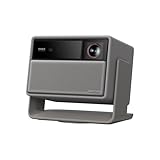
XGIMI Horizon Ultra 4K Projector, Dolby Vision, 2300 ISO Lumens, 2 x 12W Harman Kardon Speakers, Home Theater Projector with WiFi and Bluetooth, Dual Light, Active 3D, 200"
−40% · Amazon reference price: CA$2,499.00
Verified 2026-11-25 16:17:17 UTC
Black Friday Deal
XGIMI Horizon 20 Pro 4K RGB Triple Laser Home Projector, 4100 ISO Lumens | Google TV with Licensed Netflix, Optical Zoom & Lens Shift, IMAX Enhanced, Dolby Vision, 20,000:1 Contrast, 1ms Input Lag
−30% · Amazon reference price: CA$3,999.00
Verified 2026-11-25 16:17:17 UTC

Black Friday Deal
XGIMI Elfin Flip 4K Portable Projector with WiFi and Bluetooth, Google TV | RGB Triple Laser, 1600 ISO Lumens, 0.98-1.3:1 Optical Zoom, Harman Kardon Sound, 1ms Gaming, Home Theater & Outdoor Camping
−27% · Amazon reference price: CA$1,499.00
Verified 2026-11-25 16:17:17 UTC
Choose by your setup
| Situation | Best Epson pick | Why it fits | What to avoid |
|---|---|---|---|
| Typical movie room or mixed-use media room | Home Cinema LS6000 | 3400 white/color lumens, 4K Display Technology, 3LCD laser, 4K120Hz/ALLM | LS5000 unless price savings matter more than brightness |
| Cheaper purchase for a dim room | Home Cinema LS5000 | Lower-cost option with 2500 white/color lumens and the same gaming feature support | LS6000 only if you do not need to stretch the budget |
| Small-space setup | LS7500 | 3500 lumens and a small-space role | Assuming it is automatically the better value for every room |
| Dedicated home-theatre installation | LS11000 | Built for a more serious installed setup | Buying it for casual portability |
| Front-of-room furniture placement | EpiqVision LS650 | UST design for close placement | Treating it like a standard-throw upgrade |
| Gaming-focused living room | LS6000 | 4K120Hz and ALLM with stronger brightness | Any model without the placement or brightness you need |
What makes this a worthwhile Black Friday purchase?
Focus on model choice first, because Epson’s lineup here is about use case more than raw naming. A lower sale price on the wrong form factor is not a good deal if the projector does not match your room. For a standard fixed-room setup, the LS6000 is the model to compare most closely against the LS5000.
The LS5000 only becomes compelling when the discount is meaningful enough that its lower 2500-lumen output is still acceptable in your room. It is a budget alternative, not an improved version of the LS6000. If you know your room is dim and controlled, the cheaper model can be enough; if you need extra brightness, the LS6000 is the better value even at a higher price because you are paying for usable light output as well as the broader comfort margin it brings during real viewing conditions.
Choose the right Epson model for your room
For a typical home theatre or media room, the Home Cinema LS6000 is the main purchase to consider. It is the higher-tier fixed-room option in this group, using 4K Display Technology rather than a native 4K panel, plus a 3LCD laser light source and 3400 white/color lumens. That matters because the picture has enough brightness for a more forgiving setup while still staying in the cinema-focused part of Epson’s lineup. The LS5000 is the cheaper sibling, but it is not an upgrade; it is the lower-brightness choice. Pick it only if you are prepared to trade some output for cost savings in a dim room.
Image resolution: 4K input is not the same as native 4K
Epson’s 4K Display Technology on these models means pixel shifting, not native 4K panels. That distinction matters if you are comparing projectors by resolution language alone. A projector can accept and display 4K content without using a native 4K imaging chip, and the practical choice here is less about a spec label and more about the overall picture you get in your room. The LS6000 and LS5000 both sit in this 4K display category, so the decision is not between 4K and non-4K, but between stronger brightness and lower cost. If you care about the image looking clean in a controlled room, the platform matters more than chasing a native-panel claim.
Brightness and room conditions
Brightness is the biggest practical divider between the LS6000 and LS5000. The LS6000’s 3400 white/color lumens give it more room to handle a typical living space or media room than the LS5000’s 2500 lumens. The LS7500 raises that to 3500 lumens, but it is a different small-space option rather than a universal upgrade. Even with a brighter projector, ambient light still matters; brightness does not erase a room with too much light. For best results, think about how dark your room can be, where the projector will sit, and whether you are using a proper screen. The right projector in a poor room can still look compromised.
Placement: standard throw, UST, and installation roles
Placement is where these Epson models separate sharply. The LS6000 and LS5000 are the main standard home-theatre choices for fixed-room use. The LS7500 is positioned for small-space scenarios, while the LS11000 is the dedicated home-theatre installation model for buyers building a more deliberate setup. The EpiqVision LS650 is a UST projector, which means it is intended for front-of-room furniture placement rather than a conventional throw from farther back. That makes it useful if you need the projector close to the screen, but it is not a standard-throw upgrade. Matching the projector to the room is more important than simply buying the most expensive model.
Gaming and HDMI features that actually matter
For gaming, the useful fact is straightforward: the LS6000 and LS5000 support 4K120Hz and ALLM. That makes them the models to focus on if you want a projector for both movie nights and compatible console gaming. Keep the distinction clear: 4K120Hz and ALLM are meaningful gaming features, but they do not turn every projector into a fast gaming display by default. If you want a projector for a PS5, the key point is support up to 120Hz in the right mode; if you are comparing PC use, do not confuse that with some separate high-refresh gaming promise. In this lineup, the LS6000 gives you the stronger all-round image while keeping those gaming features.
Streaming and everyday setup
Do not buy one of these Epson models assuming built-in streaming or audio will solve everything, because the verified details here do not justify that assumption. The safer buying approach is to treat the projector as the display engine first. Your streaming player, sound system, and power arrangement are separate parts of the setup, and they can change the real-world convenience a lot. That is especially true if you are moving from a TV to a projector for the first time. A projector like the LS6000 still depends on the rest of the room to deliver a complete cinema experience. If you want a cleaner, more permanent setup, plan your sources and audio before you decide between the LS6000 and LS5000.
Screen choice and room accessories
A projector purchase is not complete without thinking about the screen and room. Even the brighter LS6000 cannot fix a poor surface, and the same is true of the LS5000. Use the screen size and room layout as part of the buying decision, because brightness, throw distance, and seating position all work together. If your room pushes you toward furniture-friendly placement, the LS650’s UST design may fit better than a standard throw model. If you are building a dedicated cinema area, the LS11000 may make more sense than a compact or casual pick. The practical lesson is simple: choose the projector after you know where it will live.
Value choices: what to buy, what to skip
The best value for most buyers is the LS6000, because it gives you the strongest balance of brightness, 4K display support, and gaming compatibility in the standard-room group. The LS5000 is the budget choice, but only if your room is dim and the lower brightness is enough for the size of image you want. The LS11000 is the worthwhile upgrade only for a dedicated installation mindset, not because it is automatically the best buy. The LS650 is the wrong choice if you want a normal standard-throw projector. Its UST design solves a different placement problem, so do not pay for it unless front-of-room furniture placement is exactly what you need.
Questions answered
Is the LS6000 native 4K?
No. The LS6000 uses 4K Display Technology, which means pixel shifting rather than native 4K panels. That is still a 4K display approach, but it is not the same as a native 4K imaging chip. What matters for most buyers is the full package: 3LCD laser light source, 3400 white/color lumens, and gaming support. If you are comparing models, do not judge this line only by the native-versus-shifted label.
Should I buy the LS5000 instead of the LS6000?
Only if your room is dim and the lower brightness is enough. The LS5000 is the budget alternative, not the better projector overall. It has 2500 white/color lumens versus the LS6000’s 3400, so the LS6000 gives you more headroom for real viewing conditions. If you want the cheapest acceptable Epson option in a controlled room, LS5000 can make sense. If you want the more versatile choice, LS6000 is the stronger buy.
Is the LS650 a good upgrade from the LS6000?
Not if you want a standard-throw home-theatre projector. The LS650 is an ultra-short-throw alternative, which means it is designed for front-of-room furniture placement. That makes it useful in a different room layout, but it is not a simple upgrade over the LS6000. Choose the LS650 only when UST placement is the reason you are buying a projector in the first place.
Can I use these for gaming on PS5 or PC?
The LS6000 and LS5000 are the key models here because they support 4K120Hz and ALLM. That makes them the relevant choices if gaming is part of the plan. Keep the feature language separate: PS5 use up to 120Hz is a meaningful compatibility point, while PC gaming can be discussed differently depending on the setup. The main buying takeaway is that these two models are the gaming-capable picks in this group.