


BLACK FRIDAY 2026
Black Friday offers and current Amazon prices
Amazon prices, discounts and promotion labels below reflect the last successful check shown on each card. The price and availability at Amazon checkout apply. As an Amazon Associate, Cloudzat earns from qualifying purchases.

NEBULA Projector Foldable Stand, Ultra-Compact Desktop Stand with Easy Setup and 180-Degree Rotation, for Capsule 3, Capsule 3 Laser, Capsule Air, Fits in Official Travel Case(Only Stand)
$27.99
−30% · $39.99
Amazon reference price
Buy on AmazonChecked: 2026-11-25 15:25:00 UTC

NEBULA Capsule 3 Laser Official All-in-One Travel Case, Customized for Capsule 3, Adapter, Remote Control, Cables and Stand, Waterproof and Protective Polyester
$34.99
−30% · $49.99
Amazon reference price
Buy on AmazonChecked: 2026-11-25 15:25:00 UTC

NEBULA Travel Case Mars 3, Cosmos 4K SE, Cosmos Laser 4K, Waterproof and Protective Polyester with Material to Prevent Collision, Hand and Shoulder Strap Included
$69.99
−30% · $99.99
Amazon reference price
Buy on AmazonChecked: 2026-11-25 15:25:00 UTC

XGIMI MoGo 4 Laser Portable Projector with 4 Filters, 550 ISO Lumens | 360° Built-in Stand, Built-in Battery, 2.5H Movie Time, Google TV with Licensed Netflix, 2×6W Harman Kardon
$499.00
−25% · $669.00
Amazon reference price
Buy on AmazonChecked: 2026-11-25 15:12:50 UTC
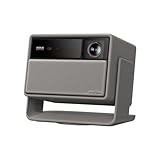
XGIMI HORIZON 20 Pro 4K RGB Triple Laser Home Projector, 4100 ISO Lumens | Google TV with Licensed Netflix, Optical Zoom & Lens Shift, IMAX Enhanced, Dolby Vision, 20,000:1 Contrast, 1ms Input Lag
$1,499.00
−25% · $1,999.00
Amazon reference price
Buy on AmazonChecked: 2026-11-25 15:12:50 UTC
Which projector should you buy?
If you want a laser projector, start with the room and the use case, not the laser label. A laser light source can help with consistency and color, but it does not automatically mean a brighter, sharper, or better gaming projector. The right pick depends on throw distance, screen size, and whether you need a living-room model, a near-wall UST setup, or a portable unit with a battery.
Placement matters more than marketing language. Standard-throw projectors need the right distance from the wall or screen, while ultra-short-throw models sit close to the wall and usually work best with a UST or ALR screen. Brightness also depends on ambient light and surface choice, so a light-controlled room still gives the cleanest result even when the projector is very bright.
For most buyers, the easiest short list is XGIMI HORIZON 20 Pro for a bright living room, XGIMI MoGo 4 Laser for travel-friendly viewing, and XGIMI AURA 2 for a near-wall theater setup. If you care more about gaming or golf simulation than streaming convenience, BenQ’s short-throw options deserve a look, while Hisense has the strongest UST choices where the room is built for them.
Our recommendation
Buy XGIMI HORIZON 20 Pro if you want the most straightforward high-brightness laser projector for a living room and you have room to place a standard-throw unit properly. It combines 4K resolution, RGB triple laser, and 4100 ISO lumens, so it fits the buyer who wants a big image without moving into UST furniture planning.
Buy XGIMI MoGo 4 Laser if you want the most flexible portable laser option with a built-in battery and Google TV with licensed Netflix. It is the practical choice for apartments, bedrooms, outdoor nights, and quick setups, but it is not a substitute for a bright home-cinema projector.
Buy XGIMI AURA 2 if you want a close-to-the-wall cinema setup and can support a UST layout with the right screen. Skip it if your room is not designed for UST geometry. For gaming-first buyers, BenQ’s TK710STi or X3100i make more sense because the input-lag and refresh-rate specs are more explicit and more relevant than laser branding. Avoid treating laser as a universal premium badge; room fit matters more.
Choose by your setup
| Situation | Best fit | Why it fits | What to avoid |
|---|---|---|---|
| Bright living room | XGIMI HORIZON 20 Pro | 4100 ISO lumens, 4K resolution, optical zoom, lens shift | Portable battery models with lower brightness |
| Near-wall cinema | XGIMI AURA 2 | UST design, 0.177:1 throw, 4K, ALR-screen pairing | Standard white screens and non-UST room layouts |
| Portable streaming | XGIMI MoGo 4 Laser | Built-in battery, Google TV, licensed Netflix | Assuming every portable projector has a battery |
| Gaming-first setup | BenQ X3100i or TK710STi | Very low lag and high refresh support | Buying on laser branding alone |
| UST home theater | Hisense PX3-PRO or L9Q | Designed for wall-close placement and large screens | Trying to use a normal long-throw setup |
| Small bedroom/travel | Nebula Capsule 3 Laser | Compact, battery powered, Netflix-certified | Expecting 4K or high-brightness daylight performance |
What makes this a worthwhile Black Friday purchase?
Deal value is strongest when the sale matches the category, not just the sticker discount. A lower price on a projector that does not fit your room can still be the wrong buy, especially for UST models that need cabinet depth and screen compatibility.
For conventional living-room use, prioritize the units with the clearest placement flexibility and useful brightness. XGIMI HORIZON 20 Pro is the straightforward value target in this group because its 4100 ISO lumens, optical zoom, and lens shift solve more real-world setup problems than a weaker portable model ever will. A sale on a lower-lumen laser unit is only attractive if you truly need the smaller chassis or portable power setup.
For portable value, MoGo 4 Laser and Nebula Capsule 3 Laser only make sense if you need battery operation. In this category, streaming certification matters as much as brightness, because a cheap projector with awkward app support becomes annoying fast. For UST buyers, look for screen bundles or ALR-screen offers only if the room is already suitable. UST without the right screen can waste the deal entirely.
Which laser projector should you buy?
XGIMI HORIZON 20 Pro is the direct buy for most living rooms because it balances 4K resolution, 4100 ISO lumens, RGB triple laser, optical zoom, and lens shift. Those details matter because they make placement easier and help the image hold up in a normal family room. XGIMI AURA 2 is the better choice only when you specifically want an ultra-short-throw setup close to the wall. It is not a universal substitute for a standard-throw model, even though both are laser projectors. MoGo 4 Laser is the better everyday portable pick when battery and streaming convenience matter more than sheer image size. BenQ becomes more compelling if gaming is the priority. Hisense is the UST specialist when the room is built around that format.
Resolution, 4K input, and what actually changes the picture
Do not use “4K” as a shortcut for image quality. XGIMI HORIZON 20 Pro lists 3840 x 2160 resolution, and AURA 2 does too, while many portable models are 1080p even when they support 4K input or streaming playback. That distinction matters because a portable projector can still be useful without being native 4K. Epson’s LS11000 uses 4K display technology wording, and that is not the same language as a native 4K panel claim. The practical rule is simple: if you want razor-clean movie detail or large-screen text clarity, buy a model with explicit 4K resolution and enough brightness to support the screen size you plan to use. If you mainly want casual movie nights or bedroom viewing, a good 1080p portable projector can be enough.
Room placement and throw distance
Throw ratio is one of the most important buying filters. Standard-throw projectors such as HORIZON 20 Pro or BenQ TK710 need the right room depth, while short-throw models like BenQ TK710STi need less distance but are still not UST. Ultra-short-throw models like XGIMI AURA 2 and Hisense PX3-PRO sit very close to the wall, which is ideal for a cleaner living-room layout but only if your cabinet, screen, and cable path are planned correctly. Do not buy a UST projector and then assume a normal matte-white screen will give the best result. UST and ALR compatibility matters. Likewise, a bright projector does not erase ambient light; the room still changes the image quality. If your room is wide open and reflective, a TV may still be easier.
Battery, portability, and travel use
Portable does not always mean battery-powered, so check the power setup carefully. XGIMI MoGo 4 Laser has a built-in battery and up to 2.5 hours of playtime in eco mode, which makes it a true grab-and-go option. Nebula Capsule 3 Laser also includes a built-in battery and licensed Netflix. By contrast, Elfin Flip 4K and many full-size laser projectors run from mains power even when they are compact. That difference affects travel, camping, and bedroom use more than any laser acronym does. If you want outdoor use, a portable projection screen matters more than projecting onto a rough wall. If you want long sessions, plan for the battery to deliver less runtime at higher brightness. Battery models are convenience products first, not substitutes for a dedicated home-cinema setup.
Gaming, HDMI, and console support
Gaming buyers should compare input lag and refresh rates, not only resolution. BenQ X3100i lists 4.2 ms at 1080p/240Hz, 8.3 ms at 1080p/120Hz, and 16.7 ms at 4K/60Hz, which is the kind of data that tells you how the projector behaves for fast play. BenQ TK710 and TK710STi also publish strong gaming numbers, while Epson LS11000 supports native 4K input up to 120Hz and input lag below 20ms. The key is to match the console and the game to the refresh mode you actually plan to use. PS5 gaming up to 120Hz is not the same as 240Hz PC gaming, and you should not pay for a mode you will never use. Also check whether the projector has the HDMI ports you need. A streaming-friendly projector is not automatically a gaming-first projector.
Streaming apps, Google TV, and Netflix
Streaming convenience is a major reason to buy some of these models. XGIMI MoGo 4 Laser includes Google TV with licensed Netflix, which is especially helpful if you want a self-contained portable projector. Nebula’s Cosmos 4K SE and Capsule 3 Laser also support Google TV and official Netflix. Samsung’s Freestyle 2nd Gen uses its own portable smart-projector approach, but its battery base and accessory setup are separate purchases. The practical point is that Google TV alone does not guarantee Netflix certification. If the buyer wants to open apps on the projector without adding a stick, make sure the exact model carries licensed Netflix support. If the buyer is happy to use an external streaming device, then a projector can be chosen more for image performance and less for software extras. This often favors BenQ or Epson in the cinema and gaming categories.
Screen choice and accessories
A projector screen can improve the experience as much as a more expensive projector, especially in brighter rooms or with UST models. For outdoor and portable use, Elite Screens Yard Master 2 is the sensible screen family because it supports front and rear projection and works with ultra-short, short, and standard throw projectors. For UST setups, a dedicated ALR screen matters far more than a generic pull-down white screen. XGIMI explicitly recommends an ALR screen for AURA 2, and Hisense sells PX3-PRO bundles with ALR screen options. A fixed-frame screen is usually better than a wrinkled wall when you want the image to look clean. If your room is casual and you do not want to mount anything, that is another reason to favor a TV or a portable projector rather than a full cinema build.
Good alternatives by use case
If you want the brightest mainstream living-room option in this group, HORIZON 20 Pro is the cleanest recommendation because it combines brightness, 4K resolution, and setup flexibility. If you want the most comfortable near-wall cinema setup, AURA 2 is the obvious upgrade because it is a true UST projector and supports a 90-150 inch image range with the right screen. If you want a portable battery model, MoGo 4 Laser is the practical choice, and Nebula Capsule 3 Laser is the smaller, lower-lumen alternative. If your main use is gaming or golf simulation, BenQ TK710STi is the more specific fit because its short-throw format and gaming-oriented specs are aligned with that use. If you want a premium UST from a different brand, Hisense L9Q or PX3-PRO are the right comparisons. The wrong choice is any projector that does not fit your room geometry, no matter how attractive the sale price looks.
Questions answered
Is a laser projector always brighter than an LED projector?
No. Laser is a light-source type, not a brightness guarantee. XGIMI Elfin Flip 4K uses RGB triple laser and 1600 ISO lumens, while HORIZON 20 Pro uses RGB triple laser and 4100 ISO lumens. The light source matters, but the lumen number and room conditions matter more.
Should I buy a UST projector for any room?
No. UST models like XGIMI AURA 2 and Hisense PX3-PRO are best when the cabinet depth, wall distance, and screen choice fit the room. If the room is not planned for UST, a standard-throw model is usually easier and safer to live with.
Is 4K input the same as native 4K projection?
No. Some projectors display 4K-class images through specific display technologies or accept 4K signals without using a native 4K panel. Buy from the exact spec sheet, and treat 3840 x 2160 resolution claims differently from 4K input support or display-technology wording.
What is the most practical all-round buy?
For most buyers, XGIMI HORIZON 20 Pro is the most balanced all-rounder because it combines high brightness, 4K resolution, and useful installation flexibility. If you need portability instead, MoGo 4 Laser is the practical alternative, and if you need UST, AURA 2 is the cleaner upgrade.