


US · USD · BLACK FRIDAY 2026
Bright-Room Projector Black Friday 2026 Deals
Updated · 2026-11-25 15:38 UTC
Black Friday Deals
Black Friday Deal
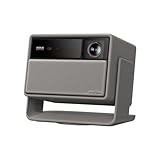
XGIMI HORIZON 20 Pro 4K RGB Triple Laser Home Projector, 4100 ISO Lumens | Google TV with Licensed Netflix, Optical Zoom & Lens Shift, IMAX Enhanced, Dolby Vision, 20,000:1 Contrast, 1ms Input Lag
−25% · Amazon reference price: $1,999.00
Verified 2026-11-25 16:03:22 UTC
Black Friday Deal
XGIMI HORIZON 20 Max 4K Projector Triple Laser Home Theater 5700 ISO Lumens | Google TV with Licensed Netflix, Optical Zoom Lens Shift, IMAX Enhanced, Dolby Vision, 20000:1 Contrast, 1ms Input Lag
−23% · Amazon reference price: $2,599.00
Verified 2026-11-25 16:03:22 UTC
Prices and savings reflect the last successful Amazon check shown on each card. A Black Friday badge appears only when supplied by Amazon. As an Amazon Associate, Cloudzat earns from qualifying purchases.
Bright rooms punish weak projector choices. If your living room stays lit, you need enough brightness headroom, a screen that can handle ambient light, and placement that does not fight the room layout.
For this category, the practical decision is usually not just projector brightness. Power, streaming, throw distance, and whether you can use an ALR screen often matter as much as the spec sheet.
If you want named alternatives across brands, the honest comparison is Epson for bright-room home cinema value, XGIMI for flexible home theater and portable convenience, and Hisense for UST setups when your furniture and screen plan support it.
Our recommendation
Buy the Epson Home Cinema 3800 if you want the most balanced bright-room value in this group. Epson lists 3,000 lumens white brightness and 120Hz support, which makes it a sensible everyday pick for mixed-light living rooms where you still want a proper projection setup. Skip the idea that brightness alone solves everything: a plain matte-white screen and uncontrolled daylight can still wash out the image. If your room is only moderately lit and you want to spend less, the Home Cinema 2350 is the lower-cost choice, but it is the compromise pick rather than the stronger bright-room option. If you want the upgrade, the Home Cinema LS6000 is the more capable step up with 3,400 lumens and 800,000:1 dynamic contrast. Direct verdict: buy 3800 for most buyers, buy 2350 if budget matters more than headroom, and buy LS6000 if you want the higher-end bright-room upgrade and can support it with the right screen and placement.
Current Amazon listings
Black Friday Deal
XGIMI HORIZON 20 Pro 4K RGB Triple Laser Home Projector, 4100 ISO Lumens | Google TV with Licensed Netflix, Optical Zoom & Lens Shift, IMAX Enhanced, Dolby Vision, 20,000:1 Contrast, 1ms Input Lag
−25% · Amazon reference price: $1,999.00
Verified 2026-11-25 16:03:22 UTC
Black Friday Deal
XGIMI HORIZON 20 Max 4K Projector Triple Laser Home Theater 5700 ISO Lumens | Google TV with Licensed Netflix, Optical Zoom Lens Shift, IMAX Enhanced, Dolby Vision, 20000:1 Contrast, 1ms Input Lag
−23% · Amazon reference price: $2,599.00
Verified 2026-11-25 16:03:22 UTC
Suitable alternative projectors
Different projector models, shown separately from the exact model or budget options above.

Black Friday Deal
NEBULA Cosmos 4K SE Portable Projector, 1,800 ANSI Lumens | NebulaMaster, HybridBeam, Enhanced Image Quality, Google TV, Portable, 200" Screen, for Gaming, Home, and Office
−31% · Amazon reference price: $1,299.99
Verified 2026-11-25 16:03:24 UTC

Black Friday Deal
XGIMI Elfin Flip 4K Portable Projector with wifi and bluetooth, Google TV | RGB Triple Laser, 1600 ISO Lumens, 0.98-1.3:1 Optical Zoom, Harman Kardon Sound, 1ms Gaming, Home Theater & Outdoor Camping
−25% · Amazon reference price: $999.00
Verified 2026-11-25 16:03:22 UTC
Black Friday Deal
XGIMI HORIZON 20 4K RGB Triple Laser Home Projector, 3200 ISO Lumens | Google TV with Licensed Netflix, Optical Zoom & Lens Shift, IMAX Enhanced, Dolby Vision, 300" Display, 240Hz, 1ms Input Lag
−24% · Amazon reference price: $1,559.00
Verified 2026-11-25 16:03:22 UTC
Choose by your setup
| Use case | What you should buy | Why it fits | What to avoid |
|---|---|---|---|
| Mixed-light family room | Epson Home Cinema 3800 | 3,000 lumens gives useful headroom and 120Hz helps motion | A dim-room cinema projector |
| Cheaper shared-space setup | Epson Home Cinema 2350 | Lower cost and Android TV reduce setup friction | Expecting flagship bright-room performance |
| Higher-end bright-room upgrade | Epson Home Cinema LS6000 | 3,400 lumens and 800,000:1 dynamic contrast | Assuming it replaces room control |
| Small screen, simple living room | TV instead of projector | Less fuss with reflections and placement | Buying projection when size is modest |
| Gaming-first short-throw room | BenQ TK710STi | Short-throw placement and gaming-oriented spec set | Confusing it with UST or normal throw |
| UST cabinet setup | Hisense PX3-PRO or XGIMI AURA 2 | Designed for close-to-wall placement | Standard matte-white screens and shallow cabinets |
| Portable travel use | Nebula Capsule 3 Laser or XGIMI MoGo 4 Laser | Built-in battery or portable design | Treating them as bright-room substitutes |
What makes this a worthwhile Black Friday purchase?
The right Black Friday value is not always the biggest discount; it is the model that fixes your room problem. In bright rooms, that usually means a projector with enough lumen headroom plus a screen that helps it.
If you are choosing between the Epson 3800 and 2350, the 3800’s 3,000-lumen class is the better all-rounder for mixed light. The 2350’s 2,800-lumen rating is still usable, but it is the cheaper compromise if the room is not fully controlled and you do not expect perfect black levels. The 2350 also includes Android TV, which reduces accessory hassle for casual streaming use. That convenience matters when you want a simpler setup rather than a separate streamer and extra cables. The LS6000 is the move when you want more output and stronger dynamic contrast for a more serious room, but it is still not a substitute for good room treatment and a suitable screen. Bright-room shopping should also stay honest about the alternative: if your target is a modest screen and you do not want to plan around mounts, cabling, and screen choice, a TV can still be the cleaner purchase.
Direct model choice for a bright room
The Epson Home Cinema 3800 is the safest mainstream buy here because it sits in the middle of the bright-room range without forcing you into the most expensive tier. Epson lists 3,000 lumens white brightness and 120Hz maximum refresh rate, which gives you a practical blend of daylight resistance and smooth motion for films, sports, and console use. That is the kind of balance most buyers actually need in a living room. The Home Cinema 2350 is the lower-cost option at 2,800 lumens and with Android TV built in, so it works when you want the setup to stay simple and the room is mixed-use rather than aggressively bright. The LS6000 is the worthwhile upgrade if you want more output and stronger contrast, since Epson lists 3,400 lumens and 800,000:1 dynamic contrast. It is not a magic fix for daylight, but it is the more capable bright-room step up.
Brightness, image quality and what the numbers mean
Do not read lumens as a guarantee of daylight performance. Bright rooms still need lighting control, and a projector can look flat if the room throws reflections back onto the screen. Epson’s 3800 at 3,000 lumens is strong enough to remain usable in ambient light, but you should still think in terms of controlled living-room viewing rather than full sun. The LS6000’s 3,400 lumens gives you more headroom, and its 800,000:1 dynamic contrast helps maintain some image separation when the room is not dark. The 2350, at 2,800 lumens, is still a credible choice for mixed-use space, but it makes more sense when you are less demanding about black level and side-light. In other words, brightness helps, but it does not erase the room.
Screen choice and placement matter more than many buyers expect
A bright-room projector is only half the answer. An ALR screen is often the right add-on because it helps preserve contrast when you cannot fully darken the room. A plain matte-white screen can work, but do not assume it is enough in a bright living room. Screen choice becomes more important as ambient light rises, because the wall behind the image and side windows can all reduce perceived contrast. Also, practical placement matters: the projector needs room depth, a clear throw path, and a location that does not force awkward keystone correction. For a standard throw model like the Epson 3800 or LS6000, you still need to plan the room around the projector rather than expecting it to disappear into the decor. If your setup target is a smaller image with zero installation hassle, a TV may be the more sensible purchase.
Power, streaming and everyday convenience
The 2350 is notable because Epson includes Android TV, which makes it more convenient for buyers who want fewer extra boxes. That matters when your living room is shared space and you do not want to stack an external streamer, power brick, and cables around the projector. The 3800 and LS6000 are more about the projection result than the integrated software experience, so you may need to plan for separate streaming gear depending on how you watch. Bright-room shoppers should think about where the power outlet is, how the cable reaches, and whether the projector will live on a stand, shelf, or ceiling mount. None of these choices are difficult, but they do change the true cost and convenience. If you want plug-and-play simplicity, the 2350 has a real advantage. If you want the better picture headroom, the 3800 or LS6000 remains the stronger projector-first choice.
Gaming and motion for bright-room use
If the room doubles as a gaming space, the 3800’s 120Hz support is a useful detail because smoother motion helps with sports and fast-action content. That does not make it a dedicated esports projector, but it does keep it relevant for console owners who want a large image in a shared room. Bright-room buyers should separate display speed from room brightness: a projector can be very bright and still not be the right gaming tool if latency or refresh support is limited. Epson’s LS11000 and LS5000 facts show that Epson also serves gaming-focused buyers, but those are different product decisions and not the same bright-room value equation as the 3800. If your primary use is a PS5 or a gaming PC, check the exact refresh modes you need before choosing. For most mixed-use rooms, the 3800’s practical balance is more important than chasing the highest number on a spec line.
Streaming and audio expectations
Bright-room projectors are often bought as living-room replacements, so the streaming path matters. The Epson 2350 includes Android TV, which can simplify the setup if you want a built-in interface. For the others, think about whether you prefer a projector with its own software stack or whether you are happy using a streaming stick or console. Sound matters too, especially in a room that already has ambient noise from family life. A projector does not automatically solve audio the way a TV soundbar ecosystem might, so budget for speakers if you care about dialogue clarity or strong bass. Buyers often underestimate this. If the room is bright and shared, the real world convenience of built-in streaming on the 2350 can outweigh the spec-sheet appeal of higher brightness on a different model. But if picture headroom is your top concern, streaming convenience should stay secondary.
When a TV wins instead of a projector
A TV can still be the better answer when daytime reflections dominate or when you only want a modest screen size. That is especially true if the room has large windows, white walls, and a layout that makes screen placement awkward. A projector asks you to manage light, screen gain, and throw distance; a TV gives you an easier route to punchy daytime image quality. This is why bright-room projector shopping should stay honest. If your target image is relatively small and you want near-zero setup, a TV is often the smarter buy. If your goal is a big cinematic image and you are willing to manage a screen and room lighting, the Epson 3800 becomes the cleanest middle ground. The LS6000 is the premium bright-room step, but it still rewards a room that is set up with projection in mind.
Worthwhile alternatives by brand and use case
If you want to compare across brands, the relevant alternatives are straightforward. BenQ is strongest when gaming and short-throw placement matter, with models like the TK710STi and TK710 family serving different room-depth needs. XGIMI is the convenient home-cinema and portable brand, with HORIZON 20 Pro offering a brighter premium option and AURA 2 covering UST where a near-wall setup is required. Hisense is the UST specialist in this group, especially if your room furniture can support a cabinet-based installation and an ALR screen. Nebula is better for portability and smart streaming than for bright-room home theater. Those comparisons help clarify the Epson decision: for a conventional bright living room, Epson’s 3800 remains the most balanced recommendation, while the 2350 is the budget compromise and the LS6000 is the upscale move.
Questions answered
Is the Epson Home Cinema 3800 the right buy for a bright living room?
Yes, for most buyers. It is the most balanced choice here because Epson lists 3,000 lumens white brightness and 120Hz support. That gives you enough headroom for mixed light without jumping to the highest-priced tier. It is still a projector, so you should not expect it to beat strong daylight reflection on its own.
Should I choose the Home Cinema 2350 instead?
Choose the 2350 if you want the lower-cost option and the room is mixed-use rather than very bright. Its 2,800 lumens and Android TV make it easier to live with, but it is the compromise choice. If you care more about image headroom than built-in streaming convenience, the 3800 is the better buy.
Is the LS6000 worth the upgrade?
It can be, if you want the stronger bright-room option. Epson lists 3,400 lumens and 800,000:1 dynamic contrast, so it has more output and contrast headroom than the 3800. The important boundary is that it still needs a sensible screen and room setup. More brightness helps, but it does not erase ambient light.
Do I need a special screen for a bright room?
Often yes. An ALR screen is frequently the right add-on because it helps preserve contrast when ambient light is present. A plain matte-white screen may be fine in milder conditions, but it is not the same thing as an ALR screen. If you want the easiest route and only need a modest screen, a TV may still be the simpler purchase.