


UK BUYING GUIDE
A good UniFi build starts with the job, not the badge. Decide first whether you need a gateway that also runs the controller, whether you want WiFi 7 or WiFi 6 access points, and whether your wired devices need PoE. That keeps you from buying a box that is too small, too complex or too expensive for the network you actually have.
For most first-time UK buyers, the simplest route is a Cloud Gateway with a separate switch and one or more ceiling or wall access points. That pattern is easier to expand than an all-in-one router, but it only works well if the gateway, switch and APs are matched sensibly. The current UniFi line-up makes that possible because the product families now map cleanly to different sizes of deployment.
The default recommendation in this guide is the Cloud Gateway Max with 512 GB storage, a PoE+ switch, and one or more U7 Pro access points where you want WiFi 7 and 6 GHz support. That is not the only good UniFi build, but it is the cleanest all-round starting point for a typical UK home or small office that expects to grow.
Our recommendation
Buy UniFi if you want a modular network that you can scale by role: gateway, switch and access point. For most UK homes and small sites, the best broad-appeal build is the Cloud Gateway Max, paired with a PoE+ switch and a U7 Pro or U7 Pro Wall depending on whether you want ceiling or wall mounting. That combination gives you a compact gateway class, 2.5 GbE on the newer edge devices, and a clear upgrade path without forcing you into rack hardware too early.
Choose alternatives only when they fit the site better. A Cloud Gateway Ultra is the lower-cost option for small networks that do not need storage or higher-end expansion. A Dream Machine Pro Max is the better fit when you already know you want rack mounting, more throughput headroom and a heavier-duty core. If you only want one box with integrated WiFi, a Dream Router class product may be simpler than splitting roles across separate hardware.
UniFi networking options
Choose the gateway, access point or switch for the role described below; these are separate components.

Ubiquiti UniFi Switch Lite 8 PoE Managed Gigabit Network Switch UK | White, RJ45 Interface, Desktop Compatible, Camera Compatible, Router Compatible, Printer Compatible, 1000 Mbps, Layer 2
£128.00
Last successful Amazon check: 2026-11-27 18:24:54 UTC. GBP.

Ubiquiti U6-Pro Dual-Band WiFi 6 PoE Access Point Ceiling Mountable
£164.99
Last successful Amazon check: 2026-11-27 18:10:38 UTC. GBP.

Ubiquiti UniFi Switch Lite 16 PoE L2 Gigabit Ethernet (10/100/1000) Power over Ethernet (PoE) White
£215.49
Last successful Amazon check: 2026-11-28 08:21:56 UTC. GBP.
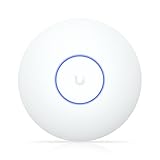
Ubiquiti U7 Lite 2.5 GbE WiFi 7 Acess Point (U7-Lite)
£266.84
Last successful Amazon check: 2026-11-28 07:26:20 UTC. GBP.
As an Amazon Associate, Cloudzat earns from qualifying purchases. Price and availability may change; Amazon checkout controls the purchase price.
What to buy for your needs
Start with the control plane, not the access point
UniFi is designed around a control plane that manages the network. Ubiquiti’s current guidance recommends starting with a Cloud Gateway for the best UniFi experience because it combines routing, security and management in one device. Official UniFi Hosting and self-hosted UniFi Network Server are also supported, but they are better choices for specific hosting preferences rather than for a first build.
For a typical UK buyer, the Cloud Gateway route is the easiest because it removes the need to buy and maintain a separate controller. That matters even more if the site will be managed by a non-technical owner, because the network can be administered locally while still supporting remote management through UniFi’s site management tools.
Size the gateway to the network you actually have
The Cloud Gateway Ultra is the budget floor in this guide. It supports 30+ UniFi devices and 300+ clients, includes 1 Gbps IPS routing, and has multi-WAN load balancing. That makes it a sensible choice for a small flat, a modest house or a simple office with limited growth, but it is not the best fit if you expect storage for UniFi Protect or a more ambitious switch and AP plan.
The Cloud Gateway Max is the better default for most buyers because it steps up to 2.5 GbE and 2.3 Gbps IPS routing while still staying compact. It also offers selectable NVR storage, which is useful if you want to leave the door open to camera recording later without moving to a rack chassis. If your site is larger, more camera-heavy or more structured, the Dream Machine Pro Max class is the more appropriate top-end choice.
Match the switch to the APs you plan to power
Switch selection is not a generic afterthought. If you buy WiFi 7 access points with 2.5 GbE uplinks, a basic gigabit switch can become the bottleneck before the radio does. The safer default is a PoE+ switch with 2.5 GbE where your APs need it. That keeps cabling, power delivery and uplink speed aligned with the access point generation you choose.
A small fanless PoE switch can still make sense for low-density builds, but the important question is whether it has enough PoE budget and the right port speed for your APs. If you are only powering one or two older or simpler APs, a compact gigabit PoE switch may be enough. If you are buying into U7 models, plan the switch around those APs instead of hoping an older switch will quietly keep up.
For the U7 Pro build, choose the UniFi Switch Flex 2.5G PoE (USW-Flex-2.5G-8-PoE) with its 210W AC power adapter when it must power several access points. Its eight 2.5GbE PoE ports avoid a gigabit uplink bottleneck; the advertised 196W PoE budget requires that AC adapter. A switch powered from a lower-power upstream PoE port has a smaller power budget. For a budget U6 Pro build, the Switch Lite 8 PoE is sufficient when gigabit links and its available PoE budget cover your devices.
Choose the access point by room shape, not by badge
The U7 Pro is the most balanced mainstream ceiling AP in the current line-up. It has 6 spatial streams, 6 GHz support and a 2.5 GbE PoE+ uplink. That makes it a strong default for open-plan rooms, larger floors and new builds where ceiling placement is practical and where 6 GHz can actually help.
If you want a wall-mounted option, the U7 Pro Wall is the better fit for bedrooms, studies, hallways and homes where a ceiling AP would be awkward. If you want a cheaper ceiling model, the U7 Lite is the entry point in the WiFi 7 family. If your environment does not need WiFi 7, the U6 Pro remains a sensible WiFi 6 ceiling AP and is still a valid choice for many small sites.
Treat storage as optional, not automatic
Not every gateway needs storage. The Cloud Gateway Max can be bought with no storage or with selectable NVR storage, and the Dream Machine Pro Max includes redundant NVR storage. You should only pay for storage if you plan to run Protect now or later. For a network-only build, storage is not a requirement.
If you think cameras are likely later, 512 GB is the most practical compromise on the Cloud Gateway Max because it keeps the gateway ready for expansion without overcommitting to a camera-first purchase. If you know the site will become a camera-heavy install, move to a platform built for that workload instead of forcing a compact gateway to do everything.
Capacity, compatibility and ownership
Default recommendation
The default UK recommendation is Cloud Gateway Max with 512 GB storage, a PoE+ switch and one or more U7 Pro access points. That combination is current, compact and easy to expand, and it gives you a modern UniFi core without locking you into a rack system from day one.
This is the right answer when you want a clean first serious UniFi build. It is also the easiest recommendation to defend because each part has a clear role: the gateway manages the site, the switch powers the APs, and the APs provide the wireless coverage.
Power and UK installation
UniFi networking products sold through the UK store are listed as UK or EU variants depending on the model, so the exact SKU matters. For UK buyers, choose the UK-version listing where available rather than assuming a generic import will be appropriate.
For mains-powered hardware, the key UK rule is simple: use the correct UK supply and avoid mixing up PoE-powered access points with mains-powered routers or switches. Ceiling APs are powered over Ethernet from the switch; the switch or gateway may use an external adapter or mains input depending on the model. The important buying decision is the power standard and included UK-market variant, not speculative assumptions about plug type.
Generation and compatibility logic
Current UniFi AP naming is straightforward enough to use as a buying rule. U6 products are WiFi 6 or WiFi 6E class, while U7 products are WiFi 7 class. That does not mean every site should buy WiFi 7 immediately. It means the AP, switch and cabling should be chosen as a set.
A U7 AP with a 2.5 GbE uplink belongs on a switch that can deliver both PoE and the needed port speed. A simpler AP can live on a simpler switch. That is why a one-size-fits-all shopping list is poor advice: the best switch is the one that matches the AP generation you chose, not the one with the biggest badge.
What to skip
Skip the rack gateway tier if your site is still just a small home or a modest office. Rack models make sense when you need more ports, more headroom, more cameras or a more structured installation, not because they are automatically better.
Skip overcomplicating a small network with a gateway that is larger than the site needs. If your network is only a few rooms and a couple of APs, a compact gateway plus a small PoE switch is usually the cleaner purchase than a heavy-duty platform that you will not fully use.
Which option should you choose?
Budget choice: Cloud Gateway Ultra plus one access point
Choose this if you want the lowest-cost sensible UniFi gateway path and you do not expect cameras or a large multi-gig core. It supports 30+ devices and 300+ clients, includes 1 Gbps IPS routing and covers the basics of a small home or office.
This is the pragmatic entry option, not the long-term maximum-capability option. Pair it with an access point that matches your cabling and switch plan, and accept that it is the smallest serious UniFi starting point rather than the most expandable one.
Default choice: Cloud Gateway Max with 512 GB storage
This is the best balance for most buyers. It gives you 2.5 GbE, 2.3 Gbps IPS routing and selectable NVR storage in one compact box, which makes it the easiest all-round core for a first proper UniFi build.
Add a PoE+ switch and one or two U7 Pro access points if you want a system that feels current, well matched and easy to grow. This is the recommendation to buy when you want a single clear answer instead of three half-right ones.
Specialist choice: Dream Machine Pro Max or Cloud Gateway Fiber
Choose Dream Machine Pro Max if you want rack-style hardware with more throughput headroom and redundant NVR storage. Choose Cloud Gateway Fiber if you want a desktop gateway with integrated 2.5 GbE switching and selectable NVR storage. These are specialist choices, not default buys.
They make sense when the installation is already larger, more structured or more camera-heavy than a typical home. If you do not already know why you need them, the Cloud Gateway Max is the safer starting point.
NAS options on Amazon
Compare the NAS model, drive bays, included disks and supported applications before buying. Keep using your existing NAS if it already meets the guide’s requirements.
Checking current Amazon listings…
As an Amazon Associate, we earn from qualifying purchases. Prices and availability can change; Amazon’s checkout price applies.
Questions answered
Do I need a Cloud Gateway, or can I self-host the controller?
You can self-host or use Official UniFi Hosting, but Ubiquiti recommends starting with a Cloud Gateway for the simplest and most integrated experience. For most UK buyers, that is the easiest route to a working first build.
Is WiFi 7 worth choosing over WiFi 6 in UniFi?
Choose U7 Pro when you have compatible clients and want its 6GHz band and 2.5GbE uplink. Wi-Fi 7 branding alone does not guarantee every radio band on every model. For ordinary sub-gigabit internet access, a well-placed U6 Pro remains a sensible purchase; adding wired coverage often helps more than changing generations.
Can I use a gigabit PoE switch with a U7 access point?
Yes. The U7 models recommended here with 2.5GbE ports can operate through a gigabit link, but aggregate traffic is then limited by that link. Choose a 2.5GbE PoE switch for the faster build; keep gigabit PoE when its lower cost and capacity match your needs.
Should I buy storage in the gateway now?
Only if you expect to use Protect or add cameras later. The Cloud Gateway Max offers selectable NVR storage, so network-only buyers do not need to force a storage decision on day one.
Sources and further detail
- Ubiquiti Support and Help Center – Choosing the Right UniFi Control Plane — Official recommendation to start with a Cloud Gateway and explanation of the available UniFi control plane options.
- Ubiquiti Support and Help Center – Understanding UniFi Cloud Architecture — Current descriptions of Cloud Gateway, CloudKey, UniFi OS Server and Official UniFi Hosting roles.
- Ubiquiti Store United Kingdom – Cloud Gateway Ultra — Current UK model role and specs for UCG-Ultra, including device/client support and IPS routing.
- Ubiquiti Store United Kingdom – Cloud Gateway Max — Current UK model role and specs for UCG-Max, including 2.5 GbE, 2.3 Gbps IPS routing and selectable NVR storage.
- Ubiquiti Store United Kingdom – Access Point U7 Pro — Current UK model role and specs for U7 Pro, including 6 spatial streams, 6 GHz support and 2.5 GbE PoE+ uplink.
- Ubiquiti Store United Kingdom – Switch Lite 8 PoE — Current UK switch listing and the note that it provides 52W total PoE availability with an external 60W power adapter.
- UniFi Switch Flex 2.5G PoE specifications — Port speeds, power-input options and the PoE budget available with the 210W adapter.