


United Kingdom · www.amazon.co.uk · GBP
Best N150 Mini PCs in the UK: Prices and Buying Guide
Compare N150 mini PCs on Amazon UK by price, installed RAM, SSD and ports. Find a suitable setup for office work, Home Assistant or a small home server.
Intel N150 · 4 cores / 4 threads · 3.60 GHz maximum turbo · 6 W processor base power · Intel N150 specifications
The quick answer
Our pick: Beelink Mini S13 (16 GB RAM, 500 GB SSD).
Our N150 Mini PC picks
The pick below has the processor, RAM and SSD shown. Check those options and the total on Amazon before ordering.
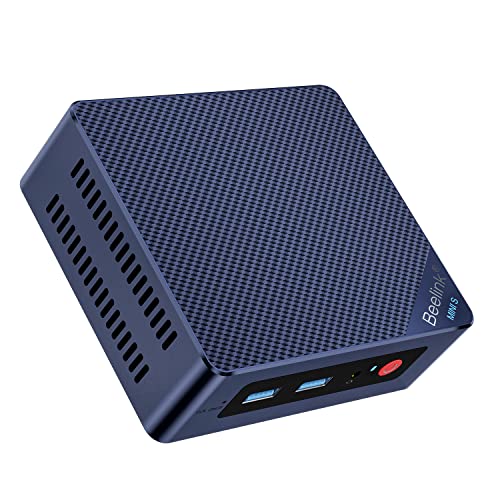
Beelink Mini S13
N150 · 16 GB RAM · 500 GB SSD
Installed RAM and SSD are included. Check the exact model’s ports and software support.
Beelink Mini PC Intel Alder Lake-N150(4C/4T, up to 3.6GHz), Mini S13 Mini Computer Windows 11 Home, 16GB RAM 500GB SSD Office Mini Desktop PC, 4K HDMI, WiFi 6/BT5.2/Dual 2.5G LAN
www.amazon.co.uk · GBP
Compare N150 systems
Compare N150 PCs by installed RAM, SSD and price in GBP. Check those options and the current total on Amazon.

Beelink Mini PC 13th Gen Intel Alder Lake-N150 (up to 3.6GHz) MINI S13 Mini PC Windows 11 Home, 12GB LPDDR5 500GB SSD Business Mini Desktop PC, 4K Dual Display, HDMI/WiFi 6/BT5.2/RJ45 2.5G
N150 · 12 GB RAM · 500 GB SSD
£299.00 GBP
Buy on AmazonPrice verified · New
Price may have changed. Check Amazon before ordering.
Offer details
Beelink Mini PC 13th Gen Intel Alder Lake-N150 (up to 3.6GHz) MINI S13 Mini PC Windows 11 Home, 12GB LPDDR5 500GB SSD Business Mini Desktop PC, 4K Dual Display, HDMI/WiFi 6/BT5.2/RJ45 2.5G
Amazon listing · ASIN B0BZGPTLPGBeelink Mini PC Intel Alder Lake-N150(4C/4T, up to 3.6GHz), Mini S13 Mini Computer Windows 11 Home, 16GB RAM 500GB SSD Office Mini Desktop PC, 4K HDMI, WiFi 6/BT5.2/Dual 2.5G LAN
N150 · 16 GB RAM · 500 GB SSD
£309.00 GBP
Buy on AmazonPrice verified · New
Price may have changed. Check Amazon before ordering.
Offer details
Amazon listing · ASIN B0FWKGHJC8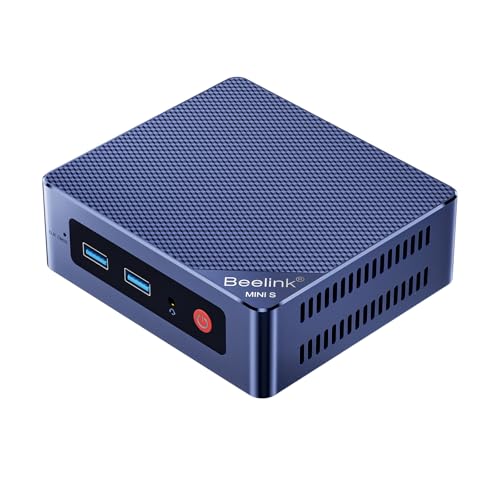
Beelink MINI S13 Mini PC, 12th Gen Intel Twin Lake-N150 (up to 3.6GHz) | 16G DDR4 5000G SSD Office Mini Desktop PC, 4K HDMI, Dual 2.5G LAN, WiFi6/BT5.2, Mini Computer Windows 11 Home
N150 · 16 GB RAM
£309.00 GBP
Buy on AmazonPrice verified · New
Price may have changed. Check Amazon before ordering.
Offer details
Beelink MINI S13 Mini PC, 12th Gen Intel Twin Lake-N150 (up to 3.6GHz) | 16G DDR4 5000G SSD Office Mini Desktop PC, 4K HDMI, Dual 2.5G LAN, WiFi6/BT5.2, Mini Computer Windows 11 Home
Amazon listing · ASIN B0DPQC23PS
Beelink Mini S13 Mini PC, Intel Twin Lake N150, 16G DDR4 500GB M.2 SSD
N150 · 16 GB RAM · 500 GB SSD
£309.00 GBP
Buy on AmazonPrice verified · New
Price may have changed. Check Amazon before ordering.
Offer details
Beelink Mini S13 Mini PC, Intel Twin Lake N150, 16G DDR4 500GB M.2 SSD
Amazon listing · ASIN B0FWKHL3GM
Beelink Mini PC EQ14, Intel Twin Lake-N150, 16GB DDR4 500GB SSD | (up to 3.6GHz) Office Mini Computer Windows 11 Home, 4K Dual HDMI, WiFi 6/BT5.2, Dual 2.5G LAN
N150 · 16 GB RAM · 500 GB SSD
£319.00 GBP
Buy on AmazonPrice verified · New
Price may have changed. Check Amazon before ordering.
Offer details
Beelink Mini PC EQ14, Intel Twin Lake-N150, 16GB DDR4 500GB SSD | (up to 3.6GHz) Office Mini Computer Windows 11 Home, 4K Dual HDMI, WiFi 6/BT5.2, Dual 2.5G LAN
Amazon listing · ASIN B0C2HKXXQJ
Beelink EQ14 Mini PC, Intel 12th Processor N150 (4C/4T, up to 3.6Ghz), 16G DDR4 500G SSD Mini Computer Windows 11 Home, Dual 2.5G LAN/WiFi 6/BT5.2, 4K Dual Display Desktop Computer
N150 · 16 GB RAM · 500 GB SSD
£329.00 GBP
Buy on AmazonPrice verified · New
Price may have changed. Check Amazon before ordering.
Offer details
Beelink EQ14 Mini PC, Intel 12th Processor N150 (4C/4T, up to 3.6Ghz), 16G DDR4 500G SSD Mini Computer Windows 11 Home, Dual 2.5G LAN/WiFi 6/BT5.2, 4K Dual Display Desktop Computer
Amazon listing · ASIN B0C1YH4ZDNNo systems match these filters. Try a higher budget or less memory.
As an Amazon Associate, Cloudzat earns from qualifying purchases. Affiliate links do not change the listed selection rules. Confirm the exact configuration, delivery, taxes and return terms before ordering.
What matters in an N150 mini PC?
The processor is only one part of the purchase. Two N150 computers can differ substantially in storage, connectivity, noise and upgrade options.
| Workload | Starting point | Check before buying |
|---|---|---|
| Light office work | 8 GB RAM and an SSD with headroom | Licence, monitor connections and included parts |
| General multitasking | Compare 16 GB RAM and 512 GB SSD options | Installed configuration, rather than supported maxima |
| Small home services | Memory and SSD sized for all services | Network controller, backups and software requirements |
| Heavy VMs or local AI | Compare a more capable platform | Memory, graphics and the actual software requirements |
How to choose the best N150 mini PC for your needs
Start with the work you want the computer to do, then compare complete configurations. For a browser, email and a few office applications, a modest N150 machine can be a sensible option. A home server needs a different checklist: network controllers, storage connections, recovery options and enough memory for the services that will run together. Paying more for a decorative case rarely solves a missing Ethernet port or a soldered memory limitation.
Our practical starting point for general multitasking is a complete system with 16 GB of installed memory and a 512 GB SSD, subject to the model’s documented support. An 8 GB system can be adequate for a lighter task. Choose a smaller drive only when your applications and files fit comfortably, and compare the upgrade cost before deciding that the cheapest listing represents better value. These are buying criteria, rather than results from a hands-on performance test.
Buying an N150 mini PC in the UK
Use the pound-sterling offers from Amazon UK for a UK purchase. Check the complete checkout price, whether VAT and delivery are included as expected, and the seller’s support and return arrangements. Confirm that the supplied power adapter suits your installation. An imported configuration may not have the same software bundle, plug or support route as the similar-looking UK model.
For a home-office desktop, price the required monitor cables and any storage upgrade before choosing between offers. For a home server, calculate running cost using your own electricity tariff and measured system power. A foreign listing converted into pounds is not a local offer. Compare the exact UK variant and retain its written specifications so the delivered RAM, SSD and processor can be checked.
Check the processor and the selected configuration
An N150 search can return N100, N97 and Core i5 computers whose descriptions mention N150 as a comparison. Read the processor field for the exact variant selected at the retailer. A statement such as faster than N150 does not identify the installed CPU. Model families can also contain several processors, so a familiar brand or enclosure is not sufficient confirmation.
Intel lists the N150 with four cores, four threads, a turbo frequency of up to 3.60 GHz and 6 W processor base power. These specifications describe the processor. They do not establish the sustained speed, noise or electricity consumption of every finished mini PC. Check the manufacturer’s page for the exact machine, including its cooling design and the configuration actually supplied.
8 GB or 16 GB RAM: choose installed memory, not an upgrade claim
Memory is worth checking before processor marketing. A browser with many tabs, a video call and several applications can leave less headroom than a simple single-purpose desktop. We would usually compare the 16 GB options first for that mixed workload, then check whether the price difference from an 8 GB model is smaller than the cost and effort of a later upgrade.
Intel’s published N150 memory specification lists a 16 GB maximum. Some vendors advertise larger configurations; treat those as model-specific vendor claims and request confirmation for the exact machine before relying on them. Also check whether memory is soldered or fitted to a replaceable slot. Supports up to 16 GB, expandable to 32 GB and 16 GB installed describe different things. The selected offer should state what arrives in the box.
SSD capacity and expansion can change the value
For an everyday computer, compare the installed drive as well as the headline price. A 256 GB SSD leaves less room for applications, updates and local files than a 512 GB or 1 TB drive. A larger SSD can be worthwhile if you expect to store media, camera recordings or virtual-machine images locally, but it does not replace a separate backup of important data.
Check the drive interface, physical size and available slots on the exact model. M.2 is a form factor, not a promise that the installed drive uses NVMe. A second storage connector may have restrictions, share space with another component or require a cable that is not included. Look for an accessible service panel and a clear maintenance guide if storage upgrades are part of your plan.
Ethernet, USB-C and display connections need model-level checks
A mini PC with one Ethernet socket is a different purchase from an appliance with two or more network ports. For a firewall or separate management network, check port count, advertised speed and the controller model. The operating system also needs a suitable driver. Do not assume a second port, 2.5GbE support or a particular routing throughput from the N150 processor name.
The same rule applies to USB-C and display outputs. A USB-C connector does not automatically provide USB4, monitor output or power input. Confirm the exact port functions, the resolutions and refresh rates supported by the finished system, and which cables you need. If you use two monitors, verify that the outputs can operate together rather than counting sockets in a product photograph.
Using an N150 mini PC for Windows, office work or Linux
For a desk computer, balance responsiveness with everyday usability. Confirm that the chosen system includes an SSD, sufficient installed RAM, the required monitor connections and the operating system you intend to use. Check whether Windows is included, which edition is supplied and what the seller says about licensing. A Windows logo in a marketing image is not a substitute for the selected configuration’s written contents.
For Linux, look for model-specific information about Wi-Fi, Ethernet, graphics, audio and firmware updates. Availability of a generic driver does not prove that every component in a particular revision has been tested. If possible, evaluate the machine with your actual monitor, network connection and applications during the return period. Keep the original recovery information before replacing the operating system.
Home Assistant, Docker and a small home server
An N150 computer can be considered for modest home services when the complete system matches the workload. A few lightweight containers are a different requirement from several desktop virtual machines or a large camera installation. List the services, allow memory for the host operating system and leave storage space for logs, updates and recovery images. Check how the machine starts after an interruption if it will run unattended.
Decide whether the computer is dedicated to one platform or shared between workloads. Home Assistant provides an official generic x86-64 installation route; follow its current hardware and installation requirements rather than assuming a preinstalled Windows machine is already configured for it. Replacing an operating system can erase its storage, so plan backups first. For virtualization, check the software’s current requirements, the machine’s firmware options and support for the network and storage devices you need.
Plex and Jellyfin: check the playback path
Media-server suitability depends on more than the CPU badge. Direct playback and transcoding are different jobs. Video format, resolution, subtitles, tone mapping, client support and the connection to your display or network can all change the work the server has to do. A statement that a processor supports Quick Sync does not establish a reliable number of simultaneous streams for your library.
Before buying, check the current Plex or Jellyfin documentation for your operating system, graphics driver and intended hardware-acceleration setup. Review any software features or subscription requirements that apply to your chosen application. Try representative files, including the subtitles and audio tracks you normally use, before moving the whole library. Store another copy of valuable media and configuration files outside the mini PC.
Gaming, creative work and local AI: know when to move up
Treat an N150 mini PC as an entry-level computing option. It may be worth considering for simple games, older titles or a streaming client, but that is a different objective from buying a machine for demanding modern 3D games. Check the exact game and application requirements and look for evidence from the same memory configuration and cooling design before relying on a seller’s gaming description.
The same caution applies to photo work, video production and local AI. Memory capacity, graphics capability, software support and the size of the task can matter more than the low entry price. If your main goal is a substantial local language model, heavy editing or several demanding VMs, compare a more capable platform before spending money on upgrades that still leave the original bottleneck in place.
Fanless cooling, noise and annual electricity cost
A fanless enclosure can remove fan noise, but it does not guarantee lower temperature or sustained performance. Placement, room temperature, drive heat and the manufacturer’s power settings still matter. A small fan can be acceptable when it is quiet under your normal workload. Check measurements from the exact model where available, rather than assuming every N150 enclosure behaves the same way.
Use measured whole-system power for electricity planning. At an example average of 10 W for 24 hours a day, annual consumption is 87.6 kWh. Multiply that by your own tariff to estimate cost. The editable calculator below uses this formula; its initial tariff is only an example. Intel’s 6 W processor base power is not a measurement at the wall, and external drives, network equipment and displays add their own consumption.
Compare N150 prices with N100 and refurbished alternatives
Compare complete systems at similar installed memory and SSD capacity. A cheaper N100 listing with the configuration you need can be more useful than an N150 barebones kit that requires extra parts. Conversely, a low barebones price should not be compared directly with a ready-to-use computer. Add memory, storage, software, the correct power adapter and delivery before judging the total.
A refurbished business mini desktop is another option to evaluate separately. Its processor, warranty, seller condition, ports, physical size and power behaviour may differ substantially from a new N150 machine. Check the actual model generation and the supplied components. Neither a newer processor number nor a familiar business brand is enough to decide the better purchase without matching the configuration to your task.
Build a shortlist before you order
Shortlist two or three machines by the requirements you cannot change easily: the processor, memory arrangement, network controller, storage slots and external connections. Then compare the supplied RAM and SSD, seller, return terms, support route and complete delivered price. Confirm the selected variant again at checkout, because a product family page can switch to a different configuration when an option or seller changes.
Keep a record of the exact model and configuration you ordered. On arrival, verify the CPU, installed memory and storage, test the ports you depend on, and check the manufacturer’s update and recovery information. Avoid moving important services to the new system until it has passed those basic checks. A careful shortlist is more useful than buying the lowest headline price and discovering later that one missing component prevents your intended setup.
Power calculator
Estimate annual electricity cost
Enter measured whole-system watts and your local tariff. The starting values are examples, not N150 measurements or national tariff estimates.
kWh/year = watts × hours/day × 365 ÷ 1000. Cost = kWh × tariff. Excludes standby changes and other equipment.
Other processors to consider
These are alternatives, not N150 systems. Compare the CPU, memory and ports before choosing.
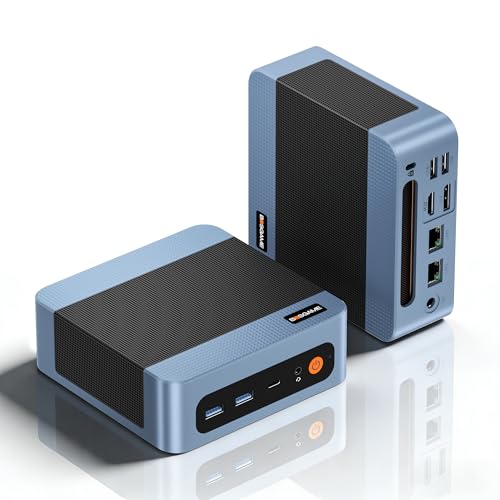
BOSGAME E5 Mini PC Windows 11 Pro, Ryzen 5300U (Beats 4300U, Up to 3.8GHz), 16GB DDR4 RAM 512GB SSD Mini Desktop PC, Triple 4K Display, Dual 2.5G LAN, WiFi 5, BT5.0, Mini Computer for Home, Office
RYZEN · 16 GB RAM · 512 GB SSD
£299.00 GBP
Buy on AmazonPrice verified · New
Price may have changed. Check Amazon before ordering.
Offer details
BOSGAME E5 Mini PC Windows 11 Pro, Ryzen 5300U (Beats 4300U, Up to 3.8GHz), 16GB DDR4 RAM 512GB SSD Mini Desktop PC, Triple 4K Display, Dual 2.5G LAN, WiFi 5, BT5.0, Mini Computer for Home, Office
Amazon listing · ASIN B0D22S8DQ2
BOSGAME P4 Ulrta Mini PC Ryzen 7 7730U (Upgraded 5825U), 8C/16T, up to 4.5GHz, 16GB DDR4 512GB PCIe 4.0 SSD, Triple Display Desktop PC, WiFi 6E, BT5.2, Type-C
RYZEN · 16 GB RAM · 512 GB SSD
£359.99 GBP
Buy on AmazonPrice verified · New
Offer details
BOSGAME P4 Ulrta Mini PC Ryzen 7 7730U (Upgraded 5825U), 8C/16T, up to 4.5GHz, 16GB DDR4 512GB PCIe 4.0 SSD, Triple Display Desktop PC, WiFi 6E, BT5.2, Type-C
Amazon listing · ASIN B0GDWD71ND
GEEKOM A5 2027 Mini PC,AMD Ryzen 7 7730U,16GB RAM(up to 64GB),256GB SSD | Beats 7430U, Quiet & Energy-Efficient Performance,WiFi 6 & BT5.4, 6 USB, Quad Display, for Business/Video Editing/Design
RYZEN · 16 GB RAM · 256 GB SSD
£399.00 GBP
Buy on AmazonPrice verified · New
Offer details
GEEKOM A5 2027 Mini PC,AMD Ryzen 7 7730U,16GB RAM(up to 64GB),256GB SSD | Beats 7430U, Quiet & Energy-Efficient Performance,WiFi 6 & BT5.4, 6 USB, Quad Display, for Business/Video Editing/Design
Amazon listing · ASIN B0GCCZQBMS
Beelink Mini PC EQR7, AMD Ryzen 7 7735U (8C/16T up to 4.75GHz) | 16G LPDDR5 RAM 500GB PCIe4.0 SSD Mini Computer Windows 11 Pro, 4K Dual Display, Built-in PSU, Dual 2.5G LAN/WiFi6/BT5.2
RYZEN · 16 GB RAM · 500 GB SSD
£399.00 GBP
Buy on AmazonPrice verified · New
Offer details
Beelink Mini PC EQR7, AMD Ryzen 7 7735U (8C/16T up to 4.75GHz) | 16G LPDDR5 RAM 500GB PCIe4.0 SSD Mini Computer Windows 11 Pro, 4K Dual Display, Built-in PSU, Dual 2.5G LAN/WiFi6/BT5.2
Amazon listing · ASIN B0CFVHRDLVFAQ
N150 questions, answered
What is the Intel N150?
Intel Processor N150 is a four-core, four-thread processor with a maximum turbo frequency of 3.60 GHz and 6 W processor base power. Those are processor specifications, not a benchmark or a measurement of an entire mini PC.
Is an N150 mini PC good for a home server?
It can suit light services, but the exact system decides the result. Check installed memory, NIC support, SSD expansion, cooling and the requirements of every service. Heavy virtual machines or many concurrent tasks need more headroom.
Can an N150 mini PC run Plex or Jellyfin?
Check the operating system, graphics driver, hardware acceleration support and the codecs you use. Transcoding behaviour also depends on the application and its licence or subscription. A processor name alone does not establish stream counts.
Are N100 and N150 listings interchangeable?
No. A listing that says it beats N150 does not contain an N150. Check the installed processor and the selected RAM and SSD variant. Prices for other processors appear separately as alternatives.
Are the prices live?
Each card shows when its price was checked. Amazon prices and availability can change, so confirm the RAM, SSD, seller, delivery and total before ordering.
How this page is built
Intel provides the processor specifications. Each product card shows the RAM, SSD and price we checked for that listing. Confirm the options and total on Amazon; we have not tested every PC ourselves.
Intel N150 specifications · Home Assistant: x86-64 · Plex: hardware accelerationGuide updated: · Cloudzat