


United Kingdom · GBP
Mini PCs for Digital Signage and Kiosks UK
Choose a G3 Plus with 16GB for a simple one- or two-screen sign. Choose an NUC 14 Pro for a documented multi-display installation. Choose an AI X1 Pro-370 when the kiosk runs a heavier interactive application. Test power recovery, remote updates, display modes and your signage software before deploying several devices.
Which model to choose
Beelink Mini PC Intel Alder Lake-N150(4C/4T, up to 3.6GHz), Mini S13 Mini Computer Window…
Alternative for light everyday work: Intel N150 · 16 GB RAM
Best inexpensive direction for a simple sign with modest local content. Confirm automatic recovery and the required display mode on the exact unit.
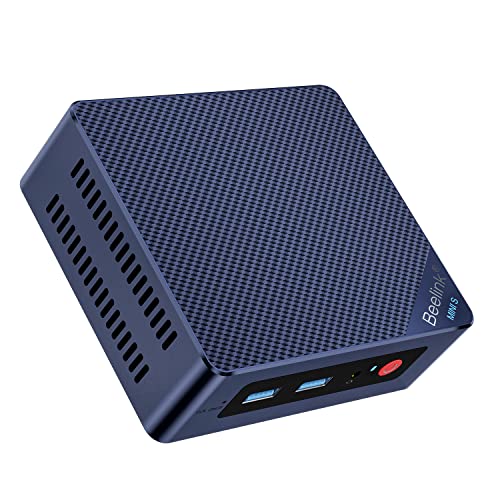
16 GB RAM · 500 GB SSD
£309.00Price checked 01.11.2026 15:59 UTCBuy on Amazon ↗ASUS NUC 14 Pro, 32GB
Best starting point for a documented multi-display project. Match the exact configuration, software and support route to the installation.

32 GB RAM · 1000 GB SSD
£1,228.60Price checked 01.11.2026 12:40 UTCBuy on Amazon ↗Specifications and model details ↗MINISFORUM AI X1 Pro-370, 32GB or more
Best when an interactive kiosk needs more compute than a basic media sign. Test the actual application and touchscreen interface.

32 GB RAM · 1000 GB SSD
£1,089.00Price checked 01.11.2026 14:57 UTCBuy on Amazon ↗Specifications and model details ↗Amazon prices and configurations
Core Ultra
ASUS NUC 14 Pro AI Microsoft Copilot+ AI PC with Intel Series 2 Core Ultra 7 258V, 32GB LPDDR5x RAM, 1TB NVMe SSD, Thunderbolt™ 4, WiFi 7, Win 11 Hom…
32 GB RAM · 1000 GB SSD
£1,228.60Price checked 01.11.2026 12:40 UTCBuy on Amazon ↗
Ryzen AI 9 HX 370
MINISFORUM AI X1 Pro-370 Mini PC 32GB DDR5 1TB PCIe 4.0 SSD | AMD Ryzen AI 9 HX370 Up to 5.1GHz 12C/24T, Mini Desktop Computer ,Quad Display, Dual 2.…
32 GB RAM · 1000 GB SSD
£1,087.00Price checked 01.11.2026 14:12 UTCBuy on Amazon ↗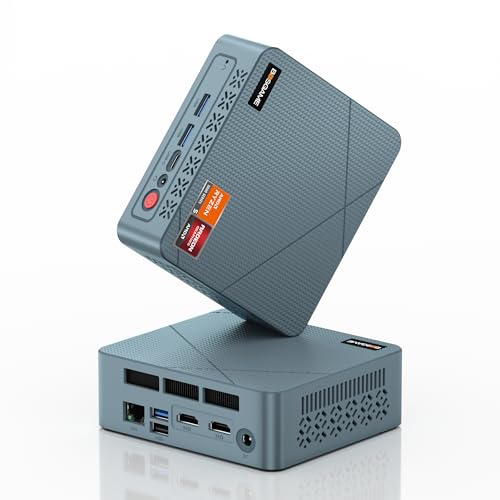
AMD Ryzen
BOSGAME E2 Neo Windows 11 Pro Business Mini-PC AMD Ryzen 5 3500U, 4C 8T, bis zu 3,7 GHz, 16 GB DDR4 RAM, 512 GB SSD, 4K@60Hz Triple Display, HDMI, Ty…
16 GB RAM · 512 GB SSD
£246.99Price checked 01.11.2026 08:17 UTCBuy on Amazon ↗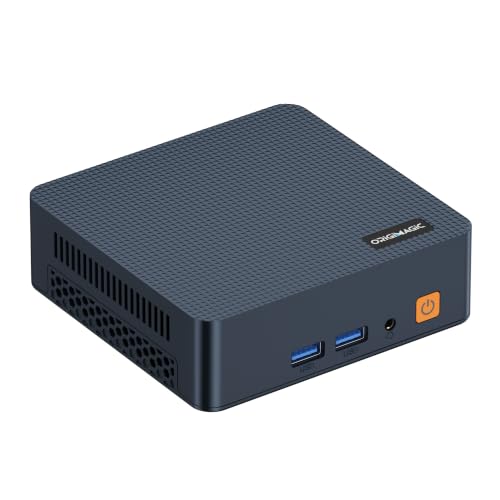
Intel Core Series
origimagic C7 Mini PC, Intel Core 3 100U, 16GB DDR4 RAM 512GB NVMe SSD | Hybrid Architecture, 6C/ 8T up,Dual Thunderbolt 4, Dual HDMI 4K, Wi-Fi 6, 2.…
16 GB RAM · 512 GB SSD
£280.00Price checked 01.11.2026 15:59 UTCBuy on Amazon ↗
Intel N100
Beelink Mini PC S12 Pro, Intel Twin Lake-N100 (up to 3.4GHz), 25W TDP | 16GB DDR4 500GB SSD Windows 11 Home, 2.5G LAN, 4K Dual HDMI, WiFi 6, BT5.2, O…
16 GB RAM · 500 GB SSD
£299.00Price checked 01.11.2026 15:59 UTCBuy on Amazon ↗Intel N150
Beelink Mini PC Intel Alder Lake-N150(4C/4T, up to 3.6GHz), Mini S13 Mini Computer Windows 11 Home, 16GB RAM 500GB SSD Office Mini Desktop PC, 4K HDM…
16 GB RAM · 500 GB SSD
£309.00Price checked 01.11.2026 15:59 UTCBuy on Amazon ↗
Intel Pentium Gold
GMKtec G3 Ultra Mini PC, Intel Pentium Gold 7505 3.5GHz, 16GB LPDDR4x 3200MHz + 256GB SSD, Mini Computer with Dual M.2 Slots, WiFi 6, Dual 4K HDMI, G…
16 GB RAM · 256 GB SSD
£359.96Price checked 01.11.2026 12:25 UTCBuy on Amazon ↗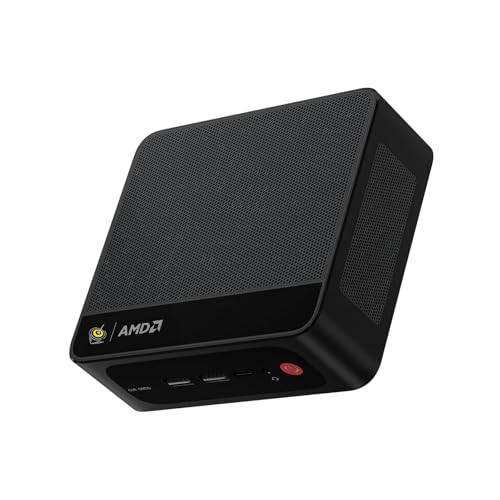
Ryzen 7 7735
Beelink Mini PC SER5 MAX, AMD Ryzen 7 7735U (8C/16T, 4.75GHz) | 24GB LPDDR5 RAM 1TB NVMe SSD Windows 11 Pro, 4K Triple Display (HDMI/Type-C/DP), USB3…
24 GB RAM · 1000 GB SSD
£469.00Price checked 01.11.2026 12:10 UTCBuy on Amazon ↗Buying guide
Choose for the content and installation
A G3 Plus is our inexpensive starting point for a straightforward display showing modest local content or a simple browser-based sign. The NUC 14 Pro is the multi-display comparison when its documented outputs fit the project. The AI X1 Pro-370 is the stronger option for an interactive kiosk with a demanding application. More compute is unnecessary for a simple menu board, but a heavy browser animation or interactive experience can change the requirement.
Test the real content at the final resolution. A computer that plays one demonstration video may behave differently with several streams, a browser dashboard and a remote-management agent. Match codecs and application support rather than buying from a generic 4K claim.
Plan unattended recovery before mounting
Check how the exact firmware handles a return of mains power and whether the chosen setting suits the site. Do not assume every revision supports the same automatic-start behavior. Test an ordinary shutdown, power interruption and network outage in a controlled setup before installation. The goal is a sign that returns to useful content without someone reaching behind the screen.
Configure the supported kiosk or signage mode deliberately, with an account and permissions appropriate to that task. Keep remote management protected and separate from public touchscreen interaction. Decide when updates can occur so a reboot does not interrupt opening hours. Record a local recovery method for a failed software update.
Make the physical installation serviceable
A VESA mount can keep the computer tidy, but check airflow, heat from the display and access to connectors. Use the power adapter specified for the system and secure cables without bending them sharply. Keep the PC accessible enough to replace or recover; a neat installation that requires dismantling the display for every service task can become expensive.
For several screens, document outputs, adapters, resolutions and content roles. A mirrored image and several independent signs are different configurations. Test the final display arrangement after a reboot, because some applications and monitors reconnect differently from a freshly configured desktop.
Choose a supportable long-term system
Monitor whether the player is running and whether useful content is actually displayed. A network response alone does not prove that the correct sign is on screen. Keep content and configuration recoverable from another device, and plan for a spare player when a failed display would affect business. Continuous use also makes dust, temperature and cable inspection part of routine maintenance.
If a recommendation is unavailable, keep the required display count, software compatibility and recovery behavior in the alternative. A stronger CPU does not compensate for missing native outputs or an unsuitable remote-support route. Choose an industrial or commercial device when environmental limits and service commitments exceed what a consumer Mini PC can reasonably provide.
Buy for the working day you actually have
Count the applications that stay open together: browser tabs, documents, a video meeting, accounting software and remote desktop sessions. A simple reception desk needs less compute than a developer compiling projects during calls. Start with 16GB for a new general-purpose Windows desk and compare 32GB for heavier multitasking. A low-cost computer can be good value when it fits that work; a more expensive processor does not make a poorly equipped desk comfortable.
Check the complete setup rather than the processor alone. You need the right monitor connections, enough accessible USB ports and a dependable network. Include a webcam, headset and keyboard if the Mini PC replaces a laptop. A 500GB or 512GB SSD can be sufficient for cloud-based office work. Choose 1TB when applications and local files justify it, and keep an independent backup for important documents.
Make the desk easy to support
Choose a complete computer when you want to unpack it and start work. A barebone may need RAM, storage and an operating-system licence, which changes both the cost and who supports the finished system. For several desks, consistent hardware and a documented recovery image often matter more than a small difference in benchmark scores. Record the exact model and hardware revision before buying additional units, because a familiar brand name can cover different network, storage and wireless components.
Keep airflow clear when using a VESA mount. Behind-monitor mounting can save desk space, but check cable access and whether the display already occupies the mounting points. Test wake from sleep, the network connection, a video call and the actual display arrangement during initial setup. These everyday behaviors determine whether a small computer is convenient. They are more useful acceptance checks than watching a promotional video or opening one empty document.
Spend on the parts that improve daily use
A good screen, comfortable input devices and reliable backup can improve the working day more than moving from a sensible midrange CPU to a premium model. Do not pay for a large NPU score unless your chosen application actually uses it. For a quiet office, compare measured noise when available and choose placement that keeps the fan away from a microphone. A fanless system suits some light tasks, but its cooling and sustained workload still need to match.
If you are buying for someone else, write a short acceptance list: open the required applications together, run a meeting, connect every display, print a document and recover a sample file from backup. Keep the purchase record and recovery information somewhere accessible. When choosing an alternative model, preserve the installed RAM, required ports and service arrangements. A cheaper unit with fewer display outputs or an unsupported Windows edition can create more work than it saves.
Buying and support in the UK
Compare the complete UK purchase cost in pounds, including delivery and the parts needed to finish a barebone. Check whether a marketplace seller supplies the machine from UK stock or ships it internationally. That affects delivery, possible additional charges and the practical return route. Look for the correct UK mains lead and a clear description of the included operating-system licence. A compact case does not make an overseas support arrangement more convenient.
Keep the invoice, serial number and exact RAM and SSD configuration. For a business desk, ask who handles a hardware fault and how a replacement is arranged before buying several units. When the first model is unavailable, keep the required memory, graphics and ports in the alternative. Include a monitor, keyboard and independent backup in the budget where needed. Compare the finished, usable computer rather than a low barebone headline price.
Questions buyers ask
Which Mini PC suits a basic digital sign?
A G3 Plus with 16GB is a low-cost starting point for modest content and one or two screens. Test your exact signage application and video mode.
Which model should I compare for several displays?
Start with the NUC 14 Pro’s documented display capabilities. Plan simultaneous outputs, adapters and the exact application before deployment.
Will any Mini PC restart correctly after a power cut?
Do not assume that. Check and test the exact firmware settings, application startup and recovery behavior before installing it out of reach.
Specifications and software guidance
GMKtec NucBox G3 Plus ↗ASUS NUC 14 Pro ↗MINISFORUM AI X1 Pro-370 ↗ASUS NUC support guides ↗Related Mini PC guides
Best Mini PCs for Office Work UKBest Mini PCs for Students UKBest Mini PCs for Multiple Monitors UKBest Mini PCs for Business UKCompare Mini PC pricesAs an Amazon Associate, Cloudzat earns from qualifying purchases. Prices and availability can change.