


United Kingdom · GBP
Best Mini PCs for Students UK
Choose a G3 Plus with 16GB for a low-cost study desk built around documents and online lessons. Choose a SER8 with 32GB for programming, multitasking and broader use. Choose an AI X1 Pro-370 for heavier development or supported technical work. Buy a laptop instead when carrying the computer to class is essential.
Which model to choose
Beelink Mini PC Intel Alder Lake-N150(4C/4T, up to 3.6GHz), Mini S13 Mini Computer Window…
Alternative for light everyday work: Intel N150 · 16 GB RAM
Best entry-level study desk for browser lessons and documents. A complete 16GB version avoids starting a new Windows setup with very little memory.
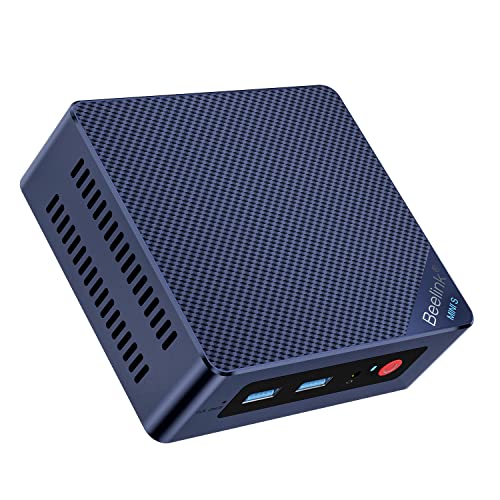
16 GB RAM · 500 GB SSD
£309.00Price checked 02.11.2026 15:47 UTCBuy on Amazon ↗Beelink SER8, 32GB
Best general student choice for programming and a useful mix of study, media and lighter games. Check course software before buying.

32 GB RAM · 500 GB SSD
£649.00Price checked 02.11.2026 11:58 UTCBuy on Amazon ↗Specifications and model details ↗MINISFORUM AI X1 Pro-370, 32GB or more
Best for more demanding development and workloads that benefit from extra CPU and replaceable memory. It is not a substitute for a required NVIDIA GPU.

32 GB RAM · 1000 GB SSD
£1,087.00Price checked 02.11.2026 20:08 UTCBuy on Amazon ↗Specifications and model details ↗Amazon prices and configurations
Ryzen 7 8745HS
Beelink SER8 Mini PC, AMD Ryzen 7 8745HS (8C/16T up to 4.9GHz), 32GB DDR5 500GB PCIe4.0 SSD Mini Gaming Computer Windows 11 Pro, 4K Triple Display, H…
32 GB RAM · 500 GB SSD
£649.00Price checked 02.11.2026 11:58 UTCBuy on Amazon ↗Ryzen AI 9 HX 370
MINISFORUM AI X1 Pro-370 Mini PC 32GB DDR5 1TB PCIe 4.0 SSD | AMD Ryzen AI 9 HX370 Up to 5.1GHz 12C/24T, Mini Desktop Computer ,Quad Display, Dual 2.…
32 GB RAM · 1000 GB SSD
£1,087.00Price checked 02.11.2026 20:08 UTCBuy on Amazon ↗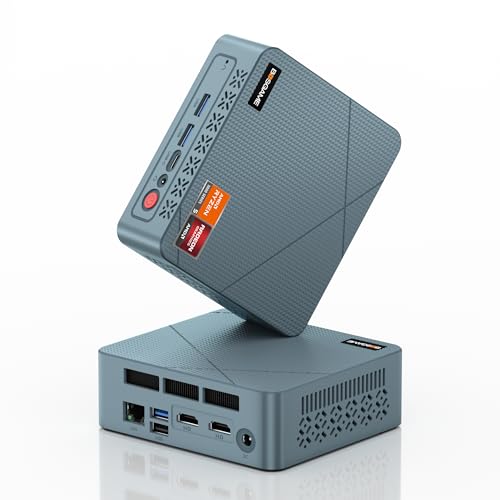
AMD Ryzen
BOSGAME E2 Neo Windows 11 Pro Business Mini-PC AMD Ryzen 5 3500U, 4C 8T, bis zu 3,7 GHz, 16 GB DDR4 RAM, 512 GB SSD, 4K@60Hz Triple Display, HDMI, Ty…
16 GB RAM · 512 GB SSD
£246.99Price checked 01.11.2026 08:17 UTCBuy on Amazon ↗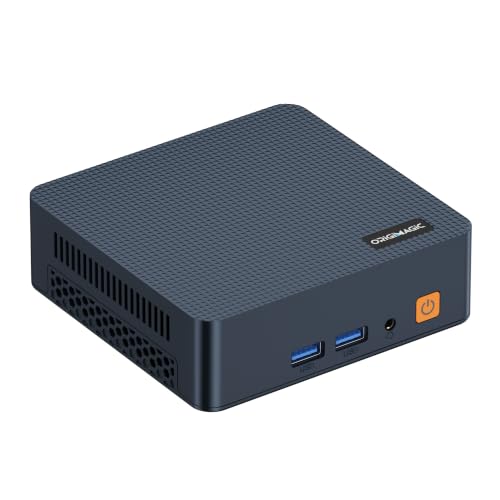
Intel Core Series
origimagic C7 Mini PC, Intel Core 3 100U, 16GB DDR4 RAM 512GB NVMe SSD | Hybrid Architecture, 6C/ 8T up,Dual Thunderbolt 4, Dual HDMI 4K, Wi-Fi 6, 2.…
16 GB RAM · 512 GB SSD
£280.00Price checked 02.11.2026 15:47 UTCBuy on Amazon ↗
Intel N100
Beelink Mini PC S12 Pro, Intel Twin Lake-N100 (up to 3.4GHz), 25W TDP | 16GB DDR4 500GB SSD Windows 11 Home, 2.5G LAN, 4K Dual HDMI, WiFi 6, BT5.2, O…
16 GB RAM · 500 GB SSD
£299.00Price checked 02.11.2026 15:47 UTCBuy on Amazon ↗Intel N150
Beelink Mini PC Intel Alder Lake-N150(4C/4T, up to 3.6GHz), Mini S13 Mini Computer Windows 11 Home, 16GB RAM 500GB SSD Office Mini Desktop PC, 4K HDM…
16 GB RAM · 500 GB SSD
£309.00Price checked 02.11.2026 15:47 UTCBuy on Amazon ↗
Intel Pentium Gold
GMKtec G3 Ultra Mini PC, Intel Pentium Gold 7505 3.5GHz, 16GB LPDDR4x 3200MHz + 256GB SSD, Mini Computer with Dual M.2 Slots, WiFi 6, Dual 4K HDMI, G…
16 GB RAM · 256 GB SSD
£359.96Price checked 02.11.2026 12:13 UTCBuy on Amazon ↗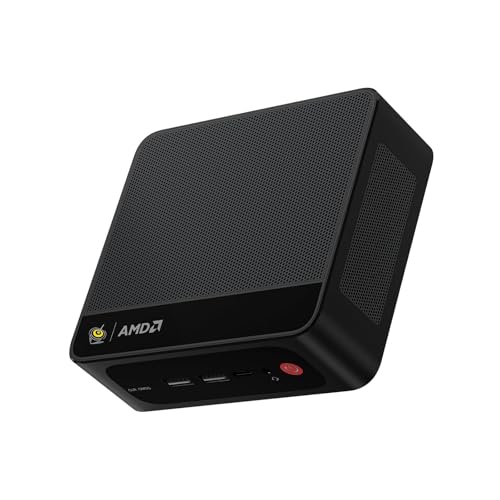
Ryzen 7 7735
Beelink Mini PC SER5 MAX, AMD Ryzen 7 7735U (8C/16T, 4.75GHz) | 24GB LPDDR5 RAM 1TB NVMe SSD Windows 11 Pro, 4K Triple Display (HDMI/Type-C/DP), USB3…
24 GB RAM · 1000 GB SSD
£469.00Price checked 01.11.2026 12:10 UTCBuy on Amazon ↗Buying guide
Choose around the course, not a generic student label
The G3 Plus is our first option for a study desk based on documents, browser lessons and video calls. The SER8 is the more capable general recommendation for programming, several applications and wider home use. The AI X1 Pro-370 makes sense for demanding development or a technical workload that can use its resources. The right choice depends on the course’s actual applications and where the computer will be used.
Before choosing a desktop, decide whether you need a computer in the classroom, library or on a placement. A Mini PC is easy to move between equipped desks, but it does not include a battery and screen. A laptop can be the better complete purchase when portability is part of the daily requirement.
Check required software before spending more
Ask for the course’s supported operating systems and application requirements. General programming, virtual machines, engineering packages and GPU rendering have different needs. If a required tool depends on CUDA or a certified workstation configuration, an integrated-GPU Mini PC may be the wrong direction. Do not assume an AI processor label satisfies a technical department’s hardware specification.
For programming, compare memory and storage for the editor, browser, containers and any virtual machines you expect to run together. A practical 32GB configuration can provide more useful room than a small-memory system with an impressive CPU name. Choose heavier hardware only when the tools or workload justify it.
Budget for the complete study space
Include a suitable monitor, keyboard, mouse, webcam and audio. A desk with a readable screen and reliable backup can be more useful than spending the whole budget on the computer alone. If you already own a monitor, check its connection and resolution before assuming that a convenient USB-C socket handles video.
Keep course files backed up independently, especially before deadlines. Synchronization helps with access across devices but may also copy deletions. Learn how to recover an earlier version and keep a separate copy of important submissions. Record passwords and recovery information through a suitable secure method rather than leaving the only access details on the study PC.
Plan a useful life beyond the first term
Choose memory for more than the first empty desktop. The G3 Plus with 16GB suits a modest workload, while 32GB in the SER8 or AI X1 Pro gives more room for applications to accumulate. Check which parts can be replaced later. Soldered memory and a spare SSD slot are separate features; storage expansion does not make fixed RAM upgradeable.
When a recommendation is unavailable, preserve the course requirements first. A lower-cost basic system is not an equal substitute for a machine selected for several virtual machines or graphics work. Compare the complete alternative, including operating-system licence and support, against a laptop or tower before paying a premium for a small case.
Buy for the working day you actually have
Count the applications that stay open together: browser tabs, documents, a video meeting, accounting software and remote desktop sessions. A simple reception desk needs less compute than a developer compiling projects during calls. Start with 16GB for a new general-purpose Windows desk and compare 32GB for heavier multitasking. A low-cost computer can be good value when it fits that work; a more expensive processor does not make a poorly equipped desk comfortable.
Check the complete setup rather than the processor alone. You need the right monitor connections, enough accessible USB ports and a dependable network. Include a webcam, headset and keyboard if the Mini PC replaces a laptop. A 500GB or 512GB SSD can be sufficient for cloud-based office work. Choose 1TB when applications and local files justify it, and keep an independent backup for important documents.
Make the desk easy to support
Choose a complete computer when you want to unpack it and start work. A barebone may need RAM, storage and an operating-system licence, which changes both the cost and who supports the finished system. For several desks, consistent hardware and a documented recovery image often matter more than a small difference in benchmark scores. Record the exact model and hardware revision before buying additional units, because a familiar brand name can cover different network, storage and wireless components.
Keep airflow clear when using a VESA mount. Behind-monitor mounting can save desk space, but check cable access and whether the display already occupies the mounting points. Test wake from sleep, the network connection, a video call and the actual display arrangement during initial setup. These everyday behaviors determine whether a small computer is convenient. They are more useful acceptance checks than watching a promotional video or opening one empty document.
Spend on the parts that improve daily use
A good screen, comfortable input devices and reliable backup can improve the working day more than moving from a sensible midrange CPU to a premium model. Do not pay for a large NPU score unless your chosen application actually uses it. For a quiet office, compare measured noise when available and choose placement that keeps the fan away from a microphone. A fanless system suits some light tasks, but its cooling and sustained workload still need to match.
If you are buying for someone else, write a short acceptance list: open the required applications together, run a meeting, connect every display, print a document and recover a sample file from backup. Keep the purchase record and recovery information somewhere accessible. When choosing an alternative model, preserve the installed RAM, required ports and service arrangements. A cheaper unit with fewer display outputs or an unsupported Windows edition can create more work than it saves.
Buying and support in the UK
Compare the complete UK purchase cost in pounds, including delivery and the parts needed to finish a barebone. Check whether a marketplace seller supplies the machine from UK stock or ships it internationally. That affects delivery, possible additional charges and the practical return route. Look for the correct UK mains lead and a clear description of the included operating-system licence. A compact case does not make an overseas support arrangement more convenient.
Keep the invoice, serial number and exact RAM and SSD configuration. For a business desk, ask who handles a hardware fault and how a replacement is arranged before buying several units. When the first model is unavailable, keep the required memory, graphics and ports in the alternative. Include a monitor, keyboard and independent backup in the budget where needed. Compare the finished, usable computer rather than a low barebone headline price.
Questions buyers ask
Which Mini PC is a good general student choice?
Compare a SER8 with 32GB for programming and broad study use. A G3 Plus with 16GB is the cheaper direction for lighter document and browser work.
Is a Mini PC better than a laptop for university?
It suits a fixed desk with an existing screen. A laptop is usually more practical when you must carry the computer to classes or other locations.
Is an AI Mini PC enough for every technical course?
No. Check required applications, operating systems and GPU support. Some software needs NVIDIA, certified hardware or another platform entirely.
Specifications and software guidance
GMKtec NucBox G3 Plus ↗Beelink SER8 ↗MINISFORUM AI X1 Pro-370 ↗Related Mini PC guides
Best Mini PCs for Office Work UKBest Mini PCs for Multiple Monitors UKBest Mini PCs for Business UKMini PCs for Digital Signage and Kiosks UKCompare Mini PC pricesAs an Amazon Associate, Cloudzat earns from qualifying purchases. Prices and availability can change.