


United Kingdom · GBP · Deal Watch
Apple Studio Display Black Friday Deals UK 2026: What to Buy
A Studio Display purchase is an exciting Black Friday prospect when the exact version suits your desk and earns its place in the budget.
Match standard or nano-texture glass, stand and condition across offers. The cheapest listing may describe a different desk setup from the one you intend to build. Check the recent selling price of the exact screen and stand configuration. A good Black Friday purchase combines a lower delivered cost with the display features you will notice every day.
Choose standard glass for a desk where you can control windows and strong reflections. Consider nano-texture when glare remains a problem in the actual room and the extra price is justified. Moving the display or improving lighting may be the less expensive solution.
Which Apple Studio Display option should you choose?
Start here
Apple Studio Display Standard Glass
Choose it for a desk with controlled reflections.
Buy on AmazonChoose this alternative
Apple Studio Display Nano-Texture
Choose it for a difficult reflection environment when the added cost is justified.
Buy on AmazonCurrent Apple Studio Display Listings on Amazon
Black Friday sale dates and offer timing
Dates for 2026: Black Friday — November 27; Amazon.co.uk — November 19–30. Individual offer periods and eligibility vary.

8% below the Amazon reference price
Apple Studio Display: Standard Glass, Tilt-Adjustable Stand (2026)
Last verified 2026-11-13 02:53:05 UTC
7% below the Amazon reference price
Apple Studio Display: Nano-Texture Glass, Tilt-adjustable stand (2026)
Last verified 2026-11-13 02:55:47 UTC

Alternative model
6% below the Amazon reference price
BenQ PD2705U 4K 27” Monitor for Designer, IPS, AQCOLOR, 99% sRGB, 99% Rec. 709, Delta E ≤ 3, Factory Calibrated, Uniformity, 65W USB-C, HDMI, DP, KVM, Compatible with MacBook
Last verified 2026-11-16 09:46:42 UTC

Alternative model
6% below the Amazon reference price
BenQ MA270U 27 inch 4K 3840x2160 Monitor for MacBook Pro/Air, Dual USB-C, 90W Power Delivery, Mac Color Match, USB Hub, Brightness & Volume Control on Mac, Adjustable Stand, P3 Color Gamut
Last verified 2026-11-16 09:46:42 UTC

Alternative model
BenQ PD2706QN 27" QHD Mac Creator Monitor with 95% P3 Color | 95% P3 with factory calibration and report for accurate out-of-box color; AQCOLOR Pilot enables software calibration.
Last verified 2026-11-16 09:46:42 UTC

Alternative model
BenQ Creative Pro PD2705Q 27 inch 2K QHD Monitor for Mac, Commercial/Graphics Design, Video Editing, USB-C, 100% sRGB/Rec.709, Display Pilot, KVM, Low Blue Light, Flicker-Free, IPS, ICCsync, Black
Last verified 2026-11-16 09:46:42 UTC
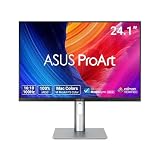
Alternative model
15% below the Amazon reference price
ASUS ProArt Display PA248QFV Gen 2-24.1 Inch Professional Monitor
Last verified 2026-11-16 09:46:42 UTC

Alternative model
PHILIPS 27E1N1800AE - 27 inch Ultra HD monitor, speakers, height adjustable, HDR10 (3840x2160, 60 Hz, HDMI 2.0, DisplayPort 1.4) black
Last verified 2026-11-16 09:46:42 UTC
As an Amazon Associate, Cloudzat earns from qualifying purchases. Prices and availability can change; Amazon shows the final price for your chosen item.
Apple Studio Display buying guide
| Choice | Best for |
|---|---|
| Apple Studio Display Standard Glass | a desk with controlled reflections |
| Apple Studio Display Nano-Texture | a difficult reflection environment when the added cost is justified |
Which Apple Studio Display option should you choose?
For a desk with controlled reflections, choose Apple Studio Display Standard Glass.
For a difficult reflection environment when the added cost is justified, choose Apple Studio Display Nano-Texture.
Start with the standard Studio Display
The standard Studio Display should be the default comparison point because it already targets the buyer who wants a tightly integrated 5K Mac display. Its value is not just resolution. The integrated camera, speakers, microphones and Thunderbolt connectivity can remove other purchases from the desk, which changes the total cost against a cheaper bare monitor.
Black Friday makes that total-cost comparison more important. If a third-party 5K display needs a webcam, speakers and a dock to match your planned setup, compare the combined spend rather than panel price alone. If you already own those peripherals, the Apple premium becomes harder to justify.
Studio Display XDR needs a reason
Studio Display XDR is not simply the “better” Studio Display. Its higher-end HDR-oriented display system and faster refresh behavior target workflows where those capabilities can be visible and valuable. For ordinary office, coding and web work, much of the premium may sit unused even if the Black Friday discount looks impressive.
The right buyer can see the opposite result. A photographer, colourist, editor or visual professional who would otherwise buy another high-end reference-oriented monitor may find an XDR discount strategically useful. The tool therefore asks about workload before budget, because price should not create the requirement.
Glass choice can change the real sale
Apple display listings can differ by glass treatment and stand configuration. Those variants are not cosmetic footnotes when their prices are hundreds of pounds apart. A headline “Studio Display deal” can be less useful if the discounted unit has a stand or glass option you would not choose at normal price.
Record the exact desired configuration before Black Friday begins. Then judge only matching listings against Cloudzat history. This prevents a lower-cost tilt-only or standard-glass variation from being used as the benchmark for a height-adjustable or nano-texture purchase.
The stand is part of workstation ergonomics
A display may remain on the desk longer than the Mac mini. Height, tilt and viewing position therefore affect years of daily use. If the included stand does not provide the adjustment you need, the apparent Black Friday saving can disappear into an arm, VESA solution or replacement decision.
Treat ergonomics as part of the product rather than an accessory afterthought. Measure eye level and desk depth now. A sale-week purchase is easier when you already know whether the standard stand works in your room and whether VESA mounting is planned from the start.
Thunderbolt 5 changes peripheral planning
The 2026 Studio Display family uses Thunderbolt 5 connectivity, which makes the screen part of the wider I/O design. That can matter on a desk with fast external storage, cameras and other peripherals. However, the monitor should not be assumed to replace every dedicated dock without checking the downstream ports and the host’s own capabilities.
For M5 Pro and M4 Pro Mac mini owners, Thunderbolt 5 can fit naturally into a high-bandwidth setup. Owners of other generations can still value the display, but the host connection defines what the system can actually exploit. Buy the display for its full package, not as a theoretical bandwidth upgrade to the computer.
Camera and audio have monetary value only if used
Integrated camera, microphones and speakers can simplify a Mac mini desk, especially for meetings and shared workspaces. That convenience has real economic value if it prevents separate webcam and speaker purchases. It has almost no value if the desk already uses a dedicated camera, audio interface and studio monitors.
This is why a like-for-like comparison with third-party displays is rarely just panel versus panel. List the equipment the Studio Display would replace in your own setup. Black Friday value should be measured against that personal bundle, not against a generic checklist.
Compare XDR against the work, not the standard model
It is tempting to ask whether Studio Display XDR is “worth twice as much” as the standard Studio Display. A better question is whether it replaces another professional display you would otherwise need. When HDR finishing, motion work or demanding visual reference tasks are part of the workflow, the comparison set changes.
For everyone else, the standard model can be the more disciplined buy even when XDR receives the larger percentage discount. A sale reduces cost; it does not create return on investment. Keep the work requirement fixed, then let the price decide among products that all satisfy it.
Marketplace listings require variant discipline
Amazon product pages can group display variants in ways that make the visible price easy to misread. Standard glass, nano-texture glass and different stand choices can sit near each other under a familiar product title.
The safest Black Friday workflow is simple: open the live listing, confirm the exact 2026 model and configuration, then compare that price with the history shown for the same product. If the variant changed, restart the comparison instead of carrying over the earlier conclusion.
A previous-generation display is not automatically a bargain
Older Apple display inventory may appear during sale season. A lower price can be attractive, but the decision should include connection generation, camera behavior, warranty status, seller and whether the unit is actually new.
If an older model is materially cheaper, compare what is lost against what the workflow needs. A buyer who only wants 5K may prefer the savings; somebody building a new Thunderbolt 5 workstation may value the current-generation connectivity enough to stay with the 2026 family.
Set a target price before event mode
Use that history to set a target range in advance. If the exact display reaches it, the purchase decision is already mostly made. If not, you can keep the existing monitor or choose a third-party alternative without the pressure of a countdown banner.
Spend on the connection that solves the desk problem
List the display, storage, network and input devices that stay connected. A dock is worthwhile when it provides the connections you need in a convenient arrangement. It does not add unlimited bandwidth to the host. Devices sharing an upstream connection may also share its practical bandwidth. Match the dock to the Mac’s actual port generation and your simultaneous workload.
A display decision starts with readable workspace, resolution and the applications you use. Confirm the display connection, supported refresh rate, stand arrangement and whether the cable is included. An attractive monitor price can be less useful when it requires a separate arm, dock or adapter that was outside the original budget.
Keep working storage and backup as separate purchases
An external SSD can hold projects and large media files, but the only copy of a file on that SSD is not a backup. Budget a second recoverable copy and choose a routine that will actually run. A larger working drive does not protect against accidental deletion, a damaged enclosure or losing the device.
For an enclosure build, check the SSD form factor, interface, cooling and cable. Capacity supported by the enclosure is not capacity installed in the purchase. A bare enclosure contains no SSD unless the offer explicitly includes one. Compare a complete portable drive with the full enclosure-plus-SSD cost rather than with the empty enclosure price.
Buying Apple Studio Display in the UK
For Apple Studio Display in the UK, begin with Apple Studio Display Standard Glass for a desk with controlled reflections. Compare Apple Studio Display Nano-Texture when a difficult reflection environment when the added cost is justified is the more useful choice. The Amazon links and prices on this page use Amazon UK and pounds. Add delivery and any required components to the amount you are comfortable paying. For a model family with several configurations, use the model name and the installed components together when comparing these two choices. Keep the seller’s order details so you can check that the hardware you receive is the version you chose.
Electricity cost calculator
Replace the example values with your own measurements, capacity or prices.
Questions buyers ask
Which Apple Studio Display option should I choose?
Choose Apple Studio Display Standard Glass for a desk with controlled reflections. Choose Apple Studio Display Nano-Texture for a difficult reflection environment when the added cost is justified.
What is the difference between Studio Display and Studio Display XDR?
The 2026 standard model is a 27-inch 5K 60Hz display with Thunderbolt 5 and integrated camera/audio. Studio Display XDR adds a mini-LED XDR-oriented system, 120Hz refresh and a much higher price tier.
Is Studio Display XDR worth it for coding?
Usually not for coding alone. The standard Studio Display or a high-quality third-party monitor is generally the more disciplined choice unless the same desk also performs work that uses the XDR features.
Should I buy nano-texture glass on Black Friday?
Choose it because the room and reflection environment benefit from it, not because that variant has the biggest discount. Verify the exact glass option on the Amazon listing.
Does the 2026 Studio Display use Thunderbolt 5?
Yes. Apple’s 2026 Studio Display and Studio Display XDR use Thunderbolt 5 connectivity. The host Mac still determines what the overall connection can exploit.