


United Kingdom · GBP · Deal Watch
Thunderbolt 5 Dock for Mac mini Black Friday Deals UK 2026: What to Buy
This Black Friday, a dock can be the missing piece of your Mac mini setup when its ports and host compatibility fit the plan.
List the displays and storage you will leave connected, then compare compatible Thunderbolt 5 options. More ports add value only when they meet those needs. The Black Friday target is a complete compatible connection below its recent normal cost. Compare equivalent port speeds and include the cables, modules or power equipment required.
Compare CalDigit TS5 and OWC Thunderbolt 5 Dock for a compatible Thunderbolt 5 Mac mini desk. Choose from the monitors, fast storage and other peripherals you will leave connected. If the Mac's own ports already handle them, you may not need a dock at all.
Which Thunderbolt 5 Dock for Mac mini option should you choose?
Start here
CalDigit TS5
Choose it for a compatible Thunderbolt 5 desk with many peripherals.
Buy on AmazonChoose this alternative
OWC Thunderbolt 5 Dock
Choose it for another dock option after checking the actual display and storage connections.
Buy on AmazonCurrent Thunderbolt 5 Dock for Mac mini Listings on Amazon
Black Friday sale dates and offer timing
Dates for 2026: Black Friday — November 27; Amazon.co.uk — November 19–30. Individual offer periods and eligibility vary.

CalDigit TS5 Plus - 20 Port Thunderbolt 5 Dock, 140W Charging, 3X 80Gb/s Thunderbolt 5, 10x 10Gb/s USB Ports, Dual USB Controllers, 10GbE, Up to Dual 8K 60Hz Displays, 1.0m Braided Cable, 330W PSU
Last verified 2026-11-14 11:57:02 UTC

CalDigit TS5 Plus - Thunderbolt 5 Dock (EU)
Last verified 2026-11-14 11:50:30 UTC

OWC 11-Port Thunderbolt 5 Docking Station, 3 8k displays, 2.5GbE, SD/Micro-SD Card Reader, Audio in/Out Jack, USB 3.2 Type-A Ports, 140W Power Delivery - Mac PC and Android
Last verified 2026-11-14 12:01:43 UTC

OWC Thunderbolt 5 Dock with Dual 10GbE + 2.5GbE, 3x Thunderbolt, 4x USB 10Gb/s - Pro Docking Station for NAS, AV, NDI, Dante, Mac/PC - Support 3 Display 8K, 90W, Fanless
Last verified 2026-11-14 11:50:36 UTC
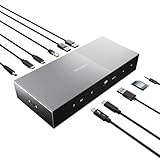
Kensington Thunderbolt 5 Triple 4K Video SD5000T5 EQ Docking Station | Dual 8K Video, SD & Micro SD Card Readers, 140W Power Delivery, 3 x Thunderbolt 5 ports, Ethernet & USB-A 3.2 Gen2, K35201EU
Last verified 2026-11-14 12:00:21 UTC

Kensington SD5010T5 Thunderbolt 5 Docking Station with 140W PD, Up to Three 4K 60Hz Displays, 13 Ports, 2 x HDMI, 2 x TB5, SD & Micro SD 4.0 Slots, 2.5Gbps Ethernet (K35231NA)
Last verified 2026-11-14 12:00:21 UTC

Kensington SD7100T5 EQ Pro Thunderbolt 5 Docking Station, Space Black | 80Gbps Thunderbolt 5, 140W Power Delivery, triple 4K or dual 8K displays, lockable M.2 SSD slot, works with Mac and Windows
Last verified 2026-11-14 12:00:21 UTC

SATECHI CubeDock Docking Station 13-in-1, Thunderbolt 5, NVMe SSD Enclosure | 80 Gbps/120 Gbps USB4 v2, 140W charging, displays up to 8K, 2.5 GbE, Type-A/C 10 Gbps, active cooling
Last verified 2026-11-14 11:50:42 UTC
As an Amazon Associate, Cloudzat earns from qualifying purchases. Prices and availability can change; Amazon shows the final price for your chosen item.
Thunderbolt 5 Dock for Mac mini buying guide
| Choice | Best for |
|---|---|
| CalDigit TS5 | a compatible Thunderbolt 5 desk with many peripherals |
| OWC Thunderbolt 5 Dock | another dock option after checking the actual display and storage connections |
Which Thunderbolt 5 Dock for Mac mini option should you choose?
For a compatible Thunderbolt 5 desk with many peripherals, choose CalDigit TS5.
For another dock option after checking the actual display and storage connections, choose OWC Thunderbolt 5 Dock.
Thunderbolt 5 is not a universal upgrade
A dock cannot make a slower host port run at Thunderbolt 5 capability. That sounds obvious, yet sale copy often encourages buyers to think of the dock as a performance upgrade by itself. The Mac mini generation and the exact host port define the upstream ceiling; the dock then divides that connection among its downstream devices.
This does not make a TB5 dock useless on another Mac. Backward compatibility, port layout and future reuse can still justify the purchase. The important point is to buy with the correct expectation: you are investing in connectivity and workstation organization, not replacing the host controller.
Port count is a poor score by itself
A 20-port dock can be less useful than a 12-port dock if the extra connectors are the wrong type. Start by listing the devices that must remain connected: display, SSD, audio interface, card reader, webcam, Ethernet, backup drive and any downstream Thunderbolt device. Then look for a dock that covers those jobs without adapters.
Black Friday can make port-count marketing especially noisy because products are compared by the largest number on the box. Ignore that ranking. A good deal is the lowest tracked price on the dock whose port map fits your desk, not the cheapest cost per connector.
Fast storage can expose dock topology
External SSDs are one of the strongest reasons to care about a high-bandwidth dock, but they are also where shared internal links can become visible. A dock may advertise several fast ports while those ports still share bandwidth behind a controller. Heavy simultaneous storage transfers, displays and networking can therefore behave differently from one-device benchmarks.
Before buying, read the manufacturer’s port diagram and independent performance notes for the exact model. If a 4TB or 8TB working drive is central to video or local-AI use, give its path priority. Convenience is valuable, but not if the dock turns the fastest drive into the slowest part of the workflow.
Display support needs exact combinations
Dock pages frequently advertise a maximum display count, but the useful question is the resolution and refresh combination with your Mac. One 6K screen, two 4K displays and a high-refresh 4K panel create very different transport requirements. macOS behavior and the Mac mini model matter as much as the dock headline.
Choose the display plan first, then verify that exact arrangement. This is particularly important for buyers who are upgrading both monitor and dock during the same sale. Buying the dock before the display requirement is fixed can lock the desk into an unnecessary compromise.
Power delivery matters differently on a desktop Mac
Mac mini does not need laptop-style charging from its dock, so a huge upstream power-delivery number has less direct value on a dedicated desktop desk. It can still matter if the same dock will regularly serve a MacBook or if downstream ports power demanding devices. That is a different benefit from Mac mini performance.
Do not pay a premium for 140W host charging if the dock will never leave the Mac mini. Instead, compare downstream port power, stable peripheral support and the connectors you actually need. A lower charging specification can be the better desktop value.
Integrated SSD slots can simplify the desk
Some premium docks include an M.2 NVMe slot. That can create a very clean setup for scratch files, local models or project data because the storage disappears into the dock. The convenience is real, but the slot should be evaluated as a storage enclosure with thermal and bandwidth constraints, not as free capacity.
Check whether the SSD is included, which sizes and interfaces are supported, how the slot is cooled and whether heavy SSD traffic shares the same internal path as other high-bandwidth ports. A Black Friday dock-plus-NVMe purchase can be excellent value when both pieces were already in the plan.
Ethernet on the dock may remove another purchase
A dock with 2.5GbE can be enough for many NAS and home-server users. A buyer who truly needs 10GbE may still require a separate Thunderbolt network adapter because many general-purpose docks stop below that speed. Build the networking decision independently rather than assuming “premium dock” means “premium Ethernet.”
This is an important combined-cost check. If the dock already covers your real network speed, remove the extra adapter from the budget. If not, leave enough Thunderbolt connectivity and money for the dedicated network path instead of overpaying for other dock features.
Cheap hubs and TB5 docks are different products
A small USB-C hub can be ideal for keyboard, card reader and occasional storage. It is not a failure simply because it costs a fraction of a Thunderbolt 5 dock. The two products address different complexity levels. Buyers should move into the TB5 tier only when the desk has enough simultaneous high-speed devices to justify it.
Black Friday creates an opportunity to close that price gap, but a discounted premium dock can still be several times the price of a basic hub. Use the tool to determine whether the higher tier changes what you can do, not just how neatly the cables look.
Buy for the next desk only when reuse is likely
Future-proofing can justify Thunderbolt 5 on an older host when the dock is likely to survive into the next Mac. Docks are long-lived accessories, and a good port layout can remain useful across multiple computers. The future value is strongest when the next upgrade path is already plausible, not when it is a vague excuse to buy the most expensive model.
If the current Mac mini will be kept for many years and the desk is simple, paying for unused future bandwidth may be wasteful. Let the expected replacement cycle influence the Black Friday target price rather than automatically selecting the newest dock standard.
Price history matters because docks fluctuate
Premium docks often move between list price, temporary coupons and retailer promotions long before Black Friday. A crossed-out reference price therefore says little about whether the event price is exceptional.
That history lets you ask a better question: is this sale meaningfully below what the dock normally cost during the previous weeks? If the answer is no, there is less reason to rush. The dock will still be useful after the countdown ends.
Spend on the connection that solves the desk problem
List the display, storage, network and input devices that stay connected. A dock is worthwhile when it provides the connections you need in a convenient arrangement. It does not add unlimited bandwidth to the host. Devices sharing an upstream connection may also share its practical bandwidth. Match the dock to the Mac’s actual port generation and your simultaneous workload.
A display decision starts with readable workspace, resolution and the applications you use. Confirm the display connection, supported refresh rate, stand arrangement and whether the cable is included. An attractive monitor price can be less useful when it requires a separate arm, dock or adapter that was outside the original budget.
Keep working storage and backup as separate purchases
An external SSD can hold projects and large media files, but the only copy of a file on that SSD is not a backup. Budget a second recoverable copy and choose a routine that will actually run. A larger working drive does not protect against accidental deletion, a damaged enclosure or losing the device.
For an enclosure build, check the SSD form factor, interface, cooling and cable. Capacity supported by the enclosure is not capacity installed in the purchase. A bare enclosure contains no SSD unless the offer explicitly includes one. Compare a complete portable drive with the full enclosure-plus-SSD cost rather than with the empty enclosure price.
Buying Thunderbolt 5 Dock for Mac mini in the UK
For Thunderbolt 5 Dock for Mac mini in the UK, begin with CalDigit TS5 for a compatible Thunderbolt 5 desk with many peripherals. Compare OWC Thunderbolt 5 Dock when another dock option after checking the actual display and storage connections is the more useful choice. The Amazon links and prices on this page use Amazon UK and pounds. Add delivery and any required components to the amount you are comfortable paying. For a model family with several configurations, use the model name and the installed components together when comparing these two choices. Keep the seller’s order details so you can check that the hardware you receive is the version you chose.
Electricity cost calculator
Replace the example values with your own measurements, capacity or prices.
Questions buyers ask
Which Thunderbolt 5 Dock for Mac mini option should I choose?
Choose CalDigit TS5 for a compatible Thunderbolt 5 desk with many peripherals. Choose OWC Thunderbolt 5 Dock for another dock option after checking the actual display and storage connections.
Which Mac mini models benefit most from Thunderbolt 5 docks?
M5 Pro and M4 Pro are the clearest fits when the workflow uses high-bandwidth peripherals. Other Mac mini generations may use compatible docks, but the dock does not change the host port generation.
Is a Thunderbolt 5 dock worth it for an M6 Mac mini?
It can be for port layout, compatibility and future reuse, but do not buy it expecting the M6 host to become Thunderbolt 5. Compare the dock against a strong Thunderbolt 4 alternative.
How many ports should a Mac mini dock have?
Enough for the devices you actually keep connected. Port type and internal topology matter more than the headline count.
Should I buy a dock with an NVMe slot?
It is useful when you already need fast local storage and want a cleaner desk. Verify supported SSDs, cooling and how storage traffic shares dock bandwidth.