


United Kingdom · GBP · Deal Watch
QNAP Switch Black Friday Deals UK 2026: What to Buy
This Black Friday, a QNAP switch is an interesting shortlist choice when its mix of ports fits the storage network you want to build.
Match port layouts before comparing offers. Paying more for management makes sense when you will use it, while an uplink mismatch can limit the whole upgrade. The Black Friday target is a complete compatible connection below its recent normal cost. Compare equivalent port speeds and include the cables, modules or power equipment required.
Choose QSW-2104-2T for a simple mixed-speed wired network that does not need switch management. Compare QSW-M2108-2C when you need managed controls such as VLANs. If every device belongs on the same uncomplicated home network, the simpler model may be sufficient.
Which QNAP Switch option should you choose?
Start here
QNAP QSW-2104-2T
Choose it for an unmanaged mixed-speed network.
Find this configurationChoose this alternative
QNAP QSW-M2108-2C
Choose it for a managed multi-gigabit network needing VLAN control.
Buy on AmazonCurrent QNAP Switch Listings on Amazon
Black Friday sale dates and offer timing
Dates for 2026: Black Friday — November 27; Amazon.co.uk — November 19–30. Individual offer periods and eligibility vary.
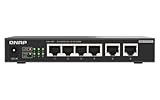
QNAP 4-Port 2.5Gbps & 2-Port 10BASE-T Unmanaged Switch (QSW-2104-2T-R2-US)
Last verified 2026-11-13 08:38:24 UTC

QNAP QSW-M2108-2C 10-Port Layer 2 Web Managed Switch
Last verified 2026-11-12 11:26:12 UTC

QNAP 5-Port 10GBASE-T Unmanaged Switch (QSW-3205-5T-US) | Five 10GBASE-T ports provide high-speed plug-and-play networking for offices and creative workflows.
Last verified 2026-11-13 08:38:24 UTC

QNAP 8-Port 2.5GbE Unmanaged Switch (QSW-1108-8T-R2-US)
Last verified 2026-11-13 08:38:24 UTC

QNAP QSW-2104-2S-A-US: 2.5GbE RJ45 & 10G SFP+ Plug & Play Network Switch | 2.5GbE RJ45, 10G SFP+, Plug & Play
Last verified 2026-11-13 08:38:24 UTC

QNAP QSW-3216R-8S8T-US 16-Port Half-Width Rackmount 10GbE Unmanaged Switch for SMB/SOHO high-Speed Networking environmen
Last verified 2026-11-13 08:38:24 UTC

QNAP Switch QSW-M2106R-2S2T | 10 Gigabit, Managed, Rackmount incl. Rack Kit
Last verified 2026-11-12 17:26:59 UTC
As an Amazon Associate, Cloudzat earns from qualifying purchases. Prices and availability can change; Amazon shows the final price for your chosen item.
QNAP Switch buying guide
| Choice | Best for |
|---|---|
| QNAP QSW-2104-2T | an unmanaged mixed-speed network |
| QNAP QSW-M2108-2C | a managed multi-gigabit network needing VLAN control |
Which QNAP Switch option should you choose?
For an unmanaged mixed-speed network, choose QNAP QSW-2104-2T.
For a managed multi-gigabit network needing VLAN control, choose QNAP QSW-M2108-2C.
Read the QSW port matrix before the model number
QNAP switch names are less useful than the physical port layout when planning a network. Count 2.5GbE copper ports, 10GBASE-T ports, SFP+ cages and any combo interfaces that cannot be used simultaneously.
A Black Friday listing can make a twelve-port switch look superior to an eight-port model even when only a few of those ports operate at the required speed. Compare usable ports for the design, not the largest total printed in the title.
Use mixed-speed models to protect the NAS uplink
Many networks have several multi-gig clients but only one or two fast storage systems. A QSW model with 2.5GbE access ports and 10GbE server/uplink ports can match that topology without paying for 10GbE everywhere.
This can be especially efficient for NAS backups and media workflows, where aggregate traffic converges on one storage target. The 10GbE link keeps the server side from becoming a shared 2.5GbE bottleneck.
Managed QSS features should match the lab plan
Managed QNAP switches expose VLAN, aggregation and monitoring features that can fit a home lab or small office. Verify the exact model and firmware when a specific capability is required because unmanaged and managed QSW variants can look similar.
If OPNsense or another router handles inter-VLAN traffic, the switch still needs correct tagged trunks and access-port behavior. The ecosystem brand does not remove the need for a clean Layer 2 design.
QNAP NAS ownership does not create a compatibility requirement
Ethernet is standards-based, so a QNAP NAS can connect through NETGEAR, TP-Link, MikroTik, UniFi and other suitable switches. QNAP-to-QNAP can simplify product selection, but it is not a technical requirement.
Use the Black Friday page to compare QSW value on its own merits. A different brand with a better port mix or PoE budget may be the better purchase even when the storage appliance is QNAP.
SFP+ and RJ45 combo ports need careful reading
Some QSW models mix copper and SFP+ in ways that provide flexibility but may share internal interfaces or labelled port groups.
This is especially important when the switch will connect several servers plus an upstream core. A port-count misunderstanding can force another switch purchase immediately after the sale.
PoE QSW models should be compared by watts, not branding
QNAP also offers PoE-capable switches for access points and other powered devices. Count powered ports, total watt budget and uplink capacity separately from ordinary data ports.
If PoE is not part of the use case, avoid paying a premium just because the PoE model has the largest seasonal discount. The non-PoE equivalent can be the more efficient long-term choice.
Compact switches still need airflow
Multi-gig copper and PoE components can produce meaningful heat in a small chassis. Check whether the exact QSW model is fanless or actively cooled and whether the intended shelf or rack has ventilation.
A small switch is not automatically silent, and a fanless design is not automatically cool. Installation environment is part of the purchasing decision.
Track exact QSW pricing through the event
QSW variants often sit close together in Amazon search results, making broad price comparisons misleading. Compare regular and event prices for the exact QSW configuration because nearby variants can have different port mixes and normal prices.
During Black Friday, prioritise a verified price drop on the exact port layout you planned. A different QSW with fewer fast ports is not an equivalent bargain merely because its discount percentage is larger.
Build the NAS link and client links as one system
The switch should be sized around both the storage endpoint and the clients. A 10GbE NAS with only gigabit clients may not justify a premium core, while several 2.5GbE workstations can benefit from a faster storage uplink even if none has 10GbE.
Model simultaneous workloads such as backups, photo ingestion and VM traffic. That is the context in which a QSW Black Friday deal becomes a measurable infrastructure improvement.
Include cables and transceivers when comparing the final QSW price
The enclosure price is only part of a QSW deployment when the chosen model uses SFP+ or mixed-media ports. Add the cost of DACs, optics, fiber patch leads or 10GBASE-T adapters that are actually required by the NAS, servers and workstations. A slightly more expensive switch with the right native ports can be cheaper than a heavily discounted model that needs several conversion components.
Keep those accessory costs separate from the tracked switch price so the Black Friday history remains comparable from day to day. Then use the complete bill of materials for the buying decision. This prevents an attractive percentage discount on the switch chassis from hiding a more expensive overall network upgrade.
Keep the whole connection path in the budget
Write down the speed of the computer, storage server and any uplink between them. A fast network card cannot speed up a path that still crosses a slower switch port. Copper Ethernet and SFP+ need the right adapters and media at both ends. Include the cable, transceiver or adapter in the complete cost where one is required.
For a shared network, count simultaneous transfers as well as the maximum speed of one connection. A small switch with a useful fast uplink can be better than a larger switch with an uplink that several clients will saturate. For a simple home network, unnecessary management features can add setup work without improving the jobs you actually do.
Plan power and placement before buying
A PoE installation has both a per-port power limit and a total switch budget. Add the connected devices’ maximum demand, then leave an allowance for startup and later additions. A port count by itself does not establish how many of your devices the switch can power together. Match the PoE standard required by the device to the switch output.
Put the equipment where cooling, access and noise are acceptable. A fan-cooled rack switch can be inconvenient beside a desk even when its ports are excellent value. Access-point placement matters as much as the radio generation. A wired route to a useful location can be a better upgrade than a more expensive wireless device in a poor location.
Choose the simplest suitable management approach
An unmanaged switch is often enough to connect a small set of devices on one network. Choose managed features when you have a specific need for VLANs, monitoring or other controls. Check whether the intended management approach depends on another controller or subscription. Include the time needed to configure and document the network, especially when somebody else may need to maintain it later.
For a replacement, preserve the working settings and test the important devices before removing the old switch or router permanently. Check local file transfers as well as internet access. A device can provide an internet connection while a VLAN, shared folder or access point remains incorrectly configured. The useful upgrade is the one that improves the actual traffic without creating an avoidable recovery problem.
Buying QNAP Switch in the UK
For QNAP Switch in the UK, begin with QNAP QSW-2104-2T for an unmanaged mixed-speed network. Compare QNAP QSW-M2108-2C when a managed multi-gigabit network needing VLAN control is the more useful choice. The Amazon links and prices on this page use Amazon UK and pounds. Add delivery and any required components to the amount you are comfortable paying. For a model family with several configurations, use the model name and the installed components together when comparing these two choices. Keep the seller’s order details so you can check that the hardware you receive is the version you chose.
Electricity cost calculator
Replace the example values with your own measurements, capacity or prices.
Questions buyers ask
Which QNAP Switch option should I choose?
Choose QNAP QSW-2104-2T for an unmanaged mixed-speed network. Choose QNAP QSW-M2108-2C for a managed multi-gigabit network needing VLAN control.
Do I need a QNAP switch for a QNAP NAS?
No. Standard Ethernet allows a QNAP NAS to work with compatible switches from many vendors.
What makes a QNAP switch Black Friday deal good?
The exact QSW model should be below its normal price while providing the port mix, management and PoE capacity the network needs.
Can QNAP switches mix 2.5GbE and 10GbE?
Many models can, but the exact count and connector type vary. Verify the specific QSW hardware.