


CLOUDZAT · BLACK FRIDAY 2026
Updated · 26 Nov 2026 21:23 UTC
Black Friday offers and current Amazon listings

Black Friday Big Deal
Canon i-SENSYS LBP647Cdw Colour Laser Printer | 25 ppm A4 | 1200 × 1200 dpi | Auto Duplex | Wi-Fi, Ethernet, USB | Secure Print
−22% · Amazon reference price: £241.31
Verified 2026-11-26 21:36:09 UTC

Black Friday deal
Canon i-SENSYS MF667Cdw Wireless Colour All-in-1 Laser Printer - A4, Print, Copy, Scan, Fax - 21 ppm print speed, LCD Touch Screen - Wi-Fi Connectivity, Scan to Cloud - Office Printer
−15% · Amazon reference price: £377.20
Verified 2026-11-26 21:36:09 UTC

Black Friday deal
Canon i-SENSYS MF754Cdw II - All-In-One Colour Laser Printer - Wireless, Wi-Fi, PC Connected & Network - A4 Print, Copy, Scan, Fax - 33ppm, Auto Duplex Print, Auto Scan - Compatible w/Mac, Windows
−15% · Amazon reference price: £431.99
Verified 2026-11-26 21:36:09 UTC

Black Friday deal
Canon i-SENSYS MF664Cdw Wireless Colour Multifunction Laser Printer - A4, Print, Copy, Scan - 21 ppm print speed, LCD Touch Screen - Wi-Fi Connectivity, Scan to Cloud - Office Printer
−15% · Amazon reference price: £330.99
Verified 2026-11-26 21:36:09 UTC

Black Friday deal
Canon i-SENSYS LBP243dw II - Wireless Black & White Laser Printer - A4 Print Only, 1200 x 1200 DPI - 36ppm Print Speed - Up to 900-Sheet Capacity - Wi-Fi Connectivity, Mobile Print - Office Printer
−15% · Amazon reference price: £224.31
Verified 2026-11-26 21:36:09 UTC
Black Friday Big Deal
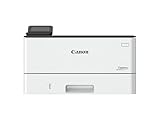
Canon i-SENSYS LBP246dw II - Wireless Mono Laser Printer - 40 ppm A4 Print Speed - Mobile Print - 900-Sheet Capacity - Secure & Sustainable - Office Printer
−15% · Amazon reference price: £223.61
Verified 2026-11-26 21:36:09 UTC
Prices and stock reflect the last successful check shown on each card. Discounts and Black Friday badges appear only when reported by Amazon. The checkout price applies. As an Amazon Associate, Cloudzat earns from qualifying purchases.
Our buying recommendation
For most UK buyers wanting a printer without a subscription, the best choice depends on use rather than brand loyalty. Buy the Brother HL-L2445DW for straightforward mono printing, the Brother DCP-L2620DW if you also need scan and copy, and the Brother DCP-L2640DW only if you want the more capable mono multifunction step up. For colour office work, the Canon i-SENSYS MF664Cdw is the strongest all-round recommendation, with the HP Color LaserJet Pro 3302fdw as the closer alternative when you specifically want HP’s office ecosystem and its duplex automatic document feeder. For frequent colour printing, Epson EcoTank and Canon GX series are the better no-subscription directions; for photos, the Canon SELPHY CP1500 and Epson EcoTank ET-8550 solve very different problems, so choose the format you actually need rather than chasing one machine to do all jobs.
If you want a printer this Black Friday, judge it by how you will live with it after the offer rush fades. The best no-subscription buy is not the one with the loudest badge; it is the one that fits your real workload, uses consumables you can buy normally in the UK, and does not force you into a service plan to keep printing. That means choosing differently for text-heavy homes, small offices, family scanners, and photo users, rather than assuming one printer can do everything well.
Ownership cost matters, but it is easy to think about it in the wrong way. A printer without a subscription is not automatically cheap to run, and a refillable tank model is not automatically right for every household. The sensible choice depends on what you print most often: mono laser is usually the cleanest path for letters and forms, ink tank models suit frequent colour printing, and photo-focused printers are best when image output matters more than office speed or multifunction extras.
Compatibility is the final filter, and it is where many buyers save themselves regret. Think about how you print from Windows, macOS, iPhone or Android, whether you need scanning to a laptop, whether several people will share the machine, and whether you need duplex printing or duplex scanning. Those are different features. A Brother DCP-L2640DW or DCP-L2620DW can print on both sides automatically, but that does not mean they scan both sides automatically. Getting that distinction right is often the difference between a sensible purchase and a disappointing one.
Choose the right printer for your work
| Buyer scenario | Named pick | Why this is the best fit |
|---|---|---|
| Simple mono documents at home or for study | Brother HL-L2445DW | Best when you want a no-frills mono laser for letters, homework and forms without paying for colour or scanner hardware you will not use. |
| Home office needing print, scan and copy | Brother DCP-L2620DW | A sensible multifunction step up for scanning receipts and paperwork; note that duplex printing is not the same as duplex scanning. |
| Mono multifunction with a little more office headroom | Brother DCP-L2640DW | Better if you want a more complete mono office machine; do not assume automatic duplex scan just because it prints double-sided. |
| Colour office documents and shared use | Canon i-SENSYS MF664Cdw | Best fit for colour laser business documents when you want a traditional retail purchase and a solid multifunction layout. |
| Frequent colour printing without cartridges | Epson EcoTank ET-3956 | A refillable ink tank choice for households or home offices that print regularly and want ordinary retail ownership rather than a subscription. |
Best for simple home printing: choose the Brother HL-L2445DW
If your printer mainly serves school letters, forms, shipping labels, short reports and everyday black-and-white work, the Brother HL-L2445DW is the cleanest recommendation. It is a mono laser, so it is built around text reliability rather than colour tricks. That makes it easy to justify for people who want a printer that sits quietly in a corner and works when needed. You buy the printer as a normal retail product, then replace toner when it eventually runs out. That is the kind of straightforward ownership most people mean when they say they want a printer without a subscription.
Buy this if you want a compact, dependable machine for black text and do not care about scanning, copying or colour. Skip it if you routinely need school projects in colour, worksheets with photos, or any document workflow that includes scanning and copying. For those buyers, the Brother DCP-L2620DW is the better sibling because it adds multifunction basics without turning into a bulky office box. The HL-L2445DW is also the best fit for light users who print in bursts and do not want to maintain a more complicated device.
Best for a simple home office: choose the Brother DCP-L2620DW
The Brother DCP-L2620DW is the practical answer when printing alone is not enough. For many homes, the real need is scanning bills, copying forms, and handling school paperwork as well as printing. This model covers those jobs without asking you to commit to a managed supply programme. That matters because a scan-and-copy printer should make life easier, not create a new monthly decision. It is also a better fit than an entry-level colour printer if your actual output is mostly black text and simple documents.
Buy this if you need a modest multifunction for a desk, study or family command centre. Skip it if you need automatic duplex scanning; duplex printing and duplex scanning are different features, and the DCP-L2620DW does not magically gain scan duplex because it can print double-sided. If you want more complete mono multifunction capability, the Brother DCP-L2640DW is the clearer alternative. If colour documents matter, move to the Canon i-SENSYS MF664Cdw instead of forcing a mono model to pretend it can do a colour job.
Best step up for mono office use: choose the Brother DCP-L2640DW
The Brother DCP-L2640DW is the model to consider when you want a more capable mono multifunction than the bare essentials. It is the better fit for a busy home office or a small team that wants print, scan and copy in a machine that still stays focused on text work. As with the DCP-L2620DW, the buying logic is about ownership control: normal retail printer, ordinary consumables, no need for a subscription to keep the machine functioning. What you are paying for is convenience and office practicality, not colour polish.
Buy this if you need a stronger mono all-rounder and want to keep things simple. Skip it if you were expecting automatic duplex scanning because the printer can duplex print; that is a common mistake. It prints double-sided, but scanning both sides automatically is a separate hardware feature. If you want a colour multifunction for office documents, the Canon i-SENSYS MF664Cdw is the more relevant upgrade. If you only need basic print and scan, the cheaper DCP-L2620DW is usually enough and avoids paying for extras you may never use.
Best colour laser office pick: choose the Canon i-SENSYS MF664Cdw
The Canon i-SENSYS MF664Cdw is the strongest colour laser recommendation for UK buyers who want office-style documents without a subscription-led ownership model. It suits invoices, presentations, reports, timetables and branded handouts where colour needs to look neat and professional rather than artistic. This is not a photo printer, and it should not be judged like one. It is a business multifunction with the right kind of balance for shared office work: colour printing, scanning and copying in a traditional retail purchase.
Buy this if you need a dependable colour office printer and want Canon’s business-focused approach. Skip it if you mainly print photos, artwork or graphics that need the softer, richer feel of an ink-based photo machine. Skip it too if you need a cheaper mono answer; then the Brother DCP-L2640DW is the more natural fit. A useful alternative is the HP Color LaserJet Pro 3302fdw, especially if you prefer HP’s office ecosystem and need a colour laser MFP with duplex automatic document feeding rather than assuming every SDW model includes it. Do not assume all HP family variants share the same ADF hardware.
Best HP alternative for colour office buyers: choose the Color LaserJet Pro 3302fdw
The HP Color LaserJet Pro 3302fdw is the model to consider if you want colour laser office printing and prefer HP’s software, layout or ecosystem over Canon’s. It belongs in the same buying conversation as the MF664Cdw, but it is not interchangeable in every detail. The important point for UK buyers is that this is the one to choose when you specifically want a duplex ADF in the class; do not assume that every similar HP model, especially models with similar naming, shares the same scanning hardware. That distinction matters if you regularly copy or scan multi-page documents.
Buy this if your workflow benefits from a colour MFP with an automatic document feeder that supports duplex scanning in the right model. Skip it if you only need occasional document printing and would be paying for office machinery you rarely use. Also skip it if your priority is photo output; colour laser is for documents, not photographic beauty. For most households, Canon or Brother may be the more straightforward route, but the 3302fdw is a credible alternative for buyers already comfortable with HP’s approach and wanting a cleaner office-spec multifunction.
Best for frequent colour printing: choose Epson EcoTank, or Canon GX for a refillable alternative
If you print a lot of colour documents, homework, charts, handouts or mixed household pages, a refillable ink tank printer is often the more sensible no-subscription route. Epson EcoTank models such as the ET-2921, ET-3956 and ET-8550 are inkjet printers with large refillable tanks, not laser devices. That matters because the ownership rhythm is different: you buy bottled ink separately and top up the tanks when needed. Canon’s GX series, including the G3590 and GX4050, belongs in the same broad no-subscription conversation, but these are still inkjet printers rather than laser or thermal devices.
Buy this if you want frequent colour printing and prefer ordinary retail ownership over buying cartridges repeatedly. Skip it if your printing is rare and you dislike the idea of ink sitting unused for long periods; in that case a mono laser often makes more sense. The ET-2921 is a lighter home pick, the ET-3956 is the more flexible everyday choice, and the GX4050 is the more office-leaning Canon option. The G3590 is a broad home-use alternative when you want tank printing without moving into a more demanding workhorse class.
Best for photos and creative output: choose the Epson EcoTank ET-8550 or Canon SELPHY CP1500
Photo buyers should not be treated the same as office buyers. The Epson EcoTank ET-8550 is the better choice when you want larger, more creative output, mixed documents and images, and a printer that can serve as a serious all-round creative tool. The Canon SELPHY CP1500 is completely different: it is a compact dye-sublimation photo printer for small, finished photo prints and keepsakes. That means it is excellent for albums and gifts, but it is not a substitute for a general home office printer. Dye-sublimation is its own photo-printing technology, not inkjet or laser.
Buy the ET-8550 if you want broader creative flexibility, larger prints and photo output alongside normal home tasks. Buy the SELPHY CP1500 if your main aim is quick, physical photo prints in a compact format and you do not need scanning or office work. Skip both if you mainly print text and forms, because a Brother laser or a Canon/GX/Epson tank printer will serve that role more naturally. This is where many Black Friday shoppers go wrong: they buy a capable-looking all-rounder when what they really need is a specialist photo printer or a practical office machine.
Best for light household use and mixed needs: choose Canon G3590 or Epson ET-2921
For families and light household users, the decision is often between a compact tank printer and a more office-leaning model. The Canon PIXMA G3590 is a sensible everyday home ink tank printer for school tasks, forms and light colour work. The Epson EcoTank ET-2921 is another simple tank option when you want refillable ink and a straightforward home setup. Neither is a laser printer, and neither should be chosen because you expect laser-style handling. They are inkjet printers designed to make colour printing less awkward than cartridge-based consumer models.
Buy the G3590 if you want a balanced home printer with enough flexibility for ordinary family use. Buy the ET-2921 if you want a basic refillable ink route and do not need a more feature-rich machine. Skip both if you need heavier scanning, a larger office paper path or advanced duplex workflows. In that case the Epson WorkForce WF-7830DTWF is the more purposeful small-office choice, while the Brother DCP-L2620DW remains the better mono answer for text-heavy homes. The right conclusion is not that tank printers are always best, but that they are best when you print often enough to make ink tanks worthwhile.
Questions answered
Is a printer without a subscription always better than one with a plan?
No. It is simply a different ownership model. A no-subscription printer gives you normal retail control over consumables, which many people prefer, but a plan can suit some users. The key is whether you want freedom to buy supplies yourself and avoid depending on a managed service.
Do all Brother mono printers scan and print double-sided automatically?
No. Duplex printing and duplex scanning are separate features. The Brother DCP-L2620DW and DCP-L2640DW can print on both sides automatically, but that does not mean they scan both sides automatically. If duplex scan matters, check that specific feature rather than assuming it comes with duplex print.
Are colour Brother LED models the same as laser printers?
No. Brother LED models use LED print technology, which is different from conventional laser technology. They may sit in the same buying conversation because both target text and office use, but they are not the same thing. The label matters because technology should be described accurately.
Should I choose a tank printer or a laser printer for my home?
Choose laser if your pages are mostly black text, forms and short bursts of printing. Choose a tank inkjet if you print colour more often and want refillable ink rather than cartridges. There is no universal winner; the better machine is the one that matches your page pattern and patience.
Is the Canon SELPHY CP1500 a normal home printer?
No. It is a compact dye-sublimation photo printer, which makes it excellent for small finished photos but unsuitable as a general document machine. If you need scanning, copying or office printing, look at a tank inkjet or laser multifunction instead. The SELPHY is for photos, not for everything.
Do HP, Canon and Epson all force subscriptions on ordinary retail models?
No. Ordinary retail printers from these brands do not all require subscriptions. Some families have optional plans, and some individual models can be used normally without one. The sensible buying rule is to pick the printer whose standard retail consumables and features already fit your needs, so any plan remains optional rather than essential.
Related printer buying guides
Sources and offer checks
Research checked November 26, 2026. Amazon cards show their own last successful check. Manufacturer promotions and Amazon offers have separate terms. Published regional product and campaign information.