


United Kingdom · GBP · Deal Watch
Outdoor PoE Access Point Black Friday Deals 2026: What to Buy in the UK
Outdoor Wi-Fi is an overlooked Black Friday opportunity when the real dead zone starts at the back door.
Compare the access point with its injector, mounting hardware and required cabling. An outdoor rating on the radio does not make the bundled power equipment weatherproof, and a compatible PoE standard matters more than the discount badge. Compare UK offers in pounds and check the supplied plug, delivery terms and exact local version.
Choose TP-Link EAP610-Outdoor for an Omada-oriented outdoor Wi-Fi 6 installation. Compare WAVLINK WL-WN573HX3 as another outdoor Wi-Fi 6 option, checking its management and power arrangements separately. The two products do not join one shared branded mesh simply because both support Wi-Fi 6.
Which Outdoor PoE Access Point option should you choose?
Start here
TP-Link EAP610-Outdoor
Choose it for outdoor Wi-Fi 6 within an Omada installation.
Buy on AmazonChoose this alternative
WAVLINK WL-WN573HX3
Choose it for an alternative outdoor Wi-Fi 6 installation with compatible PoE power.
Find this configurationCurrent Outdoor PoE Access Point Listings on Amazon
Black Friday sale dates and offer timing
Dates for 2026: Black Friday — November 27; Amazon.co.uk — November 19–30. Individual offer periods and eligibility vary.

15% below the Amazon reference price
TP-Link EAP610-Outdoor WiFi 6 Access Point, AX1800 Dual Band Gigabit Wireless Access Points, Omada Mesh, PoE+ Powered, Indoor Outdoor Weatherproof, Seamless Roaming Extended Range, Cloud Management
Last verified 2026-11-14 18:30:02 UTC

TP-Link EAP225-Outdoor AC1200 WiFi 5 Access Point, Support PoE MU-MIMO,Gigabit Wireless Access Points, Omada Mesh, Seamless Roaming, Optimal for Garden / Office WiFi, IP65 Weatherproof
Last verified 2026-11-14 19:02:44 UTC

20% below the Amazon reference price
TP-Link EAP650-Outdoor WiFi 6 Access Point, AX3000 Dual Band Gigabit Wireless Access Points, Omada Mesh, PoE+ Powered, Indoor Outdoor Weatherproof, Seamless Roaming Extended Range, Cloud Management
Last verified 2026-11-14 18:30:10 UTC

EAP650 D30-Outdoor AX3000 Indoor/Outdoor WiFi 6 Access Point | w/o PoE Injector, Work with PoE160s, WiFi 6 Dual Band, IP68 Weatherproof, Omada Managed, Mesh/Roaming
Last verified 2026-11-14 18:30:10 UTC

33% below the Amazon reference price
TP-Link Deco BE25-Outdoor BE3600 Outdoor WiFi Extender Booster for Deco | IP65 Weatherproof, Mesh WiFi 7 Router, PoE/AC Power Supply, AI-Driven Roaming, IoT Network, HomeShield, Alexa/GoogleHome
Last verified 2026-11-13 08:36:33 UTC

TP-Link EAP110 Outdoor Access Point Outdoor Wi-Fi N300 MBps, 1 10/100 MBps LAN, White
Last verified 2026-11-13 08:36:33 UTC
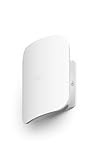
Amazon eero Outdoor 7 dual-band mesh Wi-Fi router (newest gen), weatherproof rating of IP66, coverage up to 1,390 m² outdoors, single pack, includes 30 W PoE+ adaptor
Last verified 2026-11-13 05:24:12 UTC
As an Amazon Associate, Cloudzat earns from qualifying purchases. Prices and availability can change; Amazon shows the final price for your chosen item.
Outdoor PoE Access Point buying guide
| Model | Best for |
|---|---|
| TP-Link EAP610-Outdoor | outdoor Wi-Fi 6 within an Omada installation |
| WAVLINK WL-WN573HX3 | an alternative outdoor Wi-Fi 6 installation with compatible PoE power |
Which outdoor access point should you compare first?
EAP610-Outdoor uses a gigabit Ethernet interface and supports the power arrangements listed in its official specification. A high aggregate wireless rating therefore does not mean a faster-than-gigabit wired uplink. For a fast garden-office NAS connection, the physical route back to the building deserves as much attention as the access point.
Does an outdoor access point replace a wireless bridge?
Use an access point to serve phones, laptops and similar clients in its coverage area. A dedicated point-to-point bridge is a different product for linking two locations with suitable placement. An access point’s outdoor label is not evidence that it can deliver a reliable long-distance building-to-building connection.
The client must transmit back to the access point. A powerful outdoor radio cannot guarantee useful service from a low-power phone behind several walls. Test the intended position with the actual client devices, and prefer a wired uplink where the site allows it.
What should you check about PoE and weather exposure?
Match the power source to the exact device and revision. Standard active PoE and passive PoE are not interchangeable purchasing labels. Use the manufacturer’s approved arrangement, and check the supplied injector’s allowed environment. Both the cable entry and the power equipment can be weak points even when the access-point enclosure has a strong weather rating.
Include suitable cable routing, drip protection and access for future maintenance in the budget. Exposed or elevated installations may need a qualified installer and the grounding or surge measures specified for the site. A sale that omits these installation costs is only a device-price comparison.
Budget for the outdoor installation, not just the radio
Check the manufacturer’s weather, temperature and mounting requirements for the exact model. An outdoor-rated enclosure does not automatically cover its power supply, cable joints or injector. Route and protect the connections as specified, and keep indoor-only equipment in a suitable dry location. A device mounted under a roof still needs the correct cable entry and power arrangement; shelter alone does not establish suitability.
Plan where the Ethernet cable returns to the network and how the device will be reached for maintenance. An exposed or elevated installation may need professional work and the site-appropriate grounding or surge provisions. Keep those costs in the comparison between a bundle and a bare access point. For a detached building, an outdoor access point is not automatically a substitute for a designed building-to-building link. Check the intended distance, obstructions and two-way client connection before accepting a retailer’s broad coverage claim as evidence that it fits the site.
Calculate both the per-port limit and shared power budget
PoE has two separate limits: what a port can supply and what the switch can supply to all ports together. Add the intended devices’ maximum requirements, allow suitable headroom, and compare that with the documented total budget. Do not multiply the advertised per-port maximum by the number of sockets unless the specification explicitly supports that simultaneous output. Some access points need a higher power class to enable every feature.
Match the required standard and voltage arrangement rather than buying by the word PoE alone. Standard active PoE and passive power arrangements require different checks. Also distinguish a switch powered by PoE from a switch that supplies power to endpoints. For backup power, include the switch’s own consumption as well as the connected devices. The calculator below estimates a shared load; it does not certify per-port compatibility, cable suitability or startup behaviour. Confirm those against the exact switch and device documentation before connecting the complete installation.
Match the radio upgrade to the devices using it
The access point and client must both support the feature before it becomes useful. A Wi-Fi 7 router does not give an older laptop a Wi-Fi 7 radio, and a dual-band model may not include 6GHz. Channel widths, regional settings, drivers and the client’s antenna capabilities also influence the connection. Treat the large combined wireless number on the box as a product-class description rather than a promised download rate for one device.
Walls, placement and neighbouring networks can matter more than a generation change. Higher-frequency options can provide useful capacity in suitable conditions, but they are not a universal cure for distant rooms. Compare the actual computer or phone where it will be used, including a video call or local file transfer rather than only a short test beside the router. If the current clients and internet service already work well, a smaller coverage improvement may offer better value than replacing the entire system with the highest wireless tier.
Test coverage where you need it, not beside the box
Use the same client in several normal locations and repeat the test at a busy time. A strong result next to the router says little about the room at the far end of the building. Try a video call, a sustained download and access to local storage if those are the jobs the upgrade should improve. If the problem occurs only on one client, check that device’s driver and settings before replacing the whole network.
For a mesh or multi-access-point setup, walk through the usual route and check that the device reconnects sensibly. Roaming also depends on the client, so a marketing claim cannot guarantee identical behaviour on every phone. Keep notes of node placement and Ethernet connections so you can compare a change fairly. Moving a node a short distance or giving it a wired path can be more useful than adding another radio. Make these adjustments before concluding that a higher-priced kit is necessary.
Judge the complete offer against a recent price baseline
Use the recent selling price of the same model and configuration as the comparison where price history is available. A large percentage reduction against a manufacturer’s reference price can coexist with a much smaller saving against the normal market price. Check the selected variation, seller, delivery charge and any membership or coupon condition before comparing two offers. A discount requiring a paid membership is worth a different amount to somebody who does not already have it.
There is no universal percentage that makes networking hardware a good buy. A modest reduction on the exact device that fits can be more useful than a large reduction on the wrong interface or an oversized bundle. Compare the complete working installation with a suitable alternative, including required cables, power supplies and controllers. We do not describe an offer as an all-time low without supporting history, and a product recommendation does not mean that the model currently carries a Black Friday promotion.
PoE power budget calculator
Replace the example values with your own measurements, capacity or prices.
Questions buyers ask
Can the outdoor access point’s injector stay in the rain?
Only if that exact power device is rated for the intended exposure. The access point’s weather rating does not extend automatically to its injector or cable joints.
How should I compare a Outdoor PoE Access Point Black Friday price?
Compare the access point with its injector, mounting hardware and required cabling. An outdoor rating on the radio does not make the bundled power equipment weatherproof, and a compatible PoE standard matters more than the discount badge.
What if TP-Link EAP610-Outdoor has no matching local offer?
Use the model search to check the local market, then compare WAVLINK WL-WN573HX3 only for the use case described above. A recommendation is not confirmation of current stock or an event discount.