


United Kingdom · GBP · Deal Watch
N150 Mini PC Black Friday Deals UK 2026: What to Buy
This Black Friday, look for the N150 mini PC that makes a lightweight computing project feel like a well-priced complete purchase.
Compare complete Mini S13 and G3 Plus offers, checking the actual installed capacity. Judge the whole machine rather than expecting the processor label to transform every task. Look for a Black Friday checkout total below this exact configuration’s recent normal price. Compare equivalent complete systems from reputable sellers before deciding that the offer is worth buying.
Choose Beelink Mini S13 for a simple N150 desktop used for browsing, documents and light services. Compare GMKtec NucBox G3 Plus when its complete configuration and connections better suit the installation. Compare installed RAM and SSD capacity before choosing the cheaper offer.
Which N150 Mini PC option should you choose?
Start here
Beelink Mini S13
Choose it for a simple N150 desktop for browsing and documents.
Buy on AmazonChoose this alternative
GMKtec NucBox G3 Plus
Choose it for an alternative compact N150 system for a dedicated service.
Find this configurationCurrent N150 Mini PC Listings on Amazon
Black Friday sale dates and offer timing
Dates for 2026: Black Friday — November 27; Amazon.co.uk — November 19–30. Individual offer periods and eligibility vary.

3% below the Amazon reference price
Beelink Mini PC Intel Alder Lake-N150(4C/4T, up to 3.6GHz), Mini S13 Mini Computer Windows 11 Home, 16GB RAM 500GB SSD Office Mini Desktop PC, 4K HDMI, WiFi 6/BT5.2/Dual 2.5G LAN
500GB RAM
Last verified 2026-11-13 08:12:07 UTC

3% below the Amazon reference price
Beelink Mini PC 13th Gen Intel Alder Lake-N150 (up to 3.6GHz) MINI S13 Mini PC Windows 11 Home, 12GB LPDDR5 500GB SSD Business Mini Desktop PC, 4K Dual Display, HDMI/WiFi 6/BT5.2/RJ45 2.5G
12GB RAM · 500GB SSD
Last verified 2026-11-13 06:48:29 UTC

Beelink Mini PC, Mini S13 PRO Intel 13th N150(Up to 3.6GHz), 16GB DDR4 500GB SSD, Mini Computer Support 4K Dual HDMI Display/WiFi6/BT5.2/USB3.2/WOL Home/Office
16GB RAM · 500GB SSD
Last verified 2026-11-13 06:44:51 UTC
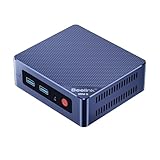
Beelink MINI S13 Mini PC, 12th Gen Intel Twin Lake-N150 (up to 3.6GHz) | 16G DDR4 5000G SSD Office Mini Desktop PC, 4K HDMI, Dual 2.5G LAN, WiFi6/BT5.2, Mini Computer Windows 11 Home
Last verified 2026-11-13 02:58:04 UTC

Beelink Mini S13 Mini PC, Intel Twin Lake N150, 16G DDR4 500GB M.2 SSD | (4C/4T up to 3.6GHz) Mini Computer Windows 11 Home, Dual 2.5G LAN, WiFi6, BT5.2, 4K Office Mini Desktop PC
Last verified 2026-11-13 02:58:04 UTC

NiPoGi P1 Mini PC Windows 11 pro, AMD Ryzen 5400U Mini Computer (Βeats N150/R5 3500/R3 5300U, Up to 4.0GHz), 16GB RAM 256GB M.2 SSD, Triple 4K Display, WiFi/BT/for Business Home Office Mini PC
256GB RAM
Last verified 2026-11-13 08:12:07 UTC

29% below the Amazon reference price
GMKtec 1TB PCIe 3.0x4 SSD AMD Ryzen 5 Mini-PC 3500U (more powerful than 4300U/N150/N100/N95 4C/8T 4.50 GHz), G10 Mini-Computer, 16GB DDR4 RAM 3200MHz, WiFi 5/USB 3.2/USB-C/BT 5.0
16GB RAM
Last verified 2026-11-13 08:12:07 UTC
GMKtec (3-year warranty AMD Ryzen 5 Mini-PC 3500U (more powerful than 4300U/N150/N100/N95 4C/8T 4.50 GHz), G10 Mini-Computer, 16GB DDR4 RAM 3200MHz + 512GB PCIe 3.0x4 SSD, WiFi 5/USB 3.2/USB-C/BT 5.0
16GB RAM
Last verified 2026-11-13 07:16:17 UTC
As an Amazon Associate, Cloudzat earns from qualifying purchases. Prices and availability can change; Amazon shows the final price for your chosen item.
N150 Mini PC buying guide
| Choice | Best for |
|---|---|
| Beelink Mini S13 | a simple N150 desktop for browsing and documents |
| GMKtec NucBox G3 Plus | an alternative compact N150 system for a dedicated service |
Which N150 Mini PC option should you choose?
For a simple N150 desktop for browsing and documents, choose Beelink Mini S13.
For an alternative compact N150 system for a dedicated service, choose GMKtec NucBox G3 Plus.
N150 should be bought as a system, not as a processor badge
Black Friday listings frequently compress the decision into the CPU name and a percentage-off label. That misses the parts that determine whether the mini PC works after unboxing. Compare installed RAM, SSD capacity, Ethernet speed, number of NICs, Wi-Fi, display outputs, accessible M.2/SODIMM slots and the power adapter included with the exact variation.
A well-configured N150 at a modest discount can be better than a deeply discounted barebones or soldered-memory model. Compare complete mini PCs with RAM and storage included. A barebones price is not a fair comparison unless you add the cost of the missing parts.
The strongest N150 use cases are efficient always-on services
N150 makes most sense when the machine needs to stay on continuously but the workload is not dominated by heavy CPU rendering or large virtual-machine bursts. Home Assistant, network services, small databases, monitoring and lightweight containers are natural fits. The compact form factor can also simplify deployment in a media cabinet or network shelf.
For these roles, look at thermals and I/O as carefully as raw performance. A machine that throttles under sustained work or depends on a collection of dongles can be less reliable than a slightly larger box with the ports already built in.
For Frigate, plan the accelerator path before choosing the chassis
Frigate separates video decoding from object detection. A low-power Intel platform can be attractive because supported integrated graphics can handle video decoding efficiently, but the detector path still needs deliberate planning. Decide whether detection will use OpenVINO, Hailo, another supported accelerator or a GPU before buying a box whose M.2 and USB layout may limit that choice.
Camera count alone is not enough. Simultaneous activity, resolution, detection FPS, enrichments and recording retention all shape the design. Use the Frigate-specific Cloudzat pages when N150 is being considered as part of an NVR rather than as a generic server.
For Plex, check media capability and storage architecture
A compact N150 machine can make a capable Plex appliance when the media path is supported and storage lives on an internal SSD, external DAS or NAS. Hardware transcoding can reduce the CPU requirement significantly, while direct-play clients may barely stress the processor. The weak point can instead be the library storage connection or network throughput.
Do not overpay for an oversized bundled SSD if the media library already lives elsewhere. Put the Black Friday budget into the component that removes the real bottleneck, whether that is memory, storage, networking or backup.
N150 versus N100 is usually a value comparison
A newer model number does not automatically justify any premium. Compare two complete systems with similar memory, storage and ports. If the N150 machine is only slightly more expensive, the newer platform can be an easy choice. If a mature N100 system is much cheaper and already meets the workload, the savings may be more useful elsewhere in the build.
The same logic applies during Black Friday. A larger percentage discount on the N150 should not distract from the final delivered cost or from a better-equipped N100 alternative sitting beside it.
N150 versus N305 is a headroom decision
N305 belongs in the conversation when the server is expected to do more things at once. More CPU headroom can matter for multiple VMs, busy containers, software routing features, heavier camera activity and maintenance jobs that overlap with normal services. If those are part of the plan, a sale that brings N305 close to N150 pricing can be more valuable than making the N150 as cheap as possible.
If the machine is dedicated to one light role, the opposite can be true: paying for unused headroom may increase cost without improving the actual experience. The workload matcher above is designed to make that trade-off explicit.
Treat price history as the Black Friday benchmark
N150 inventory is young enough that seller pricing can vary substantially between brands and configurations. That makes pre-event tracking especially useful. Everyday options and Black Friday offers are displayed separately so you can compare like for like. When a verified promotion appears, Cloudzat can compare the sale price against what the same market looked like beforehand.
A strong deal should beat the recent normal range while preserving the configuration you intended to buy. If the only way to achieve the headline price is to move down in RAM or SSD capacity, compare the final equivalent configuration instead.
Buy N150 when efficiency is the requirement, not because it is trendy
A good Black Friday purchase should still make sense after the sale banner disappears. N150 is attractive because it can deliver a useful amount of server capability in a compact low-power platform. It is not automatically the right answer for every homelab, and it is not a local-AI accelerator simply because the chassis is new.
Use the event to lower the cost of a hardware tier you already selected. That keeps the discount in the correct role: improving value, not deciding the architecture.
Buy a complete setup that can stay useful
Include the operating system, memory, SSD, display connections and network ports in the buying decision. A barebone needs additional parts and installation work. For a ready-to-use purchase, compare the installed configuration with another complete configuration. Maximum supported memory is useful for planning an upgrade, but it is not memory included in the price.
Think about which applications will run at the same time. A machine dedicated to one light service can remain useful with less CPU and memory than a busy general desktop. Leave room for the operating system and updates. If memory is soldered, choose the capacity you expect to keep rather than assuming you can upgrade it later.
Keep serviceability and ongoing cost in view
Check whether storage and memory can be reached without an awkward disassembly, and whether the manufacturer documents the process. The availability of a spare power adapter or a clear warranty route can matter for a computer expected to run every day. A slightly cheaper machine can become poor value when a small fault leaves the whole system unusable.
Estimate electricity from the complete system at the wall. Include attached storage and adapters when they will remain connected. The processor power figure alone does not show the consumption of the finished computer. Replace illustrative electricity-calculator values with your own measured watts and tariff before using the result to justify a more expensive purchase.
Check included equipment and the seller’s warranty route
Confirm that the complete purchase includes a suitable power supply and the operating system you expect to use. A business desktop sold in a refurbished configuration is a different comparison from a new mini PC with manufacturer support. Keep the condition, installed memory, storage and return arrangements together when judging its price.
After setup, test the actual displays, network connection and applications while the return route is still useful. Check that the installed configuration matches the purchase. A compact computer is easiest to evaluate with the equipment and workload that will stay connected to it, rather than with a processor specification alone.
Buying N150 Mini PC in the UK
For N150 Mini PC in the UK, begin with Beelink Mini S13 for a simple N150 desktop for browsing and documents. Compare GMKtec NucBox G3 Plus when an alternative compact N150 system for a dedicated service is the more useful choice. The Amazon links and prices on this page use Amazon UK and pounds. Add delivery and any required components to the amount you are comfortable paying. For a model family with several configurations, use the model name and the installed components together when comparing these two choices. Keep the seller’s order details so you can check that the hardware you receive is the version you chose.
Electricity cost calculator
Replace the example values with your own measurements, capacity or prices.
Questions buyers ask
Which N150 Mini PC option should I choose?
Choose Beelink Mini S13 for a simple N150 desktop for browsing and documents. Choose GMKtec NucBox G3 Plus for an alternative compact N150 system for a dedicated service.
Is N150 good for Home Assistant?
Yes. It provides ample capability for Home Assistant itself and can host additional light services when RAM and storage are adequate.
Is N150 better than N100?
It is newer and can be the better buy at similar prices, but configuration, cooling, networking and total cost still matter more than the label alone.
Can N150 run Frigate?
Yes for many small and moderate installations when video decoding and object detection use supported hardware paths.
Can N150 run Plex?
Yes. It can be a strong compact Plex platform, especially when supported Intel hardware transcoding is used.
Related buying guides
- Mini PC buying guide
- N100 Mini PC buying guide
- i3-N305 Mini PC buying guide
- Beelink Mini PC buying guide
- MINISFORUM Mini PC buying guide
- GMKtec Mini PC buying guide
- ACEMAGIC Mini PC
- GEEKOM Mini PC
- KAMRUI Mini PC
- MeLE Mini PC
- MSI Mini PC
- BMAX Mini PC
- MINIX Mini PC
- ORIGIMAGIC Mini PC
- REATAN Mini PC
- TOPGRO Mini PC
- Dell Micro PC
- Lenovo Tiny PC
- HP Mini PC
- Fanless Mini PC
- Stick PC
- Barebones Mini PC
- Ryzen Mini PC
- Office Mini PC
- Budget Mini PC
- 32GB Mini PC
- Dual 2.5GbE Mini PC
- USB4 Mini PC
- OPNsense Appliance
- Intel N95 Mini PC
- Intel N97 Mini PC
- Compact Desktop