


United Kingdom · GBP · Deal Watch
Mini PC Black Friday Deals UK 2026: What to Buy
Ready to give your desk a proper upgrade this Black Friday? We’re watching mini PC offers for the complete systems that make a smaller setup worth buying.
Choose around office work, multitasking or a small home server, then compare complete systems. Include delivery and check that the listed RAM and SSD are installed. Look for a Black Friday checkout total below this exact configuration’s recent normal price. Compare equivalent complete systems from reputable sellers before deciding that the offer is worth buying.
Choose Beelink Mini S12 Pro with 16GB RAM and a 512GB SSD for browsing, documents and light home services. Choose MINISFORUM UM870 Slim with 32GB and a 1TB SSD for heavier multitasking or a busier desktop. Neither recommendation needs a gaming label to be useful.
Which Mini PC option should you choose?
Start here
Beelink Mini S12 Pro
Choose it for light office work with 16GB RAM and a 512GB SSD.
Find this configurationChoose this alternative
MINISFORUM UM870 Slim
Choose it for heavier multitasking with 32GB RAM and a 1TB SSD.
Find this configurationCurrent Mini PC Listings on Amazon
Black Friday sale dates and offer timing
Dates for 2026: Black Friday — November 27; Amazon.co.uk — November 19–30. Individual offer periods and eligibility vary.

Beelink MINI S12 Mini PC, 12th Gen Intel Alder Lake N95 3.4GHz Processor Mini Computer Windows11 Home, 8G DDR4 RAM 256GB SSD Mini Office Desktop PC, 4K Dual Display HDMI/USB3/2.5G LAN
256GB RAM
Last verified 2026-11-13 07:10:05 UTC

Beelink S12 Pro Mini PC - Intel N100 12th Gen (up to 3.4GHz), 16GB DDR4, 500GB SSD, 4K Dual Display, WiFi 6, BT 5.2, 1000Mbps LAN, Low Power Mini PC
16GB RAM · 500GB SSD
Last verified 2026-11-13 06:44:51 UTC

3% below the Amazon reference price
Beelink Mini PC S12 Pro, Intel Twin Lake-N100 (up to 3.4GHz), 25W TDP | 16GB DDR4 500GB SSD Windows 11 Home, 2.5G LAN, 4K Dual HDMI, WiFi 6, BT5.2, Office Mini Computer
16GB RAM · 500GB SSD
Last verified 2026-11-13 02:43:45 UTC
Beelink Mini PC S12 Pro, Intel Alder Lake-N100 Processor (up to 3.40GHz, 25W TDP) Mini Computer Windows 11 Home, 12GB LPDDR5 RAM 500GB SSD Office Mini Desktop PC, 4K Dual HDMI, 2.5G LAN/WiFi 6/BT5.2
12GB RAM
Last verified 2026-11-13 02:43:45 UTC
Beelink MINI S12 Pro Mini PC, Intel Alder Lake-N100(up to 3.60GHz) Mini Computer, 16GB DDR4 500GB SSD Office Mini Desktop PC Windows 11 Home, 25W TDP, 4K Dual HDMI/WiFi 6/BT5.2/RJ45 2.5G
16GB RAM · 500GB SSD
Last verified 2026-11-13 02:43:45 UTC

3% below the Amazon reference price
Beelink MINI S12 Pro Mini PC, Intel Alder Lake N100(4C/4T, up to 3.4GHz) 25W TDP, Mini Computer Windows11 Home, 12GB LPDDR5 500GB SSD Mini Desktop PC, 4K Dual Display HDMI/USB3/2.5G LAN/WiFi6/BT5.2
12GB RAM · 500GB SSD
Last verified 2026-11-13 02:43:45 UTC
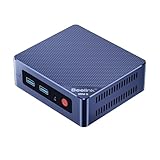
Beelink MINI S12 Mini PC, 12th Gen Intel Alder Lake-N95 Processor (up to 3.4GHz) Mini Computer, 12GB LPDDR5 480GB SSD Office Mini Desktop PC Windows 11 Home, 4K Dual HDMI/WiFi6/BT5.2/LAN 2.5G
12GB RAM · 480GB SSD
Last verified 2026-11-12 10:04:52 UTC
3% below the Amazon reference price
Beelink MINI S12 Pro Mini PC, Intel Alder Lake N100(4C/4T, up to 3.4GHz) 25W TDP, Mini Computer Windows11 Home, 16GB DDR4 500GB SSD Mini Desktop PC, 4K Dual Display HDMI/USB3/2.5G LAN/WiFi6/BT5.2
16GB RAM · 500GB SSD
Last verified 2026-11-12 07:15:16 UTC
As an Amazon Associate, Cloudzat earns from qualifying purchases. Prices and availability can change; Amazon shows the final price for your chosen item.
Mini PC buying guide
| Choice | Best for |
|---|---|
| Beelink Mini S12 Pro | light office work with 16GB RAM and a 512GB SSD |
| MINISFORUM UM870 Slim | heavier multitasking with 32GB RAM and a 1TB SSD |
Which Mini PC option should you choose?
For light office work with 16GB RAM and a 512GB SSD, choose Beelink Mini S12 Pro.
For heavier multitasking with 32GB RAM and a 1TB SSD, choose MINISFORUM UM870 Slim.
Decide what the mini PC must do before you compare prices
Black Friday encourages shoppers to reverse the normal buying process: find the biggest percentage discount first, then invent a use for the product. That is exactly how a cheap mini PC becomes an expensive replacement six months later. Those constraints eliminate a large part of the selection before price matters.
For a home server, think about the whole system. A £40 saving on the computer is not valuable if you later need a USB 2.5GbE adapter, a larger SSD, a memory replacement and an external enclosure. Cloudzat's home server planning pages can help define those requirements before the sale window opens.
Compare the exact configuration, not the product-family headline
Amazon mini PC listings often combine several processors, memory sizes and SSD capacities on one product page. A search result may show the family name prominently while the selected variation changes the hardware that arrives. Check the exact CPU, installed RAM, installed SSD, Ethernet ports, Wi-Fi generation, display outputs and whether memory or storage is replaceable. Barebones systems should be compared with the cost of the missing memory and storage, not against complete machines.
Compare the exact system shown, not another variation with a similar name. If a specification is unclear, confirm it on Amazon before buying.
Low power is valuable only when the machine is actually on all the time
For a 24/7 Home Assistant, firewall, DNS, small NVR or utility server, a few watts of difference at idle can matter over several years. For a machine that runs only a few hours each week, purchase price and capability usually matter more. Do not confuse a low processor TDP with guaranteed wall power either. SSDs, memory, Ethernet controllers, USB devices, cooling and power-supply efficiency all contribute to the measured system draw.
A useful Black Friday comparison therefore combines purchase price with the role the machine will play. A slightly more expensive efficient box may be better for an always-on appliance, while a stronger system that finishes heavy work quickly can be the better value for bursty workloads.
Networking can turn a bargain into the wrong server
A single 1GbE port is enough for many Home Assistant installations, but it can be limiting for a storage-heavy Proxmox lab, fast backups or a multi-gig internet firewall. Verify whether advertised USB4 or OCuLink ports share bandwidth with other devices if expansion is part of the plan.
For firewall use, do not buy only from the number of Ethernet ports shown in a product image. Check the controller family and deployment requirements. Cloudzat's OPNsense hardware guides treat NIC choice, IDS/IPS and VPN throughput as separate sizing questions.
Memory headroom is often the cheapest Black Friday upgrade
Memory is one of the easiest areas to underbuy because an 8GB configuration can make the headline deal look attractive. For a single dedicated service, that can be enough. For Proxmox, Frigate plus Home Assistant, databases, containers or local AI, memory pressure can appear long before the CPU becomes the problem. If the machine has soldered memory, the sale configuration may also define its lifetime ceiling.
Compare the total price of the configuration you actually want. A 32GB model that is £45 more than an 8GB model can be better value than buying the cheaper unit and replacing its memory later, especially if the original module then has no useful destination.
Use price history to judge the sale rather than MSRP
Everyday pricing gives Black Friday discounts useful context. Manufacturer suggested retail price is not the same as the price buyers normally pay. A product can be advertised as 30 percent off and still be only a few pounds below its ordinary street price. The useful questions are how today's price compares with the recent tracked median, the lowest price Cloudzat has actually observed and the price of alternatives with similar capability.
Treat brand, warranty and seller as part of the deal
Mini PCs are sold through a mixture of manufacturer storefronts, marketplace sellers and resellers. The same chassis name can appear with different memory brands, SSDs, regional power supplies or warranty routes. Check who is selling the selected configuration and what return or support path applies. A lower price is less attractive if the system is difficult to return or the configuration description is ambiguous.
Use those pages when you have narrowed the decision to a manufacturer rather than forcing every system into one generic ranking.
A good Black Friday buy should still make sense in January
The cleanest test is simple: if the sale badge disappeared, would the hardware still be the right fit at the sale price? If the answer is no, the discount is doing too much of the decision-making. Choose enough CPU, RAM, storage and I/O for the expected life of the machine, but avoid paying for features the workload cannot use. That balance is more important than winning the largest percentage-off number.
Buy a complete setup that can stay useful
Include the operating system, memory, SSD, display connections and network ports in the buying decision. A barebone needs additional parts and installation work. For a ready-to-use purchase, compare the installed configuration with another complete configuration. Maximum supported memory is useful for planning an upgrade, but it is not memory included in the price.
Think about which applications will run at the same time. A machine dedicated to one light service can remain useful with less CPU and memory than a busy general desktop. Leave room for the operating system and updates. If memory is soldered, choose the capacity you expect to keep rather than assuming you can upgrade it later.
Keep serviceability and ongoing cost in view
Check whether storage and memory can be reached without an awkward disassembly, and whether the manufacturer documents the process. The availability of a spare power adapter or a clear warranty route can matter for a computer expected to run every day. A slightly cheaper machine can become poor value when a small fault leaves the whole system unusable.
Estimate electricity from the complete system at the wall. Include attached storage and adapters when they will remain connected. The processor power figure alone does not show the consumption of the finished computer. Replace illustrative electricity-calculator values with your own measured watts and tariff before using the result to justify a more expensive purchase.
Check included equipment and the seller’s warranty route
Confirm that the complete purchase includes a suitable power supply and the operating system you expect to use. A business desktop sold in a refurbished configuration is a different comparison from a new mini PC with manufacturer support. Keep the condition, installed memory, storage and return arrangements together when judging its price.
After setup, test the actual displays, network connection and applications while the return route is still useful. Check that the installed configuration matches the purchase. A compact computer is easiest to evaluate with the equipment and workload that will stay connected to it, rather than with a processor specification alone.
Buying Mini PC in the UK
For Mini PC in the UK, begin with Beelink Mini S12 Pro for light office work with 16GB RAM and a 512GB SSD. Compare MINISFORUM UM870 Slim when heavier multitasking with 32GB RAM and a 1TB SSD is the more useful choice. The Amazon links and prices on this page use Amazon UK and pounds. Add delivery and any required components to the amount you are comfortable paying. For a model family with several configurations, use the model name and the installed components together when comparing these two choices. Keep the seller’s order details so you can check that the hardware you receive is the version you chose.
Electricity cost calculator
Replace the example values with your own measurements, capacity or prices.
Questions buyers ask
Which Mini PC option should I choose?
Choose Beelink Mini S12 Pro for light office work with 16GB RAM and a 512GB SSD. Choose MINISFORUM UM870 Slim for heavier multitasking with 32GB RAM and a 1TB SSD.
When is the best time to buy a mini PC for Black Friday?
Publishers and retailers often start promotions before the Friday itself. The better trigger is a price that is clearly below the tracked normal range for a configuration you already know fits your workload.
Is N100 still good for a home server?
Yes for many light always-on services, but memory, networking, storage and the number of concurrent workloads can make a stronger CPU the better long-term choice.
Is N150 much faster than N100?
N150 is a newer low-power option, but the practical buying difference often comes from the complete system configuration, cooling and price rather than expecting a dramatic class change.
When should I choose N305?
Choose N305 when you want more CPU headroom for multiple services, virtualization or heavier bursts while keeping a compact low-power platform.
Related buying guides
- N100 Mini PC buying guide
- N150 Mini PC buying guide
- i3-N305 Mini PC buying guide
- Beelink Mini PC buying guide
- MINISFORUM Mini PC buying guide
- GMKtec Mini PC buying guide
- UPS Battery Backups
- UPS for NAS
- UPS for Mini PCs
- UPS for Routers
- LiFePO4 UPS
- Vertiv UPS
- UGREEN NAS UPS
- GOLDENMATE UPS
- Mac mini Docks
- USB4 Docks
- DisplayLink Docks
- Anker Docks
- Satechi Docks
- TobenONE Docks
- Desktop RAM
- DDR5 SO-DIMM RAM
- Budget PCs for Local AI
- ACEMAGIC Mini PC
- GEEKOM Mini PC
- KAMRUI Mini PC
- MeLE Mini PC
- MSI Mini PC
- BMAX Mini PC
- MINIX Mini PC
- ORIGIMAGIC Mini PC
- REATAN Mini PC
- TOPGRO Mini PC
- Dell Micro PC
- Lenovo Tiny PC
- HP Mini PC
- Fanless Mini PC
- Stick PC
- Barebones Mini PC
- Ryzen Mini PC
- Office Mini PC
- Budget Mini PC
- 32GB Mini PC
- Dual 2.5GbE Mini PC
- USB4 Mini PC
- OPNsense Appliance
- Intel N95 Mini PC
- Intel N97 Mini PC
- Compact Desktop