


UK · Black Friday 2026 · Model buying guide
MINISFORUM M1 Lite-125U: Black Friday 2026 deals in the UK
An affordable compact work computer is an appealing Black Friday purchase when the configuration is clear. The M1 Lite-125U deserves a UK shortlist entry only after the barebone and ready-to-use totals have been separated.
The campaign identifies Core Ultra 5 125U and offers both barebone and populated versions. The entry barebone excludes RAM, SSD and OS; a 16GB/512GB listing is a different price comparison. M1 Pro and M1 Plus are not equivalent substitutes.
How to turn the Black Friday offer into a worthwhile purchase
Build a shortlist before choosing a discount. Write down the job the product must do, the exact configuration required and the amount you are prepared to spend on the finished setup. Then compare the same version from reputable sellers. A lower price for a different processor, fewer ports, less storage or a missing accessory is a different proposition, not a better price for the same purchase.
Use recent selling-price history where it is available. A crossed-out reference price can describe a recommended retail price rather than what buyers normally paid last week. We do not describe an offer as a historic low without supporting history. Where a model is new or regional history is sparse, the stronger comparison is the delivered price against alternatives that meet the same practical requirement.
Check whether the discount needs a coupon, membership, app purchase or particular payment method. Do not add several advertised discounts together unless checkout confirms they combine. Treat a future gift, loyalty credit or competition entry separately from cash saved today. An accessory you would not otherwise buy has limited value, even when the vendor attaches a large price to it.
The dated vendor observation and the current Amazon cards answer different questions. The vendor panel records what an official campaign showed at the stated check. Amazon cards use the local product feed when a matching new item, price and image are available. Neither a campaign page nor an ordinary product listing proves that every configuration has a Black Friday reduction.
Official campaign check
Checked 2026-11-16
Local promotional price not confirmed
No payable local Black Friday price for this exact model was confirmed in our source check. The linked campaign is useful for checking availability; it is not evidence that the US promotion applies here. Local Amazon listings, when present, are evaluated independently.
US store observation; not a verified local price.
Black Friday 2026 · Model buying guide
Black Friday is November 27, 2026. Each vendor sets its own opening dates and eligibility. The official campaign check below identifies whether the inspected offer is live, announced or restricted; ordinary Amazon listings are assessed separately.
Current Amazon listings
As an Amazon Associate, Cloudzat earns from qualifying purchases. Prices and availability can change; Amazon shows the final price. A current listing is not automatically a Black Friday discount.

Matching model
MINISFORUM M1 Lite Mini PC, Intel Core Ultra 5 125U (12C/14T up to 4.3GHz), 16GB DDR5, 512GB SSD, USB4, Triple Display (HDMI 2.1/DP 1.4/USB4), 2.5G LAN, Wi-Fi 6E, BT5.2
Checked 2026-11-16 20:33:47 UTC
No fresh matching Amazon listing is available in this market at present. Check the official source and compare the exact configuration; accessories or different models are not substituted here.
Supporting storage for this setup
These are separately purchased storage candidates, not the model named in the title. Confirm the drive interface, dimensions, supported capacity and role against the manufacturer’s compatibility information before ordering. An external drive is a separate backup destination, not an internal upgrade.

External SSD
Samsung T9 Portable SSD 1TB, Up to 2,000MB/s, USB 3.2 Gen 2x2 External Solid State Drive, Up to 3 m drop resistant, for Creative professionals, YouTubers, Content creators, Mac compatible, MU-PG1T0B
Checked 2026-11-16 20:48:46 UTC
External SSD
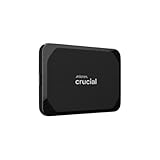
Crucial X9 2TB Portable External SSD - Up to 1050MB/s, External Solid State Drive, Works with PlayStation, Xbox, PC and Mac, USB-C 3.2 - CT2000X9SSD902
Checked 2026-11-16 14:44:05 UTC
Configuration and compatibility
| Decision | Check before paying | Why it changes the value |
|---|---|---|
| Exact model | Full model suffix, processor and selected variation | A cheaper nearby model does not establish a discount on this one. |
| Complete package | Included storage, memory, power supply and cables | Empty or barebone configurations may need additional spending. |
| Practical fit | Your applications, host ports, network and available space | A fast specification is useful only when the rest of the setup can use it. |
| Delivered cost | Seller, shipping, tax, eligibility and return route | Compare the total you will actually pay for the same configuration. |
Where this model fits
For browser work, documents and remote access, prioritise enough memory, reliable storage and the display connections you need. A processor label alone cannot establish responsiveness under your collection of background applications.
The alternative worth comparing
Compare the finished cost with an already equipped mini PC, especially if you need a Windows licence and installation support. Reusing parts only saves money when their type, dimensions and supported capacity match the manual.
Your first-week acceptance test
Test video calls, the intended monitor resolution and sleep recovery during the return period. Keep the existing computer available until files and authentication tools have been transferred and a recovery backup has been checked.
Complete-system arithmetic
Make two baskets before comparing a barebone and a ready-to-use PC. Include the computer, compatible RAM, boot drive, operating-system entitlement, required display adapters and an external backup destination. If you already own parts, verify their exact specifications; ownership does not make them compatible. Count installation time and the support route when several suppliers are involved.
A listing's memory and storage headline can mix installed capacity with maximum supported expansion. Read the chosen variation, not just the family description. Confirm whether memory is socketed or soldered and whether an additional SSD slot exists. Buying the lowest configuration with the intention of upgrading later can be poor value if the component cannot be replaced.
Match the PC to an ordinary working day
List the applications that run together, the largest project you regularly open and the monitors you need. Browser tabs, video meetings, virtual machines and creative tools place different demands on memory and graphics. A processor generation or AI branding does not establish the performance of your specific workload.
Integrated graphics often share system memory, making the installed memory arrangement relevant. Do not assume a port with a USB-C shape supports USB4, video output, external graphics and charging. Check each advertised function in the exact model documentation. Similarly, a maximum display count may require particular resolutions or adapters.
Plan the desk and the recovery route
Allow space around ventilation openings and check how the computer will be mounted. A VESA bracket may be included, optional or incompatible with the monitor's existing arm. Keep the power supply accessible and avoid enclosing the PC in a space that cannot exhaust warm air. Desk noise and cable access are everyday considerations that a discount percentage cannot answer.
Back up the existing computer before migration. Save recovery keys and application licences, and verify that important peripherals work with the new operating system. If you install a different system, check the vendor's driver and firmware support. Keep a supported recovery path instead of assuming that any generic installation image includes all necessary drivers.
Test the complete purchase
During the return period, run a representative long task, a video call and normal file transfers. Check sleep and wake, each monitor output, wired networking and USB storage. Observe stability in the configuration you intend to keep. A single short benchmark does not establish quiet operation, reliable peripherals or sustained performance.
Once the setup is stable, create and test a recovery backup before removing the old machine. Record the selected RAM and SSD models, firmware and support contacts. If a problem appears only under sustained work, report the actual conditions rather than accepting a successful idle boot as proof that everything is satisfactory.
Buying this model in the UK
Compare the final price in pounds for the exact UK configuration, including the tax and delivery shown by the seller. Check who sells and fulfils a marketplace order. For powered hardware, confirm the supplied UK plug and supported input; for cellular or wireless equipment, confirm the regional version. A pound-denominated page does not by itself prove every imported variation is intended for the UK.
Check where a direct order ships from and where a return must go. Include any conversion or import charges disclosed before payment. A US promotional amount is not a UK price, even when the model name is identical. Delivery timing and a clear local support route can make a slightly more expensive offer the more useful purchase when this hardware is replacing a working setup.
Buy now or wait for the main event?
Buy early when the exact configuration meets your needs, the complete cost is competitive and delivery timing matters. Waiting can be reasonable when the vendor has only announced a later price, when the current offer requires a membership you do not have, or when an essential compatibility detail remains unresolved. A calendar date is not a guarantee that the next price will be lower.
If the retailer advertises price protection, read its actual terms before relying on it. The comparison may be limited to the same shop, identical configuration and a short claim window. Save the order confirmation and the offer conditions. Do not assume a price-match promise covers third-party marketplace sellers, flash codes, out-of-stock products or differences in shipping and tax.
Avoid buying a second unit simply because a later offer appears. First check the cancellation or adjustment route for the original order and the real cost of returning it. For an upgrade that supports work or shared household services, a predictable migration and a usable warranty can be worth more than a small uncertain future saving.
A practical checkout record
Before paying, save the exact model and variant, seller name, included accessories, delivery estimate and final amount. Keep the product description with the receipt so that a later change to the retailer’s page does not erase the configuration you selected. Inspect the warranty provider and return destination, especially when buying from a seller outside your country.
When the order arrives, compare the label and contents with that record before discarding packaging or migrating important work. Photograph any shipping damage and use the seller’s normal support process promptly. Keep the old working arrangement available until the replacement has passed the checks in this guide. The purchase is complete when the intended job works, not merely when the parcel arrives.
Write the decision before the countdown ends
Put three non-negotiable requirements at the top of your comparison: the task it must perform, the equipment it must connect to and the total you can spend. Give each shortlisted configuration a clear pass or fail for those requirements. A large saving on something that fails the first requirement is not a useful alternative.
Keep a simple record with the retailer link, selected variation, quoted price, date and any code or membership needed. Add a second line for required extras. When a cart changes, update that record rather than comparing the new total with an older headline. This also makes it easier to distinguish a different bundle from a real reduction.
After delivery, check the model label and contents before moving important data or changing the existing installation. Keep a working fallback while you try the representative task described above. Decide what result would make you keep the product and what problem would make you contact the seller. An explicit acceptance test gives the purchase a clearer purpose than an untested specification list.
Calculate the complete purchase cost
Enter your own quotes in one currency. Include only the extras you actually need; these inputs are estimates, not live product quotations. (GBP)
Estimated complete cost:
Questions before buying
Does a current Amazon listing mean there is a Black Friday discount?
No. A current card establishes a matching local new-product observation with a price and image. A Black Friday label needs separate fresh promotional evidence. Compare the configuration and total on Amazon before paying; a current ordinary price can still be useful without being advertised as a special reduction.
Should I choose the lowest price or the most complete bundle?
Compare the finished setup you actually need. A bundle is attractive when its included parts are suitable and cost less together than equivalent separate purchases. It is less useful when it adds an unwanted accessory, a smaller storage configuration or a component you must replace. Keep optional extras separate in your budget.
Why is a vendor offer shown separately from Amazon products?
Official-store campaigns and Amazon sellers can have different prices, eligibility, stock and end dates. The dated vendor panel is not an Amazon quotation. We keep them separate so you can compare like-for-like configurations without assuming that a manufacturer coupon or member benefit applies to a marketplace order.
What if the exact model is not listed locally?
Use the official link to check the correct regional configuration and compare the related guides. Supporting storage or accessories are labelled separately where relevant. They are not substituted for the main product. Do not import an unsuitable electrical or radio variant merely to reproduce a price from another country.
What should I do before retiring the old setup?
Complete the practical checks above, verify the exact delivered model and retain a recovery route. For data-bearing devices, make and test an independent backup. Keep receipts, configuration details and support information. Move important work only when the new arrangement and its recovery process are both understood.
Related buying guides
Sources and research notes
Research checked on November 16, 2026 using manufacturer product information and campaign pages. Specifications are manufacturer claims, not results of hands-on testing by Cloudzat. No historic-low claim is made without supporting price history. Country listings use the local Amazon feed; vendor observations have a separate review deadline.