


CLOUDZAT · BLACK FRIDAY 2026
Updated · 26 Nov 2026 22:10 UTC
Black Friday offers and current Amazon listings

Black Friday Big Deal
Canon PIXMA G3570 Wireless Inkjet Printer with Refillable MegaTank | All-in-one scan and copy; refillable ink tanks, WiFi Direct and Mopria, borderless A4 photos, high-yield bottles
−45% · Amazon reference price: £227.18
Verified 2026-11-27 21:25:19 UTC

Canon MAXIFY GX2051 Printer for Home & Office Use - Colour Home Printers & Scanners All-in-One Wireless | MegaTank Inkjet Printer, Copier, Scanner & Fax | A4 Printer | Includes 6 x Ink Bottles
−14% · Amazon reference price: £289.99
Verified 2026-11-27 21:25:23 UTC
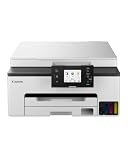
Canon MAXIFY GX1050 Wireless Colour 3-in-1 Refillable MegaTank Inkjet Printer - A4 Print, Copy, Scan - Wi-Fi, Cloud Link, Ethernet Connectivity - Home Office Printer, Includes 6 x Ink Bottles
−11% · Amazon reference price: £319.99
Verified 2026-11-27 21:25:23 UTC

Canon MAXIFY GX1051 Printer for Home & Office Use - Colour Home Printers & Scanners All-in-One Wireless | MegaTank Inkjet Printer, Copier & Scanner | A4 Printer | Includes 6 x Ink Bottles
−8% · Amazon reference price: £239.99
Verified 2026-11-27 21:25:23 UTC

Canon MAXIFY GX6150 Refillable MegaTank All-in-One Printer, Fast Office | Refillable ink-tank system for document printing; wireless AirPrint and Mopria; scan, copy and print; smudge-resistant ink
Verified 2026-11-27 21:25:23 UTC

Canon PIXMA MegaTank G3590 Multifunction Printer - Print, Scan, Copy - with Wi-Fi and High Yield Refillable Ink Tanks
Verified 2026-11-27 21:25:23 UTC
Prices and stock reflect the last successful check shown on each card. Discounts and Black Friday badges appear only when reported by Amazon. The checkout price applies. As an Amazon Associate, Cloudzat earns from qualifying purchases.
Our buying recommendation
For most UK buyers, the Canon PIXMA G3590 is the safest all-round MegaTank choice because it suits everyday home printing without drifting into specialist territory. If your printing is work-led and more demanding, the Canon MAXIFY GX4050 is the better buy. If your priority is photos rather than general documents, the Canon PIXMA G650 is the Canon MegaTank model to consider. The right answer is not “the cheapest Canon” but “the Canon that matches your use case”; that is especially important when Black Friday promotions make very different printers look equally tempting.
Canon’s MegaTank range is best judged by job, not by the seasonal noise around it. PIXMA G-series models are the right Canon direction for households that want a refillable colour inkjet for homework, forms, family admin and the occasional photo, while MAXIFY GX models are the more serious choice for office-style document work and heavier mixed printing. That distinction matters because a printer that is excellent in one setting can be annoying in another. The best Black Friday purchase is the one that suits your actual routine, not the one with the flashiest badge or the biggest spec list.
Ownership cost is where MegaTank earns its reputation, but buyers still need to be selective. A refillable tank printer is a different proposition from a cartridge machine: it is built to keep going with separately bought consumables rather than tiny cartridges that need replacing constantly. However, not every MegaTank model is equally suited to the same user. Some are broad family printers, some are business tools, and some are specialised photo machines. The sensible decision is to match the printer to the type of pages you produce most often, then let the tank system do the work in the background.
Compatibility and category mistakes cause many poor printer purchases. Canon PIXMA does not always mean tank, so you need to look at the specific model family rather than the badge alone. UK buyers also need to keep regional names straight: G3590 and G3570 are UK and European market models, while G3270 and G3290 are US versions and should not be treated as interchangeable. This guide keeps the recommendations practical and specific, so you can choose a printer that fits your devices, your room and your way of printing without having to do further research.
Choose the right printer for your work
| Buyer scenario | Named pick | Why this is the right buy |
|---|---|---|
| Family home printer for homework, forms and everyday colour pages | Canon PIXMA G3590 | The most balanced UK MegaTank choice for mixed domestic use, with enough flexibility for shared home printing without becoming over-complicated. |
| Small business or home office that prints often and needs a more work-focused device | Canon MAXIFY GX4050 | The stronger fit when the printer is a genuine office tool, not just a household accessory, because the GX line is built for productivity-led use. |
| Photo-first buyer who wants a Canon tank printer for richer colour output | Canon PIXMA G650 | A six-ink photo-oriented model that is better suited to image printing than the standard document-led PIXMA G-series machines. |
| Buyer who wants scanning and copying in a straightforward all-in-one | Canon PIXMA G3590 | A practical everyday all-rounder that covers common home tasks well, without the extra complexity of an office-focused model. |
| Buyer comparing Canon against mono laser alternatives for mostly black-and-white work | Brother HL-L2445DW or Brother DCP-L2620DW | Choose these instead if your pages are overwhelmingly mono text; they are a different product class and better aligned to that job than a colour ink tank. |
Buy the Canon PIXMA G3590 if you want the most sensible home MegaTank
The Canon PIXMA G3590 is the model most UK households should look at first because it sits in the practical centre of the range. It is aimed at ordinary family use: schoolwork, letters, recipes, event tickets, labels and the occasional colour page. That makes it a better Black Friday target than a photo specialist or a business machine for anyone who simply wants one dependable printer in the home. It is the recommendation to lead with because it avoids the common mistake of buying a printer that is too limited on one side or too ambitious on the other.
The key reason to choose the G3590 is balance. It is suitable for homes where different people print in different ways and where you do not want to manage a more complicated office device. It also makes more sense than a higher-end GX model for buyers who print only when needed rather than every day. Skip it only if your main interest is photo output or you know that your printing pattern is closer to a small business than a family home. For most households, though, the G3590 is the cleanest and least risky Canon MegaTank decision.
Skip the office-first GX range unless your printing really behaves like work
Skip the office-first GX range unless your printing really behaves like work
Canon’s MAXIFY GX range is the right direction for offices, work-from-home desks that are used heavily and anyone who treats the printer as a daily work tool. The Canon MAXIFY GX4050 stands out because it belongs in that world rather than the domestic one. If you print contracts, reports, invoices, internal forms or other business paperwork in a regular rhythm, this is the Canon MegaTank family that deserves your attention. It is more serious about workflow than the average home printer and should be chosen on that basis, not because it is the “higher” model.
Do not buy a GX printer simply because it sounds more premium. An office tank is not automatically better for a home office that prints only the odd page. In that situation, the extra printer can be more machine than you need, taking up more space and making the purchase harder to justify. If your use is modest, the PIXMA G3590 remains the better answer. If your use is frequent and business-like, the GX4050 is the Canon to choose. That is the main dividing line between sensible and unnecessary in the MegaTank range.
Choose the G650 when the print is the picture, not the paperwork
Choose the G650 when the print is the picture, not the paperwork
The Canon PIXMA G650 is not a general family all-rounder. It is the Canon MegaTank model to pick when photo printing matters enough that you want a six-ink photo-focused design rather than a standard document-first ink tank. That makes it the strongest Canon choice for hobby photographers, memory books, school projects with image-heavy layouts and anyone who wants richer colour behaviour from a home printer. It is a more specialised product, and that specialism is exactly why it exists.
The G650 should not be chosen as a compromise printer for people who mainly want documents and copying. If your household prints a mix of bills, school sheets and occasional photos, the G3590 is the better fit because it is broader in use. Buy the G650 only if photo quality is the priority and you accept that it is not the same kind of all-purpose machine. Canon has other models for documents; this one is for image-minded buyers who want a Canon tank with a more photo-leaning purpose.
Choose G3590 over specialist models when the family shares one printer
Choose G3590 over specialist models when the family shares one printer
Shared households often make the mistake of chasing the most feature-rich printer instead of the most useful one. The PIXMA G3590 is the cleaner choice for families because it handles mixed tasks well enough for everyone. One person needs school worksheets, another prints a return label, another needs a coloured handout or scan. That is exactly the situation where a balanced all-in-one is more valuable than a specialist photo model or a business machine that assumes a more formal workflow.
This is where Black Friday decision-making should stay disciplined. A family printer should be broadly useful and easy to live with rather than excellent only in one narrow area. The G3590 is the model that best fits that idea in Canon’s current UK MegaTank line-up. If your household mainly prints colour pictures, go to the G650. If it behaves like a small office, move to the GX4050. For all other family use, the G3590 is the most straightforward recommendation and the one least likely to disappoint after the sale excitement has passed.
Choose the G650 over photo-lite rivals only if you want Canon’s photo-tank approach
Choose the G650 over photo-lite rivals only if you want Canon’s photo-tank approach
The G650 should not be judged as if it were a normal home printer with a photo mode. It is a specialist photo tank, and buyers should choose it because they want that Canon approach to image output. That matters when comparing against Epson photo tanks such as the ET-8550, which belong to a different product family and can suit different priorities. A photo buyer should not assume every tank printer is interchangeable just because the general category is the same.
The practical conclusion is simple. Buy the G650 if Canon’s six-ink photo direction is the better fit for your pictures and you want a printer that is more image-first than document-first. Skip it if you mainly print schoolwork, forms or office pages, because then you are paying for a specialism you will not fully use. The G650 is not the broadest Canon MegaTank choice, but it is the one that makes the most sense when the quality of the photo print is what you care about most.
Skip MegaTank entirely if your job is better served by mono laser or colour laser
Skip MegaTank entirely if your job is better served by mono laser or colour laser
Canon MegaTank is excellent for some buyers, but it is not the answer for everyone. If most of your printing is black-and-white text, a mono laser printer can be the cleaner choice. In the UK, the Brother HL-L2445DW and Brother DCP-L2620DW are better aligned to that job because they are mono laser models; the DCP-L2620DW adds scanning and copying, but it is still a different product class. Likewise, if you want colour laser behaviour for office use, the HP Color LaserJet Pro 3302fdw or Canon i-SENSYS MF664Cdw and MF667Cdw are the more relevant comparisons.
The useful rule is to separate printer type from brand loyalty. Buy a MegaTank only when refillable colour inkjet flexibility is what you need. Buy a mono laser when most pages are text and black-and-white. Buy a colour laser when your office workflow benefits from that category. That is how you avoid overbuying during Black Friday. Canon MegaTank is not worse than laser; it is simply the right tool for a different print job.
Pick SELPHY only for photos you want printed as small finished keepsakes
Pick SELPHY only for photos you want printed as small finished keepsakes
Canon SELPHY CP1500 is often mentioned alongside Canon printers, but it is not a MegaTank substitute. It uses dye-sublimation technology and exists for a different purpose: small photo prints that are ready to hand over, frame or share. That makes it useful, but it does not replace a home all-in-one or an office tank printer. Buyers should not confuse it with the PIXMA G or MAXIFY GX families because it solves a much narrower problem.
The best way to think about SELPHY is as a companion device for people who want portable-style photo output, not as their main printer. If you need scanning, copying, document handling or mixed household printing, the SELPHY is the wrong category. If you mainly want physical photos, it can be a good specialist addition. For most Black Friday buyers looking at Canon MegaTank, though, the right conclusion is to keep SELPHY separate and choose a proper PIXMA or MAXIFY model instead.
faqs_explainer
Q: Is the Canon PIXMA G3590 the best Canon MegaTank for most UK homes?
A: Yes, for most households it is the most sensible default. It handles mixed family printing without becoming too specialised, so it is the safest choice when you need one Canon printer for common home tasks rather than a niche photo or office machine.
Q: Should I choose the Canon MAXIFY GX4050 instead of a PIXMA if I work from home?
Suitable alternatives — different models
These are different products. Our guide explains which one to choose for your setup.

Black Friday Big Deal
Epson EcoTank ET-2911 | Busy Home Use | Wi-Fi | A4 | Print, Copy, Scan | AirPrint Compatible | Compact | Includes Up To 3 Years of Ink
−38% · Amazon reference price: £239.99
Verified 2026-11-28 00:03:01 UTC

Black Friday Big Deal
HP Smart Tank 210 Wireless Printer | Perfect for Everyday Home Use | Print only | Self-healing Wi-Fi | A4 | Smart buttons | Low on ink sensors | Refillable | Includes up to 3 Years of Ink
−38% · Amazon reference price: £159.99
Verified 2026-11-27 21:25:23 UTC
Black Friday Big Deal
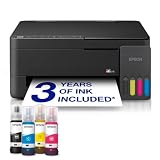
Epson EcoTank ET-2910 | Busy Home Use | Wi-Fi | A4 | Print, Copy, Scan | AirPrint Compatible | Compact | Includes Up To 3 Years of Ink
−34% · Amazon reference price: £239.99
Verified 2026-11-27 21:25:19 UTC
Black Friday Big Deal
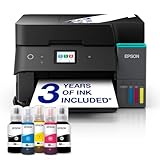
Epson EcoTank ET-4950 Ink Tank Printer | Home Office Use | Wireless & Ethernet | A4 | Duplex Print, Copy, Scan, Fax | 6.1cm Touchscreen | ADF | Includes up to 3 Years of Ink
−28% · Amazon reference price: £459.99
Verified 2026-11-27 21:25:19 UTC
Black Friday Big Deal
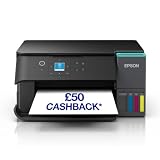
Epson EcoTank ET-2950 Ink Tank Printer | Busy Home Use | Wireless | A4 | Print, Copy, Scan | 3.7cm LCD Screen | Double-Sided Printing | Includes up to 3 Years of Ink
−25% · Amazon reference price: £279.99
Verified 2026-11-28 00:03:01 UTC

Black Friday Big Deal
Epson EcoTank ET-2955 A4 Multifunction Wi-Fi Ink Tank Printer, With Up To 3 Years Of Ink Included, Black
−25% · Amazon reference price: £279.99
Verified 2026-11-28 00:03:01 UTC
Questions answered
Q: Is the Canon PIXMA G3590 the best Canon MegaTank for most UK homes?
A: Yes. It is the best general-purpose Canon MegaTank recommendation for most families because it sits in the middle of the range. It is flexible enough for everyday home use without pushing you into specialist territory that you may not need.
Q: Should I choose the Canon MAXIFY GX4050 instead of a PIXMA if I work from home?
A: Choose the GX4050 if your home office prints regularly and behaves like a small workplace. If you print only occasionally, the PIXMA G3590 is usually the better fit. The GX4050 is the stronger work printer, but not every home office needs that level of machine.
Q: Is the Canon PIXMA G650 a good choice for ordinary document printing?
A: Not really as the main reason to buy it. The G650 is the Canon MegaTank choice for photo-minded buyers. If your printing is mostly documents, the G3590 or GX4050 is a more sensible recommendation depending on whether your use is domestic or business-led.
Q: How does Canon MegaTank compare with Brother mono laser printers?
A: They solve different problems. MegaTank is a refillable colour inkjet approach, while Brother mono laser models such as the HL-L2445DW and DCP-L2620DW are better suited to black-and-white text. Choose Canon for colour inkjet flexibility; choose Brother when mono office printing is the real job.
Q: Should I consider the Canon i-SENSYS MF664Cdw or MF667Cdw instead of MegaTank?
A: Only if you want a colour laser printer rather than an ink tank. The i-SENSYS models are different products with a different print technology and a more office-led feel. They are not direct substitutes for a PIXMA G or MAXIFY GX unless your workflow is truly laser-oriented.
Q: Is the Canon SELPHY CP1500 a replacement for a Canon MegaTank printer?
A: No. The SELPHY CP1500 is a dye-sublimation photo printer, not a general-purpose MegaTank machine. It is for printed photos, not for scanning, copying or routine document work. Buy it only if that specific photo use is what you want.
Related printer buying guides
Sources and offer checks
Research checked November 26, 2026. Amazon cards show their own last successful check. Manufacturer promotions and Amazon offers have separate terms. Published regional product and campaign information.