


CLOUDZAT · BLACK FRIDAY 2026
Updated · 26 Nov 2026 22:03 UTC
Black Friday offers and current Amazon listings

Black Friday Big Deal
Brother HL-L2400DWE Mono Laser Printer with EcoPro Subscription | Single function, Automatic 2-sided print, A4, 4-month free trial, Automatic toner delivery, UK Plug
−41% · Amazon reference price: £129.99
Verified 2026-11-27 23:57:47 UTC

Black Friday deal
BROTHER DCP-L2665DW 3-in-1 Mono Laser Printer| | Print, copy & scan | Automatic 2-sided print| A4|UK Plug
−15% · Amazon reference price: £209.99
Verified 2026-11-27 23:57:47 UTC

BROTHER HL-L3220CWE Colour Wireless LED Printer with | EcoPro Subscription, Single Function, USB 2.0, A4, 4 month no charge trial, Automatic toner delivery, UK Plug
−25% · Amazon reference price: £219.99
Verified 2026-11-27 23:57:47 UTC
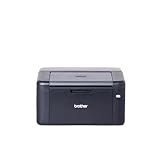
Brother HL-L1240W wireless mono laser printer | 20 PPM | | USB & Wi-Fi | 64MB of Memory | A4 Print | LCD Keys | UK Plug
−20% · Amazon reference price: £97.79
Verified 2026-11-27 23:57:47 UTC

BROTHER DCP-L2627DWE 3-in-1 Mono Laser Printer with EcoPro Subscription | , Print, copy & scan, Automatic 2-sided print, A4, 4 months no charge trial, Automatic toner delivery, UK Plug
−12% · Amazon reference price: £169.99
Verified 2026-11-27 23:57:47 UTC

Brother DCP-L1640W wireless, mono laser multifunction printer | 20 PPM | | USB, Ethernet & Wi-Fi | 128MB of Memory | A4 print/copy/scan | 2 line LCD control panel | UK Plug
−10% · Amazon reference price: £133.90
Verified 2026-11-27 23:57:47 UTC
Prices and stock reflect the last successful check shown on each card. Discounts and Black Friday badges appear only when reported by Amazon. The checkout price applies. As an Amazon Associate, Cloudzat earns from qualifying purchases.
Our buying recommendation
For most UK buyers, the best Brother laser pick is the HL-L2445DW if you only need reliable mono printing. Choose the DCP-L2620DW if you also want scanning and copying in the same compact device. Do not move up to a fuller MFC unless you will actually use the extra functions in your daily routine. If your documents need colour, Brother is often no longer the right category, and Canon’s i-SENSYS MF664Cdw or MF667Cdw become stronger alternatives. For photographs, choose a different technology entirely: Canon SELPHY for compact prints, or an Epson ink tank or inkjet model for creative and mixed-media work.
Brother’s laser range is strongest when your day-to-day printing is about text, forms, homework, labels and work documents rather than colour-heavy creativity. That is why the best purchase is usually the least complicated machine that still completes your real tasks. In Brother’s UK line-up, the important divide is simple: HL models are print-only, DCP models add scan and copy, and MFC models are the fuller multifunction branch. That structure matters because you should buy for what you will genuinely use, not for a panel of features that only sounds impressive on the box.
Ownership is where many seasonal purchases succeed or fail. A printer that looks cheap on offer can still be the wrong buy if it adds unnecessary colour hardware, a larger footprint or functions you never touch. Brother’s mono laser models are especially appealing for buyers who want crisp black text and straightforward use without turning printing into a hobby. The Brother HL-L2445DW is the cleanest recommendation for print-only households, while the DCP-L2620DW is the right step up if scanning and copying are part of ordinary life. Colour should only enter the decision when the output itself really needs it.
Compatibility should be judged by workflow, not by a list of vague promises. A good UK printer is one that fits how you already work across laptops, phones and mixed household devices, without forcing you into a more complicated setup than you need. Not every Brother family includes fax, duplex scanning or the same convenience features, and that is exactly why the model number matters. Think first about whether you need print-only simplicity, document capture, or a broader office machine. Once you do that, the best Brother choice becomes obvious and much easier to live with over time.
Choose the right printer for your work
| Buyer scenario | Named pick | Why this is the right fit |
|---|---|---|
| Simple home printing in mono | Brother HL-L2445DW | Best choice when you want dependable print-only output for letters, homework and everyday admin without paying for scan hardware you may not use. |
| Home office that needs scan and copy | Brother DCP-L2620DW | The better choice if you regularly digitise paperwork, copy forms or want one device for everyday document handling. |
| Small office needing colour laser documents | Canon i-SENSYS MF664Cdw or MF667Cdw | A better fit when colour charts, presentations or office graphics matter and you need a mainstream colour multifunction rather than a mono printer. |
| Buyer considering a fuller multifunction | Brother MFC only if the exact UK model includes the features you will use | Choose an MFC only when you need the broader multifunction set; do not assume fax or duplex scanning is present on every model. |
| Photo printing or creative home output | Canon SELPHY CP1500, Epson ET8550 or Epson ET3956 | Skip Brother laser here; these are different technologies suited to photo or mixed-media output rather than everyday document printing. |
Choose Brother laser when documents matter more than images
Brother laser printers make the most sense for buyers who print a steady mix of letters, invoices, school work, shipping paperwork and other text-led pages. That is why the Brother HL-L2445DW is the strongest starting point for many UK homes: it is a mono print-only model, so you are paying for the core job rather than for a scanner or colour engine you may never need. If your household often needs copies or scans of signed forms, the DCP-L2620DW is the sensible step up because it adds document capture without pushing you into a larger office machine. That split is useful because it keeps the decision practical. You do not need a printer that can do everything in theory; you need one that will quietly do your actual jobs every week.
Alternatives should be chosen by purpose, not by brand habit. HP’s M110w and M140w are straightforward mono alternatives, but they are narrower choices and are most relevant if you already prefer that line. Canon and Epson make sense when the output changes category. Canon’s colour office models are better when presentation graphics and mixed colour documents are part of the work; Epson’s ink tank and photo-leaning machines are better when pictures, craft pages or colour media matter. The key buying conclusion is simple: if your priority is dependable document output and a low-fuss daily experience, Brother’s mono laser family is usually the strongest fit. If your printing needs drift beyond that, switch technology rather than overbuying a more complex printer.
Buy the simplest Brother that still covers your real routine
A printer’s value is not just the model price; it is the amount of unnecessary machine you end up owning. That is why the Brother HL-L2445DW is such a useful recommendation. It keeps the experience clean and direct: print text, keep the footprint modest and avoid features you are unlikely to use. For many households, that is exactly the right balance. Once you add scanning and copying into your normal life, the DCP-L2620DW becomes the better purchase because it replaces the need for a separate scanner or awkward phone-camera workarounds for every document. The point is not to buy the least expensive printer in abstract terms; it is to buy the least complicated machine that genuinely meets the household workload.
This is also where Black Friday can mislead. A fuller multifunction machine may look smarter because it sounds complete, but completeness only helps if it matches your habits. If you print a handful of pages a week, a simpler mono model is usually the more sensible long-term choice. If you routinely scan forms, archive paperwork or copy household documents, the DCP is worth the step up. A broader Brother MFC is only justified when you can name the extra functions you will use regularly. Otherwise, you are paying for menu complexity, extra size and features that sit idle. For most British buyers, the sensible conclusion is to start with HL if you only print, and move to DCP only when scanning and copying are part of the routine.
Choose colour only when the document itself needs colour
Colour is not automatically better. In a document printer, colour only makes sense when charts, school handouts, presentations or branded office pages genuinely benefit from it. If your output is mostly black text, mono laser remains the smarter purchase. That is why the Brother HL-L2445DW and DCP-L2620DW are stronger recommendations than a colour machine for many homes. They are easier to justify, easier to place and easier to use when the real workload is straightforward paperwork rather than graphics. The more you print ordinary text, the more a mono laser makes sense. The less you need colour, the less reason there is to carry the cost and complexity of a colour office printer.
When colour documents are essential, Brother is not automatically the best answer. Canon’s i-SENSYS MF664Cdw and MF667Cdw are the more relevant alternatives because they are built as colour multifunction office printers, which is a different job from a compact mono Brother laser. They are worth considering if your small office regularly produces charts or colour-rich paperwork and you need scan-and-copy convenience alongside it. Do not confuse this with photo printing, though. Colour documents and photos are different tasks. A colour laser can handle the first well; it is not the right tool for the second. If your priority is glossy family photos, greeting cards or creative media, move to a photo printer or a colour inkjet rather than trying to force a laser printer into a role it does not own.
Know the difference between print duplex and scan duplex
One of the easiest ways to overspend is to confuse duplex printing with duplex scanning. Automatic double-sided printing simply means the printer can print both sides of a sheet without you turning the paper over by hand. Automatic duplex scanning is different: it means the document feeder can scan both sides of a page in one pass. Those are separate features. A printer can have one without the other, and buyers should not assume they travel together. This matters especially in Brother’s range. The DCP-L2640DW and DCP-L2620DW should not be treated as if duplex printing automatically gives you duplex scanning. If you need duplex scanning, you must confirm that specific feature on the exact model, not infer it from the existence of duplex print.
The same caution applies across other brands. Some HP models in the 3300 series, such as the Color LaserJet Pro 3302fdw, are the ones associated with a duplex automatic document feeder; that does not mean every model with a similar suffix has the same scanning behaviour. The practical advice is to buy for the document flow you actually need. If you only ever print single pages or the odd two-sided letter, duplex print is useful. If you regularly scan contracts, forms or multi-page paperwork, duplex scan is a separate convenience worth checking carefully. The buying conclusion is not to chase the biggest feature list; it is to separate printing convenience from scanning convenience and judge each on its own terms.
Brother’s colour LED models are not laser printers
Brother also sells colour models that use LED printing technology rather than laser in the strict sense, and buyers should not flatten those into the same category. The distinction matters because it helps you read the range correctly. Colour Brother LED machines are still document printers, but they are not laser technology in the way people often use the term casually. That is a factual detail, not a marketing quirk. For buyers in the UK, the safest thing is to look at the exact model family and the technology described with it rather than assuming every Brother printer with toner is identical.
This is also where the best recommendation depends on your purpose. If you want black-and-white document printing, a mono Brother laser such as the HL-L2445DW remains the cleanest choice. If you want scan and copy as part of family admin, the DCP-L2620DW is more suitable. If you need colour documents, then Brother’s colour LED line may be relevant, but Canon’s colour laser multifunctions are also serious alternatives and should not be ignored. There is no reason to overcomplicate this. The buying conclusion is that Brother’s mono models are the best fit for most text-led users, while colour document buyers should compare carefully between brands and not assume every colour Brother is a laser printer in the same sense.
Ink tank, photo and shipping printers are different categories
Not every printer that turns up in a seasonal sale should be compared against Brother lasers as if they were the same product. Epson’s ET2921, ET3956, WF7830DTWF and ET8550 are inkjet or ink tank printers, not lasers. They suit buyers who need broader colour output, mixed media or lower-drama refilling from ink bottles rather than toner-based document printing. Canon SELPHY CP1500 is a dye-sublimation photo printer, which is a separate category again and is intended for compact photo output rather than office documents. Shipping label printers are usually direct thermal devices, which are designed for labels rather than the kind of everyday paperwork Brother handles best. Those categories are all different answers to different problems.
That distinction helps prevent bad purchases. If you mainly need invoices, school letters and home-office paperwork, Brother mono laser is still the better category fit. If you want family photos, a dye-sub or photo-focused printer is more appropriate. If you need large colour sheets or craft-style output, an ink tank or office inkjet may suit you better. The key buying conclusion is to match the technology to the job instead of assuming one printer can do everything well. Brother’s strength lies in dependable text documents, not in making every other printer obsolete. That honesty is useful during Black Friday because it keeps you from buying a machine that is impressive on paper but disappointing in your actual household workflow.
Best choices by household and office type
For a student, remote worker or family that only needs clean black text, the Brother HL-L2445DW is the best pick. It is simple, print-focused and avoids the distractions of features you may not use. If the same household also scans school letters, signed forms or receipts, the DCP-L2620DW becomes the better answer because it covers those tasks without needing a second device. For a small office that prints a lot of colour charts, branded documents or mixed office pages, Canon’s i-SENSYS MF664Cdw or MF667Cdw are the more relevant alternatives. They are not better just because they are colour; they are better because they solve a different office need.
If you are tempted by a fuller Brother multifunction, only choose it when the extra duties are truly part of your routine. A model may offer more buttons and a larger panel, but that does not mean it is the right purchase. Likewise, if your real goal is photo work or creative printing, Brother should not be your default. Canon SELPHY CP1500 is a better fit for compact photos, while Epson’s ink tank and office inkjet models are better when colour depth and media flexibility matter more than toner-led text. The final buying conclusion is straightforward: HL for plain printing, DCP for print-scan-copy households, Canon colour office models for serious colour documents, and a different printer type altogether for photos or creative output.
Why the HL-L2445DW is the strongest default recommendation
The Brother HL-L2445DW stands out because it does one job well and does not pretend to be everything. That matters for most UK buyers. It gives you the core benefit of a Brother laser printer: clear, reliable mono printing for everyday documents without the extra complexity of a multifunction machine. It is particularly suitable for people who print from a laptop or phone, keep office paperwork to a minimum and do not want to dedicate half a desk to a device that tries to do too much. In a market full of feature-heavy options, the HL-L2445DW is refreshing precisely because it is restrained. It is the kind of printer you buy when your aim is to get work done, not to explore a spec sheet.
The best alternative is not automatically another Brother model; it depends on your task. If you suddenly need scanning, the DCP-L2620DW is the logical step up. If you need colour office output, Canon’s i-SENSYS MF664Cdw or MF667Cdw should move ahead in the shortlist. If you want photo printing, a different technology should replace Brother altogether. That is the central conclusion readers should take away. The HL-L2445DW is the best Brother laser for most mono households because it removes unnecessary choice and still covers the work. In buying terms, that simplicity is the feature. During Black Friday, that is often worth more than an extra function that looks useful but never gets used.
Suitable alternatives — different models
These are different products. Our guide explains which one to choose for your setup.

Black Friday Big Deal
HP LaserJet Pro MFP 3302fdw Laser Printer | Colour | Printer for Small Medium Business | Print, Scan, Copy, Fax | Automatic document feeder | 2-Sided Printing | Wireless | Front USB port | Touchscreen
−54% · Amazon reference price: £519.99
Verified 2026-11-27 23:57:47 UTC

Black Friday Big Deal
HP LaserJet M110w Wireless Black & White Printer | 1 Year Limited Warranty | Print from phone or tablet | Smallest laser in its class | 150 sheet input tray |Print speed up to 20ppm
−42% · Amazon reference price: £119.99
Verified 2026-11-28 00:02:57 UTC

Black Friday Big Deal
HP LaserJet MFP M235sdw | Compact | Black and White | Print, Scan, Copy | Easy Setup and Reliable Wi-Fi | Up to 28/27 Simplex ppm | Best Home Office Laser Printer, Best Laser Printer for Office
−26% · Amazon reference price: £134.99
Verified 2026-11-28 00:02:57 UTC

Black Friday Big Deal
Canon i-SENSYS LBP647Cdw Colour Laser Printer | 25 ppm A4 | 1200 × 1200 dpi | Auto Duplex | Wi-Fi, Ethernet, USB | Secure Print
−22% · Amazon reference price: £241.31
Verified 2026-11-28 00:03:01 UTC

Black Friday deal
Xerox C305 A4 30PPM Wireless colour laser Multifunction printer | Compact Colour MFP, 4-in-1 Print, Scan Copy & Fax, Easy setup, Ideal for hybrid & small/mid businesses, 3 Year Warranty
−16% · Amazon reference price: £396.94
Verified 2026-11-28 00:18:08 UTC

Black Friday deal
Xerox C240 A4 25ppm Wireless Colour Laser Printer | Compact Colour Printer, Easy mobile setup, Professional Colour, Ideal for hybrid & small businesses, 3 Year Warranty
−15% · Amazon reference price: £224.76
Verified 2026-11-28 00:18:08 UTC
Questions answered
What is the best Brother laser printer for most UK homes?
The Brother HL-L2445DW is the best default choice for most homes that mainly print black text. It is a print-only machine, so you are not paying for scanner hardware you may not need. If you regularly need copies or scans as well, the DCP-L2620DW is the better fit.
Should I buy a Brother MFC instead of a DCP?
Only if the exact MFC model adds features you will really use, such as fax or a more capable document workflow. Do not assume every Brother MFC includes the same functions. For most homes that need print, scan and copy, a DCP is often the cleaner purchase.
Is Brother better than HP for a simple home laser printer?
Often, yes, because Brother’s HL and DCP families make it easier to choose a printer for a specific job. HP’s M110w, M140w and M234sdw are valid alternatives, but Brother’s model split is usually clearer for households that want a straightforward document printer.
When should I choose colour laser over mono laser?
Choose colour laser only when colour is genuinely part of the document’s purpose, such as charts, classroom handouts or branded office pages. If you mainly print letters, invoices and forms, mono is the more sensible choice and usually the more comfortable ownership decision.
Are Brother laser printers good for photos?
No, they are not the right category for photos. Brother lasers are best for text and document work. If you want photographic printing, Canon SELPHY CP1500 or an Epson ink tank or photo-focused inkjet model is the more suitable direction.
Do I need duplex scanning at home?
Only if you regularly scan two-sided paperwork and want to avoid turning pages manually. Remember that duplex printing and duplex scanning are different features. A printer can support one without the other, so it is worth choosing carefully if document scanning is a regular task.
Related printer buying guides
Sources and offer checks
Research checked November 26, 2026. Amazon cards show their own last successful check. Manufacturer promotions and Amazon offers have separate terms. Published regional product and campaign information.