


United Kingdom · GBP · Deal Watch
ASUS Router Black Friday Deals 2026: What to Buy in the UK
A strong ASUS sale can be the moment to retire an overloaded router—after comparing the ports behind the wireless headline.
Compare complete model names, including Pro and regional suffixes. The older RT-AX86U, RT-AX86U Pro and RT-BE86U are different products; a dramatic discount on one does not automatically beat another’s normal price. Compare UK offers in pounds and check the supplied plug, delivery terms and exact local version.
Choose RT-AX86U Pro when a Wi-Fi 6 router and its wired layout meet the household’s needs. Compare RT-BE86U when the 10GbE and multiple 2.5GbE ports are useful alongside dual-band Wi-Fi 7. RT-BE86U is not a tri-band 6GHz router, so shoppers specifically seeking that band should compare a model that includes it.
Which ASUS Router option should you choose?
Start here
ASUS RT-AX86U Pro
Choose it for a Wi-Fi 6 router with a configurable 2.5GbE connection.
Buy on AmazonChoose this alternative
ASUS RT-BE86U
Choose it for dual-band Wi-Fi 7 with a 10GbE port and four 2.5GbE ports.
Buy on AmazonCurrent ASUS Router Listings on Amazon
Black Friday sale dates and offer timing
Dates for 2026: Black Friday — November 27; Amazon.co.uk — November 19–30. Individual offer periods and eligibility vary.
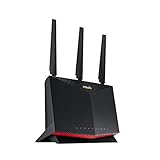
ASUS RT-AX86U Pro (AX5700) Dual Band WiFi 6 Extendable Gaming Router, 2.5G Port, Mobile Game Mode, Port Forwarding, Subscription-Free Network Security, VPN, AiMesh Compatible
Last verified 2026-11-14 18:32:10 UTC

4% below the Amazon reference price
ASUS RT-BE86U Dual-band WiFi 7 Router (Supports 4096-QAM, Multi-link Operation (MLO), AI WAN detection, AiMesh support, subscription-free network security, and VPN features, Guest Network Pro)
Last verified 2026-11-14 18:32:10 UTC
ASUS RT-BE86U Dual-band WiFi 7 Router, supports 4096-QAM, Multi-link operation (MLO), AI WAN detection, AiMesh support, subscription-free network security, and comprehensive VPN features
Last verified 2026-11-14 18:32:10 UTC

ASUS EBG15 5-Port Gigabit VPN Wired Router, Multi-WAN group, Easy Centralized Management with ExpertWiFi App, Layer 7 Firewall
Last verified 2026-11-14 19:00:23 UTC

ASUS NUC 15 Pro+ Mini PC with Intel Series 2 Core Ultra 7 255H Full System, 32GB DDR5 RAM, 1TB SSD, Thunderbolt 4, Wi-Fi 7 and Bluetooth 5.4, Win 11 Home, Silver Aluminum Chassis No
32GB RAM · 1TB SSD
Last verified 2026-11-14 18:56:50 UTC

ASUS NUC 16 Pro Mini PC (90AS00Q1-M00090) — Intel Core Ultra 5 325, Intel Arc Graphics, 16GB DDR5 RAM, 512GB SSD, Windows 11 Pro (Copilot+ PC), Wi-Fi 7, UK
16GB RAM · 512GB SSD
Last verified 2026-11-14 18:56:50 UTC

30% below the Amazon reference price
ASUS RT-BE88U Dual-band WiFi 7 AiMesh Extendable Performance Router, 4K-QAM, MLO, Dual 10G ports, SFP+, Four 2.5G ports, Four 1G ports, 34G WAN/LAN capacity, Subscription-free network security, VPNs
Last verified 2026-11-14 18:32:10 UTC

ASUS RT-BE90U WiFi 7 Tri-band Router | (802.11be), 320MHz, 4K-QAM, MLO, Four Ports 2.5G Ports, Professional Level Network Security, Smart Home Master
Last verified 2026-11-14 18:32:10 UTC
As an Amazon Associate, Cloudzat earns from qualifying purchases. Prices and availability can change; Amazon shows the final price for your chosen item.
ASUS Router buying guide
| Model | Best for |
|---|---|
| ASUS RT-AX86U Pro | a Wi-Fi 6 router with a configurable 2.5GbE connection |
| ASUS RT-BE86U | dual-band Wi-Fi 7 with a 10GbE port and four 2.5GbE ports |
Which ASUS router should you compare first?
Port layout can decide the purchase before radio generation does. A single configurable multi-gig port used for WAN may leave no equivalent fast LAN connection. Check which sockets remain available for the NAS and desktop after the internet connection is attached.
Should you add an AiMesh node or replace the router?
Compare a compatible AiMesh expansion when the existing main router still performs well and only a distant area lacks coverage. Verify the exact models and firmware support. A replacement main router makes more sense when the bottleneck is routing, wired ports or a feature the current model cannot provide.
Mixed generations can have different capabilities at each node. Wired backhaul can be helpful where available, but the link and port speeds still constrain it. An older satellite does not gain the main router’s new radio simply by joining the mesh.
Do gaming labels and VPN features change the value?
A gaming label does not guarantee lower latency on an overloaded internet service. Prioritisation features may help manage competing traffic, but the result depends on the network and configuration. Buy the supported feature you need rather than treating antenna count or case styling as performance evidence.
For VPN use, check the exact client or server function and the supported firmware. For a household that depends on ISP phone or television services, confirm the connection requirements before replacing the existing gateway. A sale router should fit the service arrangement as well as the devices inside the home.
Preserve the working internet connection during replacement
Confirm the ISP connection requirements before replacing its equipment. A new Ethernet router may still need the existing modem or fibre terminal, and phone or television services may rely on the supplied gateway. Check supported connection modes and any required credentials through the provider’s normal guidance. A router with faster ports is not automatically a replacement for every part of the internet installation.
Record the existing local network, Wi-Fi and forwarding settings that you need, then test the new device before putting the old one away. Verify internet access, local storage, printers and work applications from both wired and wireless devices. If a second router remains upstream, decide deliberately which device performs routing. Keep a recovery path to the administration interface and avoid making several unrelated configuration changes at once. The practical value of the sale hardware is the improvement it delivers after these ordinary services continue to work.
Give each mesh node a useful route back
Backhaul is the connection from a satellite to the rest of the mesh. With wireless backhaul, the node needs a usable signal from its upstream partner; putting it in the deepest dead zone often leaves it repeating a poor connection. A position between the main unit and the difficult room can be more productive. With supported Ethernet backhaul, the cable carries that link and can reduce dependence on wireless conditions between nodes.
Check the Ethernet rate of every node in the path, not just the main unit. A gigabit satellite remains a gigabit wired connection when paired with a faster gateway. If several nodes connect through a switch, include the switch and its uplink in the plan. Avoid assuming that more nodes always mean better service: extra radios can be unnecessary in a small home. Test the rooms and floors that matter, then buy additional coverage for a demonstrated gap rather than a headline square-footage claim.
Match the radio upgrade to the devices using it
The access point and client must both support the feature before it becomes useful. A Wi-Fi 7 router does not give an older laptop a Wi-Fi 7 radio, and a dual-band model may not include 6GHz. Channel widths, regional settings, drivers and the client’s antenna capabilities also influence the connection. Treat the large combined wireless number on the box as a product-class description rather than a promised download rate for one device.
Walls, placement and neighbouring networks can matter more than a generation change. Higher-frequency options can provide useful capacity in suitable conditions, but they are not a universal cure for distant rooms. Compare the actual computer or phone where it will be used, including a video call or local file transfer rather than only a short test beside the router. If the current clients and internet service already work well, a smaller coverage improvement may offer better value than replacing the entire system with the highest wireless tier.
Compare VPN functions separately from advertised Wi-Fi speed
A VPN client sends traffic through a remote service, while a VPN server accepts incoming connections. Pass-through support simply lets another device establish a tunnel. Check the exact function, supported protocol and provider configuration for the router being considered. A commercial service subscription is generally a separate cost. The router’s combined wireless rating does not describe its encrypted throughput, and laboratory VPN figures depend on the test conditions.
Consider which devices should use the tunnel and which need direct or local access. Policy routing, DNS behaviour and tunnel-failure settings vary by firmware. Test the intended configuration with the actual applications, including local storage or printers that must remain reachable. A VPN changes where traffic travels and who must be trusted; it is not a promise of anonymity or protection from every threat. Buy the router for a supported, useful connection arrangement and assess performance on the real service rather than relying only on the highest vendor headline.
Judge the complete offer against a recent price baseline
Use the recent selling price of the same model and configuration as the comparison where price history is available. A large percentage reduction against a manufacturer’s reference price can coexist with a much smaller saving against the normal market price. Check the selected variation, seller, delivery charge and any membership or coupon condition before comparing two offers. A discount requiring a paid membership is worth a different amount to somebody who does not already have it.
There is no universal percentage that makes networking hardware a good buy. A modest reduction on the exact device that fits can be more useful than a large reduction on the wrong interface or an oversized bundle. Compare the complete working installation with a suitable alternative, including required cables, power supplies and controllers. We do not describe an offer as an all-time low without supporting history, and a product recommendation does not mean that the model currently carries a Black Friday promotion.
Electricity cost calculator
Replace the example values with your own measurements, capacity or prices.
Questions buyers ask
Does ASUS RT-BE86U include a 6GHz band?
ASUS specifies RT-BE86U as dual-band Wi-Fi 7. Its faster wired ports do not imply that it has a third 6GHz radio.
How should I compare a ASUS Router Black Friday price?
Compare complete model names, including Pro and regional suffixes. The older RT-AX86U, RT-AX86U Pro and RT-BE86U are different products; a dramatic discount on one does not automatically beat another’s normal price.
What if ASUS RT-AX86U Pro has no matching local offer?
Use the model search to check the local market, then compare ASUS RT-BE86U only for the use case described above. A recommendation is not confirmation of current stock or an event discount.