


United Kingdom · GBP · Deal Watch
ASUS NUC mini PCs: Black Friday 2026 deals in the UK
An ASUS NUC can make a satisfying UK Black Friday desk project, especially when a kit and complete PC are compared honestly. Add all required parts before choosing the processor tier and chassis that suit the workspace.
Your Black Friday buying target: Compare the finished NUC setup with identical CPU tier and usable memory. Add RAM, SSD and any required operating-system licence to a kit before deciding that its Black Friday price beats the complete system.
Start with an ASUS NUC 15 Pro Core Ultra 5 configuration and 32GB RAM plus 1TB SSD for a busy office desktop. Compare a Core Ultra 7 version only when the workload justifies the premium. A kit is the alternative for buyers who already have compatible components; it is not a complete PC at the advertised barebone price. Check the exact slim or tall chassis and part number.
Which ASUS NUC mini PCs option should you choose?
Start here
ASUS NUC 15 Pro
Complete desktop; verify CPU, installed RAM and SSD
Buy on AmazonCurrent ASUS NUC mini PCs Listings on Amazon
Black Friday sale dates and offer timing
Dates for 2026: Black Friday — November 27; Amazon.co.uk — November 19–30. Individual offer periods and eligibility vary.

ASUS NUC 15 Pro AI-Ready MiniPC | Intel Core Ultra 5 225H | Home & Business | 16GB DDR5 RAM | 512GB SSD | Intel Arc Graphics | WiFi 7 | BT v5.4 | Windows 11 Pro | 4 x 4K Display support | Free Norton 360
16GB RAM · 512GB SSD
Last verified 2026-11-15 01:31:57 UTC
ASUS NUC 15 Pro AI-Ready MiniPC | Intel Core Ultra 5 225H | Home & Business | 16GB DDR5 RAM | 1TB SSD | Intel Arc Graphics | WiFi 7 | BT v5.4 | Windows 11 Pro | 4 x 4K Display support | Free Norton 360
16GB RAM · 1TB SSD
Last verified 2026-11-15 01:31:57 UTC

ASUS NUC 15 Pro AI-Ready Mini PC Desktop (Intel Core Ultra 5 225H, 64 GB DDR5 RAM, 2 TB PCIe Gen 4 SSD, WiFi 7, BT 5.4, Windows 11 Pro) includes Free Norton 360 Deluxe Anti virus
64GB RAM
Last verified 2026-11-15 01:31:57 UTC

ASUS NUC 15 Pro Tall Kit RNUC15CRHI300002 (Intel Core i3 Processor, Arc Graphics, WiFi 7, Bluetooth 5.4, No Operating System, with EU Power Cord)
Last verified 2026-11-15 01:27:20 UTC
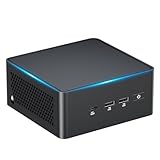
ASUS NUC 15 Pro AI Mini PC, Intel Ultra7 255H Mini Computer, 32GB &1TB SSD | 16C, Up to 5.1GHz, Intel Arc Gpu/AI Ready/NPU with AI Boost/Type C 3.2/BT5.4/WiFi7/8K/Win11
1TB SSD
Last verified 2026-11-15 01:27:20 UTC
6% below the Amazon reference price
ASUS NUC 15 Pro AI Mini PC, with Core 7 240H Mini Computer, 32GB & 1TB | 10C/16T, Up to 5.2GHz, Intel Arc Gpu, 8K Quad Display/WiFi7/BT5.4/Win 11 Pro/Without NPU/Business/Education/Office
Last verified 2026-11-15 01:27:20 UTC

ASUS NUC 15 Pro AI Mini PC, Intel Core Ultra5 225H, 32GB DDR5 RAM, 1TB SSD | 14C/14T, Up to 4.9GHz, Intel Arc GPU Graphics/8K Quad Display/WiFi7/BT5.4/2.5G LAN/Win11Pro
32GB RAM · 1TB SSD
Last verified 2026-11-15 01:27:20 UTC
ASUS NUC 15 Pro AI-Ready MiniPC | Intel Core Ultra 5 225H | Home & Business | 32GB DDR5 RAM | 1TB SSD | Intel Arc Graphics | WiFi 7 | BT v5.4 | Windows 11 Pro | 4 x 4K Display support | Free Norton 360
32GB RAM · 1TB SSD
Last verified 2026-11-15 01:27:20 UTC
As an Amazon Associate, Cloudzat earns from qualifying purchases. Prices and availability can change; Amazon shows the final price for your chosen item.
ASUS NUC mini PCs buying guide
| Model or purchase path | Configuration to verify |
|---|---|
| ASUS NUC 15 Pro | Complete desktop; verify CPU, installed RAM and SSD |
Model details that change this purchase
NUC 15 Pro covers several CPU tiers, and Core 5 or Core 7 is not the same name as Core Ultra 5 or Core Ultra 7. The graphics and feature set depend on that selection. ASUS also distinguishes assembled mini PCs from kits supplied without an operating system. Verify memory requirements, storage dimensions, display outputs and the particular mounting package. Other ASUS NUC families can be useful alternatives, but a gaming NUC or Pro+ should not silently replace an ordinary Pro in the same price comparison.
Compare the computer that actually arrives
Write down the processor, installed memory, supplied storage, operating system and condition of each candidate. Keep that small list beside the Black Friday offer. A selector can change several of those details while leaving the main photograph and family name unchanged. Check the basket again after choosing capacity, and retain the final specification with the receipt. For a ready-to-use machine, the power supply and required regional lead belong in the comparison. A mounting bracket, keyboard or display may be optional even when shown in photographs. If two systems differ, price the difference honestly rather than declaring them equivalent. A configuration that needs immediate upgrades can still be useful, but the additional parts, setup time and installation requirements are part of its cost. The objective is a complete computer that fits the intended job, not the lowest starting number.
Buy installed memory for your real workload
Check installed RAM separately from the maximum supported capacity. A 32GB support limit does not mean 32GB is supplied. Find out whether memory is soldered, uses one replaceable module, or has two accessible slots. That determines both the immediate purchase and the upgrade route. For several active applications, browser tabs and video calls, allow headroom beyond the memory your current routine already consumes. Virtual machines need their own allocation in addition to the host. Integrated graphics also shares system resources, so a memory configuration should not be judged only by its headline capacity. Do not assume a two-module kit is supplied unless the listing or configuration sheet says so. If an upgrade is planned, check the required DDR generation, module form and supported capacity before buying separate RAM. An unsuitable kit is an extra expense rather than a saving.
Verify the exact display arrangement
Count the monitors and note their resolutions, refresh rates and input connectors. Then check the model’s simultaneous-display specification. A claim that a port supports a high resolution does not necessarily describe every combination of outputs at once. USB-C video requires the appropriate host feature and cable; a data-only port will not become a display output through a passive adapter. If a dock uses additional software, check operating-system support and the limitations relevant to your applications. Include the cost of suitable cables, especially when an existing display has only an older connector. For video calls and office work, dependable wake-from-sleep and stable multi-monitor behaviour can matter more than the maximum advertised resolution. Test the complete desk arrangement during the return period rather than checking each monitor independently and assuming the combined setup will behave identically.
Map every connection before ordering
Make a simple list of everything that will be plugged in: displays, wired network, keyboard, pointing device, webcam, headset, external storage and any dock. Match that list to the actual ports on the selected model. The shape of USB-C does not establish its speed, video capability, charging direction or Thunderbolt support. Similarly, a second network socket may run at a different speed from the first. Optional ports shown in a diagram need confirmation in the purchased SKU. Avoid assuming a cheap adapter can add every missing function; some features depend on the host hardware itself. Check whether the ports share a bandwidth limit when several demanding devices are used together. The useful Black Friday comparison includes any required adapter or cable and leaves convenient access to the connections you use daily.
Think beyond the delivery day
Identify who provides support for the exact regional purchase and what proof they require. Keep the invoice, serial number and selected specification together. Check where firmware, drivers and recovery instructions come from before relying on the computer for important work. A support promise on another country’s website may not describe the seller’s package. During the applicable return period, install updates from the appropriate official source and exercise your normal displays, network, sleep and storage workflow. Back up important files before moving them to a new machine. A first successful startup is not a complete test of the setup. If a fault appears, document it clearly rather than making unapproved hardware changes. The strongest deal is a computer you can use, maintain and obtain help with, at a total cost you understood before checkout.
Use a repeatable Black Friday price check
Compare the final price of the same model, capacity and package with its recent normal selling price where reliable history is available. A discount against a retail reference price is not enough to establish value. Check competing reputable sellers and include delivery, required accessories and any eligibility conditions. A coupon may need to be applied, a promotion may be limited to members, and a different variant may carry the displayed starting price. Do not call a price a historic low without evidence covering the relevant history. A public event badge identifies the promotion, while the configuration comparison determines whether it is a sensible purchase for you. Set a maximum basket total before browsing and keep a named alternative ready. That makes a time-limited offer easier to judge without allowing the deadline to replace the compatibility and value checks.
Compare the complete UK package
Compare prices in pounds for the exact model and capacity, with delivery and necessary accessories included. For a mini PC, confirm the British mains lead or plug and the supplied operating system. For an SSD, check whether the required cable, mounting hardware or heatsink is included. A converted overseas price is not a verified UK offer. Check the seller and the regional support terms before ordering. The shortlist identifies products to compare; dated local cards provide separate price observations. Recheck the final variant, seller and promotion conditions at checkout, particularly after changing a capacity selector.
Electricity cost calculator
Replace the example values with your own measurements, capacity or prices.
Questions buyers ask
Is a NUC kit a complete computer?
Kit and mini PC describe different packages. A NUC kit can omit memory, storage and the operating system. Read the exact part-number description and calculate the finished cost; the family photograph does not confirm which components are supplied.
Should I buy before the main Black Friday event?
An early purchase can be sensible when the exact configuration reaches a researched complete-price target and the seller terms fit. Compare recent normal prices and a suitable named alternative first. A later reduction or continued stock is not guaranteed. The dated local listing and any public event badge are separate evidence; neither the recommendation nor the calendar proves a discount.