


UK BUYING GUIDE
For most UK home offices, the safest default is still a mono laser printer. It wakes quickly, copes well with intermittent use, and avoids the dry-out and clogging worries that can make a cheap inkjet annoying when you only print occasionally. In Brother’s current UK range, the MFC-L2860DW is the clearest all-round recommendation because it combines print, scan, copy and fax with duplex printing, a 50-sheet ADF, Ethernet and 5GHz Wi-Fi. Brother also lists a separate toner and drum system, an inbox toner for 1,200 pages and a higher-yield toner option for 3,000 pages, which makes ownership more predictable.
If you print colour regularly, a refillable tank printer is usually a better long-term fit than a small cartridge machine. Canon’s current UK MAXIFY line is the neatest place to look if you want office-style colour printing rather than a photo-first device. The GX3050 is a compact 3-in-1 model, while the GX6550 is the stronger specialist pick if you want more paper capacity, a front-accessible duplex ADF and a more office-like feature set. Epson’s EcoTank ET-4951 is another valid current UK option if you want a colour all-in-one with fax, duplex scanning and very high supplied-ink yields.
The real decision is not brand loyalty; it is workload. If your pages are mostly letters, invoices, tax forms and shipping labels, mono laser is the default. If you regularly need charts, branded handouts or colour documents, choose a refillable tank printer. If you never scan or copy, do not pay for those functions. If you need the machine to sit quietly on a desk and just work, prioritise the least complicated model that still covers your actual tasks. That approach matters more than chasing a long feature list.
Our recommendation
The best single default for a UK home office is the Brother MFC-L2860DW. Brother describes it as a current A4 mono laser all-in-one with print, scan, copy and fax, automatic double-sided printing, a 50-sheet automatic document feeder, a 250-sheet tray, 5GHz Wi-Fi, Ethernet and USB. Brother also states the model ships with 1,200 pages of inbox toner and supports a 3,000-page high-yield toner option. For a printer that is meant to handle ordinary office paperwork rather than sit there looking versatile, that is an unusually complete specification.
If you need colour, the best budget-minded current UK choice is the Canon MAXIFY GX3050. Canon lists it as a wireless 3-in-1 refillable MegaTank printer for print, copy and scan, with Wi-Fi, a 250-sheet front cassette and refillable tanks. It is a better fit than a cartridge inkjet if you print colour often enough for running costs to matter, but not so much that you need a heavier-duty device. For users who want a more specialist office-grade colour machine, the Canon MAXIFY GX6550 is the stronger recommendation because Canon lists 350-sheet capacity, a front-accessible duplex ADF, Ethernet, Wi-Fi and cloud connectivity, and a 3-in-1 office layout built for higher-volume use.
If you want Epson instead of Canon, the EcoTank ET-4951 is the current UK model that fits this guide best. Epson lists duplex print, scan, copy and fax, a 30-page ADF, a 250-sheet front tray, Wi-Fi, Wi-Fi Direct and Ethernet, plus included ink yields of 15,100 black pages and 5,500 colour pages. That is a sensible buy if you want a refillable colour all-in-one with strong document focus and broad connectivity. The only real reason to skip it is if your workload is almost entirely black text, where a mono laser remains simpler and usually easier to live with.
Brother home office printer
Amazon UK listings for this buying decision. Match the model, capacity and bundle to our recommendations below.

Canon MAXIFY GX6150 Refillable MegaTank All-in-One Printer, Fast Office | Refillable ink-tank system for document printing; wireless AirPrint and Mopria; scan, copy and print; smudge-resistant ink
£416.99
Last verified 2026-11-29 08:43:15 UTC

Canon MAXIFY GX1051 Printer for Home & Office Use - Colour Home Printers & Scanners All-in-One Wireless | MegaTank Inkjet Printer, Copier & Scanner | A4 Printer | Includes 6 x Ink Bottles
£197.99
18% off · Amazon reference price £239.99
Last verified 2026-11-29 08:43:15 UTC

Canon MAXIFY GX2051 Printer for Home & Office Use - Colour Home Printers & Scanners All-in-One Wireless | MegaTank Inkjet Printer, Copier, Scanner & Fax | A4 Printer | Includes 6 x Ink Bottles
£249.99
14% off · Amazon reference price £289.99
Last verified 2026-11-29 08:43:15 UTC
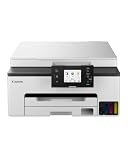
Canon MAXIFY GX1050 Wireless Colour 3-in-1 Refillable MegaTank Inkjet Printer - A4 Print, Copy, Scan - Wi-Fi, Cloud Link, Ethernet Connectivity - Home Office Printer, Includes 6 x Ink Bottles
£283.00
12% off · Amazon reference price £319.99
Last verified 2026-11-29 08:43:15 UTC
As an Amazon Associate, Cloudzat earns from qualifying purchases. Price and availability may change; Amazon checkout controls the purchase price.
What to buy for your needs
Start with the output you actually print
The first filter is simple: mono text or colour documents. If you mostly print black text, pick a mono laser. If you regularly print colour charts, presentations, school handouts or branded paperwork, a refillable tank printer is the better fit. That split matters because the cheapest machine to buy is not always the cheapest machine to own, and a printer that is only occasionally used can become frustrating if it relies on cartridges that dry out or need frequent cleaning cycles.
For many home users, the right answer is not “more features” but “fewer compromises”. If you never copy, a print-only model is fine. If you scan often, you should buy a device with a proper ADF and not assume a flatbed scanner will be enough. If fax is irrelevant, do not pay for it just because it comes bundled into a multifunction model. The most rational purchase is the one that matches the way the printer will be used over the next few years, not the one with the longest spec sheet.
Mono laser is the default for most home offices
Brother’s MFC-L2860DW is the strongest default choice because it covers the full document workflow without being needlessly complex. Brother’s UK product page shows 34 pages per minute print speed, 22.5 images per minute scanning, automatic two-sided printing, a 50-sheet ADF and a 250-sheet input tray. It also includes 5GHz Wi-Fi, Ethernet and USB. That combination is exactly what a typical home office needs for letters, forms, meeting packs, labels and admin paperwork.
Brother’s current support page is also useful because it confirms the model sits within the company’s current UK security-update policy. Brother says its devices conform to the UK Product Security and Telecommunications Infrastructure Regulations 2023 and receive guaranteed software security updates until at least five years after the device is last in production. That is reassuring for a printer that may stay on your network for years.
If you want a slightly simpler step-down, the DCP-L2660DW is the better budget mono all-in-one because it keeps print, scan and copy but drops fax. Brother lists it as a 3-in-1 mono laser with automatic two-sided printing and a large ADF. That makes it the sensible choice for people who scan documents regularly but do not need faxing.
If you only need to print and already have another scanner, the HL-L2445DW is the cleanest print-only alternative in Brother’s current UK mono laser line. Brother lists 32 pages per minute, automatic two-sided printing, 5GHz Wi-Fi, Ethernet and a 250-sheet tray, plus an inbox toner rated at 1,200 pages and a high-yield option at 3,000 pages. It is the leanest rational Brother buy if the device’s only job is to produce pages.
Choose refillable colour only when colour is part of the job
Canon’s current UK MAXIFY range is the most convincing colour alternative for a home office because it is aimed at document printing rather than photos. The GX3050 is the more compact choice: Canon lists it as a 3-in-1 refillable MegaTank printer with print, copy and scan, Wi-Fi, mobile printing and a 250-sheet front cassette. It is the right fit if you want a smaller colour machine that still behaves like office equipment.
The GX6550 is the specialist Canon pick because it adds a more substantial feed system and stronger office layout. Canon lists it as a 3-in-1 office inkjet with a front-accessible duplex ADF, 350-sheet capacity, Wi-Fi, Ethernet and cloud support. It also states that the printer uses a 250-sheet front cassette plus a 100-sheet rear feed. If your office prints more often, shares the printer with others, or needs sturdier paper handling, this is the better long-term choice.
Canon’s current warranty language matters as well. On the GX6550 page, Canon states that the printer includes a minimum two-year guarantee, with an additional year available on selected printers. For buyers comparing refillable models, that kind of clear warranty wording is more helpful than vague marketing language about ownership cost.
Epson EcoTank is the main alternative if you want colour with long-ink supplies
Epson’s EcoTank ET-4951 is a serious current UK option if you want a colour all-in-one with strong document features. Epson lists it as an A4 multifunction printer with duplex print, scan, copy and fax, a 30-page automatic document feeder and a 250-sheet front tray. It also includes Wi-Fi, Wi-Fi Direct and Ethernet, which makes it suitable for a shared home office rather than a single laptop on a desk.
Epson also specifies the supplied-ink yields as 15,100 pages in black and 5,500 pages in colour, which is the clearest sign that this model is intended for real document use rather than occasional home printing. Epson’s product page further states that the printer complies with UK product-security requirements and that security updates will be provided for seven years from purchase. If you value long support and broad connectivity, this is a credible alternative to Canon’s MAXIFY range.
The main reason to choose Epson over Canon is not that one is universally better, but that the ET-4951 gives you a more obviously document-first all-in-one package with a broad connectivity story and clearly stated page-yield figures. The main reason to choose Canon over Epson is that Canon’s GX line gives you sharper step-up choices between compact and more office-like configurations. Both are valid; the better one depends on how much colour printing you really do.
Check compatibility, bundle contents and power before you buy
For UK buyers, the most important compatibility question is boring but essential: does the printer match UK mains and support the connections you need? Brother lists the MFC-L2860DW with AC 220-240V 50/60Hz, and Epson lists the ET-4951 with a 220V/240V power supply. Those are the sort of details that confirm you are looking at UK-market products rather than trying to translate overseas specifications. Canon’s UK listings are likewise localised for the UK store.
Bundle contents and starter consumables also matter. Epson says the ET-4951 box includes ink bottles, the main unit, power cable, quick setup guide and warranty document. Canon’s refillable MAXIFY pages describe the yield of the supplied ink bottles, and Brother’s mono laser pages state the inbox toner capacity. Those are the details that help you compare ownership properly, because a printer’s value is not just the chassis but the starter consumables included with it.
Do not overread the brand name into the recommendation. Brother’s mono laser line is the right answer for text-heavy work, but that does not mean every Brother printer suits every office. Canon’s MAXIFY line is the right answer when colour document printing is part of the job, but not if colour is rare. Epson’s EcoTank line is compelling when you want high supplied-ink yields and office-style multifunction features, but it is still a document printer, not a photo specialist. Matching the machine to the workload is the point.
What to skip if you want the easiest ownership experience
Skip cartridge colour inkjets if you print occasionally and want low friction. They are often cheaper at the point of purchase, but they can be more awkward to live with if print heads need cleaning or cartridges dry out between jobs. For a home office, that annoyance is usually worse than paying for a more suitable printer up front.
Skip fax if you do not use fax. It adds little for many households, but it can push you into a larger multifunction device when a simpler printer would be enough. The same applies to scanning and copying: only pay for them if you need them. The best home office printer is not the one with the most features, but the one that gives you the functions you will use without clutter.
Skip any model that looks like it might be a regional variant without UK support details. The safest purchases are the ones with explicit UK store pages, UK mains ratings, and clear support or security-update statements. That is why the recommendations here stay within current UK product pages rather than assuming that a model name alone proves local availability.
Capacity, compatibility and ownership
Why the Brother MFC-L2860DW is the default answer
It is the best balanced current UK model for most people because it handles the everyday mix of printing, scanning and copying without forcing you into an ink-tank ownership model. Brother’s own specifications point to a printer that is fast enough for home-office paperwork, small enough for a desk, and practical enough to live with day to day. The inbox and high-yield toner figures also make it easier to estimate running needs without guessing.
The security-update policy is another reason to choose it confidently. Brother’s current UK support page explicitly promises software security updates for at least five years after a device leaves production, which is useful for a printer that may remain on your network for a long time. That does not make any printer invulnerable, but it does show that Brother is treating current devices as supported products rather than short-lived hardware.
When a budget Brother is enough
The DCP-L2660DW is the better budget choice if you need scan and copy but not fax. It remains a proper office-style mono laser rather than a stripped-down household printer. If your normal workflow involves scanning forms, receipts or contracts, this is the step-down that makes sense.
The HL-L2445DW is the budget choice for people who only need printing. It is not “better” than the MFC-L2860DW; it is simply more focused. If you already scan elsewhere, buying a print-only model avoids paying for hardware you will never use.
Why Canon MAXIFY is the right colour family for many offices
Canon’s GX3050 and GX6550 are both refillable office inkjets, but they solve different problems. The GX3050 is the compact everyday option, while the GX6550 gives you the more office-like paper handling and ADF arrangement. If your priority is a straightforward colour printer for a desk or study, the GX3050 is enough. If you are printing more often and want a stronger all-rounder, the GX6550 is the better specialist choice.
Canon’s own pages also make it clear that the GX6550 is built for networked office use, with Wi-Fi, Ethernet and cloud connectivity. That makes it the more convincing choice if the printer will be shared or used as part of a small office setup rather than a one-person desk machine.
Which option should you choose?
Default pick: Brother MFC-L2860DW
Choose this if you want the safest overall UK home-office printer recommendation. It is the best mix of mono text performance, scan quality, paper handling and low-fuss ownership.
Budget pick: Brother DCP-L2660DW
Choose this if you need scan and copy but do not need fax. It keeps the home-office essentials while avoiding the extra complexity of the top model.
Budget colour pick: Canon MAXIFY GX3050
Choose this if you print colour regularly and want a compact refillable printer with office-style features but do not need the bigger GX6550’s paper handling.
Specialist colour pick: Canon MAXIFY GX6550
Choose this if colour printing is central to the job and you want a more robust feed system, Ethernet and a front-accessible duplex ADF.
Epson alternative: EcoTank ET-4951
Choose this if you want a refillable colour all-in-one with fax, duplex scanning, Ethernet and clearly stated high ink yields from a current UK Epson model.
NAS options on Amazon
Compare the NAS model, drive bays, included disks and supported applications before buying. Keep using your existing NAS if it already meets the guide’s requirements.
Checking current Amazon listings…
As an Amazon Associate, we earn from qualifying purchases. Prices and availability can change; Amazon’s checkout price applies.
Questions answered
Should I buy mono laser or refillable colour for a home office?
Buy mono laser if most pages are text. Buy refillable colour only if you regularly print colour documents and want lower running hassle than a cartridge inkjet.
Is the Brother MFC-L2860DW overkill?
Not for most home offices. It is a sensible all-in-one default. It only becomes overkill if you never scan or fax, in which case a simpler Brother model is enough.
Are Canon MAXIFY and Epson EcoTank meant for photos?
No. These models are document-first printers that happen to handle colour well. If photographs are the main job, you should look at a different category.
How do I avoid buying the wrong model?
Check that the model is a current UK store listing, confirm the mains rating, confirm the functions you need, and ignore extras such as fax or cloud features unless you will actually use them.
Do these printers need subscriptions?
No subscription is required to use the printers normally. Some brands offer optional ink or toner delivery services, but the hardware itself should be judged on its standalone specification.
Sources and further detail
- Brother MFC-L2860DW product page — Current UK mono laser all-in-one specification, 34ppm print speed, 50-sheet ADF, 250-sheet tray, inbox and high-yield toner, and AC 220-240V power requirement.
- Brother DCP-L2660DW product page — Current UK 3-in-1 mono laser specification and Brother’s UK security-update policy statement.
- Brother HL-L2445DW product page — Current UK print-only mono laser specification, 5GHz Wi-Fi, 250-sheet tray, and inbox/high-yield toner figures.
- Canon MAXIFY GX3050 product page — Current UK 3-in-1 refillable MegaTank specification and compact colour home-office positioning.
- Canon MAXIFY GX6550 product page — Current UK 3-in-1 refillable MegaTank specification, 350-sheet capacity, front-accessible duplex ADF, Wi-Fi/Ethernet/cloud support, and bundled office features.
- Epson EcoTank ET-4951 product page — Current UK multifunction ink tank specification, 30-page ADF, 250-sheet tray, included-ink yields, UK product-security statement and power supply information.