


UK BUYING GUIDE
Frigate works best with cameras that behave like sensible local devices: stable RTSP streams, H.264 video, AAC audio if you want the smoothest browser playback, and separate substreams so detection does not have to decode the full recording feed. Frigate’s own guidance also prefers reliable wired cameras over Wi‑Fi for multi-camera systems, because stream stability matters more than headline resolution.
The buying mistake most people make is choosing by megapixels first. For Frigate, stream layout, codec support, aspect ratio matching and power method matter more than whether a box says 4MP or 4K. A camera that gives you a clean low-resolution substream for detection, a main stream for recording, and predictable frame pacing is usually a better buy than a fancier model with awkward codec behaviour.
For a UK home, the practical default is still a wired PoE outdoor camera with ONVIF/RTSP support and at least one configurable substream. That said, not every camera family is equally friendly to Frigate: some are H.265-only, some use proprietary “smart codec” modes that are poor fits for browsers, and some offer limited stream layouts. The right answer is to match the camera family to the role, then match the lens to the scene.
Our recommendation
Default choice: TP-Link VIGI C340, 4mm lens. This is the safest all-round Frigate camera in this guide because TP-Link’s UK page shows RTSP, ONVIF, PoE/12V DC power, main-stream H.265+/H.265/H.264+/H.264 support, a separate substream, and a sensible two-stream layout in the bundle that ships with the camera, quick-start guide, waterproof cable attachments and mounting accessories. It is the least awkward choice when you want a standards-based camera that can feed Frigate cleanly.
Budget choice: Reolink RLC-810A, 4.0mm. This is a good lower-friction consumer option if you want a widely sold PoE camera with RTSP and ONVIF, a built-in microphone, PoE or 12V DC power, a 2-year limited warranty, and no mandatory subscription. The trade-off is that Reolink lists H.265 on the camera spec rather than H.264, so it is not as browser-friendly as the TP-Link choice if you want the least transcoding or the simplest playback path.
Specialist choice: Hikvision DS-2CD2346G2-I(U), 4mm. Pick this if you want a more traditional professional CCTV-style family with 4MP imaging, optional 2.8/4/6mm lenses, H.264/H.265 main-stream support, sub-stream and third-stream support, and a built-in microphone on the -U model. It is the most specialist option here, but it is also the one with the richest stream menu for careful Frigate tuning.
Reolink RLC-810A PoE camera
Amazon UK listings for this buying decision. Match the model, capacity and bundle to our recommendations below.

Reolink 2-Pack RLC-810A-B 4K PoE Security Cameras Black + 2×128GB microSD Cards – Ultra HD, Human/Vehicle Detection, Time-Lapse, IP67, No Switch Needed
£244.76
2% off · Amazon reference price £249.96
Last verified 2026-11-29 10:10:34 UTC

Reolink 4K IP PoE Camera Outdoor CCTV, IP67 Waterproof, RLC-810A Black | Smart Human/Vehicle/Animal Detection, Time-Lapse Recording, Up to 512GB microSD Card Slot for 24/7 Recording
£79.99
Last verified 2026-11-29 10:10:34 UTC

Reolink 4K PoE Security Camera, 2X 8MP Outdoor PoE CCTV Security Cameras RLC-810A and NVR RLN8-410-NHD (NO HDD)
£277.17
12% off · Amazon reference price £314.97
Last verified 2026-11-29 10:10:34 UTC
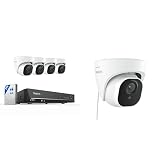
Reolink RLK8-800D4 4K PoE System + RLC-820A | 8CH 2TB HDD NVR with 5× 8MP IP Cameras, Person/Vehicle Detection, 24/7 Recording, Night Vision, Audio, IP66 Outdoor CCTV
£569.97
17% off · Amazon reference price £689.97
Last verified 2026-11-29 10:07:52 UTC
As an Amazon Associate, Cloudzat earns from qualifying purchases. Price and availability may change; Amazon checkout controls the purchase price.
What to buy for your needs
Start with Frigate’s stream rules, not the camera brochure
Frigate’s camera guidance is straightforward: favour cameras that output H.264 video and AAC audio, and choose models with multiple substreams so detection, streaming and recording can use different resolutions without re-encoding. Frigate also says the detection and recording streams work best when they use the same aspect ratio, so a 16:9 main stream should ideally pair with a 16:9 substream rather than a 4:3 one. That is a practical buying filter, not a nice-to-have.
You do not need a camera that is perfect on every axis, but you do need one that is predictable. If the camera gives you a dependable main stream, a smaller substream, and standard access methods such as RTSP and ONVIF, Frigate integration becomes much simpler and the server has less cleanup work to do. That is why codec and stream layout should drive the purchase.
Prefer PoE for the home install unless you have a real constraint
PoE is the right default for Frigate because it keeps power and data on one cable and avoids the unreliability that Frigate associates with Wi‑Fi cameras. TP-Link explicitly lists PoE/12V DC on the VIGI C340, while Reolink lists PoE and 12V DC on the RLC-810A. In practice, that means you can build a tidy wired system without depending on battery hardware or consumer Wi‑Fi signal quality.
Avoid choosing Wi‑Fi cameras as a default just because they are easier to unbox. Frigate’s documentation says Wi‑Fi cameras are not recommended because their streams are less reliable and can lose video data, especially when you use more than a few cameras. If you need a camera in a hard-to-wire location, solve the cabling problem first. Do not make the camera architecture weaker to compensate.
Match the lens to the scene before you obsess over resolution
The same camera family can be either excellent or disappointing depending on the lens. Reolink’s RLC-810A is sold with 2.8mm, 4.0mm and 6.0mm fixed lens variants, and the field of view changes materially between them. Reolink shows roughly 101° horizontal on 2.8mm, 87° on 4.0mm and 53° on 6.0mm, so the 4.0mm version is the best balanced default, the 2.8mm is the wider scene option, and the 6.0mm is the tighter, more distant specialist pick.
TP-Link’s VIGI C340 family also comes in different focal lengths, and the official UK pages show the camera family rather than a single fixed lens concept. That means you should choose lens length for the job: wider for porches and close runs, narrower for gates, driveways and longer approaches. With Frigate, a useful image of the right area beats a wide image full of tiny people.
Decide whether you want browser-friendly playback or raw local recording
Frigate copies the record stream directly without re-encoding, so playback depends on whether your browser can decode the camera’s codec. Frigate says H.265/HEVC recordings may not play in some browsers and recommends H.264 for maximum compatibility. That is why a camera family that supports H.264 natively is often easier to live with, even if H.265 looks better on a spec sheet.
This is the main reason the TP-Link VIGI C340 wins the default slot in this guide: it exposes H.264 as well as H.265 on the main stream and H.265/H.264 on the substream, which gives you more freedom when setting up Frigate and browser viewing. Reolink’s RLC-810A is still perfectly usable, but its official page shows H.265 on the video spec, so it is a better fit when you are happy to prioritise local recording and accept more codec caution.
Keep camera count and server load in mind at the same time
Frigate does not publish a simple universal camera limit because the real ceiling depends on your server hardware, the detector, the number of streams and the scene complexity. Its hardware guidance and troubleshooting pages both stress that higher resolutions and frame rates require more decoding power, and that lower-bandwidth substreams reduce strain. A camera purchase that gives you sensible stream controls can save you server money later.
That is also why “smart codec” features need care. Frigate’s recordings troubleshooting says you should disable non-standard H.264+/H.265+ modes when they interfere with clean decoding, because those modes can produce exactly the sort of stream behaviour that causes playback problems. So the best camera is not the one with the most marketing features; it is the one that lets you keep the stream simple.
Capacity, compatibility and ownership
Recommended default setup
If you want one camera family to start with, buy the TP-Link VIGI C340 in the 4mm lens variant. The UK product page shows RTSP, ONVIF, PoE/12V DC, separate main and sub streams, and H.265+/H.265/H.264+/H.264 on the main stream. It also ships with the camera, quick-start guide, waterproof cable attachments and mounting accessories, which is exactly the sort of no-surprise bundle a buyer wants for a first Frigate install.
The 4mm lens is the best default because it is a balanced compromise: narrower than a very wide lens, but not so tight that you lose context. If you are covering a front elevation, side passage or a medium-length driveway, that balance usually makes object detection and human review easier. Frigate benefits from a camera that captures the scene cleanly without forcing the server to compensate for poor framing.
Budget and value alternatives
For a consumer-oriented value option, choose the Reolink RLC-810A, ideally in 4.0mm. Reolink’s UK page confirms 4K resolution, PoE, RTSP, built-in microphone, microSD support up to 512GB, IP67 weatherproofing and a 2-year limited warranty. It also states there is no mandatory subscription for the camera, which is useful if you want a local-first system without recurring fees.
The reason it sits behind the TP-Link as the default is compatibility rather than quality rhetoric. Reolink lists H.265 on the camera spec, while Frigate says H.264/AAC is the safest path for playback compatibility. That does not make the RLC-810A a bad Frigate camera; it makes it a camera you should buy knowingly, especially if you are happy with RTSP/ONVIF integration and local recording over browser convenience.
Specialist choice for a more traditional CCTV stack
For a more professional surveillance ecosystem, choose the Hikvision DS-2CD2346G2-I(U), most sensibly in 4mm if you want a middle-ground field of view. Hikvision’s datasheet shows 4MP resolution, fixed lens options of 2.8mm, 4mm and 6mm, H.265/H.264/H.265+/H.264+ on the main stream, H.265/H.264/MJPEG on the sub-stream, and a third stream under certain settings. That is unusually flexible for Frigate tuning.
The specialist caveat is that this is a surveillance-family camera, not a consumer convenience camera. It makes sense if you want a more traditional CCTV install and are comfortable choosing the exact model and lens variant carefully. It is not the easiest first purchase, but it is technically well aligned with Frigate’s preference for multiple streams and standard protocols.
Which option should you choose?
Best overall: TP-Link VIGI C340, 4mm lens
This is the best overall Frigate camera in the guide because it combines RTSP, ONVIF, PoE/12V DC, two-stream support and H.264 compatibility in one current UK product page. It is a practical default for readers who want a wired local NVR setup without having to work around awkward codec choices.
Choose it if you want the cleanest balance of compatibility and simplicity. It is the option most likely to behave like a good network citizen while still giving you enough stream flexibility for Frigate’s detect/record/live roles.
Best budget/value alternative: Reolink RLC-810A, 4.0mm
Choose this if you want a mainstream PoE camera with a simple consumer setup, no mandatory subscription, ONVIF/RTSP support and a built-in microphone. Reolink also confirms the 2-year limited warranty on the UK product page, which is useful context for a camera that many people will buy as an all-in-one outdoor unit.
Buy it with your eyes open to the codec trade-off: the official camera spec lists H.265, so it is not as naturally browser-friendly as the TP-Link pick. If you are comfortable with that and want a straightforward PoE camera for local recording, it remains a defensible Frigate choice.
Best specialist choice: Hikvision DS-2CD2346G2-I(U), 4mm
Pick this if you want a more traditional CCTV-style camera family and value stream flexibility. The datasheet confirms the exact model family, the optional lens choices, and support for main-stream, sub-stream and third-stream operation, which is useful when you want to tune Frigate carefully around your scene and hardware.
This is the right answer for a more technical buyer who is happy to work with a surveillance ecosystem rather than a consumer app ecosystem. It is a specialist choice, but a defensible one.
NAS options on Amazon
Compare the NAS model, drive bays, included disks and supported applications before buying. Keep using your existing NAS if it already meets the guide’s requirements.
Checking current Amazon listings…
As an Amazon Associate, we earn from qualifying purchases. Prices and availability can change; Amazon’s checkout price applies.
Questions answered
Do I need H.264, or is H.265 fine for Frigate?
H.264 is the safer default because Frigate says it gives the best compatibility, while H.265 can be fine but may not play cleanly in all browsers. If you choose H.265, be ready to rely more on compatible clients or transcoding.
Should I buy a camera with no substream if the main stream is very high quality?
No, not for a typical Frigate build. Frigate explicitly prefers cameras with configurable substreams so detection can use a smaller stream while recording and viewing use the main stream.
Can I use Wi‑Fi cameras with Frigate?
You can, but Frigate does not recommend them. Its guidance says Wi‑Fi streams are less reliable and can lose data, especially when you have several cameras. For a home NVR, wired PoE is the better default.
Is a built-in microSD slot enough on its own?
No. A microSD slot is a useful backup, but Frigate is built around centralised local recording, alerts and review. The camera still needs to be a good network stream source first.
Which lens should most UK buyers choose?
Usually 4mm if you want a balanced scene. Go wider only when the camera is close to the subject, and narrower when the target area is farther away or more focused, such as a gate or driveway end.
Sources and further detail
- Frigate Recommended hardware — Frigate’s camera guidance: H.264/AAC compatibility, multiple substreams, and preference for reliable wired cameras over Wi‑Fi.
- Frigate Camera setup — Aspect-ratio matching between main and sub streams and the practical stream setup Frigate prefers.
- Frigate Recordings troubleshooting — Why Frigate copies the record stream directly, why H.265 may not play in browsers, and why non-standard smart codecs can cause playback issues.
- Reolink RLC-810A UK product page — Exact model, lens variants, PoE, RTSP/ONVIF support, H.265 video, microSD limit, warranty, no mandatory subscription and package/support details.
- TP-Link VIGI C340 UK product page — UK model page with PoE/12V DC, RTSP, ONVIF, H.264/H.265 support, two-stream layout and included accessories.
- Hikvision DS-2CD2346G2-I(U) datasheet — Exact specialist model’s 4MP imaging, optional lens sizes, H.264/H.265 stream support, sub-stream and third-stream details, and built-in microphone on -U variants.