


EXPANSION VALUE LADDER
Seagate Expansion Best Price per TB
Find which Seagate Expansion Desktop capacity gives you the most storage for each dollar right now.
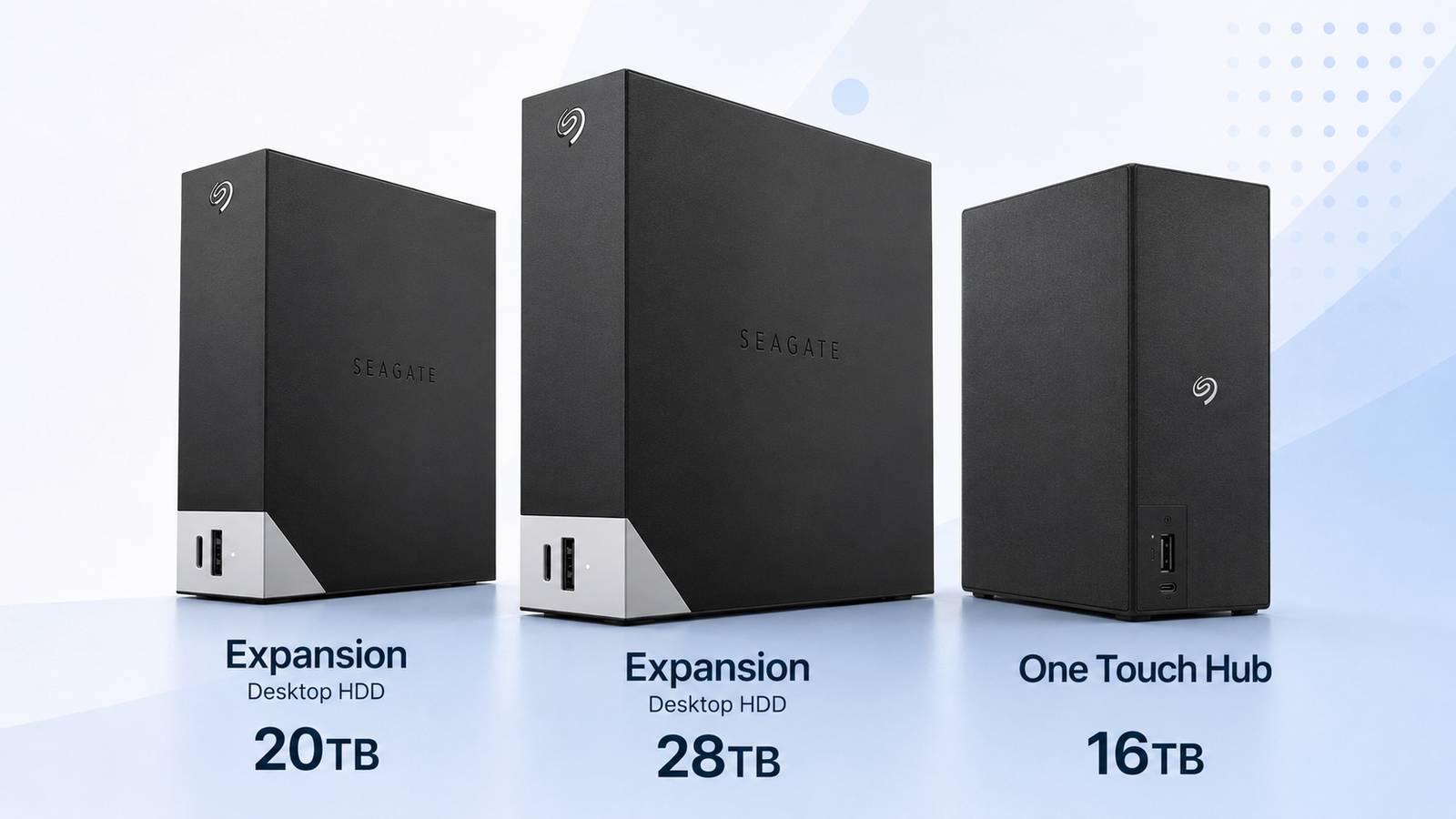
Use price per terabyte to identify the capacity sweet spot, then look at the actual checkout difference. A capacity can win on $/TB but still be the wrong purchase if its total price exceeds your backup budget or leaves no money for a second copy.
Price Trend
90-Day Price History
We’ll show the 90-day trend here as more daily price checks are recorded.
Expansion Deal Score
Live value across the capacity ladder
| Capacity / model | Current | $/TB | 30-Day | Deal | Sale | Signal |
|---|---|---|---|---|---|---|
| Expansion 16TBSTKP16000400 | $520.75 | $32.55 | — | 84 | Building | WATCH |
| Expansion 20TBSTKP20000400 | $663.34 | $33.17 | — | 82 | Building | WATCH |
| Expansion 24TBSTKP24000400 | $721.63 | $30.07 | — | 85 | Building | WATCH |
| Expansion 28TBSTKP28000400 | $1,199.99 | $42.86 | — | 50 | Building | WATCH |
The current ranking uses complete New-condition desktop external drives. Historical timing appears only after enough price history is available.
Is this a good price?
Seagate Expansion Price Check
Amazon Live
Current Expansion Best Price per TB offers
| Drive | Model | Capacity | Amazon price | $/TB | Checked | |
|---|---|---|---|---|---|---|
 Seagate ExpansionNew · Amazon Global Store UK Seagate ExpansionNew · Amazon Global Store UK | STKP24000400 | 24TB | $721.63 | $30.07 | Checked 5h ago | Buy on Amazon |
 Seagate ExpansionNew · Amazon Global Store UK Seagate ExpansionNew · Amazon Global Store UK | STKP16000400 | 16TB | $520.75 | $32.55 | Checked 5h ago | Buy on Amazon |
 Seagate ExpansionNew · Blue Orbit Commerce Group Seagate ExpansionNew · Blue Orbit Commerce Group | STKP6000400 | 6TB | $197.42 | $32.90 | Checked 5h ago | Buy on Amazon |
| Seagate ExpansionNew · Amazon Global Store UK | STKP10000400 | 10TB | $340.55 | $34.06 | Checked 5h ago | Buy on Amazon |
| Seagate ExpansionNew · Amazon Germany | STKP22000400 | 22TB | $807.27 | $36.69 | Checked 5h ago | Buy on Amazon |
| Seagate ExpansionNew · 3P Enterprise | STKP6000400 | 6TB | $235.00 | $39.17 | Checked 5h ago | Buy on Amazon |
| Seagate ExpansionNew · WEDNET LLC | STKP28000400 | 28TB | $1,199.99 | $42.86 | Checked 5h ago | Buy on Amazon |
 Seagate ExpansionNew · CR Distributors (S/N Recorded) Seagate ExpansionNew · CR Distributors (S/N Recorded) | STKP4000400 | 4TB | $194.95 | $48.74 | Checked 5h ago | Buy on Amazon |
 Seagate ExpansionNew · ZAR Systems Germany Seagate ExpansionNew · ZAR Systems Germany | Verify listing | 12TB | $751.00 | $62.58 | Checked 5h ago | Buy on Amazon |
| Seagate ExpansionNew · Amazon buying options | STKP20000400 | 20TB | $663.34 | $33.17 | Last verified 18d ago | Buy on Amazon |
 Seagate ExpansionNew · Amazon buying options Seagate ExpansionNew · Amazon buying options | STKP8000400 | 8TB | $279.00 | $34.88 | Last verified 13d ago | Buy on Amazon |
| Seagate ExpansionNew · Amazon buying options | STKP8000400 | 8TB | $289.99 | $36.25 | Last verified 1d ago | Buy on Amazon |
| Seagate ExpansionNew · Amazon buying options | STKP12000400 | 12TB | $457.32 | $38.11 | Last verified 2d ago | Buy on Amazon |
| Seagate ExpansionNew · Amazon buying options | STKP24000400 | 24TB | $1,128.99 | $47.04 | Last verified 2d ago | Buy on Amazon |
 Seagate ExpansionNew · Amazon buying options Seagate ExpansionNew · Amazon buying options | STEB16000402 | 16TB | $892.97 | $55.81 | Last verified 11d ago | Buy on Amazon |
| Seagate ExpansionNew · Amazon buying options | STKP26000400 | 26TB | Price options | — | Check current price | Buy on Amazon |
As an Amazon Associate, Cloudzat may earn from qualifying purchases. Prices, seller, selected variation and availability can change. Confirm that the listing is a complete Seagate desktop external hard drive in New condition before checkout.
Capacity Economics
16TB vs 20TB vs 24TB vs 28TB purchase cost
| Capacity | 16TB | 20TB | 24TB | 28TB |
|---|---|---|---|---|
| Best current $/TB | $32.55 | $33.17 | $30.07 | $42.86 |
| One drive | $520.75 | $663.34 | $721.63 | $1,199.99 |
| Two copies | $1,041.50 | $1,326.68 | $1,443.26 | $2,399.98 |
| Three copies | $1,562.25 | $1,990.02 | $2,164.89 | $3,599.97 |
| Current model | STKP16000400 | STKP20000400 | STKP24000400 | STKP28000400 |
These are purchase-cost comparisons, not RAID calculations. Choose the number of independent copies required by your backup plan and include tax, shipping, off-site storage, and replacement needs separately.
Smart Alternatives
Other current Seagate external-drive options
Decision table
What to compare before buying
| Capacity decision | Best metric | Secondary metric | Reason |
|---|---|---|---|
| Cheapest entry | Sticker price | $/TB | Useful when budget is fixed |
| Best raw value | Lowest $/TB | Total price | Useful for bulk archive purchases |
| Best protected value | Two-copy $/TB | Two-drive total | Useful for primary plus backup |
| Best density | Capacity per physical unit | Premium over next-smaller tier | Useful when desk space or USB ports are constrained |
Why $/TB is the best first filter for Expansion capacities
Price per terabyte is the cleanest first filter when the exact Expansion capacity is flexible. On the live Expansion value ladder, the page ranks 16TB, 20TB, 24TB, and 28TB on one cost-per-terabyte scale with the same current-price rules and then checking what the ranking means for the actual project. A capacity can lead on $/TB yet still require more cash than the buyer wants to commit, while a smaller model can lose the ratio contest but fit a two-copy backup budget far better. That is why the value ladder keeps checkout price, $/TB, duplicate-copy cost, and density visible at the same time.
A value-ladder check starts with the current price of each eligible Expansion capacity and converts every figure to the same $/TB denominator. The buyer then adds a second constraint: required usable space and the number of copies needed.
The cheapest drive and the cheapest terabyte are not the same thing
The lowest checkout price and the lowest storage cost are different winners surprisingly often. On the live Expansion value ladder, the page ranks 16TB, 20TB, 24TB, and 28TB on one cost-per-terabyte scale with the same current-price rules and then checking what the ranking means for the actual project. A capacity can lead on $/TB yet still require more cash than the buyer wants to commit, while a smaller model can lose the ratio contest but fit a two-copy backup budget far better. That is why the value ladder keeps checkout price, $/TB, duplicate-copy cost, and density visible at the same time.
16TB, 20TB, 24TB and 28TB form a useful value ladder
A 16TB-to-28TB value ladder makes the trade-off visible without forcing every shopper into the largest drive. On the live Expansion value ladder, the page ranks 16TB, 20TB, 24TB, and 28TB on one cost-per-terabyte scale with the same current-price rules and then checking what the ranking means for the actual project. A capacity can lead on $/TB yet still require more cash than the buyer wants to commit, while a smaller model can lose the ratio contest but fit a two-copy backup budget far better. That is why the value ladder keeps checkout price, $/TB, duplicate-copy cost, and density visible at the same time.
A capacity sweet spot can move when one size goes on promotion
The sweet spot is dynamic because a single promotion can move one capacity ahead of its neighbors. On the live Expansion value ladder, the page ranks 16TB, 20TB, 24TB, and 28TB on one cost-per-terabyte scale with the same current-price rules and then checking what the ranking means for the actual project. A capacity can lead on $/TB yet still require more cash than the buyer wants to commit, while a smaller model can lose the ratio contest but fit a two-copy backup budget far better. That is why the value ladder keeps checkout price, $/TB, duplicate-copy cost, and density visible at the same time.
Two-copy $/TB is more realistic for protected storage
For protected storage, duplicating the purchase exposes whether a small $/TB advantage actually matters in the total budget. On the live Expansion value ladder, the page ranks 16TB, 20TB, 24TB, and 28TB on one cost-per-terabyte scale with the same current-price rules and then checking what the ranking means for the actual project. A capacity can lead on $/TB yet still require more cash than the buyer wants to commit, while a smaller model can lose the ratio contest but fit a two-copy backup budget far better. That is why the value ladder keeps checkout price, $/TB, duplicate-copy cost, and density visible at the same time.
Higher density has a physical value beyond dollars
Density has a physical value that the simple $/TB formula does not capture. On the live Expansion value ladder, the page ranks 16TB, 20TB, 24TB, and 28TB on one cost-per-terabyte scale with the same current-price rules and then checking what the ranking means for the actual project. A capacity can lead on $/TB yet still require more cash than the buyer wants to commit, while a smaller model can lose the ratio contest but fit a two-copy backup budget far better. That is why the value ladder keeps checkout price, $/TB, duplicate-copy cost, and density visible at the same time.
Sale Score adds timing to the capacity ranking
Sale Score adds a timing dimension after the current capacity ranking has been established. On the live Expansion value ladder, the page ranks 16TB, 20TB, 24TB, and 28TB on one cost-per-terabyte scale with the same current-price rules and then checking what the ranking means for the actual project. A capacity can lead on $/TB yet still require more cash than the buyer wants to commit, while a smaller model can lose the ratio contest but fit a two-copy backup budget far better. That is why the value ladder keeps checkout price, $/TB, duplicate-copy cost, and density visible at the same time.
Shuck Score answers a different question from $/TB
Shuck Score asks whether the external package is discounted versus current bare Seagate options, which is a different question. On the live Expansion value ladder, the page ranks 16TB, 20TB, 24TB, and 28TB on one cost-per-terabyte scale with the same current-price rules and then checking what the ranking means for the actual project. A capacity can lead on $/TB yet still require more cash than the buyer wants to commit, while a smaller model can lose the ratio contest but fit a two-copy backup budget far better. That is why the value ladder keeps checkout price, $/TB, duplicate-copy cost, and density visible at the same time.
Strict product screening protects the low-price winner
The winning row is only trustworthy if cases, cables, power accessories, and other non-drives are screened out first. On the live Expansion value ladder, the page ranks 16TB, 20TB, 24TB, and 28TB on one cost-per-terabyte scale with the same current-price rules and then checking what the ranking means for the actual project. A capacity can lead on $/TB yet still require more cash than the buyer wants to commit, while a smaller model can lose the ratio contest but fit a two-copy backup budget far better. That is why the value ladder keeps checkout price, $/TB, duplicate-copy cost, and density visible at the same time.
Total acquisition cost prevents false optimization
Total acquisition cost prevents the buyer from optimizing a percentage while overspending on unnecessary capacity. On the live Expansion value ladder, the page ranks 16TB, 20TB, 24TB, and 28TB on one cost-per-terabyte scale with the same current-price rules and then checking what the ranking means for the actual project. A capacity can lead on $/TB yet still require more cash than the buyer wants to commit, while a smaller model can lose the ratio contest but fit a two-copy backup budget far better. That is why the value ladder keeps checkout price, $/TB, duplicate-copy cost, and density visible at the same time.
Use the value ladder as a repeatable purchasing framework
A useful value ladder should become a reusable purchasing framework rather than a one-day leaderboard. On the live Expansion value ladder, the page ranks 16TB, 20TB, 24TB, and 28TB on one cost-per-terabyte scale with the same current-price rules and then checking what the ranking means for the actual project. A capacity can lead on $/TB yet still require more cash than the buyer wants to commit, while a smaller model can lose the ratio contest but fit a two-copy backup budget far better. That is why the value ladder keeps checkout price, $/TB, duplicate-copy cost, and density visible at the same time.
Questions people ask
Expansion Best Price per TB FAQs
How should I judge a good price for Expansion Best Price per TB?
Start with the current $/TB, then compare nearby capacities and any recorded price history available for the Expansion capacity ladder. A good price is one that fits the storage plan and sits favorably against those comparisons, not merely one carrying a sale label.
What does the Deal Score mean on Expansion Best Price per TB?
It is a price-timing indicator. It combines current value with the history that is actually available and becomes more confident as daily price checks accumulate. It does not score reliability, performance, seller quality, or data-safety.
Are used or recertified products part of Expansion Best Price per TB?
No. The principal benchmark is for complete New-condition Seagate desktop external drives. Used, renewed, refurbished and recertified offers can have different warranty, condition and pricing characteristics, so they are not allowed to establish the new-product benchmark.
How does Cloudzat stop accessories affecting Expansion Best Price per TB?
Listings are screened for complete-drive evidence and coherent capacity. Hard cases, carrying cases, sleeves, empty enclosures, docks, cables, power adapters, stands and similar products are rejected even when their titles contain Seagate Expansion model names or supported capacity ranges.
Does Shuck Score reveal the drive inside Expansion Best Price per TB?
No. Shuck Score compares the sealed external package price with a current bare Seagate alternative at the same capacity when that comparison is available. It does not guarantee the enclosed mechanism, firmware, warranty treatment, recording technology, or exact internal model.
Should I budget for two drives when using Expansion Best Price per TB?
For important data, price the protection plan rather than only one enclosure. A second copy can change which capacity is affordable and can matter more than a small $/TB advantage. The appropriate backup design depends on the value of the data and the rest of your protection strategy.
Price methodology & sources
How Cloudzat evaluates Seagate external-drive prices
Current shopping prices are shown only while they are current. Complete New-condition desktop external drives are matched by Seagate family, capacity and, where available, exact model number. Accessories, portable drives, internal bare drives, multipacks and non-new conditions do not establish the main benchmark.
Historical charts and Sale Scores use recorded price history when enough daily data is available. The Deal Score can still compare current value while history is young, but the timing signal stays conservative. A Shuck Score only compares the external package with a current bare Seagate alternative at the same capacity; it does not identify the drive installed inside the enclosure.
- Seagate Expansion Desktop support and model information
- Seagate Expansion Desktop current data sheet
- Seagate One Touch Hub support information
Always confirm the selected capacity, model, seller, regional warranty terms and current checkout price. External-drive specifications and warranty periods can vary by market and product revision.