


A 192GB Ryzen AI Max+ PRO 495 system is interesting because it moves the local-AI limit from GPU-sized memory pools into workstation-sized shared memory. That can make very large quantized models, long contexts and multi-service agent stacks possible on one compact x86 machine. The catch is equally important: capacity does not equal GPU bandwidth, and a model that fits is not automatically a model that runs fast.
The 192GB configuration matters when the complete local-AI working set is too large for 128GB and the software path works well on the Radeon platform.
The 192GB configuration is most valuable when your complete AI working set would be cramped by 128GB. It gives model weights, context, runtime and supporting services much more room, but it does not turn shared LPDDR5X into 192GB of RTX-class VRAM.
192GB Ryzen AI Max+ PRO 495 computers and alternatives
Compare verified Amazon offers for complete 192GB PRO 495 systems. If that exact configuration is not listed, compare clearly marked lower-memory systems and other local-AI platforms below.
Review clearly labeled computer alternatives or targeted Amazon searches below. Different memory sizes and platforms are not equivalent.
128GB-class Ryzen AI Max+ 395 systems
AlternativeLower-memory AMD alternative; does not substitute for workloads that need 192GB.

NIMO Mini PC AMD Ryzen AI Max+ 395 Dual OS(Win11 Pro & Linux Ubuntu)
$4,699.99
Last verified price · 50 days ago
OneXPlayer ONEXStation Mini AI Workstation: AMD Ryzen AI Max+ 395, Radeon 8060S Graphics, 128GB RAM, 96GB VRAM, Dual SSD Slots, Wi-Fi 7, 2.5G LAN for Creators and Developers(128GB RAM + 1TB SSD)
$3,798.99
Last verified price · 50 days agoNIMO Mini PC Desktop, AMD Ryzen AI Max+ 395 128GB LPDDR5 8000MHz RAM 2TB SSD (Up to 5.1GHz) Mini Desktop Radeon 8060S Graphics Computers with USB4.0 BT5.2 WiFi 7, 4K Display
$4,699.99
Last verified price · 50 days agoNIMO Powerful AI Mini PC, AMD Ryzen AI Max+ 395 128GB LPDDR5 8000MHz RAM
$3,799.99
Last verified price · 50 days ago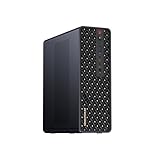
MINISFORUM MS-S1 MAX Mini AI Workstation PC, AMD Ryzen AI Max+ 395 (16C/32T),RDNA3.5 GPU,128GB LPDDR5x RAM 2TB SSMINI PC, Dual M.2 PCIe 4.0,PCIe x16 Slot, USB4 V2(80Gbps)& Dual 10GbE, 320W PSU,Wi-Fi 7
$3,799
Last verified price · 55 days agoNVIDIA GB10 / RTX Spark systems
AlternativeNVIDIA software alternative, commonly 128GB. Different CPU architecture and AI runtime.

CyberGeek DGX Spark Personal AI Supercomputer, GB10 Grace Blackwell Superchip, 20-Core Arm CPU, 128GB LPDDR5x Unified Memory, 2TB NVMe SSD, Up to 1 PFLOP FP4 AI Performance, DGX OS
$6,499.99
Last verified price · 55 days ago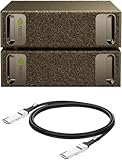
NVIDIA DGX Spark™ 2 Pack with Cable Bundle - Personal AI Desktop Supercomputer – Desktop GB10 Grace Blackwell Chip
$10,169.99
Last verified price · 74 days ago
NVIDIA DGX Spark GB10 Grace Blackwell Superchip, 128 GB LPDDR5x, ARM Processor, 4 TB NVME M.2 SSD Storage
$5,399.99
Last verified price · 74 days agoMac Studio alternatives
AlternativeDifferent operating system and Apple silicon platform. Confirm installed memory.

Apple 2026 Mac Studio Desktop Computer M5 Max chip
$2,449
Last verified price · 55 days ago
Apple 2026 Mac Studio desktop computer M5 Max chip w/ AppleCare+ (3 years)
$2,634
Last verified price · 55 days ago
(CTO) Apple Mac Studio: M5 Max 18C CPU - 32C GPU, 36GB, 1TB - Z1U4000E5
$2,999
Last verified price · 55 days agoApple 2026 Mac Studio Desktop Computer M5 Ultra chip
$5,499
Last verified price · 74 days agoThese are targeted Amazon searches, not verified product offers or quoted prices. Confirm the installed memory before purchasing.
Prices and availability can change. Check the exact memory, storage, condition, seller and checkout total on Amazon before buying.
Estimate whether a model fits in 128GB or 192GB
Use a conservative working-memory estimate that leaves room for the operating system, runtime and context. This is a capacity planner, not a tokens-per-second benchmark.
The result will focus on the trade-off that matters most for this decision.
What 192GB changes
| Workload | 192GB impact | Main caveat |
|---|---|---|
| Very large quantized LLMs | More model-weight and runtime headroom | Fit does not guarantee high generation speed. |
| Long context | More room for KV cache | Context cost depends strongly on model architecture. |
| RAG and agents | More capacity for multiple services beside the model | Storage and CPU can become the next bottleneck. |
| Concurrent sessions | More aggregate working memory | Throughput still depends on compute and scheduling. |
| CUDA-specific applications | Little help | Software dependency can outweigh memory capacity. |
Four checks that matter
Model working set
Estimate model weights, context, runtime buffers and other active services together.
Headroom
Leave memory for the operating system, agents, retrieval, speech or other services that run beside the model.
Acceleration support
Confirm the runtime can use the Radeon path you expect before treating memory capacity as the only requirement.
Storage capacity
Large quantized models and multiple variants can require several terabytes of fast local storage.
What to know before choosing your system
Use these details to check memory, software support, cooling, expansion and workload fit before comparing the live Amazon options above.
Start with the difference between model size and working set
A model file is only part of the memory budget. The runtime may create temporary buffers, the operating system needs its own space, and long context creates KV cache that grows with sequence length and concurrency. Multimodal models can add image or video tensors, while RAG systems may keep embedding and retrieval services active beside the generator.
That is why a model that appears to be a 90GB download can still be uncomfortable on a 128GB system. A 192GB machine gives those supporting components room to coexist without immediately forcing swaps, aggressive context cuts or unloading other services.
What AMD means by large graphics-memory allocation
AMD has described the Ryzen AI Max PRO 400 family as supporting up to 160GB of graphics memory on a 192GB system, and it cites the 495 as capable of running 300-billion-plus parameter workloads at 4-bit quantization in its stated scenario. That is useful evidence of the platform's intended memory design.
It should not be read as a universal claim that every 300B model will run well, that every runtime will expose the same allocation, or that 160GB of shared memory behaves like 160GB of HBM or GDDR7. Model architecture, context, software path and device firmware all affect the real result.
Quantization is what makes giant models plausible locally
FP16 weights need roughly two bytes per parameter before overhead, so very large models quickly exceed even 192GB. Four-bit quantization cuts the weight footprint dramatically and is the reason 120B, 200B and larger parameter classes can become realistic capacity targets. The quality and speed trade-off depends on the quantization method and runtime.
Do not size from the simple parameters-times-bits calculation alone. Add margin for metadata, runtime buffers and context. The model-fit calculator uses a conservative working budget rather than assuming every gigabyte of physical memory is available to model weights.
Long context can consume the memory you thought was spare
KV cache can expand rapidly as context length grows. The exact requirement depends on layers, hidden dimensions, attention implementation, precision and whether the runtime supports cache quantization or other optimizations. A 32K context target and a 128K target can therefore produce very different memory pressure even when the model weights are identical.
For agentic workflows, context can also accumulate tool output, retrieved documents and conversation history. The 192GB configuration is useful because it provides a larger safety margin, but sensible context management remains important.
RAG and local agents benefit from system-level headroom
A practical local agent is rarely a single process. You may run the main LLM, an embedding model, a reranker, a vector store, speech services, a browser or code sandbox and the application itself. Each component uses memory and compute. A 192GB workstation can keep more of that stack resident, reducing the need to unload one service every time another starts.
The benefit is especially clear for developers who also need IDEs, containers and test environments on the same system. The 495 can serve as both the AI node and the development workstation, which is a different use case from a dedicated accelerator card.
Memory bandwidth still matters
Large autoregressive models repeatedly move weights and activations through memory. A huge capacity pool solves the fit problem, but generation speed can still be limited by available memory bandwidth and kernel efficiency. That is why a smaller model that fits entirely in an RTX 5090's 32GB GDDR7 can run much faster on the discrete GPU even though the 495 can hold much larger models.
Avoid comparisons that equate gigabytes directly. Capacity tells you what can be loaded; bandwidth and compute tell you how quickly the loaded model can be processed. Both dimensions belong in a serious buying decision.
ROCm and runtime support can make or break the experience
The 495 is designed for AMD's current local-AI ecosystem and x86 Windows or Linux use, but not every AI package supports the Radeon path equally. Some runtimes work well through AMD-supported backends, while others are tuned first for CUDA. Before buying around a specific model family, confirm the software route you plan to use.
A 192GB memory advantage can be decisive for capacity and still lose to NVIDIA when software compatibility is non-negotiable. Compare the complete software path as carefully as the memory ceiling.
128GB vs 192GB: where the line becomes meaningful
The 128GB 395 class remains large enough for many serious local models. If your main models are 30B to 70B with moderate context, there can be ample room without paying for 192GB. The 495 becomes more compelling as the complete working set moves into the 100GB-plus range or when several services must stay resident together.
The practical goal is headroom. A machine running at 95 percent memory use has little flexibility for larger context, another session or a browser full of tabs. A 192GB system can turn a barely fitting workload into a comfortable workstation even when the model itself would technically load on 128GB.
Local image and video generation have different constraints
Large memory can help hold bigger diffusion or multimodal pipelines, but many image and video tools are strongly optimized around CUDA. A 495 system may have the capacity for a workload while an NVIDIA GPU has the faster, better-supported execution path. Treat local generative media separately from LLM inference rather than assuming one winner for every AI task.
For creators, the all-purpose workstation value can still be attractive if the same machine handles editing, coding and large-model inference. The comparison should include the applications you actually use, not only a model-size chart.
Storage becomes part of the AI architecture
A workstation that can hold very large models in memory also needs a practical way to store them. Several quantizations of one model family can consume hundreds of gigabytes, and datasets or retrieval corpora add more. Fast NVMe reduces load time and makes model switching less painful, while networked storage can centralize a large library.
When a 495 system exposes multiple M.2 positions or 10GbE, those are not side specifications. They determine whether the machine can operate as a useful node in a larger local-AI environment.
System design still matters after the memory decision
A 495 processor can appear in systems with very different storage layouts, chassis sizes, ports, networking and power modes. After confirming that 192GB solves the model-capacity problem, compare the exact machine that will host the workload.
For the N5 MAX-P495, the dedicated local-LLM guide covers its storage and chassis-specific considerations. Other 495 systems should be judged on their own design rather than inheriting assumptions from one device.
When 192GB is worth paying for
Pay for 192GB when it changes what you can run, how much context you can keep, how many services can stay loaded or how many machines you can consolidate. Those are measurable benefits. The configuration is also sensible for researchers who deliberately expect their model sizes to grow during the life of the system.
If the additional memory remains unused, spend the difference elsewhere. Faster storage, stronger networking, a discrete GPU or a mature 128GB system can deliver more value depending on the workload. High memory is a capability, not an automatic performance score.
How to measure your own memory requirement before buying
Use the exact model, quantization and context you expect to run. Record system memory after the model is fully loaded and again during the longest realistic prompt. If your workflow includes embeddings, a vector database, speech services or several agents, keep those components running during the measurement. The point is to capture the complete service, not an isolated model process.
Add a safety margin for operating-system growth, larger prompts and software updates. If the measured peak is already close to 128GB, a 192GB 495 configuration has an obvious role. If the full service remains below 80GB, extra capacity may not improve the experience and another hardware investment could matter more.
Why multi-user serving changes the 192GB value proposition
A local model server used by one person can spend most of its life with one context and one generation stream. A family, small team or development lab may have several sessions active at once. Model weights can be shared, but context caches, temporary buffers and application state grow with concurrency.
That makes memory headroom more valuable even when one session fits on 128GB. The 192GB configuration can support a larger service envelope, although compute throughput still limits how responsive simultaneous users will feel. Capacity and concurrency should be planned together.
Ryzen AI Max+ PRO 495 questions
Can Ryzen AI Max+ PRO 495 really use 192GB for local AI?
The processor supports up to 192GB of shared LPDDR5X system memory. AMD also describes very large graphics-memory allocations on the Max PRO 400 platform, subject to system and software configuration.
Does AMD say the 495 can run 300B models?
AMD cites a scenario with more than 300 billion parameters at 4-bit quantization. Treat that as AMD platform guidance, not a universal speed guarantee for every 300B model or runtime.
How much memory should I leave for Windows or Linux?
Leave meaningful headroom. The calculator reserves space for the operating system, runtime and context rather than assuming all physical memory belongs to model weights.
Is 192GB shared memory equivalent to 192GB VRAM?
No. The memory pool can be used flexibly, but its architecture and bandwidth are different from dedicated GPU memory.
Will 192GB make a 70B model faster?
Not by itself. If the model already fits comfortably, speed is more likely to depend on compute, bandwidth, runtime and power configuration.
Is 128GB enough for local AI?
For many quantized 30B to 120B-class workflows it can be, depending on context and overhead. The 192GB option matters when the complete working set approaches the 128GB ceiling.
Can I run RAG and an LLM on the same 495 system?
Yes in principle, and the large memory pool is useful for keeping several services resident. Size the generator, embeddings, vector store and application together.
Where is the N5 MAX-P495 local LLM guide?
The dedicated N5 MAX-P495 local LLM guide covers that specific MINISFORUM system in more detail.
Specifications and references
Platform specifications are checked against first-party technical material. Finished-system performance still depends on device configuration, firmware, cooling, memory settings and software.
- AMD Ryzen AI Max+ PRO 495 specifications
- AMD Ryzen AI Max PRO 400 Series and Ryzen AI Halo overview
- AMD guidance on variable graphics memory and local AI model sizing
- MINISFORUM MS-S1 MAX-P495 specifications
As an Amazon Associate, Cloudzat may earn from qualifying purchases. Prices and availability can change. Verify the exact model, memory, storage, condition and seller shown at checkout.