


the US
PC for Fortnite: Which Gaming PC Fits Your Settings and Budget?
Buy Skytech Crystal: Ryzen 7 7700, RTX 5060 Ti 8 GB, 32 GB DDR5, 1 TB SSD. Our balanced first choice for ordinary 1080p Fortnite play. Choose iBUYPOWER Element: Ryzen 7 9800X3D, RTX 5070 12 GB, 32 GB DDR5, 2 TB SSD. Buy for a larger high-refresh budget, a stronger GPU and more game space.
Choose the right option
Skytech Crystal: Ryzen 7 7700, RTX 5060 Ti 8 GB, 32 GB DDR5, 1 TB SSD
Our balanced first choice for ordinary 1080p Fortnite play.
Compare exact offers ↓iBUYPOWER Element: Ryzen 7 9800X3D, RTX 5070 12 GB, 32 GB DDR5, 2 TB SSD
Buy for a larger high-refresh budget, a stronger GPU and more game space.
Compare exact offers ↓Amazon offers in the US
Confirm the selected capacity, seller and delivered total.

Ryzen 7 7700 · 32 GB RAM
Skytech Gaming PC Desktop, Ryzen 7 7700, RTX 5060 Ti 8GB, 32GB RAM, 1TB SSD | Windows 11, NVMe SSD, DDR5 5600, 650W GOLD PSU, Wi-Fi 5, Crystal Series
1 TB SSD · 8 GB VRAM · 650 W
Confirm board, PSU model and RAM layout.
US$1,649.99Price observed 02.11.2026 14:53 UTCBuy on Amazon ↗
Ryzen 7 9800X3D · 32 GB RAM
iBUYPOWER Element Gaming PC Desktop, AMD Ryzen 7 9800X3D, NVIDIA GeForce RTX 5070 12GB, 32GB DDR5 RAM, 2TB SSD, RGB Wired Keyboard and Mouse, WiFi, Windows 11 Home
2 TB SSD · 12 GB VRAM · PSU wattage unspecified
Confirm board, PSU model and RAM layout.
US$2,399.99Price observed 02.11.2026 14:56 UTCBuy on Amazon ↗
Ryzen 7 5700 · 32 GB RAM
Skytech Gaming PC Desktop, Ryzen 7 5700, RTX 5060, 32GB RAM, 1TB SSD | Windows 11, NVMe SSD, DDR4 3200, 650W GOLD PSU, Wi-Fi 5, Crystal Series
1 TB SSD · GPU memory: check listing · 650 W
Confirm board, PSU model and RAM layout.
US$1,199.99Price observed 02.11.2026 14:53 UTCBuy on Amazon ↗
Ryzen 7 5700 · 16 GB RAM
Skytech Gaming PC Desktop, Ryzen 7 5700, RTX 5060 Ti 8GB, 16GB RAM, 1TB SSD | Windows 11, NVMe SSD, DDR4 3200, 650W GOLD PSU, Wi-Fi 5, Azure 3 Series
1 TB SSD · 8 GB VRAM · 650 W
Confirm board, PSU model and RAM layout.
US$1,329.88Price observed 02.11.2026 14:53 UTCBuy on Amazon ↗
Intel Core Ultra 7 265F · 32 GB RAM
iBUYPOWER Element Gaming PC Desktop — Intel Core Ultra 7 265F — NVIDIA GeForce RTX 5060 Ti 8GB — 32GB DDR5 RAM — 1TB NVMe SSD, Keyboard & Mouse, Windows 11 Home
1 TB SSD · 8 GB VRAM · PSU wattage unspecified
Confirm board, PSU model and RAM layout.
US$1,679.99Price observed 02.11.2026 14:53 UTCBuy on Amazon ↗Intel Core Ultra 7 265F · 32 GB RAM
iBUYPOWER Element Gaming PC Desktop — Intel Core Ultra 7 265F — NVIDIA GeForce RTX 5060 Ti 8GB — 32GB DDR5 RAM — 2TB NVMe SSD, Keyboard & Mouse, Windows 11 Home
2 TB SSD · 8 GB VRAM · PSU wattage unspecified
Confirm board, PSU model and RAM layout.
US$1,697.49Price observed 02.11.2026 14:53 UTCBuy on Amazon ↗
Ryzen 7 8700F · 32 GB RAM
KOTIN Gaming PC Desktop Ryzen 7 8700F, RTX 5060 Ti 8G, 32GB DDR5, 1TB SSD | Prebuilt Gaming Tower with WiFi 7, Windows 11 Home, DLSS 4, ARGB Cooling, 650W Gold PSU for 1080p/1440p PC Gaming & Streaming
1 TB SSD · 8 GB VRAM · 650 W
Confirm board, PSU model and RAM layout.
US$1,799.99Price observed 02.11.2026 14:53 UTCBuy on Amazon ↗
Ryzen 7 9700X · 32 GB RAM
Skytech Gaming Shadow Gaming PC, AMD Ryzen 7 9700X 3.8GHz, NVIDIA RTX 5060 Ti 8GB VRAM, 1TB NVMe SSD, 32GB DDR5 RAM 5600, 650W Gold PSU, 360 ARGB AIO, Wi-Fi, Win 11, Desktop
1 TB SSD · 8 GB VRAM · 650 W
Confirm board, PSU model and RAM layout.
US$1,799.99Price observed 02.11.2026 14:53 UTCBuy on Amazon ↗
Ryzen 7 9800X3D · 32 GB RAM
Skytech Gaming PC Desktop, Ryzen 7 9800X3D, RTX 5070, 32GB RAM, 2TB SSD | Windows 11, Gen4 NVMe SSD, DDR5 6000, 850W GOLD ATX 3 PSU, 360 ARGB AIO , Wi-Fi 5, Blaze 5 Series
2 TB SSD · GPU memory: check listing · 850 W
Confirm board, PSU model and RAM layout.
US$2,499.99Price observed 02.11.2026 14:56 UTCBuy on Amazon ↗
Ryzen 7 9800X3D · 32 GB RAM
KOTIN Gaming PC Desktop, Ryzen 7 9800X3D, RTX 5070 12GB, 32GB DDR5, 1TB SSD | 11.3" Smart Display, 360mm Liquid Cooler, WiFi 7, 850W 80+ Gold PSU, Windows 11 ARGB Lighting Gaming Computer 1440 4K
1 TB SSD · 12 GB VRAM · 850 W
Confirm board, PSU model and RAM layout.
US$2,499.99Price observed 02.11.2026 14:56 UTCBuy on Amazon ↗
Ryzen 7 9800X3D · 32 GB RAM
Skytech Gaming PC Desktop, Ryzen 7 9800X3D, RTX 5070 Ti, 32GB RAM, 1TB SSD | Windows 11, Gen4 NVMe SSD, DDR5 6000, 850W GOLD ATX 3 PSU, 360 ARGB AIO , Wi-Fi 5, King 95 Series
1 TB SSD · GPU memory: check listing · 850 W
Confirm board, PSU model and RAM layout.
US$2,799.99Price observed 02.11.2026 14:56 UTCBuy on Amazon ↗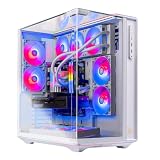
Ryzen 7 9800X3D · 32 GB RAM
Skytech Gaming PC Desktop, Ryzen 7 9800X3D, RTX 5070 Ti, 32GB RAM, 1TB SSD | Windows 11, Gen4 NVMe SSD, DDR5 6000, 850W GOLD ATX 3 PSU, 360 ARGB AIO , Wi-Fi 6, Prism 5 Series
1 TB SSD · GPU memory: check listing · 850 W
Confirm board, PSU model and RAM layout.
US$2,899.00Price observed 02.11.2026 14:56 UTCBuy on Amazon ↗
Ryzen 7 9800X3D · 32 GB RAM
Skytech Gaming PC Desktop, Ryzen 7 9800X3D, RTX 5070 Ti, 32GB RAM, 2TB SSD | Windows 11, Gen4 NVMe SSD, DDR5 6000, 850W GOLD ATX 3 PSU, 360 ARGB AIO , Wi-Fi 5, King 95 Series
2 TB SSD · GPU memory: check listing · 850 W
Confirm board, PSU model and RAM layout.
US$2,899.99Price observed 02.11.2026 22:24 UTCBuy on Amazon ↗
Ryzen 7 9700X · 64 GB RAM
Velztorm Altix Custom Built Gaming Desktop PC (AMD Ryzen 7 9700X, GeForce RTX 5070 Ti, 64GB DDR5, 2TB PCIe SSD, RGB Fans, 240mm AIO, 1000W PSU, WiFi 6E, Bluetooth 5.2, RJ-45, Win 11 Home)
2 TB SSD · GPU memory: check listing · 1000 W
Confirm board, PSU model and RAM layout.
US$2,989.99Price observed 02.11.2026 22:24 UTCBuy on Amazon ↗Ryzen 7 9800X3D · 32 GB RAM
Skytech Gaming PC Desktop, Ryzen 7 9800X3D, RTX 5070 Ti, 32GB RAM, 2TB SSD | Windows 11, Gen4 NVMe SSD, DDR5 6000, 850W GOLD ATX 3 PSU, 360 ARGB AIO , Wi-Fi 6, Prism 5 Series
2 TB SSD · GPU memory: check listing · 850 W
Confirm board, PSU model and RAM layout.
US$3,299.99Price observed 02.11.2026 14:56 UTCBuy on Amazon ↗
Core Ultra 9 285 · 32 GB RAM
msi Aegis R2 Gaming Desktop, Core Ultra 9 285, RTX 5070, 32GB DDR5, 2TB SSD, Windows 11 Home
2 TB SSD · GPU memory: check listing · PSU wattage unspecified
Confirm board, PSU model and RAM layout.
US$3,499.99Price observed 02.11.2026 22:24 UTCBuy on Amazon ↗
Intel Core Ultra 7 265 · 64 GB RAM
msi Aegis R2 AI Gaming Desktop, Intel Core Ultra 7 265, NVIDIA GeForce RTX 5070 Ti 16GB GDDR7, 64GB DDR5, 3TB Storage (2TB SSD+1TB Docking Station Set), Keyboard & Mouse, Wi-Fi 6E, Win 11, Black
2 TB SSD · 16 GB VRAM · PSU wattage unspecified
Confirm board, PSU model and RAM layout.
US$3,629.00Price observed 02.11.2026 22:24 UTCBuy on Amazon ↗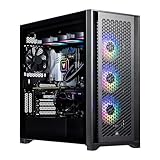
Intel i9-14900K · 64 GB RAM
Velztorm Aciex 14th Gen Gaming Desktop PC (Intel i9-14900K, GeForce RTX 5070 Ti, 64GB DDR5, 2TB PCIe SSD, 360mm AIO, 1000W PSU, WiFi 6, Bluetooth 5.2, RJ-45, 1 Display Port, Win 11 Pro)
2 TB SSD · GPU memory: check listing · 1000 W
Confirm board, PSU model and RAM layout.
US$3,999.99Price observed 02.11.2026 22:24 UTCBuy on Amazon ↗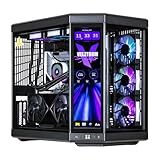
Intel i9-14900K · 64 GB RAM
Velztorm LCD Black Praetix Custom Built Y70 Touch Gaming Desktop (GeForce RTX 5070 Ti 16GB (Beats 4080), Liquid Cooled Intel i9-14900K, 64GB DDR5, 2TB PCIe SSD, 1000W PSU, WiFi 6E, Win11Pro)
2 TB SSD · 16 GB VRAM · 1000 W
Confirm board, PSU model and RAM layout.
US$4,039.25Price observed 02.11.2026 22:24 UTCBuy on Amazon ↗
i9-14900KF · 64 GB RAM
ArsenalPC 110R - RTX 5070 Ti Gaming Desktop PC Liquid Cooled - i9-14900KF 3.2GHz 24 core - 2TB NVMe SSD SSD + 2TB HDD - 64GB DDR5(2X32GB) - 850W - Windows 11 Home - RGB Fans Glass Side WiFi
2 TB SSD · GPU memory: check listing · PSU wattage unspecified
Confirm board, PSU model and RAM layout.
US$4,538.00Price observed 02.11.2026 22:24 UTCBuy on Amazon ↗As an Amazon Associate, Cloudzat earns from qualifying purchases. Prices are dated observations and can change. Check the exact variant and delivery to your address before ordering.
Buying guide
The complete PC to buy
Our pick is Skytech Crystal: Ryzen 7 7700, RTX 5060 Ti 8 GB, 32 GB DDR5, 1 TB SSD. Our balanced first choice for ordinary 1080p Fortnite play.
The alternative is iBUYPOWER Element: Ryzen 7 9800X3D, RTX 5070 12 GB, 32 GB DDR5, 2 TB SSD. Buy for a larger high-refresh budget, a stronger GPU and more game space.
For this purchase, the first named system is our recommendation. Its installed CPU, RAM and SSD are part of the value, not merely the graphics label. The alternative is worth the extra money only for the role stated above. If the first system already meets your screen and game needs, buy it and keep the saving.
For an older-platform value pick, accept that the next major CPU change may also require a motherboard and memory change. For a newer AM5 alternative, the initial price buys a different platform as well as the named processor. Neither choice needs an immediate upgrade simply to be usable. Buy the complete configuration you intend to run now.
| Choice | Installed configuration | Buy it for |
|---|---|---|
| Our pick | Skytech Crystal: Ryzen 7 7700, RTX 5060 Ti 8 GB, 32 GB DDR5, 1 TB SSD | Our balanced first choice for ordinary 1080p Fortnite play. |
| Alternative | iBUYPOWER Element: Ryzen 7 9800X3D, RTX 5070 12 GB, 32 GB DDR5, 2 TB SSD | Buy for a larger high-refresh budget, a stronger GPU and more game space. |
Our Fortnite choice for ordinary 1080p play
Buy the Skytech Crystal with Ryzen 7 7700, RTX 5060 Ti 8 GB and 32 GB of RAM for an ordinary 1080p Fortnite PC. It gives a newer AM5 platform without the much larger X3D-system bill. Choose the iBUYPOWER 9800X3D and RTX 5070 alternative when you deliberately want a higher-refresh budget, more graphics capability and 2 TB of storage.
The first PC has an 8 GB graphics card. Its 32 GB of system memory does not change that. For visual settings that exceed the useful graphics-memory budget, reduce demanding options or buy the more capable configuration rather than assuming the family name means 16 GB.
Performance Mode and high visual quality are different targets
Fortnite’s lower-graphics Performance Mode is intended to improve performance by reducing visual detail. Nanite and Lumen belong to a more demanding visual target. A quoted result from one mode should not become a promise for the other. Our first choice suits a balanced ordinary purchase; the premium PC serves a deliberate higher-budget target.
A 240 Hz or 360 Hz monitor does not guarantee that either computer maintains that frame rate in every match. Busy endgames, game updates and background software can change the load. For competitive play, sensible settings and a stable system matter alongside hardware. Keep the lower-cost PC when it serves the target, and choose the X3D alternative for the stronger CPU and GPU combination rather than an unsupported fixed FPS claim.
Buy a balanced complete system
For a new ordinary gaming desktop, our starting specification is 32 GB of RAM and at least a 1 TB SSD alongside the graphics card appropriate to the screen. Choose 2 TB when you want several large games installed together. A 16 GB configuration can serve as a lower-cost option, but it is a smaller installed-memory purchase. The named recommendation above states what is actually included.
A complete PC with an older processor can be a sensible value choice when the saving is large and the game is mainly demanding on the graphics card. For very high frame rates, busy simulation scenes or a platform you intend to upgrade, our newer-platform alternative is the better direction. Paying for a faster processor should solve that need rather than taking money away from a graphics tier required for your screen.
Choose the display target before the expensive graphics tier
For a budget 1080p setup, a suitably equipped RTX 5060 or RX 9060 XT system is our starting direction. For a more capable 1440p build, move toward an RTX 5070, RTX 5070 Ti or RX 9070 XT according to the named local choice. Reserve the RTX 5080 budget for demanding high-resolution graphics or a specific application that benefits from it. These are buying directions, not guaranteed frame rates in every game.
An 8 GB RTX 5060 Ti and a 16 GB RTX 5060 Ti are different purchases. Where our lower-cost system contains 8 GB, it is explicitly an 8 GB choice. It should not be sold as a 16 GB creative workstation. Equally, 32 GB of system RAM does not turn an 8 GB graphics card into a card with 40 GB of dedicated graphics memory. Capacity and processing performance answer different questions.
What the newer platform buys
Ryzen 5000 desktop configurations generally keep the older AM4 and DDR4 platform. The Ryzen 7000 and 9000 desktop options shown here use AM5 and DDR5. Buying the newer platform can make sense for a fresh system with future CPU changes in mind, but supported upgrades still depend on the exact motherboard and BIOS. A cheaper AM4 complete PC can be worth buying without pretending it offers the same future parts route.
Do not pay for an expensive processor solely because a store calls it an i7 or Ryzen 9. The full model matters. A named modern six- or eight-core CPU can be a more useful gaming choice than an unspecified old high-tier label. Our recommended configurations use explicit processors. Keep the full CPU name in the selected store variant, especially when several systems share a common photograph.
Where extra RAM and SSD space help
Choose 32 GB for ordinary gaming with a browser and everyday applications open. Buy 64 GB for heavier creative projects or several substantial virtual machines, not as a compulsory gaming upgrade. If the selected budget system has 16 GB, allow for a supported matched 32 GB kit when that is your actual requirement. The number of modules and spare slots decide how simple that change will be.
Storage buys room for installed games, downloads and projects. A larger SSD does not automatically increase the frame rate. For a growing game library, the 2 TB version can be more useful than decorative case upgrades. A 1 TB system remains sensible for a smaller rotating collection. Do not count a mechanical hard drive as an equivalent amount of fast SSD working storage.
The parts worth confirming before ordering
The listed power-supply wattage is useful, but a wattage or efficiency badge alone does not identify the actual unit. Our picks state the supply rating when it is named; the exact PSU and motherboard models may still need the seller's written specification. For a substantial GPU upgrade later, those details decide the connectors and available room. Unknown parts are not awarded the value of a premium model by assumption.
A liquid-cooling label or glass case is not proof of a quieter computer. Buy useful airflow and appropriate cooling before decorative extras. Wi-Fi and Bluetooth also need to be included when you will use them. Connect a gaming monitor to the graphics card's outputs. A motherboard output is not a substitute on a processor without usable integrated graphics.
Our choice between prebuilt and self-build
Buy the recommended complete PC when you want a working system with assembly and a clear seller to contact. Build your own when choosing each exact part is important and you are comfortable assembling and supporting it. A few cheaper headline parts do not make a complete alternative until the motherboard, memory, SSD, PSU, case, cooling and required operating system are included.
We do not claim a fixed self-build saving without a complete matching parts basket. For a buyer who simply wants to play, a well-specified prebuilt is a useful purchase in its own right. Choose the stronger alternative when its named CPU, graphics or storage benefit serves your actual use; otherwise buy the first pick and keep the saving. Extra accessories that you already own need not be purchased again.
Compare a complete PC with an equivalent parts basket
Use actual checkout amounts. Add only charges not already included. The result compares cost, not compatibility or frame rate.
Turn your FPS target into a frame-time budget
This is a target, not a prediction for any listed PC. Compare measured frame times for the same game, patch, settings and scene. Generated frames and average FPS do not establish input latency or a minimum frame rate.
Frequently asked questions
Which configuration should I buy?
Buy the first named complete PC for the main use on this page. Choose the alternative for its stated benefit, such as higher-refresh gaming, more graphics power or a lower budget.
Is 32 GB of RAM enough for gaming?
It is our ordinary new gaming-PC choice. Buy 64 GB for a heavier workload that needs the capacity. System RAM and graphics VRAM are separate.
Does the same GPU make two PCs identical?
No. The CPU, installed RAM, SSD, motherboard, power supply and cooling also matter. The cards above name the actual configuration rather than only the graphics family.
Should I replace a PC that still runs my games well?
Keep it when it still has enough performance and space. Buy an upgrade to solve a real limitation rather than solely for a newer model number.
Related buying guides
- Best CPU Upgrade for AM4: Which Ryzen Should You Buy for Your Board?
- B650 vs B850 Motherboards: Which Should You Buy for Your Next PC?
- Gaming Pc Price Tracker
- High End Pc Builder