


the US
B650 vs B850 Motherboards: Which Should You Buy for Your Next PC?
Buy the MSI B650 Tomahawk for a gaming or everyday PC with one graphics card and up to three internal M.2 SSDs. Choose the B850 Tomahawk MAX if you need a fourth M.2 SSD or regularly copy large files to a fast NAS. If you already own a suitable B650 board, keep it.
Choose the right option
MSI MAG B650 TOMAHAWK WIFI
Best for most gaming and everyday PCs when it costs less. Connect up to three M.2 SSDs or six SATA drives.
Compare exact offers ↓MSI MAG B850 TOMAHAWK MAX WIFI
Choose for a fourth M.2 SSD or large file transfers over a suitably fast local network.
Compare exact offers ↓Amazon offers in the US
Confirm the selected capacity, seller and delivered total.

AM5 motherboard · B650
MSI MAG B650 Tomahawk WiFi Gaming Motherboard (AMD Ryzen 9000/8000/7000 Series Processors, AM5, DDR5, PCIe 4.0, M.2, SATA 6Gb/s, USB 3.2 Gen 2, HDMI/DP, Wi-Fi 6E, Bluetooth 5.3, 2.5Gbps LAN, ATX)
Exact part: check board and BIOS support
US$175.99Price observed 02.11.2026 09:09 UTCBuy on Amazon ↗
AM5 motherboard · B850
MSI MAG B850 Tomahawk MAX WiFi Motherboard, ATX - Supports AMD Ryzen 9000/8000 / 7000 Processors, AM5-80A SPS VRM, DDR5 Memory Boost 8400+ MT/s (OC), PCIe 5.0 x16, M.2 Gen5, Wi-Fi 7, 5G LAN
Exact part: check board and BIOS support
US$209.99Price observed 02.11.2026 09:09 UTCBuy on Amazon ↗
AM5 motherboard · B650
MSI B650 Gaming Plus WiFi Gaming Motherboard (AMD Ryzen 9000/8000/7000 Series Processors, AM5, DDR5, PCIe 4.0, M.2, SATA 6Gb/s, USB 3.2 Gen 2, HDMI/DP, Wi-Fi 6E, Bluetooth 5.3, 2.5Gbps LAN, ATX)
Exact part: check board and BIOS support
US$119.99Price observed 02.11.2026 09:09 UTCBuy on Amazon ↗AM5 motherboard · B850
MSI MAG B850 Tomahawk MAX WiFi V1 Motherboard, ATX - Supports AMD Ryzen 9000/8000 / 7000 Processors, AM5-80A SPS VRM, DDR5 Memory Boost 8400+ MT/s (OC), PCIe 5.0 x16, M.2 Gen5, Wi-Fi 7, 5G LAN
Exact part: check board and BIOS support
US$220.27Price observed 02.11.2026 09:09 UTCBuy on Amazon ↗
AM5 motherboard · B650
GIGABYTE B650 Eagle AX AM5 LGA 1718 ATX Motherboard, DDR5, Triple M.2 Slots (1x PCIe 5.0, 2X PCIe 4.0), USB 3.2 Gen2x2 Type-C, WiFi 6E, Realtek GbE LAN
Exact part: check board and BIOS support
US$139.99Price observed 02.11.2026 09:09 UTCBuy on Amazon ↗
AM5 motherboard · B650E
ASUS B650E MAX Gaming WiFi W – AMD B650 AM5 ATX Motherboard, White PCB, DDR5, PCIe 5.0, 3X M.2, Wi-Fi 6E, 2.5Gb LAN, USB 10Gbps Type-C, DisplayPort, HDMI™, BIOS Flashback™, Aura Sync, Advanced AI PC
Exact part: check board and BIOS support
US$178.80Price observed 02.11.2026 09:09 UTCBuy on Amazon ↗
AM5 motherboard · B850
MSI B850 Gaming Plus WiFi PZ Motherboard, ATX - Supports AMD Ryzen 9000/8000 / 7000 Processors, AM5 - DDR5 Memory Boost 8200+ MT/s (OC), PCIe 5.0 x16, M.2 Gen5, Wi-Fi 7, 5G LAN
Exact part: check board and BIOS support
US$229.99Price observed 02.11.2026 09:09 UTCBuy on Amazon ↗
AM5 motherboard · B850
MSI MAG B850 Tomahawk MAX WiFi II Motherboard - Supports AMD Ryzen 9000/8000 / 7000 Processors, AM5-80A SPS VRM, DDR5 Memory Boost (up to 8400+ MT/s OC), PCIe 5.0 x16, M.2 Gen5, Wi-Fi 7, 5G L
Exact part: check board and BIOS support
US$259.99Price observed 02.11.2026 09:09 UTCBuy on Amazon ↗As an Amazon Associate, Cloudzat earns from qualifying purchases. Prices are dated observations and can change. Check the exact variant and delivery to your address before ordering.
Current PC Upgrade Deals on Amazon
Adjacent alternatives: compare capacity and compatibility before substituting.

AMD Ryzen 5 7600X
AMD Ryzen 5 7600X 6-Core, 12-Thread Unlocked Desktop Processor
Exact part: check board and BIOS support
US$167.99Price observed 02.11.2026 09:09 UTCBuy on Amazon ↗
AMD Ryzen 7 5700X
AMD Ryzen 7 5700X 8-Core, 16-Thread Unlocked Desktop Processor
Exact part: check board and BIOS support
US$196.49Price observed 02.11.2026 09:10 UTCBuy on Amazon ↗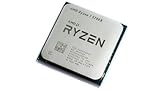
AMD Ryzen 7 5700X
AMD Ryzen 7 5700X 8-Core Desktop Processor: 16 Threads, 32MB Cache, AM4 | up to 4.6 GHz boost, PCIe 4.0, Zen 3, DDR4, Precision Boost 2, OEM Tray for Gaming, Creation, Home & Office
Exact part: check board and BIOS support
US$199.99Price observed 02.11.2026 09:09 UTCBuy on Amazon ↗
AMD Ryzen 5 5600X3D
Micro Center AMD Ryzen 5 5600X3D Vermeer AM4 DDR4 6-Core Boxed Processor | Heatsink Not Included, 6 Cores, 12 Threads, PCIe 4.0, Up to 4.4 GHz Boost Clock, 99 MB L2+L3 Cache, 105W TDP
Exact part: check board and BIOS support
US$219.99Price observed 02.11.2026 09:09 UTCBuy on Amazon ↗Buying guide
Which motherboard should you buy?
The MSI MAG B650 TOMAHAWK WIFI is our choice for most gaming and everyday PCs when it costs less. It has room for a graphics card and three M.2 SSDs, the small drives that fit directly onto the board. For a PC with one or two SSDs and a normal home internet connection, it already covers the main needs.
Buy the MSI MAG B850 TOMAHAWK MAX WIFI if you plan to install four M.2 SSDs, want compatible newer high-speed SSDs, or often copy large files to a NAS on a fast home network. Those are practical reasons to pay more. If you will not use them, spend the difference on more SSD space or keep the money.
| Motherboard | Buy it if… | What this means for you |
|---|---|---|
| MSI MAG B650 TOMAHAWK WIFI | You want a gaming or everyday PC with one to three M.2 SSDs. | The lower-cost choice when you do not need extra SSD slots or faster local file transfers. It also connects up to six SATA drives. |
| MSI MAG B850 TOMAHAWK MAX WIFI | You need four M.2 SSDs or faster transfers to suitably equipped network storage. | More room for internal SSDs and a faster wired network connection. Your NAS and network equipment must also support that speed. |
Will the B850 make your games faster?
The newer motherboard is not a general upgrade in game performance. With the same processor, graphics card and comparable settings, do not expect higher frame rates simply because B850 is printed on the box. Its main advantages here are the extra storage connection and newer networking.
For example, a gaming PC with two SSDs and a standard router has little reason to pay extra for a fourth SSD slot or faster network port. A creator who wants several internal project drives and regularly transfers large videos to a fast NAS has a clearer reason to choose the B850 MAX.
Storage: three Gen4 positions versus a different four-slot layout
The B650 Tomahawk's documented M.2 layout offers three PCIe 4.0 positions. That is enough for many gaming and general-purpose computers. The B850 Tomahawk MAX has four M.2 positions, including two that support PCIe 5.0 x4 with the appropriate processor. Its other positions do not all operate at the same speed, so four slots should not be read as four identical maximum-speed connections.
A PCIe 5.0 SSD can be useful for demanding transfers and specific storage-heavy work. It is not a requirement for good gaming, and buying one solely because the board supports it can consume money better spent on capacity. For a normal game library, a suitable larger Gen4 SSD may be more useful than a smaller premium Gen5 model. Choose the board for the drives you plan to install.
5 GbE helps only when the rest of the network can use it
The B650 board has 2.5 GbE Ethernet. The B850 Tomahawk MAX has 5 GbE. The faster connection can matter when moving large files to a fast NAS or another computer on a network that supports the higher speed. It does not double an internet connection that is already slower, and it cannot make a NAS transfer exceed the storage or other network components involved.
If your router and switches are limited to 1 GbE, the extra port capability may remain unused. For a home office with a planned faster NAS connection, it can be a useful reason to choose B850. Both boards also provide wireless connectivity, but actual wireless results depend on the router, signal conditions and supported setup. Buy the connection you can use rather than treating the largest number as an automatic benefit.
The CPU and BIOS still decide compatibility
Both named boards use AM5 and DDR5. Their supported CPU lists and BIOS versions determine the exact processors that can be installed. A newer chipset name does not remove the need for that match, and an older B650 board can support suitable newer CPUs once the required firmware is present. A matching socket is the starting point, not the complete compatibility answer.
Processor choice can also alter available PCIe links. The maximum lane specifications shown for Ryzen 7000 and 9000 configurations should not be assumed for every 8000-series APU. If you are buying a G-series processor or using several expansion devices, use the exact board layout for that CPU. This is a concrete reason to compare complete configurations instead of chipset names alone.
Expansion slots can share their connection
Some M.2 positions and secondary expansion slots share bandwidth. On the B850 Tomahawk MAX, MSI documents sharing between M2_3 and PCI_E3. The B650 board also has sharing between its third M.2 position and a secondary slot. Installing a drive can therefore change what remains available for another card; every physical connector is not an independent full-speed link.
For a simple build with one GPU and a couple of SSDs, this may never matter. For a capture card, faster networking card or several extra drives, it can decide which board is appropriate. Plan those actual devices before paying for a board that appears to have enough slots but cannot run them in the intended arrangement. The main buying question is whether the layout supports your devices together.
Memory, case size and everyday connectors
Both boards require desktop DDR5, not your old DDR4 modules. A 32 GB kit made from two 16 GB modules is a useful gaming and general-use starting point; larger workloads can justify more. EXPO and other advertised memory profiles are overclocking settings, not a guarantee that every combination of CPU, BIOS and modules will run at the highest printed speed.
These are ATX boards and need a case that supports that size. Also consider the actual front USB connectors, rear display outputs, fan connections and the ports used by your peripherals. A motherboard with the right practical connections can be more convenient than a nominally newer model that requires adapters. None of these differences should be described as a universal frame-rate gain.
Our choice for three common builds
Basic gaming and everyday work with Gen4 SSDs: choose the cheaper suitable B650 configuration. A faster NAS connection, planned Gen5 storage or several internal drives: B850 Tomahawk MAX is worth the comparison. An existing working B650 system: keep the board unless a missing function is a real problem; replacing it solely for the newer chipset is rarely the first sensible upgrade.
Compare complete platform upgrade costs
Enter actual prices. Add only charges not already included, including your applicable tax, delivery and required extras.
Frequently asked questions
Does B850 automatically give more FPS?
No. With otherwise comparable CPU, GPU and memory, the chipset name is not a frame-rate upgrade. Choose for specific connections, storage layout and support.
Do I need a Gen5 SSD?
Not for ordinary gaming. A suitable Gen4 SSD is a practical choice, and more capacity can be more useful than a higher interface generation.
Can I reuse DDR4?
No. These AM5 boards use DDR5. The memory cost belongs in an upgrade from an older DDR4 platform.
Related buying guides
- Best CPU Upgrade for AM4: Which Ryzen Should You Buy for Your Board?
- Motherboard Finder
- Ddr4 Vs Ddr5 Ram Price