


United States · USD
Mini PC RAM Upgrade Guide
First check whether your Mini PC has replaceable SO-DIMM memory. For DDR5 slots, compare Crucial DDR5 and Kingston FURY Impact DDR5; for DDR4 slots, compare Crucial DDR4 and Kingston FURY Impact DDR4. Choose the supported module capacity and slot count. Soldered LPDDR memory, including the EVO-X2’s onboard RAM, cannot be expanded with a SO-DIMM kit.
- Soldered memory? A SO-DIMM kit cannot expand onboard RAM.
- Find the generation. Use DDR4 or DDR5 exactly as the service manual specifies.
- Count the modules. Match the kit arrangement to the available slots.
Choose RAM for your memory slots
Crucial DDR5 SO-DIMM, 32GB total
First comparison for a compatible DDR5 SO-DIMM system. A 32GB two-module kit needs two supported slots; one-slot machines need the appropriate single module.

32 GB total (2 × 16 GB) · DDR5 SO-DIMM
$529.63Price checked 01.11.2026 08:38 UTCBuy on Amazon ↗Specifications and model details ↗Kingston FURY Impact DDR5, 32GB total
DDR5 alternative when its module capacity and supported operating profile match the service manual. Do not pay for an overclocking profile the computer cannot use.

32 GB total (2 × 16 GB) · DDR5 SO-DIMM
$659.99Price checked 01.11.2026 10:39 UTCBuy on Amazon ↗Specifications and model details ↗Crucial DDR4 SO-DIMM, 32GB total
First DDR4 comparison for a supported older platform. DDR4 and DDR5 modules are physically different and cannot replace each other.

32 GB total (2 × 16 GB) · DDR4 SO-DIMM
$193.32Price checked 01.11.2026 08:53 UTCBuy on Amazon ↗Specifications and model details ↗Kingston FURY Impact DDR4, 32GB total
Alternative DDR4 SO-DIMM family. Match the exact part number, module arrangement and supported speed to the computer.
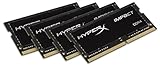
32 GB total (4 × 8 GB) · DDR4 SO-DIMM
$299.99Price checked 01.11.2026 10:39 UTCBuy on Amazon ↗Specifications and model details ↗SO-DIMM kits and single modules
DDR5
Crucial 32GB DDR5 RAM Kit (2x16GB), 5600MHz (or 5200MHz or 4800MHz) Laptop Memory 262-Pin SODIMM, Compatible with Intel Core and AMD Ryzen 7000, Blac…
32 GB total (2 × 16 GB) · DDR5 SO-DIMM
$529.63Price checked 01.11.2026 08:38 UTCBuy on Amazon ↗DDR5
Kingston FURY Impact 32GB (2x16GB) 6400MT/s CL38 DDR5 SODIMM | Intel XMP 3.0 | Plug N Play | Laptop Memory | Kit of 2 | KF564S38IBK2-32
32 GB total (2 × 16 GB) · DDR5 SO-DIMM
$659.99Price checked 01.11.2026 10:39 UTCBuy on Amazon ↗DDR4
Crucial 32GB Kit (16GBx2), 260-pin SODIMM, DDR4 PC4-19200,
32 GB total (2 × 16 GB) · DDR4 SO-DIMM
$193.32Price checked 01.11.2026 08:53 UTCBuy on Amazon ↗DDR4
Kingston Technology HyperX Impact 32GB Kit (4x8GB) 2400MHz DDR4 CL15 260-pin SODIMM for Laptop HX424S15IBK4/32
32 GB total (4 × 8 GB) · DDR4 SO-DIMM
$299.99Price checked 01.11.2026 10:39 UTCBuy on Amazon ↗
DDR4
Timetec 32GB KIT (2x16GB) DDR4 2666MHz (PC4-2666V) PC4-21300 SODIMM Laptop RAM – 260-Pin 1.2V CL19 Non-ECC Unbuffered Memory Module for Laptop, Noteb…
32 GB total (2 × 16 GB) · DDR4 SO-DIMM
$189.99Price checked 01.11.2026 08:53 UTCBuy on Amazon ↗
DDR5
Kingston FURY Impact 16GB 6400MT/s CL38 DDR5 SODIMM | Intel XMP 3.0 | Plug N Play | Laptop Memory | Single Module | KF564S38IB-16
16 GB total (1 × 16 GB) · DDR5 SO-DIMM
$320.16Price checked 01.11.2026 07:44 UTCBuy on Amazon ↗DDR5
Crucial 64GB DDR5 RAM Kit (2x32GB), 4800MHz CL40 Laptop Memory - SODIMM 262-Pin - Compatible with 12th Intel Core - CT2K32G48C40S5
64 GB total (2 × 32 GB) · DDR5 SO-DIMM
$1,084.97Price checked 01.11.2026 08:38 UTCBuy on Amazon ↗
DDR4
Crucial 64GB DDR4 RAM Kit (2x32GB), 3200MHz (PC4-25600) CL22 Laptop Memory, SODIMM 260-Pin, Downclockable to 2933/2666MHz, Compatible with 13th Gen I…
64 GB total (2 × 32 GB) · DDR4 SO-DIMM
$496.77Price checked 01.11.2026 08:53 UTCBuy on Amazon ↗RAM compatibility and installation
Can your Mini PC’s RAM actually be upgraded?
Look for a service manual that names removable SO-DIMM slots. The AI X1 Pro-370 has replaceable memory, while an EVO-X2 uses onboard memory that you choose when buying the computer. A specification mentioning LPDDR is a reason to investigate the actual layout, not an invitation to order laptop modules. USB storage and an external SSD cannot add physical RAM.
If memory is soldered, reduce unnecessary background applications or move the workload to a computer with enough installed capacity. Replacing the whole machine can be sensible for a larger workload, but a memory kit will not solve that limitation. Confirm the exact hardware revision before taking the cover off.
Choose DDR4 or DDR5 and count the slots
Use the memory generation in the service documentation. DDR4 SO-DIMMs use a different pin layout from DDR5 SO-DIMMs; neither should be forced into the other socket. Full-size desktop DIMMs are also the wrong form factor for a SO-DIMM slot. The same capacity and brand name do not make these products interchangeable.
A 32GB kit containing two 16GB modules is useful only when the computer has two suitable slots. For a one-slot system, choose a supported single module instead. Check both the per-slot limit and total supported capacity. Prefer a matched arrangement for a two-slot upgrade rather than assuming a new module will operate identically beside an unrelated old one.
How much memory should you buy?
16GB remains a practical comparison for ordinary documents and browsing. Choose 32GB when your real multitasking, development tools or photo work regularly exhaust 16GB. Move to 64GB only when the machine supports it and virtual machines, large projects or local models justify the capacity. Check memory use while running the work that matters.
Capacity comes before a headline speed the firmware cannot use. Match the supported voltage and standard operating profile, and expect the platform to determine the final speed. A larger kit does not guarantee faster exports or gaming when the bottleneck is the processor or graphics. Keep enough budget for a backup rather than buying unused memory.
Install and test the replacement memory
Follow the manufacturer’s sequence for opening the machine, disconnecting power and seating the module. The notch must align and the retaining clips should engage without force. Keep the original module so you can restore a known working configuration if the new memory is not recognized. The first start after a change can differ from an ordinary restart; follow the model’s guidance.
Confirm the detected total in firmware and the operating system. Run a memory diagnostic such as MemTest86, then your normal sustained workload. If errors appear, return to supported settings and check seating or compatibility before trusting important work to the machine. A successful boot alone is not a useful stability test.
Identify the exact machine before changing it
Find the model code and hardware revision on the case or purchase record, then use the matching service information. Mini PCs with similar names can have different memory, storage and cooling layouts. Record the current RAM and SSD configuration before ordering parts. A supported maximum capacity is not a statement of what is installed, and an upgrade shown for another revision is not proof that it fits your machine.
Start with a problem you want to solve. More RAM helps when memory pressure is the limit; a larger SSD helps when storage capacity is the limit. Neither automatically fixes a failing fan, a bad cable or a software problem. Check system monitoring and repeat the task that causes trouble before spending money. A small, well-targeted change is often better value than replacing the whole computer without finding the cause.
Protect your work and keep a recovery route
Make an independent backup of important files before opening the case or changing the boot drive. Confirm that the backup can be read from another device. Keep any drive-encryption recovery key somewhere secure and accessible without the Mini PC. Save operating-system recovery media, application licence details and the correct network driver where needed. These preparations turn an interrupted upgrade into a recoverable task rather than a lost working day.
Shut the system down, disconnect external power and follow the manufacturer’s disassembly instructions. Use appropriate electrostatic precautions and keep track of screw locations and thermal materials. Do not force a connector, bend a module or improvise a heatsink that prevents the case from closing. A compact computer can place antennas, fan leads and ribbon cables close to the cover. Stop when the documented procedure does not match what is in front of you.
Verify the result before relying on it
After the change, confirm the detected capacity and run the workload that prompted the upgrade. Test sleep, wake and a full restart as well as a short benchmark. A system that boots is not necessarily stable under sustained memory or storage use. Keep the original parts until the replacement has passed useful checks and you have confirmed that your files and applications work. Change one thing at a time so a new problem has an identifiable cause.
If a machine is still covered by support, contact the seller or manufacturer before taking on undocumented repairs. Warranty terms and service routes depend on the supplier and country; keep the invoice and serial number. When replacement becomes sensible, choose a model with the service access, memory capacity and support you actually need. A lower sticker price is poor value if it repeats the limitation you are trying to escape.
Buying and support in the United States
Compare the complete local purchase cost, including sales tax where it is added at checkout, shipping and any parts needed to finish a barebone. The prices shown here use US dollars. A seller shipping from another country may offer a different return route or warranty arrangement from a domestic supplier. For a work computer, check who handles a fault and where the machine must be sent before choosing the cheapest listing.
Keep the invoice, exact configuration and serial number with your recovery information. Check that the included power adapter and cable suit your location, and use the operating-system edition required by your applications or organization. When a recommendation is unavailable, compare another model that preserves the workload requirements rather than choosing from price alone. Budget for a display, input devices and an independent backup if you do not already have them.
Questions buyers ask
Can I upgrade soldered RAM?
Not with a SO-DIMM kit. Choose enough onboard memory when buying, or move the workload to a machine with sufficient capacity.
Does a 32GB kit always fit a 32GB-capable Mini PC?
No. A kit may contain two modules, while the machine may have one slot or a lower per-slot limit. Check generation, slot count and supported module capacity.
Should I choose Crucial or Kingston?
Choose a compatible part first. Crucial and Kingston FURY Impact provide DDR4 and DDR5 SO-DIMM options, but the correct generation, capacity and operating profile decide the fit.
Specifications and software guidance
Memory compatibility for Intel NUC ↗MemTest86 memory diagnostics ↗Crucial DDR5 SO-DIMM ↗Kingston FURY Impact DDR5 ↗Crucial DDR4 SO-DIMM ↗Kingston FURY Impact DDR4 ↗Related Mini PC guides
Mini PC Overheating: Causes and FixesAre Mini PCs Reliable? Warranty and Buying AdviceCompare Mini PC pricesAs an Amazon Associate, Cloudzat earns from qualifying purchases. Prices and availability can change.