


RAM terminology decoded
DIMM is the broad term for a dual in-line memory module. UDIMM is a specific unbuffered DIMM type commonly used in desktop PCs. A product can therefore be both a DIMM and a UDIMM at the same time.
DIMM is the broad full-size memory-module family; UDIMM is the unbuffered subtype commonly used in desktop PCs. A DIMM may instead be RDIMM, LRDIMM, CUDIMM or another platform-specific type.
DDR4 and DDR5 desktop modules can both be described as 288-pin DIMMs, but they are electrically and mechanically keyed for different generations. Pin count alone does not establish compatibility.
Questions answered first
What most people need to know
Is DIMM the same as UDIMM?
Not exactly. Every UDIMM is a DIMM, but not every DIMM is a UDIMM. DIMM also includes registered and other module types.
What RAM does a normal desktop use?
Most consumer desktops use unbuffered DIMMs, commonly UDIMM or on selected newer DDR5 platforms CUDIMM. Always check the motherboard specification.
Can I put RDIMM in a UDIMM motherboard?
Normally no. Registered and unbuffered memory use different electrical architectures even when the module has the same overall DIMM form factor.
Does 288-pin identify UDIMM?
No. Several DDR4/DDR5 desktop-class module types use 288 pins. Pin count alone does not distinguish UDIMM, RDIMM or CUDIMM.
Quick comparison
DIMM terminology without the confusion
| Term | What it means | Typical use |
|---|---|---|
| DIMM | Full-size dual-inline memory module family | Desktop/workstation/server |
| UDIMM | Unbuffered DIMM | Consumer desktop, some workstation/NAS |
| CUDIMM | Clocked unbuffered DIMM | Selected newer DDR5 client platforms |
| RDIMM | Registered DIMM | Servers/workstations |
| LRDIMM | Load-reduced DIMM | High-capacity servers |
| SODIMM/CSODIMM | Compact notebook-size modules | Laptops/mini PCs |
Interactive compatibility tool
Check the module type before ordering
Enter the module details
The result separates compatibility requirements from fields that can safely differ.
Current matching memory
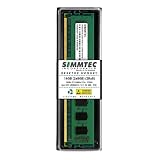
Replacement modules worth checking


Choose your situation
What should you do?
Desktop upgrade
Look for the exact motherboard memory type, not merely “DIMM.” A board that supports DDR5 UDIMM may not support RDIMM or CUDIMM.
Match module typeLaptop/mini-PC upgrade
These normally use SODIMM or CSODIMM rather than full-size DIMMs. Physical dimensions are different.
Check form factorServer/workstation replacement
The platform may require RDIMM, LRDIMM or ECC UDIMM. Those categories are not interchangeable.
Follow platform specificationFinal compatibility check
Check these fields before you buy
- Identify DDR generation first
- Determine whether the module is UDIMM, RDIMM, CUDIMM or another DIMM type
- Check ECC requirement
- Match system-supported capacity
- Check speed and population limits
- Confirm the exact part number before ordering
DIMM is a family name
DIMM means dual inline memory module. It describes the broad module construction, not whether the module is unbuffered, registered, ECC, clocked or load-reduced. This is why a retailer listing that only says “DIMM” is incomplete for compatibility decisions.
The next field you need is the actual module architecture: UDIMM, CUDIMM, RDIMM, LRDIMM or another supported type.
What makes a UDIMM a UDIMM
UDIMM means unbuffered DIMM. The command/address path is not registered in the way an RDIMM is. UDIMMs are common in consumer desktops and are also used by some workstations and NAS systems.
ECC and buffering are separate concepts. An ECC UDIMM can provide system-level error correction while still being unbuffered.
Where SODIMM fits
SODIMM is a smaller physical module format widely used in laptops and mini PCs. DDR4 SODIMM uses 260 pins and DDR5 SODIMM uses 262 pins, while desktop DDR4/DDR5 DIMMs use 288 pins. The notch positions and electrical definitions differ by generation.
A SODIMM cannot be substituted for a full-size UDIMM simply because capacity and speed match.
UDIMM, RDIMM and CUDIMM are not interchangeable
RDIMM adds registered buffering and is designed for platforms that support registered memory. CUDIMM adds a clock driver for selected newer client platforms. These differences matter electrically, not just semantically.
A 288-pin count therefore does not prove that two modules are compatible. The motherboard and CPU must support the exact memory architecture.
How to identify an unknown DIMM
Read the part number and the label. Look for UDIMM, RDIMM, ECC, registered, unbuffered, CUDIMM, DDR generation and capacity. If those fields are missing, use the manufacturer datasheet or part-number decoder.
For OEM machines, the system service manual or qualified-memory list is often the fastest way to identify the supported class.
The replacement rule that avoids most mistakes
Match generation, physical format, buffering/registration, ECC requirement and supported capacity before speed. A faster module can often downclock; a fundamentally different module architecture usually cannot be fixed by running it slower.
Once those hard compatibility fields match, compare rank, organization, memory speed and timings.
How to verify a RAM identification or replacement decision
Start with the exact system or motherboard memory specification, then read the label on the installed module and compare the replacement part number. Separate DDR generation, form factor, buffering, ECC, rank, DRAM organization, capacity and speed because one matching field does not make two modules interchangeable. When a vendor part number does not encode a field, verify it from the official product page or datasheet rather than guessing.
Prices can change at any time. The table shows the latest price and image Cloudzat has verified for each matching product. Always confirm the current Amazon price, seller, condition and exact part number before ordering.
Questions answered
DIMM vs UDIMM FAQ
Is UDIMM the same as DIMM?
UDIMM is one type of DIMM.
Is all desktop RAM UDIMM?
No. Desktop/workstation/server systems can use CUDIMM, RDIMM, ECC UDIMM and other types.
Is SODIMM a UDIMM?
SODIMM is a compact module form factor; it is not the same full-size UDIMM form factor.
Can I put RDIMM in a UDIMM motherboard?
Normally no unless the platform explicitly supports RDIMM, which consumer UDIMM boards generally do not.
Does 288-pin mean DDR5?
No. DDR4 and DDR5 full-size DIMMs both use 288 pins with different keying/electrical definitions.
How do I identify a DIMM?
Use the label, exact part number and official datasheet.
Amazon prices and availability can change. Links may be affiliate links. Verify the exact part number, module type, capacity, system support and warranty before ordering.