


Canada · CAD · Deal Watch
OCuLink Mini PC Black Friday Deals Canada 2026: What to Buy
Updated · 19 Nov 2026 08:39 UTC
Black Friday offers
No matching Black Friday promotion is verified right now. These are current Amazon listings, not a promise of a Black Friday discount.

MINISFORUM UM890 Pro Mini PC AMD Ryzen 9 8945HS(8C/16T, up to 5.2GHz) 32GB DDR5 1TB PCIe4.0 SSD, 2xUSB4(PD 8K)|1xHDMI|1xDP Four Outputs, 2x RJ45, BT5.2 4xUSB3.2 AMD Radeon 780M Graphics Micro Computer
Verified 2026-11-27 14:26:31 UTC
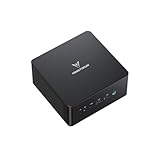
MINISFORUM UM890 Pro Mini PC, AMD Ryzen 9 8945HS (up to 5.2GHz) Mini Computers, 32GB DDR5 RAM&2TB PCIe 4.0 SSD, Mini Desktop Quad Display HDMI/DP1.4/USB-C, AMD Radeon 780M/Dual LAN 2.5G
Verified 2026-11-27 14:26:31 UTC

GMKtec K8 Plus Gaming Mini PC AMD Ryzen 7 8845HS 32GB DDR5 512GB W11 Pro | Radeon 780M, Dual 2.5GbE, OCuLink eGPU, Quad Display 8K, USB4, WIFI6E&BT5.2, Dual M.2 2280, Up to 96GB DDR5
Verified 2026-11-27 13:17:48 UTC

GMKtec K8 Plus Gaming Mini PC Ryzen 7 8845HS Up to 5.1GHz 16GB DDR5 1TB SSD | Desktop Mini Computer Radeon 780M, OCuLink, USB4, DP, HDMI 2.1,WiFi 6E, BT 5.2, Dual 2.5GbE, Quad 8K Displays For Home Office
Verified 2026-11-27 13:17:48 UTC
No fresh priced listing is available right now. Check the matching Amazon results below.
Search AmazonBring your OCuLink desktop idea closer this Black Friday by comparing mini PC offers with the dock, power and GPU budget included.
Confirm OCuLink compatibility and budget every required component. Compare the total with a suitable desktop before deciding that the compact route offers better value. Look for a Black Friday checkout total below this exact configuration’s recent normal price. Compare equivalent complete systems from reputable sellers before deciding that the offer is worth buying.
Compare MINISFORUM UM890 Pro and MINISFORUM UM780 XTX when you want a mini PC that can connect to a suitable external graphics setup. Choose the computer from its installed RAM, SSD and normal desktop use first, then include the external dock, power supply and graphics card in the total.
Which OCuLink Mini PC option should you choose?
Start here
MINISFORUM UM890 Pro
Choose it for a host with a documented OCuLink connection.
Buy on AmazonChoose this alternative
MINISFORUM UM780 XTX
Choose it for another documented OCuLink host for a compatible external GPU setup.
Find this configurationCurrent OCuLink Mini PC Listings on Amazon
Black Friday sale dates and offer timing
Dates for 2026: Black Friday — November 27; Amazon.ca — November 19–30. Individual offer periods and eligibility vary.
MINISFORUM UM890 Pro Mini PC AMD Ryzen 9 8945HS(8C/16T, up to 5.2GHz) 32GB DDR5 1TB PCIe4.0 SSD, 2xUSB4(PD 8K)|1xHDMI|1xDP Four Outputs, 2x RJ45, BT5.2 4xUSB3.2 AMD Radeon 780M Graphics Micro Computer
32GB RAM
Verified 2026-11-27 14:26:31 UTC
MINISFORUM UM890 Pro Mini PC, AMD Ryzen 9 8945HS (up to 5.2GHz) Mini Computers, 32GB DDR5 RAM&2TB PCIe 4.0 SSD, Mini Desktop Quad Display HDMI/DP1.4/USB-C, AMD Radeon 780M/Dual LAN 2.5G
32GB RAM
Verified 2026-11-27 14:26:31 UTC
GMKtec K8 Plus Gaming Mini PC AMD Ryzen 7 8845HS 32GB DDR5 512GB W11 Pro | Radeon 780M, Dual 2.5GbE, OCuLink eGPU, Quad Display 8K, USB4, WIFI6E&BT5.2, Dual M.2 2280, Up to 96GB DDR5
32GB RAM
Verified 2026-11-27 13:17:48 UTC
GMKtec K8 Plus Gaming Mini PC Ryzen 7 8845HS Up to 5.1GHz 16GB DDR5 1TB SSD | Desktop Mini Computer Radeon 780M, OCuLink, USB4, DP, HDMI 2.1,WiFi 6E, BT 5.2, Dual 2.5GbE, Quad 8K Displays For Home Office
16GB RAM · 1TB SSD
Verified 2026-11-27 13:17:48 UTC

Reatan Mini PC Gaming A8 Oculink AMD Ryzen 7 8745HS 16GB DDR5 1TB NVME SSD | Dual LAN 2.5Gbps Desktop Computer USB4.0 HDMI DP USB-C WiFi6 & BT5.2 Mini Computer for Design Office
16GB RAM · 1TB SSD
−5% · Amazon · Was: CA$913.97
Verified 2026-11-27 09:31:33 UTC
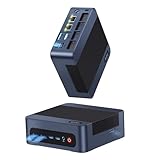
Reatan A8 AMD Ryzen 7 8745HS Gaming Mini PC 16GB RAM DDR5+1TB SSD 8C/16T, 8K Quad Displays OCuLink Desktop pc+WiFi 6E+ USB4.0 Home Theater Office Business Games pc
16GB RAM · 1TB SSD
Verified 2026-11-27 09:31:33 UTC

GMKtec K11 Gaming Mini PC, AMD Ryzen 9 8945HS 8C/16T 16GB DDR5 512GB SSD | Oculink eGPU Port, Radeon 780M, Dual NIC 2.5GbE, WiFi 6E, USB4 x2, Triple 4K Display, Dual Fan, up to 5.2GHz
16GB RAM · 512GB SSD
Verified 2026-11-27 09:01:45 UTC

GMKtec EVO-X3 AI Mini Pc Ryzen AI Max+ 395 128GB LPDDR5X 2TB PCIe 4.0 SSD | Mini Gaming Computers, 16C/32T, Up to 5.1GHz, 8000MHz, Radeon 8060S Graphics, OCuLink, 8K Display, WiFi 7, USB4, 2.5G LAN
128GB RAM
Verified 2026-11-27 09:01:45 UTC
As an Amazon Associate, Cloudzat earns from qualifying purchases. Prices and availability can change; Amazon shows the final price for your chosen item.
OCuLink Mini PC buying guide
| Choice | Best for |
|---|---|
| MINISFORUM UM890 Pro | a host with a documented OCuLink connection |
| MINISFORUM UM780 XTX | another documented OCuLink host for a compatible external GPU setup |
Which OCuLink Mini PC option should you choose?
For a host with a documented OCuLink connection, choose MINISFORUM UM890 Pro.
For another documented OCuLink host for a compatible external GPU setup, choose MINISFORUM UM780 XTX.
Choose OCuLink because you plan to use it
Compare MINISFORUM UM890 Pro and UM780 XTX when you want a documented OCuLink connection for a suitable external GPU setup. Choose the computer from its normal desktop work, installed memory and storage first. The connector is valuable when an external graphics arrangement is part of the plan, not simply because it appears in a longer specification list.
For a fixed desk where the GPU is essential every day, compare a conventional tower too. A mini PC plus a separate GPU station can use more cables, power equipment and desk space than expected. Keep the arrangement that is easier to leave connected and maintain.
The dock, graphics card and power supply cost extra
Add the external dock or adapter, supported cable, graphics card and suitable power supply to the mini PC price. Check what the chosen dock actually includes rather than assuming a product photo shows a complete ready-to-use package. The card still needs a supported power and cooling arrangement.
If you already own an appropriate desktop GPU, the external route may reuse it usefully. If you are buying every part new, the total can change the decision in favor of a tower. Compare completed setups that run the same applications instead of comparing the mini PC alone with a fully equipped desktop.
Check the exact connection and installation instructions
Use the host and dock manufacturers' documented setup for the selected products. OCuLink, USB4 and Thunderbolt are different connection routes; a similarly shaped or advertised external-GPU accessory is not automatically a substitute. Confirm cable and adapter compatibility before placing the order.
Do not assume the connection behaves like an ordinary hot-plug USB accessory. Follow the documented power-on, connection and driver procedure for the actual setup. If you want a computer that can be moved between rooms frequently, a separate GPU station may be less convenient than its compact host first suggests.
Choose the GPU for the software and monitor
For gaming, choose the GPU for the display resolution and games you play. For local AI, choose a supported backend and enough GPU memory for the model. If a required application uses CUDA, the card and driver path must meet that need. The external connection does not make every GPU suitable for every application.
Look for relevant measurements of the same host connection and GPU where available. Do not assume an external setup exactly matches the card in a desktop slot for every task. A theoretical link rate is not a direct promise of frame rate or model response speed.
Keep enough memory and storage in the host
The external GPU does not remove the mini PC's need for adequate system RAM and SSD capacity. Development tools, games, model downloads and the operating system still live on the host. Compare the actual installed configuration before choosing a barebone or lower-memory option because its initial price looks attractive.
For local AI, system RAM and GPU VRAM serve related but different roles. More SSD space helps store the models, while enough active memory lets the application work. Plan those separately rather than assuming the external card will solve every limitation in an undersized host.
Make the physical setup comfortable to use
Allow space for the card enclosure, vents, power supply and cable path. Keep the GPU and host ventilated and the cable protected from accidental pulls. An open dock on a desk also changes how exposed the hardware is compared with a conventional closed tower.
Consider noise from both the mini PC and GPU under sustained use. If the system lives in a shared office, an independent noise test is more useful than assuming small hardware is silent. Choose a setup you can safely leave in place without repeatedly disconnecting components to clear working space.
When to buy the tower instead
Choose a tower when you need a substantial GPU, several internal drives and straightforward expansion in one enclosure. Choose the mini PC and external GPU when the modular arrangement gives you a practical benefit, such as reusing a card or keeping the host useful separately.
Before keeping either purchase, test the actual application, monitor and restart behavior. Keep a recovery path if the required driver setup does not work as expected. An OCuLink system should make a useful computer more capable; it should not turn an uncomplicated desktop job into an ongoing connection experiment.
Buying OCuLink Mini PC in Canada
For OCuLink Mini PC in Canada, begin with MINISFORUM UM890 Pro for a host with a documented OCuLink connection. Compare MINISFORUM UM780 XTX when another documented OCuLink host for a compatible external GPU setup is the more useful choice. The Amazon links and prices on this page use Amazon Canada and Canadian dollars. Add delivery and any required components to the amount you are comfortable paying. For a model family with several configurations, use the model name and the installed components together when comparing these two choices. Keep the seller’s order details so you can check that the hardware you receive is the version you chose.
Electricity cost calculator
Replace the example values with your own measurements, capacity or prices.
Questions buyers ask
Which OCuLink Mini PC option should I choose?
Choose MINISFORUM UM890 Pro for a host with a documented OCuLink connection. Choose MINISFORUM UM780 XTX for another documented OCuLink host for a compatible external GPU setup.
Is the graphics card included with an OCuLink mini PC?
Not merely because the host has the connector. Check the exact package and add the suitable dock, cable, graphics card and power supply where required. Compare the completed setup with a tower that performs the same work.
Is OCuLink the easiest choice for a fixed GPU desktop?
Not always. A tower can keep the card, power supply and cooling in one enclosure. The external route is useful when its modular arrangement helps you. Follow the host and dock instructions rather than treating it as an ordinary USB accessory.
How much space does an external GPU setup need?
Allow room for the card, dock or enclosure, power supply, ventilation and protected cable routing. The small host is only part of the arrangement. If the whole setup stays on one desk, compare it with a tower that contains those parts together. Choose the external route when its modular design gives you a practical advantage, such as reusing a card.