


Canada · CAD · Deal Watch
Local AI Hardware Black Friday Deals Canada 2026: What to Buy
Updated · 19 Nov 2026 08:39 UTC
Black Friday Deals

Black Friday Deal
MeLE PCG02 Mini PC Stick, N100 8GB 256GB USB-C Dual Band WiFi | Fanless Stick Computer with Full Functional USB-C, Dual-band Wi-Fi, 4K Display Support on Business, Office, IOT, Industrial
−17% · Amazon · List Price: CA$519.99
Verified 2026-11-27 19:00:55 UTC

Black Friday Deal
BOSGAME P3 Plus Mini PC, AMD Ryzen 7 7840HS 16GB DDR5 RAM 1TB NVMe SSD | AMD Radeon 780M Graphics | Triple 4K Display | Wi-Fi 6E | Compact Desktop Computer for Gaming, Work & Home
16GB RAM · 1TB SSD
−12% · Amazon · Was: CA$859.99
Verified 2026-11-27 19:02:48 UTC

Black Friday Deal
GEEKOM A5 2027 Edition Mini PC, AMD Ryzen 7 7730U, 16GB RAM, 512GB NVMe SSD | (Beats 7430U), Wi-Fi 6, BT 5.4, 15W Low Power, Quad 8K Display, Business Mini PC, Office & Video Editing, 3-Year Support
16GB RAM · 512GB SSD
−19% · Amazon · Was: CA$759.00
Verified 2026-11-27 19:12:46 UTC
Black Friday Deal
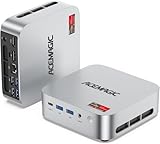
ACEMAGIC Ryzen 7 H255 Mini PC, Zen4, USB4, 2.5G LAN, WiFi6E, Win11 Pro | 16GB LPDDR5 6400MT/s, 512GB PCIe4.0 SSD, 8K@60Hz, Dual M.2 Slots, Soldered Non-Upgradable Memory
16GB RAM
−15% · Amazon · Was: CA$749.99
Verified 2026-11-27 19:20:45 UTC

Black Friday Deal
GEEKOM A7 Mini PC| AMD Ryzen 5 7545U, 16GB DDR5 RAM(Upgradeable) 500GB SSD | WiFi 6E, BT5.2, USB4, Quad 8K Display, Mini Computer, 4K Video Editing, 3-Year Coverage, Business & Bulk Orders Supported
16GB RAM · 500GB SSD
−12% · Amazon · Was: CA$839.00
Verified 2026-11-27 19:20:45 UTC

Black Friday Deal
GEEKOM IT12 Mini PC, Intel i3-12300HE(Beats i5-12450H), 16GB RAM, 512GB SSD | Good Die NVMe SSD |Quad 8K Display |3-Year Coverage |Wi-Fi 6E | 2.5G LAN | USB4 | Low Noise | Business Mini Desktop Computer
16GB RAM · 512GB SSD
−12% · Amazon · List Price: CA$829.00
Verified 2026-11-27 19:20:45 UTC

Black Friday Deal
N5 Mini PC Ryzen 3 5400U Small Desktop Computer 8GB DDR4 RAM 256GB NVMe SSD | Micro Compact PC Triple 4K HDMI DP USB-C WiFi 5 BT5.0 Home Office Business Streaming
8GB RAM
−20% · Amazon · Was: CA$359.99
Verified 2026-11-27 19:33:16 UTC
Black Friday Deal
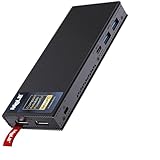
MeLE PCG02 Pro Mini PC Stick, N100 8GB 256GB Mini Computer | Fanless micro PC stick with Dual HDMI, WiFi5 Gigabit Ethernet, USB Type-C PD3.0 on Business Office IoT, Media, Home
−20% · Amazon · Was: CA$499.99
Verified 2026-11-27 19:48:33 UTC
Bring your next local-AI experiment closer this Black Friday with an upgrade that fits the models, tools and budget you have in mind.
Start with the model’s memory requirement and supported software, then compare complete Canadian offers. Leave room for context and other applications rather than sizing the machine to the model file alone. Look for a Black Friday checkout total below this exact configuration’s recent normal price. Compare equivalent complete systems from reputable sellers before deciding that the offer is worth buying.
Choose GMKtec EVO-X2 128GB for a compact computer intended to hold larger local models on supported software. Choose MINISFORUM AI X1 Pro 64GB for coding assistants, smaller models and a development desktop with replaceable memory. If your required application specifically needs CUDA, compare an NVIDIA-equipped desktop instead.
Which Local AI Hardware option should you choose?
Start here
GMKtec EVO-X2 128GB
Choose it for memory-heavy local inference on a supported software stack.
Buy on AmazonChoose this alternative
MINISFORUM AI X1 Pro 64GB
Choose it for smaller models and an expandable development desktop.
Find this configurationCurrent Local AI Hardware Listings on Amazon
Black Friday sale dates and offer timing
Dates for 2026: Black Friday — November 27; Amazon.ca — November 19–30. Individual offer periods and eligibility vary.

GMKtec EVO-X2 Gaming Mini PC Ryzen AI Max+ 395 5.1GHz 128GB LPDDR5X 1TB SSD | Desktop Mini Computer with Radeon 8060S, 50 TOPS NPU, WiFi 7, BT 5.4, 2.5GbE, Quad Screen 8K Displays For Mobile Workstations
128GB RAM · 1TB SSD
Verified 2026-11-27 19:05:42 UTC

GMKtec EVO-X2 AI Mini PC AMD Ryzen Al Max+ 395 128GB LPDDR5X 2TB | PCIe 4.0 SSD, Gaming PC Quad Screen 8K Display, WiFi 7 & USB4, SD Card Reader 4.0
128GB RAM
Verified 2026-11-27 17:50:45 UTC
Black Friday Deal
MeLE PCG02 Pro Mini PC Stick, N100 8GB 256GB Mini Computer | Fanless micro PC stick with Dual HDMI, WiFi5 Gigabit Ethernet, USB Type-C PD3.0 on Business Office IoT, Media, Home
−20% · Amazon · Was: CA$499.99
Verified 2026-11-27 19:48:33 UTC
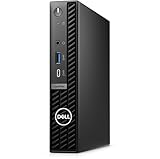
Dell OptiPlex 7020 MFF i5-14500T 16GB DDR5 512GB SSD Micro Business Mini PC | WiFi 6E, Windows 11 Pro, Ultra-Compact Design Enable Secure, Responsive Multitasking Across Office Workflows
16GB RAM · 512GB SSD
Verified 2026-11-27 19:37:21 UTC
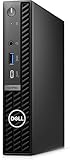
Dell OptiPlex 7020 MFF Micro Form Factor Mini Business Desktop Computer, 14th Gen Intel 14-Core i5-14500T (Beat i7-13700T), 16GB DDR5 RAM, 512GB PCIe SSD, WiFi 6E, 2 DisplayPorts + HDMI, Win 11 Pro
16GB RAM
Verified 2026-11-27 19:37:21 UTC
Black Friday Deal
N5 Mini PC Ryzen 3 5400U Small Desktop Computer 8GB DDR4 RAM 256GB NVMe SSD | Micro Compact PC Triple 4K HDMI DP USB-C WiFi 5 BT5.0 Home Office Business Streaming
8GB RAM
−20% · Amazon · Was: CA$359.99
Verified 2026-11-27 19:33:16 UTC

Beelink SER8 Mini PC, AMD Ryzen 7 8745HS, 32GB DDR5 1TB M.2 PCIE4.0 SSD | Radeon 780M Graphics Mini Desktop Computer, DP+HDMI+USB4 Triple Display Output, WiFi6+BT5.2+2.5G LAN, W11 PRO Mini Gaming PC
32GB RAM
Verified 2026-11-27 19:28:55 UTC
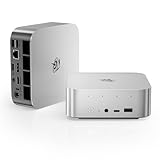
Beelink SER8 Mini PC AMD Ryzen 7 8745HS(8C/16T up to 4.9GHz), 32GB DDR5 RAM 1TB PCIe4.0 SSD, Mini Gaming Computer Support 4K@144Hz Triple Display, WiFi6, BT5.2, HDMI+DP, USB4
32GB RAM
Verified 2026-11-27 19:28:55 UTC
As an Amazon Associate, Cloudzat earns from qualifying purchases. Prices and availability can change; Amazon shows the final price for your chosen item.
Local AI Hardware buying guide
| Choice | Best for |
|---|---|
| GMKtec EVO-X2 128GB | memory-heavy local inference on a supported software stack |
| MINISFORUM AI X1 Pro 64GB | smaller models and an expandable development desktop |
Which Local AI Hardware option should you choose?
For memory-heavy local inference on a supported software stack, choose GMKtec EVO-X2 128GB.
For smaller models and an expandable development desktop, choose MINISFORUM AI X1 Pro 64GB.
Start small if this is your first local AI computer
For a first private chatbot or coding assistant, choose a model that runs comfortably on the computer instead of spending immediately on the largest possible model. The MINISFORUM AI X1 Pro 64GB is the more balanced shortlist when the machine must also handle development and everyday work. Its replaceable-memory design gives it a different role from a high-capacity shared-memory appliance.
Choose the EVO-X2 128GB when larger supported models are the main purpose. That extra memory should let you do work that the smaller configuration cannot hold comfortably. If you mainly use cloud AI services, a large local-model computer may be unnecessary.
The model needs more room than its download size
Allow memory for the operating system, the AI application and the conversation as well as the model. Longer conversations, more documents and several simultaneous requests can increase the working requirement. A model that loads with almost no free memory is a poor target for a computer that must also run your browser and development tools.
Use the memory estimate for the exact model version and settings you intend to use. If it will not fit comfortably, choose a smaller or more compressed version before buying another computer. Compression can change answer quality and performance, so try a representative task rather than assuming every version behaves identically.
Choose the computer your application can accelerate
Use an application with documented support for the computer's graphics hardware and operating system. Ollama, LM Studio and MLX are not interchangeable promises that every accelerator works. Check the current supported path for the application you actually prefer. If an essential project depends on CUDA, shortlist an NVIDIA-equipped desktop instead of assuming a large-memory mini PC replaces it.
For a Mac-based workflow, compare a suitably configured Mac mini or Studio. For a Windows or Linux desktop, compare the supported AMD and NVIDIA routes. The useful choice is the one that runs your actual tools; a newer AI label cannot fix missing software support.
A GPU desktop is a different kind of purchase
An RTX 5090 offers 32GB of dedicated GPU memory for supported work. A large shared-memory computer offers a different capacity and performance arrangement. Do not compare those numbers as though they describe identical machines. For a model that fits the GeForce card, the NVIDIA route may suit a CUDA-focused application. For larger models, a suitable shared-memory system may offer another route at a different speed.
Include the rest of the desktop in the GPU price: CPU, system RAM, SSD, power supply and cooling. A standalone card is not a complete computer. Professional high-memory GPUs deserve consideration when the required model or application justifies their much higher cost.
Buy model storage you can live with
A 1TB SSD is a useful starting comparison for a development computer, but several model versions and project files can use it quickly. Keep active models on suitable fast storage and move downloads you no longer need off the working drive. More SSD space helps keep files available; it does not make an oversized model fit in RAM.
An external drive can hold less frequently used models and project backups. Check the complete host and drive connection if you will load large files from it regularly. Keep a separate copy of your own documents, code and custom work; downloadable models are usually easier to replace than those files.
For a quiet desk, compare the complete system
Choose placement that lets the computer cool itself without blowing warm air into a closed cupboard. A machine used for sustained inference can behave differently from one used mostly for documents. Look for relevant independent noise and sustained-work measurements when available, rather than assuming a compact case is silent.
Include monitors, external drives and any separate GPU equipment when judging desk space and power use. If a tower with the required card already fits the room, a mini PC plus a separate GPU dock may complicate the setup without saving much space. Choose the arrangement you can leave connected and use comfortably.
When to spend more and when to stop
Spend more when it lets a required model fit, supports an essential application or keeps your daily work responsive. Keep the smaller configuration when it already does those jobs. A higher TOPS figure, a newer processor name or a larger promotional saving is not by itself a reason to move up a tier.
Before keeping the purchase, run your own prompt, document task or coding project and check that the installed memory and SSD match the order. Test the applications you rely on while the return route remains available. If the larger model is too slow for everyday use, a smaller well-supported model may still be the more useful choice.
Buying Local AI Hardware in Canada
For Local AI Hardware in Canada, begin with GMKtec EVO-X2 128GB for memory-heavy local inference on a supported software stack. Compare MINISFORUM AI X1 Pro 64GB when smaller models and an expandable development desktop is the more useful choice. The Amazon links and prices on this page use Amazon Canada and Canadian dollars. Add delivery and any required components to the amount you are comfortable paying. For a model family with several configurations, use the model name and the installed components together when comparing these two choices. Keep the seller’s order details so you can check that the hardware you receive is the version you chose.
Electricity cost calculator
Replace the example values with your own measurements, capacity or prices.
Questions buyers ask
Which Local AI Hardware option should I choose?
Choose GMKtec EVO-X2 128GB for memory-heavy local inference on a supported software stack. Choose MINISFORUM AI X1 Pro 64GB for smaller models and an expandable development desktop.
Should I choose 64GB or 128GB for local AI?
Choose 64GB when the model, working data and other applications fit comfortably. Choose 128GB when larger supported models need it. More memory can let work fit, but it does not guarantee a particular response speed or application compatibility.
Do I need NVIDIA for every local model?
No. Supported AMD shared-memory and Apple silicon routes can be useful. Choose NVIDIA when the required application or library needs CUDA. Check the exact application and operating system instead of assuming every AI-branded computer is interchangeable.
Should I keep my existing computer for a first trial?
Yes, when a supported smaller model will run on it. Try a task you actually care about before buying a larger machine. That trial can show whether better answers, faster responses or more capacity would be useful. Keep the new purchase focused on that improvement rather than assuming every local AI experiment needs a dedicated high-memory workstation.