


Canada · CAD · Deal Watch
Home Assistant Coordinator Black Friday Deals Canada 2026: What to Buy
This Black Friday, find the coordinator that connects your next group of devices with the setup and placement you have planned.
Compare connection options and supported protocols, then check the full delivered setup. A network-connected coordinator may need power equipment beyond the advertised unit. A Black Friday offer becomes worth buying when the compatible device costs less than its recent normal price, with any required hub, power supply and delivery included.
Choose Connect ZBT-2 when the Home Assistant host is already in a good radio position and a USB connection is convenient. Choose SMLIGHT SLZB-06 when the host lives in a cupboard, rack or another poor location for wireless reception. The network-connected option lets you place the Zigbee radio nearer the devices.
Which Home Assistant Coordinator option should you choose?
Start here
Home Assistant Connect ZBT-2
Choose it for a USB Zigbee or Thread radio dedicated to one protocol.
Buy on AmazonChoose this alternative
SMLIGHT SLZB-06
Choose it for a network-connected Zigbee coordinator positioned away from the server.
Buy on AmazonCurrent Home Assistant Coordinator Listings on Amazon
Black Friday sale dates and offer timing
Dates for 2026: Black Friday — November 27; Amazon.ca — November 19–30. Individual offer periods and eligibility vary.
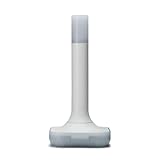
Home Assistant Connect ZBT-2 | Connect Zigbee, Thread, or Matter Devices to Home Assistant | Official Hardware
Last verified 2026-11-13 03:20:34 UTC

5% below the Amazon reference price
HAUTECH Zigbee 3.0 MG24 USB Dongle Zigbee Coordinator and Gateway | Compatible with home assistant connect zbt-2 Supports Home Assistant Zigbee2MQTT, ZHA, OpenHAB, with 5dBi antenna
Last verified 2026-11-13 03:20:34 UTC

5% below the Amazon reference price
SMLIGHT SLZB-06 - Zigbee 3.0 to Ethernet,USB,and WiFi Gateway Coordinator with PoE, Works with Zigbee2MQTT, Home Assistant, ZHA
Last verified 2026-11-13 03:22:20 UTC

5% below the Amazon reference price
SMLIGHT SLZB-06 U (2026 Model) - Zigbee 3.0 to Ethernet, USB, WiFi Gateway Coordinator w/PoE, Based on TI CC2652P. Works Best with Zigbee2MQTT z2m + Home Assistant. Faster ESP32 S3 SoC vs SLZB-06
Last verified 2026-11-13 03:22:20 UTC

SMLIGHT SLZB-06MG26 U (2026 Model) - Zigbee 3.0 to Ethernet, USB, and WiFi Coordinator with PoE, Based on SL EFR32MG26. Works Best with ZHA + Home Assistant. Faster ESP32 S3 SoC vs SLZB-06MG26
Last verified 2026-11-13 03:22:20 UTC
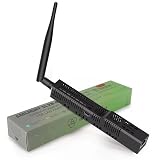
SMLIGHT SLZB-06MG24 U (2026 Model) - Zigbee 3.0 to Ethernet, USB, and WiFi Coordinator with PoE, Based on SL EFR32MG24. Works Best with ZHA + Home Assistant. Faster ESP32 S3 SoC vs SLZB-06MG24
Last verified 2026-11-13 00:47:22 UTC

5% below the Amazon reference price
Xnbada SMLIGHT SLZB-06 No Poe - Zigbee 3.0 to Ethernet, USB and WiFi Gateway Coordinator with PoE, Universal Zigbee USB Gateway for Home Assistant/Zigbee2MQTT/ZHA, Wireless Zigbee 3.0 USB Adapter..
Last verified 2026-11-12 08:49:43 UTC

Xnbada Zigbee 3.0 to Ethernet SMLIGHT SLZB-06 USB and WiFi Gateway Coordinator with PoE, Universal Compatibility for Home Assistant, Zigbee2MQTT, ZHA
Last verified 2026-11-12 08:49:43 UTC
As an Amazon Associate, Cloudzat earns from qualifying purchases. Prices and availability can change; Amazon shows the final price for your chosen item.
Home Assistant Coordinator buying guide
| Choice | Best for |
|---|---|
| Home Assistant Connect ZBT-2 | a USB Zigbee or Thread radio dedicated to one protocol |
| SMLIGHT SLZB-06 | a network-connected Zigbee coordinator positioned away from the server |
Which Home Assistant Coordinator option should you choose?
For a USB Zigbee or Thread radio dedicated to one protocol, choose Home Assistant Connect ZBT-2.
For a network-connected Zigbee coordinator positioned away from the server, choose SMLIGHT SLZB-06.
Protocol comes before connector
A coordinator should be chosen for the network it will control. Zigbee, Z-Wave and Thread use different protocols, software paths and compatibility rules. Starting with USB versus Ethernet before deciding the protocol can lead to comparing products that solve different problems.
Write the required network beside the shopping list. That single constraint removes most irrelevant Black Friday products and keeps the comparison focused on hardware that Home Assistant can actually use for the intended devices.
USB is strong when the host location is strong
USB coordinators are common because they are inexpensive, simple and directly attached to the Home Assistant machine. They work best when the host is physically located where the radio can operate cleanly and when virtualization does not complicate device ownership.
If the host sits near interference or in a poor RF location, the cheapest dongle can require extension hardware or a different installation. Include those placement costs before deciding that USB has the better sale price.
Ethernet and PoE solve different constraints
An Ethernet coordinator can be placed away from the host, which is useful for server racks, virtual machines and central radio placement. PoE can simplify that remote location by combining power and network connectivity. The benefit is architectural independence from the Home Assistant computer.
The tradeoff is dependency on the network path and device firmware. Protect the switch when automation continuity matters and keep coordinator IP addressing predictable. A network coordinator is not automatically superior; it is superior when placement or passthrough is the real problem.
Z-Wave adds a regional purchase gate
Unlike a generic USB peripheral, a Z-Wave controller cannot be selected only by model generation. Its frequency must match the deployment region. Imported or mislabeled stock can therefore be an especially dangerous Black Friday bargain.
Zigbee coordinators need mesh partners
A strong Zigbee coordinator starts the network, but powered Zigbee routers carry much of the coverage load. Buying a more expensive coordinator without improving mesh density or placement may not solve distant-device issues.
When evaluating a coordinator upgrade, separate radio stability problems from mesh design problems. The Black Friday money may be better spent on strategically placed routing devices if the existing coordinator is already reliable.
Thread may already be present through another ecosystem
Home Assistant can work with supported Thread border routers that already exist in Apple, Google or other ecosystems. A dedicated Home Assistant radio is useful when the design calls for Home Assistant to operate its own Thread border router or when another role is missing.
Inventory existing border routers before buying a coordinator. Another radio should have a clear purpose such as dedicated OTBR, improved location or separation from the Zigbee coordinator.
Virtualization makes persistence important
A coordinator that disappears from a VM after host maintenance can break automations even when the radio itself is excellent. USB passthrough should be stable across reboots and device paths should not depend on fragile enumeration. Network coordinators can avoid that particular problem but introduce network dependencies.
Test the current environment before the event where possible. Then choose the coordinator architecture that removes the known failure mode instead of simply buying the product with the largest percentage discount.
Compare like-for-like price history
Coordinator prices vary significantly by connection method. A PoE Ethernet unit should not be judged against the raw price of a basic USB stick without accounting for placement and included functionality. Compare products within the same protocol and role so the price difference remains meaningful.
When Black Friday begins, compare the event offer with the same accepted coordinator or a genuinely equivalent alternative. A lower price in a different protocol class is not a meaningful benchmark.
Reliability should dominate the final ranking
Coordinators are foundational devices. Saving ten dollars is not worthwhile if the chosen radio has uncertain firmware, wrong region, poor placement or a fragile host connection. Favor the product that simplifies the network and has a current supported path.
Once the technical shortlist is correct, let price history choose the timing. That sequence turns Black Friday into a discount on a planned architecture rather than a reason to redesign the smart home around whatever appears in the deals feed.
Buy a spare only if you can use it
A spare coordinator can be useful when it is the same model, region and firmware path as the production device, because recovery planning is simpler. Buying random discounted radios as “backups” creates the opposite effect: every spare requires separate documentation, drivers and migration knowledge. If redundancy is the reason for the purchase, standardize rather than diversify accidentally.
Black Friday can be a reasonable time to buy one known-good spare for a critical network, but that decision should be separated from curiosity purchases. Label the device, record the firmware and keep it with the Home Assistant recovery notes so the extra hardware has an practical purpose instead of becoming forgotten inventory.
Choose a host and a radio plan that can stay dependable
A dedicated Home Assistant appliance keeps the installation straightforward. A mini PC can be useful when other light services will share the host, but it adds choices about virtualisation, updates and recovery. Keep the installation understandable to the people who will maintain the home. Automation that controls important household routines should have a clear backup and restore procedure.
Zigbee, Z-Wave, Matter and Thread have different roles. A radio adapter is not a replacement for the Home Assistant host. A Thread radio also needs the relevant border-router and controller arrangement; a Zigbee coordinator runs a Zigbee network. Pick the devices and integration path you intend to use before choosing the discounted adapter.
Place radios and backup power where they help
Keep USB radios away from sources of interference and inconvenient server positions. A supported extension or network-connected coordinator can make placement easier when the host is in a cabinet. Check that the chosen coordinator is supported by the integration and firmware you plan to use. Regional frequency requirements are especially important for Z-Wave devices.
For backup power, include the router, switch and any powered coordinator that must stay online alongside the automation host. A UPS keeping only the computer alive may not preserve useful control if the network shuts down. Compare real output watts, expected runtime at your load and the supported shutdown or monitoring connection.
Keep a working recovery copy of the automation system
Save the configuration and a current recoverable backup before replacing the host or radio. Understand which network and radio information must move with the installation. A discounted coordinator is less attractive if the change requires rebuilding a large collection of devices without a practical migration plan. Where possible, test the new component with a small part of the setup first.
Document the location of the host, power supply, radio and network connection. Keep simple manual controls available for important household functions when the automation platform is unavailable. A convenient smart-home installation should remain understandable when a family member needs to restart or recover it.
Buying Home Assistant Coordinator in Canada
For Home Assistant Coordinator in Canada, begin with Home Assistant Connect ZBT-2 for a USB Zigbee or Thread radio dedicated to one protocol. Compare SMLIGHT SLZB-06 when a network-connected Zigbee coordinator positioned away from the server is the more useful choice. The Amazon links and prices on this page use Amazon Canada and Canadian dollars. Add delivery and any required components to the amount you are comfortable paying. For a model family with several configurations, use the model name and the installed components together when comparing these two choices. Keep the seller’s order details so you can check that the hardware you receive is the version you chose.
Electricity cost calculator
Replace the example values with your own measurements, capacity or prices.
Questions buyers ask
Which Home Assistant Coordinator option should I choose?
Choose Home Assistant Connect ZBT-2 for a USB Zigbee or Thread radio dedicated to one protocol. Choose SMLIGHT SLZB-06 for a network-connected Zigbee coordinator positioned away from the server.
What does a Home Assistant coordinator do?
It connects Home Assistant to a radio network such as Zigbee or Z-Wave; Thread infrastructure can involve radios and border routers depending on the design.
Is USB or Ethernet better for a coordinator?
USB is simple on a well-placed dedicated host. Ethernet/PoE can improve placement and virtualization when the network path is reliable.
Can one Zigbee/Thread radio handle both networks?
Do not assume simultaneous multiprotocol operation is preferred. Assign clear roles according to current Home Assistant guidance.
Why are end devices excluded from this page?
Mixing sensors and bulbs into the same price set would make the buying signal less useful.