


Canada · CAD · Deal Watch
Beelink Mini PC Black Friday Deals Canada 2026: What to Buy
Bring your Beelink wish list into Black Friday with the exact model, installed memory and storage already in mind.
Compare the full installed configuration and delivered cost, including warranty terms. A cheaper entry model and a more powerful desktop serve different needs, even in similarly small cases. Look for a Black Friday checkout total below this exact configuration’s recent normal price. Compare equivalent complete systems from reputable sellers before deciding that the offer is worth buying.
Choose Mini S12 Pro 16GB/512GB for light office work, a modest media server or a dedicated home service. Choose SER8 with 32GB RAM for heavier everyday desktop work. The SER8 is the more sensible shortlist when your current problem is demanding applications rather than simply needing a smaller computer.
Which Beelink Mini PC option should you choose?
Start here
Beelink Mini S12 Pro
Choose it for light work in the 16GB/512GB configuration.
Buy on AmazonChoose this alternative
Beelink SER8
Choose it for more demanding everyday work with 32GB RAM.
Buy on AmazonCurrent Beelink Mini PC Listings on Amazon
Black Friday sale dates and offer timing
Dates for 2026: Black Friday — November 27; Amazon.ca — November 19–30. Individual offer periods and eligibility vary.

Beelink MINI S12 Pro Mini Desktop PC, Intel N100, 16G DDR4 RAM+500G SSD | WiFi6+BT5.2+2.5G LAN, Dual Display HDMI 4K UHD, Mini Desktop Computer Support Auto Power On Win11 Home for Office/HTPC
Last verified 2026-11-13 07:18:04 UTC

22% below the Amazon reference price
Beelink Mini PC, Mini S12 Pro Intel 12th N100(Up to 3.4GHz), 16GB DDR4 500GB M.2 SSD, Mini Desktop Computers Support 4K@60Hz Dual HDMI Display/WiFi6/BT5.2/USB3.2/1000Mbps LAN/WOL Home/Office
16GB RAM
Last verified 2026-11-13 06:44:56 UTC

Beelink Mini S12 Pro Mini PC - 12th Gen Intel N100 (Up to 3.4GHz), 16GB DDR4, 500GB SSD, 4K Dual Display, WiFi 6, BT 5.2, 1000Mbps LAN - Low Power Mini Desktop Computer
16GB RAM · 500GB SSD
Last verified 2026-11-13 06:44:56 UTC

Beelink MINI S12 PRO Mini PC, Intel Alder Lake-N100 16GB DDR4 512GB SSD | Mini Computer 12th Gen N100 4C/4T,up to 3.4GHz,Desktop PC 4K@60Hz Dual HDMI/2.5G LAN/WiFi 6/BT5.2 for Home/Office
16GB RAM · 512GB SSD
Last verified 2026-11-13 06:44:56 UTC

Beelink Mini PC, MINI S12 Pro Intel Twin Lake N100 4C/4T Mini Computer | 12GB LPDDR5 RAM 500GB M.2 SATA SSD, Desktop PC Dual HDMI 4K UHD/2.5G Ethernet/WiFi6/BT5.2/W11 Home/HTPC
12GB RAM
Last verified 2026-11-12 08:49:09 UTC

6% below the Amazon reference price
Beelink MINI S12 PRO Mini PC, Intel Alder Lake N100, 12G LPDDR5 + 512G SSD | WIFI6+BT5.2+2.5G LAN, Intel UHD Graphics 24EUs, Small PC 4K UHD Dual HDMI Display, Mini Computer for Office/HTPC/Media Server
Last verified 2026-11-12 08:49:09 UTC
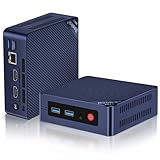
Beelink Mini S12 PRO Mini PC,12 Generation Intel N100 (Up to 3.4GHz) 4C/4T,16GB DDR4 512GB M.2 SSD,Micro PC 4K,Dual Display,WiFi6,BT5.2,2.5G LAN, Low Power Mini Computer
16GB RAM
Last verified 2026-11-12 08:49:09 UTC

Beelink SER8 Mini PC AMD Ryzen 7 8845HS(Max 5.1GHz), 32GB DDR5 1TB PCIE4.0 SSD Mini Computer, AMD Radeon 780M Graphics 12 core 2700MHz Gaming PC,Triple Display USB4/DP/HDMI, 2.5G LAN Micro PC
32GB RAM
Last verified 2026-11-13 09:57:36 UTC
As an Amazon Associate, Cloudzat earns from qualifying purchases. Prices and availability can change; Amazon shows the final price for your chosen item.
Beelink Mini PC buying guide
| Choice | Best for |
|---|---|
| Beelink Mini S12 Pro | light work in the 16GB/512GB configuration |
| Beelink SER8 | more demanding everyday work with 32GB RAM |
Which Beelink Mini PC option should you choose?
For light work in the 16GB/512GB configuration, choose Beelink Mini S12 Pro.
For more demanding everyday work with 32GB RAM, choose Beelink SER8.
Start by identifying the exact Beelink family and processor
Beelink naming spans low-power Intel systems and substantially stronger Ryzen or Core products. The first step is therefore classification, not price ranking. If the goal is a dedicated Home Assistant or simple network service, a small efficient family can be ideal. If the same machine must run Proxmox, Frigate and other services, a higher tier may be worth the extra cost.
Amazon variation pages can make this harder by combining multiple processors or memory capacities. Verify the selected option on the final product page before checkout. Different variations can use different parts, so always confirm the exact configuration selected on Amazon.
Compare installed memory and the upgrade path
A Beelink sale can look aggressive when the featured variation uses less memory. For server use, that may be the wrong configuration. Determine whether the machine uses replaceable SODIMMs, soldered memory or a mixed design, then compare the cost of reaching the target capacity. For Proxmox or combined services, 32GB or more can be far more important than a small difference in CPU clock speed.
If you intend to upgrade immediately, include the new memory in the effective Black Friday price and account for what happens to the original modules. A preconfigured higher-memory system can be better value even when its percentage discount is smaller.
Check storage slots rather than only bundled SSD capacity
A large bundled SSD is convenient, but the number and type of internal storage slots can have more long-term value. A home server may need a second NVMe device, a SATA path, or simply an accessible boot drive that can be replaced later. For Plex and Frigate, bulk data often belongs on a NAS or dedicated disk enclosure rather than on the mini PC's boot SSD.
Verify whether additional M.2 slots share lanes with other ports and whether the exact model supports the drive size or interface you plan to install. A sale should not push you into paying twice for storage.
Networking separates office mini PCs from infrastructure boxes
Beelink systems vary from ordinary single-port networking to models that fit more demanding home-server uses. If the machine will act as a firewall, storage client or high-speed server, check the exact Ethernet speed and controller. Do not assume a brand-level statement applies to every Beelink family.
For OPNsense, the number of interfaces and driver quality are foundational. For Proxmox and NAS traffic, multi-gig Ethernet can reduce backup and migration time. For Home Assistant alone, those features may have little practical value, so avoid paying for them merely because they are on sale.
Cooling and noise need to match 24/7 use
Mini PC thermal behavior depends on chassis design as much as the processor. A Beelink model that is quiet during light desktop use can behave differently under continuous NVR, transcoding or virtualization load. If the box will sit in a bedroom or media cabinet, sustained fan behavior is part of the purchase decision.
Black Friday is also a good time to compare a slightly larger model with better cooling against a smaller heavily discounted one. For an always-on server, stable thermals and accessible cleaning can be worth more than saving a few dollars up front.
Use workload-specific Cloudzat guides before ranking Beelink models
A single best-Beelink list cannot tell an OPNsense buyer and a Frigate buyer the same thing. Frigate needs a supported decoding and detector architecture. OPNsense cares about NICs and throughput features. Plex cares about media support. Proxmox cares about memory, storage and concurrency.
Use the related Cloudzat workload pages to define those constraints, then return to the live Beelink listings.
Price history protects against routine Beelink couponing
Mini PC brands frequently use coupons and rotating marketplace promotions throughout the year. That means a Black Friday badge can represent a real low, or it can simply reproduce a familiar coupon. Our regular price checks note the pre-event market so the event price can be judged against observed selling prices rather than MSRP.
When a verified event listing appears, the useful question is whether the delivered configuration is cheaper than its normal equivalent. If a discount requires stepping down in RAM or SSD, compare like with like before calling it a better deal.
A strong Beelink deal is one that fits a specific role
The final decision should be explainable without mentioning Black Friday. You should be able to say why the CPU, memory, storage, networking and expansion suit the workload, and then say that the sale makes that already-correct system cheaper. If the explanation starts and ends with the discount percentage, keep shopping.
That discipline is particularly useful with a broad selection of brand models. Beelink has models that can be excellent values at several tiers, but the best bargain is the one that solves the intended problem without an immediate upgrade cycle.
Buy a complete setup that can stay useful
Include the operating system, memory, SSD, display connections and network ports in the buying decision. A barebone needs additional parts and installation work. For a ready-to-use purchase, compare the installed configuration with another complete configuration. Maximum supported memory is useful for planning an upgrade, but it is not memory included in the price.
Think about which applications will run at the same time. A machine dedicated to one light service can remain useful with less CPU and memory than a busy general desktop. Leave room for the operating system and updates. If memory is soldered, choose the capacity you expect to keep rather than assuming you can upgrade it later.
Keep serviceability and ongoing cost in view
Check whether storage and memory can be reached without an awkward disassembly, and whether the manufacturer documents the process. The availability of a spare power adapter or a clear warranty route can matter for a computer expected to run every day. A slightly cheaper machine can become poor value when a small fault leaves the whole system unusable.
Estimate electricity from the complete system at the wall. Include attached storage and adapters when they will remain connected. The processor power figure alone does not show the consumption of the finished computer. Replace illustrative electricity-calculator values with your own measured watts and tariff before using the result to justify a more expensive purchase.
Check included equipment and the seller’s warranty route
Confirm that the complete purchase includes a suitable power supply and the operating system you expect to use. A business desktop sold in a refurbished configuration is a different comparison from a new mini PC with manufacturer support. Keep the condition, installed memory, storage and return arrangements together when judging its price.
After setup, test the actual displays, network connection and applications while the return route is still useful. Check that the installed configuration matches the purchase. A compact computer is easiest to evaluate with the equipment and workload that will stay connected to it, rather than with a processor specification alone.
Buying Beelink Mini PC in Canada
For Beelink Mini PC in Canada, begin with Beelink Mini S12 Pro for light work in the 16GB/512GB configuration. Compare Beelink SER8 when more demanding everyday work with 32GB RAM is the more useful choice. The Amazon links and prices on this page use Amazon Canada and Canadian dollars. Add delivery and any required components to the amount you are comfortable paying. For a model family with several configurations, use the model name and the installed components together when comparing these two choices. Keep the seller’s order details so you can check that the hardware you receive is the version you chose.
Electricity cost calculator
Replace the example values with your own measurements, capacity or prices.
Questions buyers ask
Which Beelink Mini PC option should I choose?
Choose Beelink Mini S12 Pro for light work in the 16GB/512GB configuration. Choose Beelink SER8 for more demanding everyday work with 32GB RAM.
Are Beelink mini PCs good for home servers?
Many are. Choose the exact processor, memory, storage and networking for the workload rather than relying on the brand name alone.
Which Beelink is best for Home Assistant?
A low-power N100/N150-class complete system is often enough, especially with 16GB RAM when additional services will run.
Should I buy barebones Beelink on sale?
Only after adding compatible RAM and storage costs and confirming those components are readily available.
Is a bigger discount always a better Beelink deal?
No. A smaller discount on the correct configuration can be much better value than a large discount on an underspecified variant.
Related buying guides
- Mini PC buying guide
- N100 Mini PC buying guide
- N150 Mini PC buying guide
- i3-N305 Mini PC buying guide
- MINISFORUM Mini PC buying guide
- GMKtec Mini PC buying guide
- ACEMAGIC Mini PC
- GEEKOM Mini PC
- KAMRUI Mini PC
- MeLE Mini PC
- MSI Mini PC
- BMAX Mini PC
- MINIX Mini PC
- ORIGIMAGIC Mini PC
- REATAN Mini PC
- TOPGRO Mini PC
- Dell Micro PC
- Lenovo Tiny PC
- HP Mini PC
- Fanless Mini PC
- Stick PC
- Barebones Mini PC
- Ryzen Mini PC
- Office Mini PC
- Budget Mini PC
- 32GB Mini PC
- Dual 2.5GbE Mini PC
- USB4 Mini PC
- OPNsense Appliance
- Intel N95 Mini PC
- Intel N97 Mini PC
- Compact Desktop