


Canada · CAD · Deal Watch
4K Plex Server Black Friday Deals Canada 2026: What to Buy
Bring your 4K movie plans into the Black Friday hunt with a complete Plex setup that accounts for direct play and any needed conversion.
Separate direct playback from transcoding requirements before pricing a mini PC or NAS. A suitable player can change the hardware needed at the server end. Look for a Black Friday checkout total below this exact configuration’s recent normal price. Compare equivalent complete systems from reputable sellers before deciding that the offer is worth buying.
For a small 4K library that mostly plays directly, start with Beelink Mini S12 Pro and suitable storage. Choose QNAP TS-464 when you want a combined NAS and server. For demanding conversion or several remote viewers, test the intended setup before treating either as sufficient.
Which 4K Plex Server option should you choose?
Start here
Beelink Mini S12 Pro
Choose it for a small server where clients mostly direct-play.
Buy on AmazonChoose this alternative
QNAP TS-464
Choose it for a combined library-storage and media-server setup.
Find this configurationCurrent 4K Plex Server Listings on Amazon
Black Friday sale dates and offer timing
Dates for 2026: Black Friday — November 27; Amazon.ca — November 19–30. Individual offer periods and eligibility vary.

6% below the Amazon reference price
Beelink Mini PC, Mini S12 Pro Intel 12th N100(Up to 3.4GHz), 16GB DDR4 500GB M.2 SSD, Mini Desktop Computers Support 4K@60Hz Dual HDMI Display/WiFi6/BT5.2/USB3.2/1000Mbps LAN/WOL Home/Office
16GB RAM
Last verified 2026-11-15 01:27:58 UTC

Beelink MINI S12 Pro Mini Desktop PC, Intel N100, 16G DDR4 RAM+500G SSD | WiFi6+BT5.2+2.5G LAN, Dual Display HDMI 4K UHD, Mini Desktop Computer Support Auto Power On Win11 Home for Office/HTPC
Last verified 2026-11-13 07:18:04 UTC

Beelink Mini S12 Pro Mini PC - 12th Gen Intel N100 (Up to 3.4GHz), 16GB DDR4, 500GB SSD, 4K Dual Display, WiFi 6, BT 5.2, 1000Mbps LAN - Low Power Mini Desktop Computer
16GB RAM · 500GB SSD
Last verified 2026-11-13 06:44:56 UTC

Beelink MINI S12 PRO Mini PC, Intel Alder Lake-N100 16GB DDR4 512GB SSD | Mini Computer 12th Gen N100 4C/4T,up to 3.4GHz,Desktop PC 4K@60Hz Dual HDMI/2.5G LAN/WiFi 6/BT5.2 for Home/Office
16GB RAM · 512GB SSD
Last verified 2026-11-13 06:44:56 UTC

Beelink Mini PC, MINI S12 Pro Intel Twin Lake N100 4C/4T Mini Computer | 12GB LPDDR5 RAM 500GB M.2 SATA SSD, Desktop PC Dual HDMI 4K UHD/2.5G Ethernet/WiFi6/BT5.2/W11 Home/HTPC
12GB RAM
Last verified 2026-11-12 08:49:09 UTC

6% below the Amazon reference price
Beelink MINI S12 PRO Mini PC, Intel Alder Lake N100, 12G LPDDR5 + 512G SSD | WIFI6+BT5.2+2.5G LAN, Intel UHD Graphics 24EUs, Small PC 4K UHD Dual HDMI Display, Mini Computer for Office/HTPC/Media Server
Last verified 2026-11-12 08:49:09 UTC
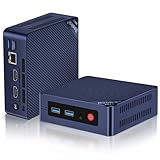
Beelink Mini S12 PRO Mini PC,12 Generation Intel N100 (Up to 3.4GHz) 4C/4T,16GB DDR4 512GB M.2 SSD,Micro PC 4K,Dual Display,WiFi6,BT5.2,2.5G LAN, Low Power Mini Computer
16GB RAM
Last verified 2026-11-12 08:49:09 UTC

QNAP TS-464-8G-US 4-Bay NAS, ARM Quad-Core, 2.5GbE & 10GbE | ARM quad-core processor, 2GB DDR3, 2.5GbE and 10GbE support for scalable storage and reliable backup.
Last verified 2026-11-14 21:44:44 UTC
As an Amazon Associate, Cloudzat earns from qualifying purchases. Prices and availability can change; Amazon shows the final price for your chosen item.
4K Plex Server buying guide
| Choice | Best for |
|---|---|
| Beelink Mini S12 Pro | a small server where clients mostly direct-play |
| QNAP TS-464 | a combined library-storage and media-server setup |
Which 4K Plex Server option should you choose?
For a small server where clients mostly direct-play, choose Beelink Mini S12 Pro.
For a combined library-storage and media-server setup, choose QNAP TS-464.
Start with direct playback for the main television
For a small household that mostly plays 4K files unchanged, compare Beelink Mini S12 Pro with suitable storage. A large dedicated graphics card is not the automatic starting point. Choose a playback device that supports the library's actual format and connect it through a dependable network.
Check the playback information while watching a representative file. If the television or streaming device can play it directly, the server avoids much of the conversion work. If it cannot, first compare a suitable client rather than assuming every 4K library needs a much larger server.
A combined NAS can keep the setup compact
Compare QNAP TS-464 when you want the library and server in one enclosure. Add suitable drives and check the current supported Plex setup. If a NAS already stores the collection reliably, a separate small host can keep that investment useful and avoid replacing storage that still serves its purpose.
For either arrangement, estimate the library's capacity and growth. Large 4K files can make storage the main budget item even when serving them requires modest compute. Keep useful free space and a separate copy of irreplaceable media rather than treating every installed terabyte as the only home for the collection.
4K conversion is a different purchase requirement
Converting 4K video to another format or quality can be substantially harder than sending it unchanged. HDR handling, subtitles, bitrate and client support affect the result. Test the intended server with difficult examples from your own library before relying on it for several simultaneous remote viewers.
For hardware-accelerated Plex streaming, use the required subscription and supported hardware and driver setup. Do not buy on a fixed number-of-streams promise without knowing the files and settings behind it. The relevant outcome is smooth playback on your clients, not the resolution label in the product listing.
The network needs to carry the actual file
A high-quality 4K file can demand more from a connection than a lower-bitrate stream with the same resolution. Check the file and actual playback behavior rather than assuming every 4K video needs the same bandwidth. Use wired links where practical and investigate weak wireless reception at the viewing position.
For remote playback, check home upload capacity as well as the viewer's connection. A more powerful server can help with supported conversion, but cannot make an internet connection carry unlimited original-quality video. Choose suitable playback settings and test the route before spending on hardware elsewhere.
Subtitles deserve a place in the test
Include the subtitles the household actually uses when checking playback. Their format and the client's support can affect whether more server work is needed. A file playing smoothly without subtitles is not complete proof for a household that watches with them every evening.
Try the actual audio track as well. The useful test resembles a normal viewing session on the intended device, not the easiest combination of settings. Keep those results in mind when comparing a client upgrade with a larger server; changing the playback device can sometimes avoid the work entirely.
Protect the personal part of the library
Family recordings and other irreplaceable files deserve an independent backup. A NAS storage arrangement that tolerates one drive failure still needs recovery for deletion, enclosure loss and other failures. Keep a usable copy of the Plex configuration too, so a replacement host can reconnect to the library without reconstructing the setup.
For files that can be recreated, decide how much time and effort recovery would take. That may justify another storage copy even when the files are technically replaceable. A faster processor does not reduce the inconvenience of rebuilding a large lost collection from scratch.
When to keep, upgrade or replace
Keep the server when direct playback works and storage remains adequate. Upgrade the client or network when that is the cause of interruptions. Add compute only when the actual unavoidable conversion work needs it. Choose a larger storage system when library growth is the real limit.
After a new purchase, test the most demanding file, subtitles, normal audio and remote use where applicable. Confirm storage reconnects after a restart. The sensible 4K purchase is the smallest dependable setup that delivers the viewing experience you need, with enough storage and a recovery path for the collection.
Buying 4K Plex Server in Canada
For 4K Plex Server in Canada, begin with Beelink Mini S12 Pro for a small server where clients mostly direct-play. Compare QNAP TS-464 when a combined library-storage and media-server setup is the more useful choice. The Amazon links and prices on this page use Amazon Canada and Canadian dollars. Add delivery and any required components to the amount you are comfortable paying. For a model family with several configurations, use the model name and the installed components together when comparing these two choices. Keep the seller’s order details so you can check that the hardware you receive is the version you chose.
Electricity cost calculator
Replace the example values with your own measurements, capacity or prices.
Questions buyers ask
Which 4K Plex Server option should I choose?
Choose Beelink Mini S12 Pro for a small server where clients mostly direct-play. Choose QNAP TS-464 for a combined library-storage and media-server setup.
Does a 4K library need an expensive server?
Not when suitable clients mostly play the original files. Storage and a dependable network can matter more. Converting 4K, handling subtitles or serving several remote viewers is a different requirement and should be tested on the intended setup.
Why does 4K pause on only one television?
Check that device's format support and connection. It may force conversion or have weaker reception than another client. Test the same file and review playback information before replacing the server to solve what may be a client or network problem.
Should I test subtitles before choosing a 4K server?
Yes. Use the actual subtitle and audio tracks the household watches with, because client support can change the work required. Test on the intended television or streaming device rather than only in a browser on another computer. If a compatible client avoids conversion, it may be a better-targeted purchase than a larger server bought to handle avoidable processing.