


United States · USD · Deal Watch
SABRENT Enclosures & Docks Black Friday Deals 2026: US Buying Guide
SABRENT’s Black Friday lineup gives spare SSDs and upcoming upgrades several useful possibilities. For US buyers, the trick is choosing between a compact enclosure, a faster USB4 build and a dedicated cloning station before hunting for the best price.
Keep the full EC model code in every comparison and check its recent selling price. Price an empty enclosure separately from installed storage, and include the cable, cooling parts and drives your project needs. A cheaper SABRENT accessory is only an alternative if it supports the same drive and task.
Start with EC-SNVE for compact M.2 storage, EC-U4TN for a suitable USB4 host and EC-SSD2 for documented dual-NVMe cloning. Check drive fit and supplied parts for the chosen route.
Which SABRENT Enclosures & Docks option should you choose?
Start here
SABRENT EC-SNVE
A compact M.2 enclosure to compare for NVMe or compatible SATA SSDs; verify the exact drive and supplied cable.
Buy on AmazonChoose this alternative
SABRENT EC-U4TN
A USB4 NVMe enclosure for a suitably equipped host; check cooling, SSD fit and the actual host connection.
Find this configurationChoose this alternative
SABRENT EC-SSD2
A dual-NVMe dock with offline cloning; confirm source and destination capacity before considering the clone function.
Buy on AmazonCurrent SABRENT Enclosures & Docks Listings on Amazon
Black Friday sale dates and offer timing
Dates for 2026: Black Friday — November 27; Amazon.com — November 19–30. Individual offer periods and eligibility vary.

SABRENT Tool-Free NVMe & SATA M.2 SSD Enclosure, USB 3.2 Type-C (EC-SNVE) | Enclosure only, SSD not included, M.2 NVMe & SATA, 2242/2260/2280, USB 3.2 Type-C 10Gbps, No heatsink clearance
Last verified 2026-11-14 09:13:59 UTC
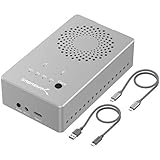
SABRENT Dual-Bay USB-C 10Gbps M.2 NVMe SSD Cloner Dock (EC-SSD2) | Offline clone, no PC needed, NVMe only - not SATA/AHCI, 2230-2280, Fan runs while powered, USB-C
Last verified 2026-11-14 09:14:05 UTC

SABRENT USB-C NVMe Enclosure & Reader, M.2 PCIe SSD, 10Gbps (EC-PNVO) | Tool-free M.2 PCIe case for 2230-2280; USB 3.2 Gen 2 10Gbps; aluminum cooling; external nvme enclosure; m.2 usb adapter
Last verified 2026-11-14 23:59:01 UTC

SABRENT Rocket RGB USB4 20Gbps NVMe & SATA M.2 SSD Enclosure (EC-RGBG) | USB 3.2 Gen 2x2 20Gbps host required for full speed, NVMe & SATA, 2230-2280, Tool-Free, RGB, Drive not included
Last verified 2026-11-14 23:59:01 UTC

SABRENT 5-Bay USB-C 10Gbps 3.5in Hard Drive Enclosure & DAS Dock (DS-SC5B) | Direct attached storage, Docking station, Trayless hot-swap, SATA HDD/SSD, Up to 100TB, No RAID, Drives not included
Last verified 2026-11-14 09:14:45 UTC
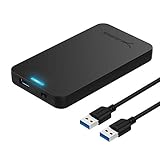
SABRENT 2.5in SATA to USB 3.0 Tool-Free SSD/HDD Enclosure (EC-UASP) | Optimized for SSD; UASP SATA III; tool-free; black; external 2.5" hard drive case
Last verified 2026-11-14 09:14:45 UTC
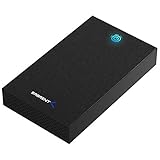
SABRENT USB 3.0 Hard Drive Enclosure, 2.5/3.5in SATA HDD/SSD (EC-KSL3) | Tool-free; UASP; LED indicator; plug & play; 12V adapter incl.; Win/macOS/Linux; 3.5 hard drive enclosure
Last verified 2026-11-14 09:14:45 UTC

SABRENT Dual-Bay USB-C Hard Drive Docking Station & Cloner (EC-CH2B) | Offline 1-to-1 cloner, 2.5in/3.5in SATA HDD & SSD, USB-C cable included, 5Gbps, Hot-swap, No IDE support
Last verified 2026-11-14 09:14:45 UTC
As an Amazon Associate, Cloudzat earns from qualifying purchases. Prices and availability can change; Amazon shows the final price for your chosen item.
SABRENT Enclosures & Docks buying guide
| Model or family | What to compare |
|---|---|
| SABRENT EC-SNVE | A compact M.2 enclosure to compare for NVMe or compatible SATA SSDs; verify the exact drive and supplied cable. |
| SABRENT EC-U4TN | A USB4 NVMe enclosure for a suitably equipped host; check cooling, SSD fit and the actual host connection. |
| SABRENT EC-SSD2 | A dual-NVMe dock with offline cloning; confirm source and destination capacity before considering the clone function. |
Choose the right configuration for this purchase
Separate protocol support from host speed and separate both from cloning. Those three questions prevent most misleading comparisons across the range. Confirm whether you are buying an empty enclosure, a dual-drive station or another accessory with similar branding. For repeated sustained transfers, also consider cooling and desk space. Include any required drives before deciding whether a bundle is more attractive than a complete external SSD.
Match the drive interface before the connector
Write down the full model of the drive you want to install. M.2 describes a physical format, while SATA and NVMe describe different interfaces. A socket that looks right does not prove electrical compatibility. Check the accepted lengths, keying, maximum supported capacity and clearance for components on both sides of the SSD. A factory heatsink may prevent an otherwise compatible drive from fitting.
Then check the connection to the computer separately. USB-C is a connector shape, not a promise of a particular transfer rate. A useful purchase starts with a documented match between drive, enclosure, cable and host. Keep the precise product suffix in your comparison: one extra letter can identify a different bridge or supported protocol.
Pay for USB4 only when your setup can use it
A USB4 enclosure deserves a comparison against a cheaper enclosure on the port you actually own. Confirm the host’s documented USB4 or Thunderbolt support and the enclosure’s fallback modes. Compatibility with a connector or older standard does not mean the same performance at every connection. In particular, do not assume that a USB 20Gbps label guarantees the best result on every USB4 host.
Advertised interface bandwidth is not a measured file-copy speed. The SSD, bridge, temperature, file sizes and source drive all influence the result. Compare sustained transfers that resemble your work, such as a large project folder, rather than buying solely on the largest number in the title. Check whether the price includes a suitable cable and whether the enclosure is empty or supplied with storage.
Check cloning direction, protocol and destination requirements
Offline cloning is a specific function, not a feature of every two-bay enclosure. Confirm whether the product copies SATA to SATA, NVMe to NVMe or explicitly supports a cross-protocol operation. Check the manufacturer’s destination-capacity rule; unused space on the source does not guarantee that a smaller target can be used for a sector-by-sector copy.
The destination’s existing contents can be overwritten. Label both drives, keep an independent backup and read the exact procedure before starting. Do not buy on a transfer-rate headline and assume that cloning will run at that rate. If you need partition resizing, encryption handling or a migration to a smaller drive, compare the documented offline function with suitable host software. A useful deal matches the migration task as well as the drive sockets.
Allow for cooling, power and the place it will live
An enclosure needs somewhere to put the heat generated by its drive and controller. Check the thermal pad arrangement, drive clearance and ventilation instructions before assembly. A fan can help with sustained work but may be noticeable beside a microphone or on a quiet desk. Passive cooling avoids fan noise, yet still needs airflow and a suitable surface around the enclosure.
For multi-drive storage, examine the supplied power adapter and the manufacturer’s supported drive list. Several HDDs starting together can be a different load from one drive sitting idle. Avoid choosing a replacement supply from connector shape alone. Compare the complete approved package and leave room for cables, ventilation and safe access to the drives. These practical requirements often matter more than a small Black Friday price difference.
Price an empty enclosure against a complete external drive
Confirm whether the listing contains storage at all. Product photographs often show an SSD or HDD installed to demonstrate the enclosure, while the actual package is diskless. Add the cost of a suitable drive, any required cable and the correct power supply before comparing it with a complete external drive. An enclosure advertised with a maximum capacity does not necessarily contain that capacity.
Reusing an existing healthy drive can change the calculation substantially. Buying every component new may produce a different result. Compare the same usable capacity and intended connection, and consider who handles support for each component. A large percentage reduction on an empty shell is less useful if the compatible drive makes the completed setup more expensive than an equivalent ready-made option.
Compare the finished storage purchase
Build two comparable baskets rather than comparing two isolated headline prices. Include the enclosure, the same drive capacity, the required data cable, approved power supply and any mounting parts. Check whether a bundle adds something you need or simply makes a higher total look attractive. For multiple drives, account for the intended redundancy and the cost of a separate backup.
Use the exact model’s recent normal selling price where reliable history is available. A discount against a reference price is only one piece of evidence, and a Black Friday badge does not establish a historic low. Recheck the selected variant, seller, delivery and condition at checkout. A cheaper enclosure that cannot use your SSD or host connection is not a saving, however prominent the sale percentage appears.
Use the return period to test your real workload
Inspect the package contents and model number before installing the drive. Follow the manufacturer’s fitting instructions, including thermal pads and any retaining screws, and keep original data backed up. Test the device with the computer and cable you intend to use. A successful connection proves less than a complete transfer, reconnect and sleep/wake cycle.
Copy a realistic folder, open sample files afterwards and watch for unexplained disconnects or repeated errors. Check that multiple bays are visible as documented and that the intended drive-management software recognises them. Keep the packaging and record any problem while the retailer’s return process is available. This is particularly useful when replacing an older enclosure: the new unit should solve the original limitation rather than introduce a different one.
Compare the complete US order
Use the Amazon.com listing for the selected model and package. Add any sales tax shown for your delivery address, shipping and separately required components before comparing baskets. For powered desktop enclosures, confirm the supplied adapter and US power connection rather than assuming an imported package is equivalent. Keep seller, condition and bundle contents fixed when looking at price history.
Set a purchase target before watching the sale: the interface you need, the drives that must fit and the maximum complete-project cost. A coupon, Prime-only offer or limited promotion may change eligibility or expire before checkout. The dated listings below show observed local products; the editorial shortlist explains which configurations to investigate. A model-search link helps comparison and does not establish stock. We do not label a price a historic low without supporting history.
Complete purchase cost calculator
Add the device price, any separately purchased drives and required accessories or installation. Use the actual local prices for your chosen configuration.
Questions buyers ask
Are SABRENT’s similarly named enclosures interchangeable?
No. The full model code identifies different interfaces and functions. Match your SSD and host to the exact documentation. Do not transfer SATA compatibility or offline-cloning capability from one model to another.
Does every recommendation have a Black Friday discount?
No. The shortlist is buying guidance. Dated local cards show observed listings; Early and main Black Friday sections require fresh public event evidence. We do not call a price a historic low without supporting history. Check the final seller, selected variant and basket total.