


United States · USD · Deal Watch
NAS SSD Black Friday Deals 2026: What to Buy in the US
Black Friday NAS SSD deals are strongest when they solve a measured storage bottleneck instead of filling an unused slot without a plan.
More cache does not guarantee faster backups or every workload. Establish the intended read/write pattern and protection arrangement first. A consumer SSD without documented power-loss protection should not be assumed equivalent to an enterprise device merely because its endurance figure looks large. For a worthwhile Black Friday purchase, compare the same complete configuration against its recent normal price and suitable alternatives; the percentage badge alone does not settle the value.
Compare WD Red SA500 2TB for a compatible SATA storage bay with WD Red SN700 1TB for a supported NVMe role. Check the NAS compatibility list and whether its M.2 positions support cache, storage pools or both. These drives serve different physical interfaces and may have different permitted uses in the same NAS.
Which NAS SSD option should you choose?
Start here
WD Red SA500 2TB SATA SSD
Choose it for a SATA role explicitly supported by the NAS.
Buy on AmazonChoose this alternative
WD Red SN700 1TB NVMe SSD
Choose it for an NVMe role explicitly supported by the NAS.
Buy on AmazonCurrent NAS SSD Listings on Amazon
Black Friday sale dates and offer timing
Dates for 2026: Black Friday — November 27; Amazon.com — November 19–30. Individual offer periods and eligibility vary.

Western Digital 2TB WD Red SA500 NAS 3D NAND Internal SSD - SATA III 6 Gb/s, M.2 2280, Up to 560 MB/s - WDS200T1R0B
Last verified 2026-11-13 07:54:57 UTC

Western Digital 1TB WD Red SN700 NVMe Internal Solid State Drive SSD for NAS Devices - Gen3 PCIe, M.2 2280, Up to 3,430 MB/s - WDS100T1R0C
Last verified 2026-11-13 08:12:57 UTC

Western Digital 2TB WD Red SN700 NVMe Internal Solid State Drive SSD for NAS Devices - Gen3 PCIe, M.2 2280, Up to 3,400 MB/s - WDS200T1R0C
Last verified 2026-11-13 08:14:47 UTC

Western Digital 500GB WD Red SN700 NVMe Internal Solid State Drive SSD for NAS Devices - Gen3 PCIe, M.2 2280, Up to 3,430 MB/s - WDS500G1R0C
Last verified 2026-11-13 08:12:57 UTC

Sandisk 500GB NAS 600 3D NAND Internal SSD 2.5” SATA Internal SSD | SATA III 6 Gb/s, 2.5"/7mm, Up to 560 MB/s Read Speeds, SDSNS2500GAB-000G0, Solid State Drive
Last verified 2026-11-13 08:12:30 UTC

Sandisk 1TB NAS 600 3D NAND Internal SSD 2.5” SATA Internal SSD | SATA III 6 Gb/s, 2.5"/7mm, Up to 560 MB/s Read Speeds, SDSNS2100TAB-000G0, Solid State Drive
Last verified 2026-11-13 08:12:30 UTC

Western Digital 1TB WD Red SA500 NAS 3D NAND Internal SSD - SATA III 6 Gb/s, 2.5"/7mm, Up to 560 MB/s - WDS100T1R0A, Solid State Hard Drive
Last verified 2026-11-13 07:54:57 UTC
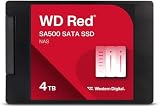
Western Digital 4TB WD Red SA500 NAS 3D NAND Internal SSD Solid State Drive - SATA III 6 Gb/s, 2.5"/7mm, Up to 560 MB/s - WDS400T2R0A
Last verified 2026-11-13 07:54:57 UTC
As an Amazon Associate, Cloudzat earns from qualifying purchases. Prices and availability can change; Amazon shows the final price for your chosen item.
NAS SSD buying guide
| Model | Best for |
|---|---|
| WD Red SA500 2TB SATA SSD | a SATA role explicitly supported by the NAS |
| WD Red SN700 1TB NVMe SSD | an NVMe role explicitly supported by the NAS |
Which models should you compare first?
Check the NAS role as well as the drive
Read the compatibility list and storage documentation for the exact NAS model and software version. A physical M.2 position may be intended for cache, storage pools or a restricted set of uses. Do not assume every installed NVMe drive can become a normal volume. Identify whether the workload needs read acceleration, write caching or an SSD storage pool, then consider the required protection and recovery arrangement. Check endurance for the expected writes and the drive’s supported operating conditions. Consumer and enterprise drives can differ in features such as documented power-loss protection; a large capacity or NAS keyword does not establish that feature. Keep backups independent of the NAS and understand how a failed drive is replaced. The useful Black Friday purchase addresses a measured need without adding an unsupported configuration or an unnecessary cache layer.
Match protocol, size and mounting separately
Write down the host’s storage requirements before filtering offers. M.2 is a physical family, while SATA and NVMe describe different storage interfaces. A module can fit mechanically yet be unsupported electrically. Length codes such as 2230 and 2280 also matter, as do the mounting point and available height. A 2.5-inch SATA drive needs the appropriate bay and connectors. Portable USB drives are complete external products; an empty enclosure needs a separate compatible SSD. Consult the exact host manual or compatibility list rather than relying on a broad laptop, gaming or mini-PC label. Check whether the host has capacity or firmware restrictions and whether the drive is single-sided or needs extra clearance. These details decide whether the purchase works. Only after they match should capacity, performance and the Black Friday price become the deciding factors.
Look beyond the short speed headline
Peak sequential transfer figures describe a particular test condition, not every file operation. Small files, application access, long writes and a nearly full drive can behave differently. Some SSDs use a fast write cache, after which sustained speed depends on the drive and workload. The host interface, source drive, cable and temperature can also limit a transfer. A higher advertised number is therefore not a complete value comparison. Decide what you actually do: copy a few photographs, move large video projects, install games or run a write-heavy service. Seek capacity-specific evidence for that task when it matters. We do not present manufacturer peaks as our own benchmark results. During setup, test a representative transfer without risking the only copy of important data. Buy the performance your complete system can use, rather than paying for a number the workflow never reaches.
Relate endurance to the write workload
Endurance figures are capacity-specific warranty and workload indicators, not a countdown that predicts the exact failure date. Read how the manufacturer defines the rating and how it interacts with the time limit. A drive used mainly to read a game library has a different write pattern from one receiving continuous logs, recordings or database changes. Estimate the actual writes before paying for a higher rating, and consider whether the host can report drive health usefully. Do not infer power-loss protection, enterprise suitability or backup capability from a high endurance number. Where a product page and datasheet disagree, obtain the applicable current terms rather than choosing the larger figure. Monitor the installed drive and retain separate backups. A sound deal balances the intended workload, capacity, support and protection measures instead of treating one durability statistic as a complete reliability guarantee.
A larger drive still needs a second copy
Decide where important files will exist if the new SSD fails, is lost or is accidentally erased. A second partition on the same physical device does not provide protection against that device’s failure. Keep a separate copy and verify that you can restore useful files from it. Portable drives can be convenient for moving projects, but carrying the only copy exposes the work to loss as well as hardware faults. For a large SSD, consider the time and capacity needed to back it up before filling it. Encryption can help protect portable data, but retain the recovery information somewhere appropriate and separate. A manufacturer warranty normally concerns the product rather than the value of its contents. Including backup in the purchase plan makes the Black Friday upgrade more dependable without pretending any particular brand is immune to failure.
Read the conditions for the exact model
Compare the manufacturer’s warranty terms for the actual capacity and regional purchase. Some SSD warranties end when either a time limit or a specified endurance limit is reached. Registration, seller eligibility and proof of purchase may also matter. A long warranty is not a promise that data can always be recovered, and replacement hardware does not restore lost files. Keep independent backups of anything important. Check where firmware updates and diagnostic tools come from and whether they support the chosen drive. Avoid copying warranty claims from another product in the same brand. If the listing is unclear, obtain the terms before purchase and retain the invoice and serial number. Support that is practical for your location can be worth more than a modest price difference, especially for a drive that will hold active work or operate in a difficult-to-service system.
Use a repeatable Black Friday price check
Compare the final price of the same model, capacity and package with its recent normal selling price where reliable history is available. A discount against a retail reference price is not enough to establish value. Check competing reputable sellers and include delivery, required accessories and any eligibility conditions. A coupon may need to be applied, a promotion may be limited to members, and a different variant may carry the displayed starting price. Do not call a price a historic low without evidence covering the relevant history. A public event badge identifies the promotion, while the configuration comparison determines whether it is a sensible purchase for you. Set a maximum basket total before browsing and keep a named alternative ready. That makes a time-limited offer easier to judge without allowing the deadline to replace the compatibility and value checks.
Check the complete US purchase
Compare US prices in dollars for the exact selected variant. Include delivery, any required cable or power equipment and applicable checkout charges. A low starting price may belong to a different capacity or incomplete package. Check the seller and the manufacturer’s regional support before treating two offers as equivalent. The recommendation explains which product to investigate; it does not certify stock, an event discount or compatibility with every possible setup. Use the dated local listing when one is available and recheck the final configuration at checkout.
SSD price-per-terabyte calculator
Enter your complete basket price and the actual supplied capacity. Compare the same interface and installation package; this calculation does not measure performance or prove a discount.
Questions buyers ask
Does every model here have a Black Friday discount?
No. The named models are a buying shortlist, not proof of a promotion. Current local product cards are dated price observations. Early or main Black Friday sections require separate fresh public event evidence. Check the selected variant, seller and final conditions before ordering.
What should I do if the exact configuration is unavailable?
Use the named alternative only for the different role explained in the guide. Recheck capacity, interface, supplied components and support. A lower-capacity system, empty enclosure or different physical format is not an equivalent replacement merely because it costs less.
Related buying guides
- SSD
- Mini PC SSD
- NVMe SSD
- External SSD
- NAS
- UPS for NAS
- External Hard Drives
- NAS Hard Drives
- Enterprise Hard Drives
- Surveillance Hard Drives
- CMR Hard Drives
- Seagate IronWolf
- Seagate Exos
- WD Red Hard Drives
- WD Purple Hard Drives
- Ultrastar Hard Drives
- Toshiba N300
- 2-Bay NAS
- 6-Bay NAS
- 8-Bay NAS
- 10GbE NAS
- LincStation NAS
- DIY NAS Kits & Cases