


United States · USD · Deal Watch
Amcrest Cameras Black Friday Deals 2026: Buying Guide for the US
Improve a specific viewpoint with a more deliberate Amcrest Black Friday purchase. The US shortlist begins with lens, housing and recording compatibility, so an attractive camera price leads to a useful installed result.
Compare the complete model suffix and revision at recent Amazon.com prices. Add the PoE source, mount and recorder or storage required for use. Keep new and refurbished units separate, and check support before treating an unfamiliar seller’s lower price as the strongest offer.
Compare IP8M-2496EW-AI-V3 as a bullet-camera route and IP8M-T2599EW-AI-V3 as a turret route. Keep the AI and revision suffixes when checking firmware and recorder support.
Which Amcrest Cameras option should you choose?
Start here
Amcrest IP8M-2496EW-AI-V3
A PoE bullet camera; retain the complete model suffix when checking firmware and recorder compatibility.
Find this configurationChoose this alternative
Amcrest IP8M-T2599EW-AI-V3
A PoE turret alternative; compare the mounting position, lens and support for the exact revision.
Find this configurationCurrent Amcrest Cameras Listings on Amazon
Black Friday sale dates and offer timing
Dates for 2026: Black Friday — November 27; Amazon.com — November 19–30. Individual offer periods and eligibility vary.

Amcrest UltraHD 4K (8MP) Outdoor Bullet Security IP POE Camera, 98ft NightVision, 2.8mm Lens, IP67 Weatherproof, 256GB MicroSD Recording, Black (IP8M-2496EB-V2)
Last verified 2026-11-14 10:18:30 UTC
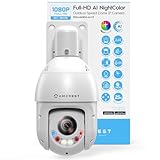
Amcrest 2MP Outdoor PTZ POE + IP Camera Pan Tilt Zoom (Optical 25x Motorized) Camera Security Speed Dome, CMOS Image Sensor, 328ft Night Vision, POE+ (802.3at) F1.6, IP66, IP2M-863EW-AI-V3
Last verified 2026-11-14 10:18:30 UTC
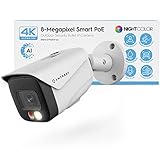
Amcrest UltraHD 4K (8MP) IP PoE AI Camera, FOV 129°, 49ft Color Nightvision, Security Outdoor Bullet Camera, Human & Vehicle Detection, Active Deterrent, 4K @15fps, IP8M-2796EW-AI (White)
Last verified 2026-11-14 10:18:30 UTC

Amcrest ProHD 1080P WiFi 2MP (1920TVL) Indoor Pan/Tilt Security Wireless IP Camera IP2M-841B (Black)
Last verified 2026-11-14 10:18:30 UTC

Amcrest 4K (8MP) Outdoor PTZ POE + IP Camera Pan Tilt Zoom (Optical 25x Motorized) Human and Vehicle Detection AI, Perimeter Protection, 328ft Night Vision POE+ (802.3at) IP8M-2899EW-AI-V2
Last verified 2026-11-14 10:18:30 UTC

Amcrest 4MP AI PTZ POE IP Camera Pan Tilt Zoom (Optical 25x Motorized Zoom) Speed Dome, Human/Vehicle Detection, F1.6, 1/2.8" Sensor, 4MP@30fps, 328ft Night Vision, IP4M-1063EW-AI-V2
Last verified 2026-11-14 10:18:30 UTC
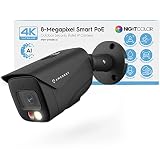
Amcrest UltraHD 4K (8MP) IP PoE AI Camera, FOV 129°, 49ft Color Nightvision, Security Outdoor Bullet Camera, Human & Vehicle Detection, Active Deterrent, 4K @15fps, IP8M-2796EB-AI (Black)
Last verified 2026-11-14 10:18:30 UTC
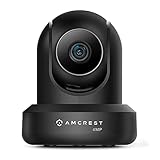
Amcrest 4MP ProHD Indoor WiFi, Security IP Camera with Pan/Tilt, Two-Way Audio, Night Vision, Remote Viewing, 4-Megapixel @30FPS, Wide 90° FOV, IP4M-1041B (Black)
Last verified 2026-11-14 10:18:24 UTC
As an Amazon Associate, Cloudzat earns from qualifying purchases. Prices and availability can change; Amazon shows the final price for your chosen item.
Amcrest Cameras buying guide
| Model or family | What to compare |
|---|---|
| Amcrest IP8M-2496EW-AI-V3 | A PoE bullet camera; retain the complete model suffix when checking firmware and recorder compatibility. |
| Amcrest IP8M-T2599EW-AI-V3 | A PoE turret alternative; compare the mounting position, lens and support for the exact revision. |
Choose the right configuration for this purchase
Choose the physical viewpoint first, then confirm which functions the intended recorder will retain. If using a third-party recording platform, verify video, audio and detection features individually rather than assuming a protocol label covers everything. Check the seller’s regional support and the exact supplied accessories. A limited local selection is a reason to compare carefully, not to substitute an unrelated camera merely to fill a shortlist.
Choose coverage and useful detail together
Start with the scene: a front door, driveway, corridor and wide garden need different views. A broad view captures more area, but a person far away occupies fewer pixels. Compare the exact lens, viewing angle and likely mounting distance rather than assuming that more megapixels automatically identify faces or number plates at every distance.
Check whether the lens is fixed or adjustable and whether the camera’s mounting design allows the intended direction. A turret, dome and bullet can suit different positions even when their resolution is similar. Plan a useful view of your own area and use masking or framing controls where needed. Before committing to several identical cameras, test whether one representative position delivers the detail you need in both daylight and the lighting available after dark.
Compare night behaviour in the intended scene
Night-vision claims describe a capability under particular conditions, not a guarantee of useful detail across an entire property. Compare infrared operation, available ambient light and any spotlight modes. Colour at night may rely on visible illumination, which can affect neighbours, reflections and the appearance of the scene. Check whether the light can be controlled in the way you need.
Look beyond a still demonstration image. Moving people and vehicles are harder to capture clearly than a stationary scene. Consider the distance, mounting angle and nearby reflective surfaces, including glass and pale walls. Avoid promising yourself identification from the headline range alone. A sensible Black Friday comparison weighs the camera’s optics and lighting requirements alongside its price, then leaves time to test the chosen position under realistic night conditions.
Verify the exact camera and recorder pairing
Start with the manufacturer’s compatibility list for the exact hardware revisions. A matching brand name helps identify a product family but does not prove that every feature works across all generations. Likewise, a general interoperability claim may cover video while leaving detection events, audio, tracking or configuration controls unavailable through a different recorder.
If you are expanding an existing installation, record its model and firmware version before shopping. Check which functions matter and confirm each one. If you are starting fresh, compare the complete ecosystem, including local playback, remote viewing, updates and the route for adding cameras later. Do not count a battery camera, coaxial analogue camera and PoE IP camera as interchangeable replacements. A discounted add-on is useful only if it performs the required job in the system that will receive it.
Plan PoE ports, total power and the cable route
PoE carries power and data over Ethernet, but the camera and power source must support compatible standards and sufficient power. Count the ports available on the recorder or switch, then check its total power budget as well as the per-port limit. Extra features such as heaters, lights or moving cameras can change the requirement.
Measure the cable routes and identify any additional switch, injector, junction box or weatherproof connection needed. A wireless label may describe data connectivity while the camera still needs a power cable. Conversely, a battery camera is not automatically suitable for continuous recording. Compare the complete installation bill rather than only the camera price. Use the manufacturer’s documented power and cabling requirements, and include appropriate installation help if the route or mounting location calls for it.
Budget for recording time and exporting useful clips
Storage needs depend on camera count, bitrate, recording schedule and the number of days you want to keep. Resolution alone is not enough to calculate retention. Continuous recording and event-only recording can require very different capacities, and variable bitrate changes the amount used as the scene becomes busier. Treat a calculator as a planning estimate rather than a promise.
Check whether the selected recorder includes a hard drive, which models and capacities it supports, and how important clips are exported. A no-HDD package needs additional storage before it can provide the intended local archive. Plan a separate copy of clips you need to retain rather than relying on a rolling overwrite cycle. Test playback, time stamps and export soon after installation, while the exact purchase and configuration are still easy to review.
Check local access, remote viewing and ongoing charges
Decide which functions you need without an internet connection and which depend on an account or remote service. Local recording, mobile alerts, off-site viewing and cloud backup are separate features. Check the current terms for the exact product and region instead of assuming that a local-storage label removes every optional subscription or account requirement.
Compare the cost over the years you expect to keep the system. Include any paid features you intend to use and the supported route for updates. Set up access with individual accounts where available, strong credentials and the manufacturer’s recommended protections. Test local playback as well as the phone app. A cheap kit is less attractive if the feature that motivated the purchase is unavailable in your region or requires an ongoing payment omitted from the comparison.
Judge the full security purchase, not just the discount
Add up the cameras, recorder, recording drive, power equipment, cables, installation and any intended service charges. Compare that completed system with an equivalent local offer. Use the recent selling price of the exact kit where reliable history is available, keeping camera count and HDD capacity consistent. A reference-price reduction can look large while the actual package differs from the one you need.
Recheck seller, condition, delivery, regional support and the final selected variant. Public Black Friday labels identify a promotion; they do not prove the lowest-ever price or guarantee that every recommendation is reduced. An inexpensive system that cannot retain enough footage or accept the required cameras can cost more to replace later. Prefer a clear specification and complete purchase total over a headline saving that leaves essential components unpriced.
Compare the full US installation
Compare the selected Amazon.com model and package in US dollars, including the tax shown for your address, shipping and required accessories. Keep camera count, supplied recording storage and model revisions consistent. Check the approved power adapter and the seller’s regional support route. A low camera or recorder price can omit the equipment needed to put it into service.
Write down the complete installation budget before comparing promotions: cameras, recorder, drives, PoE power, cabling and mounting where required. Use recent prices for the exact selected configuration instead of relying only on a reference-price reduction. The shortlist is buying guidance; dated listings are separate observations. Search links support comparison without confirming stock or a current Black Friday discount. Recheck the final variant, seller and offer requirements at checkout.
Recording storage calculator
Replace the example values with your own measurements, capacity or prices.
Questions buyers ask
Can I omit the suffix when comparing Amcrest models?
That can hide a different hardware revision or feature set. Retain the complete model code for compatibility and firmware checks, and compare the exact local product rather than a broadly similar title.
Does every recommendation have a Black Friday discount?
No. The shortlist is buying guidance. Dated local cards show observed listings; Early and main Black Friday sections require fresh public event evidence. We do not call a price a historic low without supporting history. Check the final seller, selected variant and basket total.