


United States · USD · Deal Watch
2.5GbE Switch Black Friday Deals 2026: What to Buy
Give compatible PCs and storage a faster local connection this Black Friday with a 2.5GbE switch that fits your port plan.
Compare 2.5GbE switches by the ports you will use and the uplink they need. Check every port’s speed rather than the headline total. The Black Friday target is a complete compatible connection below its recent normal cost. Compare equivalent port speeds and include the cables, modules or power equipment required.
Choose TP-Link TL-SG108-M2 for straightforward 2.5GbE connections between desktops and a NAS. Choose QNAP QSW-2104-2T when you also need a small number of 10GbE connections. For one flat home network, an unmanaged switch can keep setup simple.
Which 2.5GbE Switch option should you choose?
Start here
TP-Link TL-SG108-M2
Choose it for simple 2.5GbE desktop and NAS connections.
Find this configurationChoose this alternative
QNAP QSW-2104-2T
Choose it for a small network needing 10GbE alongside 2.5GbE.
Buy on AmazonCurrent 2.5GbE Switch Listings on Amazon
Black Friday sale dates and offer timing
Dates for 2026: Black Friday — November 27; Amazon.com — November 19–30. Individual offer periods and eligibility vary.
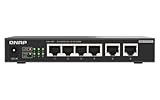
QNAP QSW-2104-2T-R2-US Unmanaged Switch | 4-Port 2.5Gbps, 2-Port 10BASE-T
Last verified 2026-11-13 08:38:18 UTC

QNAP Switch QSW-2104-2T-R2 | 2X 10GbE, 4X 2.5GbE, Plug & Play Unmanaged, Fanless
Last verified 2026-11-13 08:38:18 UTC

Ubiquiti Networks Flex 2.5G PoE (USW-Flex-2.5G-8-PoE)
Last verified 2026-11-13 17:02:55 UTC


Omada 8 Port 2.5G PoE++ Easy Managed Switch w/ 2×10G Uplink | 2×10G Uplink
Last verified 2026-11-13 16:44:29 UTC

TP-Link TL-SG108S-M2, 8-Port Multi-Gigabit 2.5G Unmanaged Ethernet Switch | Multi Gigabit Network Switch, Ethernet Splitter, Plug & Play, Desktop/Wall Mount, Silent Operation
Last verified 2026-11-13 16:44:29 UTC

TP-Link Omada SG3210X-M2 8-Port 2.5G L2+ Managed Switch | | 8x 2.5G Ports, 2x 10G SFP+ Slots, Centralized Cloud Management, L2/L3/L4 QoS and IGMP snooping, 2.5 Gbps, Black
Last verified 2026-11-13 16:44:29 UTC

Omada 8-Port 2.5G PoE Switch, 160W(SG2210XMP-M2) | 2 SFP Slots, Support Omada SDN, PoE Recovery, IPv6, Static Routing, 5 Year Manufacturer Warranty
Last verified 2026-11-13 16:44:29 UTC
As an Amazon Associate, Cloudzat earns from qualifying purchases. Prices and availability can change; Amazon shows the final price for your chosen item.
2.5GbE Switch buying guide
| Choice | Best for |
|---|---|
| TP-Link TL-SG108-M2 | simple 2.5GbE desktop and NAS connections |
| QNAP QSW-2104-2T | a small network needing 10GbE alongside 2.5GbE |
Which 2.5GbE Switch option should you choose?
For simple 2.5GbE desktop and NAS connections, choose TP-Link TL-SG108-M2.
For a small network needing 10GbE alongside 2.5GbE, choose QNAP QSW-2104-2T.
Count real 2.5GbE endpoints before choosing port count
List the computers, NAS systems, mini PCs, access points and firewalls that actually have 2.5GbE. Do not count 1GbE devices simply because they can plug into the switch. A five-port model can be ideal for a small multi-gig island, while an eight- or sixteen-port model avoids daisy-chaining once more endpoints are added.
Leave expansion room for the devices most likely to be upgraded. A switch purchased only for today can become the next bottleneck when a second NAS or Wi-Fi 7 access point is added. Black Friday is a good time to buy headroom, but only headroom that fits a realistic plan.
A 10GbE uplink can matter more than another access port
Several 2.5GbE clients can overwhelm a 2.5GbE uplink to a fast server or NAS even though each client is individually below the limit. A switch with SFP+ or 10GBASE-T uplinks can aggregate that traffic more effectively and delay the need for a full 10GbE access-layer upgrade.
Verify whether the uplink is dedicated or a combo/shared port, which media it accepts and whether the connected NAS or core switch can use the same standard. A discounted switch with the wrong uplink interface can create an unexpected adapter bill.
Managed versus unmanaged should be decided before price
Unmanaged switches are simple and can be excellent for a flat network. Managed switches add VLANs, monitoring and other controls that become important when OPNsense, cameras, lab servers or guest networks need separation. The management feature is an architectural requirement, not a luxury to add later.
If you expect tagged trunks, confirm the exact model and firmware support the VLAN behavior you need. Do not assume every product described as smart or easy-managed exposes the same feature set.
Fanless convenience and thermal behavior both matter
Many buyers want a silent switch beside a desk or NAS. Fanless models can be ideal, but multi-gig PHYs still produce heat. Check enclosure ventilation and avoid hiding a warm switch behind other equipment where airflow is poor.
Rack environments create a different trade-off. A model with active cooling may be acceptable or even preferable when it has more ports and higher uplink density. The Black Friday comparison should reflect where the device will actually operate.
PoE and non-PoE 2.5GbE models belong in different budgets
A 2.5GbE PoE switch can power modern access points and reduce cabling clutter, but its price includes a power subsystem that a plain desktop switch does not need. If none of the multi-gig endpoints require PoE, a lower-cost non-PoE model may be the better long-term value.
When PoE is required, compare total watt budget in addition to port count. The faster data port does not tell you how much power the switch can deliver to all devices at once.
Use existing cabling as an advantage, not an assumption
One attraction of 2.5GbE is that many existing copper installations can support it over reasonable distances, but cable quality, termination and interference still matter. A new switch cannot repair a marginal cabling run.
If a link negotiates below the expected speed after the upgrade, test the cable and endpoint before concluding that the switch is defective. Building that troubleshooting expectation into the purchase can save an unnecessary return.
Compare total port economics, not only sticker price
A five-port switch at a very low price can look like the clear winner until two units are needed. Two power supplies, two uplinks and an extra inter-switch hop may cost more and complicate the topology compared with a single eight- or sixteen-port device.
Calculate cost per usable multi-gig port only after reserving uplinks and trunk ports. The headline port count is not always the number of endpoint ports available in your actual design.
Use tracked prices to recognize an actual sale
2.5GbE switches receive promotions throughout the year as the category becomes mainstream. The Black Friday label therefore needs a baseline. Use recent regular prices to judge whether the event offer is meaningfully below the pre-sale market.
Plan where 10GbE enters the network later
A 2.5GbE access switch can remain useful even after the core moves faster. Models with strong uplinks can serve desktops, Wi-Fi access points and ordinary servers while 10GbE is reserved for storage and aggregation.
That staged design prevents a Black Friday purchase from becoming disposable. The best value often comes from equipment that fits both the current network and the likely next topology without forcing every endpoint to upgrade at once.
Keep the whole connection path in the budget
Write down the speed of the computer, storage server and any uplink between them. A fast network card cannot speed up a path that still crosses a slower switch port. Copper Ethernet and SFP+ need the right adapters and media at both ends. Include the cable, transceiver or adapter in the complete cost where one is required.
For a shared network, count simultaneous transfers as well as the maximum speed of one connection. A small switch with a useful fast uplink can be better than a larger switch with an uplink that several clients will saturate. For a simple home network, unnecessary management features can add setup work without improving the jobs you actually do.
Plan power and placement before buying
A PoE installation has both a per-port power limit and a total switch budget. Add the connected devices’ maximum demand, then leave an allowance for startup and later additions. A port count by itself does not establish how many of your devices the switch can power together. Match the PoE standard required by the device to the switch output.
Put the equipment where cooling, access and noise are acceptable. A fan-cooled rack switch can be inconvenient beside a desk even when its ports are excellent value. Access-point placement matters as much as the radio generation. A wired route to a useful location can be a better upgrade than a more expensive wireless device in a poor location.
Choose the simplest suitable management approach
An unmanaged switch is often enough to connect a small set of devices on one network. Choose managed features when you have a specific need for VLANs, monitoring or other controls. Check whether the intended management approach depends on another controller or subscription. Include the time needed to configure and document the network, especially when somebody else may need to maintain it later.
For a replacement, preserve the working settings and test the important devices before removing the old switch or router permanently. Check local file transfers as well as internet access. A device can provide an internet connection while a VLAN, shared folder or access point remains incorrectly configured. The useful upgrade is the one that improves the actual traffic without creating an avoidable recovery problem.
Electricity cost calculator
Replace the example values with your own measurements, capacity or prices.
Questions buyers ask
Which 2.5GbE Switch option should I choose?
Choose TP-Link TL-SG108-M2 for simple 2.5GbE desktop and NAS connections. Choose QNAP QSW-2104-2T for a small network needing 10GbE alongside 2.5GbE.
Is a 2.5GbE switch worth it over gigabit?
Yes when multiple endpoints already support 2.5GbE or faster local transfers matter. For an all-1GbE network, the benefit arrives only after endpoint upgrades.
Do I need a managed 2.5GbE switch?
Use managed switching when VLANs, trunks or monitoring are required. Flat networks can use unmanaged switches.
Should a 2.5GbE switch have 10GbE uplinks?
It is valuable when several clients share a fast NAS, server or core switch. For a small isolated segment, it may not be necessary.
Will 2.5GbE work on my existing Ethernet cable?
Often, but cable category, length, termination and environment matter. Verify actual link negotiation after installation.