


SkyHawk AI NVR capacity planning
The best SkyHawk AI capacity is the smallest exact drive size that satisfies retention after parity, formatting reserve and growth headroom without exceeding the NVR capacity limit. This guide compares 8TB, 10TB, 12TB, 16TB, 20TB, 24TB and 32TB models.
Quick answer
Calculate total footage first, subtract redundancy bays, and choose the first capacity that provides the required usable storage with headroom. Do not choose by camera resolution alone, and do not assume a recorder supports 24TB or 32TB merely because the drive uses SATA.
Exact model data
SkyHawk AI capacity and exact-model comparison
| Capacity | Model | Family | Recording | RPM | Cache | Max sustained | Workload | Warranty |
|---|---|---|---|---|---|---|---|---|
| 8TB | ST8000VE001 | SkyHawk AI | CMR | 7,200 | 256MB | 255MB/s | 550TB/year | 5 years |
| 10TB | ST10000VE001 | SkyHawk AI | CMR | 7,200 | 256MB | 255MB/s | 550TB/year | 5 years |
| 12TB | ST12000VE001 | SkyHawk AI | CMR | 7,200 | 256MB | 255MB/s | 550TB/year | 5 years |
| 12TB | ST12000VE003 | SkyHawk AI | CMR | 7,200 | 512MB | 285MB/s | 550TB/year | 5 years |
| 16TB | ST16000VE002 | SkyHawk AI | CMR | 7,200 | 256MB | 255MB/s | 550TB/year | 5 years |
| 16TB | ST16000VE004 | SkyHawk AI | CMR | 7,200 | 512MB | 285MB/s | 550TB/year | 5 years |
| 16TB | ST16000VE005 | SkyHawk AI | CMR | 7,200 | 512MB | 240MB/s | 550TB/year | 5 years |
| 20TB | ST20000VE002 | SkyHawk AI | CMR | 7,200 | 256MB | 260MB/s | 550TB/year | 5 years |
| 20TB | ST20000VE003 | SkyHawk AI | CMR | 7,200 | 512MB | 285MB/s | 550TB/year | 5 years |
| 20TB | ST20000VE004 | SkyHawk AI | CMR | 7,200 | 512MB | 240MB/s | 550TB/year | 5 years |
| 24TB | ST24000VE002 | SkyHawk AI | CMR | 7,200 | 512MB | 285MB/s | 550TB/year | 5 years |
| 32TB | ST32000VE000 | SkyHawk AI | CMR | 7,200 | 512MB | 285MB/s | 550TB/year | 5 years |
Multiple exact revisions exist at 12TB, 16TB and 20TB. Capacity selection and revision selection are separate decisions.
Amazon prices and models
Current verified SkyHawk AI offers by capacity
Only fresh, exact SkyHawk AI products returned by Amazon's new-condition search are eligible. Featured prices are shown when Amazon exposes them; exact products without a buy box remain visible as buying options.

ST10000VE001
YTHYTHYTH for ST10000VE001 AI Internal 10TB 7200 RPM 256MB Cache
10 TB · New
$267.20Price checked 2026-09-24 23:19:18 UTCBuy on Amazon ↗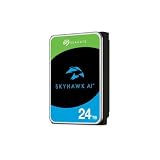
ST24000VE002
Seagate Skyhawk AI 24TB Video Internal Hard Drive HDD – 3.5 Inch SATA 6Gb/s 512MB Cache for DVR NVR Security Camera System with in-House Rescue Services (ST24000VE002)
24 TB · New
$859.99Price checked 2026-10-01 05:14:52 UTCBuy on Amazon ↗
ST10000VE001
Seagate Skyhawk AI 10TB Video Internal Hard Drive HDD – 3.5 Inch SATA 6Gb/s 256MB Cache for DVR NVR Security Camera System with in-house Rescue Services (ST10000VEZ01/001)
10 TB · New
$359.99Price checked 2026-09-04 19:28:59 UTCBuy on Amazon ↗
ST20000VE003
Seagate Skyhawk AI 20TB Video Internal Hard Drive HDD – 3.5 Inch SATA 6Gb/s 512MB Cache for DVR NVR Security Camera System with in-House Rescue Services (ST20000VE003)
20 TB · New
$719.99Price checked 2026-09-10 23:03:18 UTCBuy on Amazon ↗
ST32000VE000
Seagate Skyhawk AI 32TB Video Internal Hard Drive HDD – 3.5 Inch SATA 6Gb/s 512MB Cache for DVR NVR Security Camera System with in-House Rescue Services (ST32000VE000)
32 TB · New
$1,339.99Price checked 2026-11-04 06:51:49 UTCBuy on Amazon ↗
ST10000VE001
HDD Skyhawk AI 10TB 7.2K 3.5" SATA
10 TB · New
$459.99Price checked 2026-10-13 05:37:49 UTCBuy on Amazon ↗
ST12000VE003
Seagate Skyhawk AI 12TB Video Internal Hard Drive HDD – 3.5 Inch SATA 6Gb/s 256MB Cache for DVR NVR Security Camera System with in-House Rescue Services – Frustration Free Packaging (ST12000VE003)
12 TB · New
$598.94Price checked 2026-11-04 06:51:49 UTCBuy on Amazon ↗
ST16000VE004
Seagate Skyhawk AI 16TB Video Internal Hard Drive HDD – 3.5 Inch SATA 6Gb/s 512MB Cache for DVR NVR Security Camera System with Drive Health Management and in-House Rescue Services (ST16000VE004)
16 TB · New
$849.99Price checked 2026-11-04 06:51:44 UTCBuy on Amazon ↗Interactive decision tool
Find the best SkyHawk AI capacity
Calculate the first capacity tier that can meet the recording plan after redundancy and reserve.
Start with measured bitrate and retention
The storage plan should begin with total average bitrate, recording hours and retention days. Resolution labels such as 4MP or 4K do not determine storage by themselves because codecs, frame rates, scene complexity and recorder settings can change bitrate significantly.
Use recorder statistics or camera configuration values when available. Add a reserve for formatting, metadata, exports, changing scenes and future camera additions.
Convert total bays into data-bearing bays
Mirrors, parity and hot spares reduce the number of bays that contribute usable capacity. A four-bay RAID 5 layout normally has three data-equivalent drives, while a four-bay RAID 6 layout has two. Recorder implementations vary, so confirm the actual storage mode.
Choose the smallest capacity with real headroom
The first capacity that barely fits today is often too small for a system that will add cameras, increase bitrate or extend retention. A practical plan leaves free space and at least one realistic growth step without requiring immediate replacement of every drive.
Do not ignore the exact model revision
The 12TB, 16TB and 20TB tiers contain multiple exact revisions with different cache and sustained-transfer figures. Cloudzat keeps those models separate, while many marketplace listings hide the revision behind a capacity selector.
Check the NVR maximum drive size
The chosen capacity must appear on the compatibility list for the exact recorder model and firmware. Older NVRs may support only smaller drives, may require a firmware update or may not address the entire capacity even when the drive powers on.
Use workload and AI streams as guardrails
SkyHawk AI supports up to 64 HD streams and 32 AI streams and is designed for a 550TB-per-year workload. If the plan exceeds those boundaries, redesign the system across more recorders or storage nodes rather than assuming a larger single disk solves the processing and workload problem.
Compare price per usable TB, not raw TB alone
Parity, spare drives and reserve change the effective cost. Compare the total drive purchase against usable retained footage, available bays, electricity and the cost of a future migration. A higher-capacity drive can be cheaper than adding another recorder chassis, but only when the recorder supports it.
Build a replacement and recovery plan
Surveillance arrays should have documented replacement models, tested footage exports, stable power and cooling, and a procedure for responding to SkyHawk Health Management or SMART warnings. Warranty replacement and Rescue services do not replace routine export of footage that cannot be recreated.
How Cloudzat evaluates high-capacity SkyHawk AI drives
Cloudzat attaches recording technology, RPM, cache, transfer rate, workload, stream support and warranty only to an exact VE model. Revisions at 12TB, 16TB and 20TB remain separate so one drive cannot inherit another revision's cache or sustained-transfer specification.
Live offers are screened for new single internal 3.5-inch SATA SkyHawk AI drives. Standard SkyHawk, SSDs, external drives, SAS products, complete NVR or DVR systems, camera bundles, accessories, multipacks, other Seagate families and non-new listings are rejected. Stream figures do not replace a retention calculation or the recorder manufacturer's exact compatibility list.
Frequently asked questions
Choosing the right SkyHawk AI capacity
What is the best SkyHawk AI capacity for 16 cameras?
There is no fixed answer without bitrate and retention. Sixteen cameras at 2Mbps use far less space than sixteen cameras at 12Mbps. Enter the actual average bitrate, recording schedule and required days in the calculator.
Is a 32TB drive always better than several smaller drives?
No. A 32TB drive improves per-bay density, but it raises the amount of data tied to one device and may not be supported by the recorder. Smaller drives can offer lower replacement cost and more layout flexibility.
Which SkyHawk AI capacities are CMR?
All exact models tracked in this high-capacity build, from 8TB through 32TB, are listed as CMR in current Seagate documentation.
How much free space should an NVR keep?
A planning reserve of roughly 10% to 20% is a sensible starting point, but recorder behavior varies. Include file-system overhead, exports, database metadata and future bitrate growth.
Can I mix SkyHawk AI capacities in one recorder?
Some recorders permit mixed capacities, while RAID arrays often use only the smallest common capacity per drive. Check the recorder and RAID rules before mixing drives.
What happens when the plan exceeds 32 AI streams?
The drive-family specification should not be treated as a system-architecture guarantee. Split analytics across recorders or storage nodes and validate the NVR, GPU, network and storage design with the vendor.
Primary sources
- Seagate SkyHawk AI current data sheet
- Seagate SkyHawk AI product page
- Seagate 32TB, 20TB and 16TB product manual
Cloudzat may earn a commission from qualifying purchases. Product availability, pricing and specifications can change. Confirm the exact SkyHawk AI model, recorder compatibility, seller, condition and regional warranty route before buying.